How to Have Wedding Guests Upload Photos (Without Losing Half of Them)

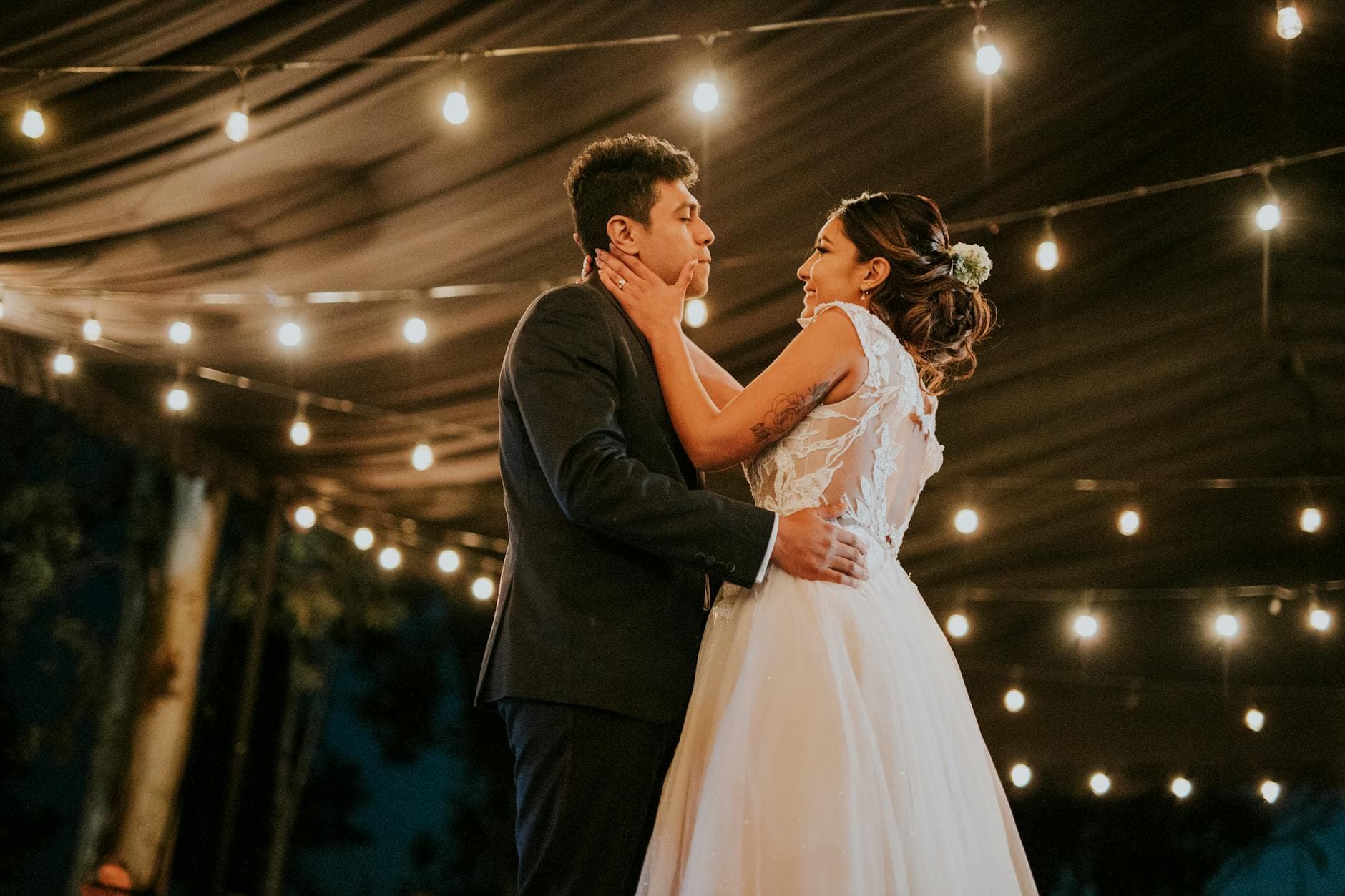
The photographer delivered 312 beautiful shots. The videographer captured the ceremony, the first dance, the speeches. But here's the thing: the photo that made the bride ugly-cry at brunch the next morning was a blurry candid her college roommate took during the bouquet toss. It was on one phone, in one camera roll, and it almost never made it anywhere else.
That's the pattern with wedding photos. Guests take them. Guests mean to share them. And then life happens, the weekend ends, and those photos sit untouched for months. A Mixbook survey found that 50% of Americans do nothing with the photos on their phone. At a wedding, that's not just wasted storage. It's missed memories.
This guide is about closing that gap. Not with vague advice like "ask your guests to share," but with specific methods, honest trade-offs, and a clear recommendation for what actually works in 2026.
Why "I'll Send You the Photos" Never Works
You know the promise. Someone shows you a great photo on their phone at the reception, you ask them to send it, and they say "totally, I'll AirDrop it to you later." Later never comes.
It's not malice. It's friction. Sending photos after a wedding means remembering to do it, figuring out the method (text? email? AirDrop?), selecting the right ones from a camera roll that's now 200 photos deep, and actually following through. Most people get as far as "I should do that" and then their Monday inbox buries the thought.
The math is brutal. Picture a 150-guest wedding where 80 people take photos and each captures around 10 to 15 shots. That's roughly 800 to 1,200 photos scattered across 80 phones. If you rely on the "I'll send them" approach, you'll collect maybe 40 to 60 photos total from the 5 or 6 people who actually follow through. The other 95% vanish.
The Three Methods (and What They're Actually Like)
There are really only three approaches couples use in 2026. Each has genuine strengths and real limitations.
Method 1: The WhatsApp/iMessage Group
The most common approach because it's free and everyone already has it. You create a group chat, add guests (or post the link at the reception), and ask people to drop their photos in.
What works: Zero setup cost. Guests already know how to use it. Photos start flowing during the event.
What doesn't: Image compression destroys quality. WhatsApp downsizes photos significantly, so that gorgeous golden-hour portrait becomes a grainy mess when you try to print it. Group chats also get noisy fast. By hour three of the reception, the photo thread is buried under 47 messages about someone's Uber ride. And you need everyone's phone number, which gets awkward with plus-ones and distant relatives.
Method 2: Shared Cloud Albums (Google Photos, iCloud)
Create a shared album, send the link, and guests add their photos. Google Photos handles this well if everyone has a Google account.
What works: Original quality photos. Good organization. Free.
What doesn't: The "if" in that sentence is doing heavy lifting. At a wedding with mixed guest demographics, you'll have iPhone-only users who don't have Google Photos, Android users who can't use iCloud, and older relatives who aren't sure what a shared album is. In practice, maybe 30 to 40% of guests can use whichever platform you pick without friction. The rest either skip it or need help, which nobody has time for during a reception.
Method 3: QR Code Photo Sharing
A dedicated photo sharing platform where guests scan a QR code, open a browser gallery, and upload directly. No app download, no account creation. This is the approach that's grown fastest since 2021. QR code usage has surged roughly 323% since 2021, and 49% of couples now include QR codes on their wedding stationery.
What works: Universal. Works on any phone with a camera. No app install, no sign-up, no platform lock-in. Guests scan, pick photos, upload. Original quality preserved. Photos land in one organized gallery instead of scattered across chat threads.
What doesn't: It's not free. Platforms like GuestPix, Everlense, and Photogala charge a one-time fee (typically €30 to €140 depending on features). You're also relying on guests noticing and scanning the QR code, which means placement matters.
Honest take: If your wedding has under 30 guests who all use the same phone ecosystem, a shared Google Photos or iCloud album works fine. For 80+ guests with mixed devices and ages, QR code sharing removes enough friction to be worth the cost.
How QR Code Photo Uploading Actually Works
Since method three is the one that scales, here's what the experience looks like from the guest's perspective. No jargon, just the actual steps.
The guest sees a QR code. Maybe it's on a table card, printed on a napkin, displayed on a sign near the entrance, or shown on a screen. They open their phone camera, point it at the code, and tap the link that appears. A browser page opens. No App Store, no login screen.
They enter a display name (or skip it if the platform allows anonymous uploads), select photos from their camera roll, and hit upload. The photos appear in the shared gallery within seconds, visible to everyone.


1.Guests scan the QR code with their phone camera
That's it. The entire process takes under 30 seconds. The difference between this and "I'll send you the photos later" is that it happens in the moment, while the guest is still at the wedding, still excited, still holding their phone.
See it in action
Every guest photo in one album – no app.
Where You Put the QR Code Matters More Than You Think
This is where most couples underestimate the setup. A single QR code on the welcome table sounds sufficient. In practice, guests walk past it, forget about it, or never see it because they entered through the side door.
The couples who collect the most guest photos treat QR code placement like signage at a festival: repetitive and impossible to miss.
- Table cards. One per table. Guests see it while sitting, which is when they're most likely to scroll through their camera roll and think "oh, I should upload that one."
- Bathroom mirrors. Sounds odd, works brilliantly. Guests check their phone in the bathroom anyway. A small sign with the QR code catches them in a moment of downtime.
- Near the bar or food station. People queue. Queuing people look at their phones. A QR code sign in the queue converts idle scrolling into uploads.
- On the photo wall screen. If you're running a live photo display, put the QR code in the corner of the screen. Guests see their friends' photos appearing and immediately want to add their own.
- The DJ or MC mentions it. A quick verbal nudge between songs: "Scan the QR code on your table to share your photos." One announcement at the start of the reception and one during dinner is enough.
A couple at a 180-guest wedding who places QR codes on every table plus two standing signs will realistically collect 400 to 700 photos. The same couple with a single code at the entrance? Maybe 80 to 120. Placement is the multiplier.
Pro tip: Print the QR code on something guests pick up and keep, like a coaster or a small card tucked into the napkin fold. Physical objects in their hand remind them to scan even hours later.
Getting Reluctant Guests to Actually Participate
Some guests will scan and upload immediately. The photographer friend, the maid of honor, the cousin who documents everything. They need zero encouragement.
The challenge is everyone else. The uncle who took 14 great photos but "isn't sure how this works." The college friends who are having too much fun to stop and upload. The older relatives who see QR codes as suspicious technology.
A few things that help:
Make it social, not technical. Frame it as "add your photos to our wedding album" not "please upload your media to the shared gallery." The language matters. People contribute to albums. They don't upload to platforms.
Photo challenges change behavior. This is where gamification earns its keep. Instead of a generic "share your photos" request, give guests specific prompts: "Capture the best dance move," "Find the flower girl," "Snap the funniest face at your table." Platforms like Photogala let you create photo challenges with example preview photos, so guests know exactly what you're looking for. Challenges turn passive photographers into active participants. Imagine a table of groomsmen competing to get the best candid of the groom. Three of them upload 15 photos each because the challenge gave them a reason to.
Show the live wall early. If your venue has a screen displaying uploaded photos in real time, guests see the cause and effect immediately. They upload a photo, it appears on the big screen 10 seconds later, someone at the next table laughs. That feedback loop is addictive. As event photo sharing research from Kamero notes, real-time sharing dramatically increases engagement.
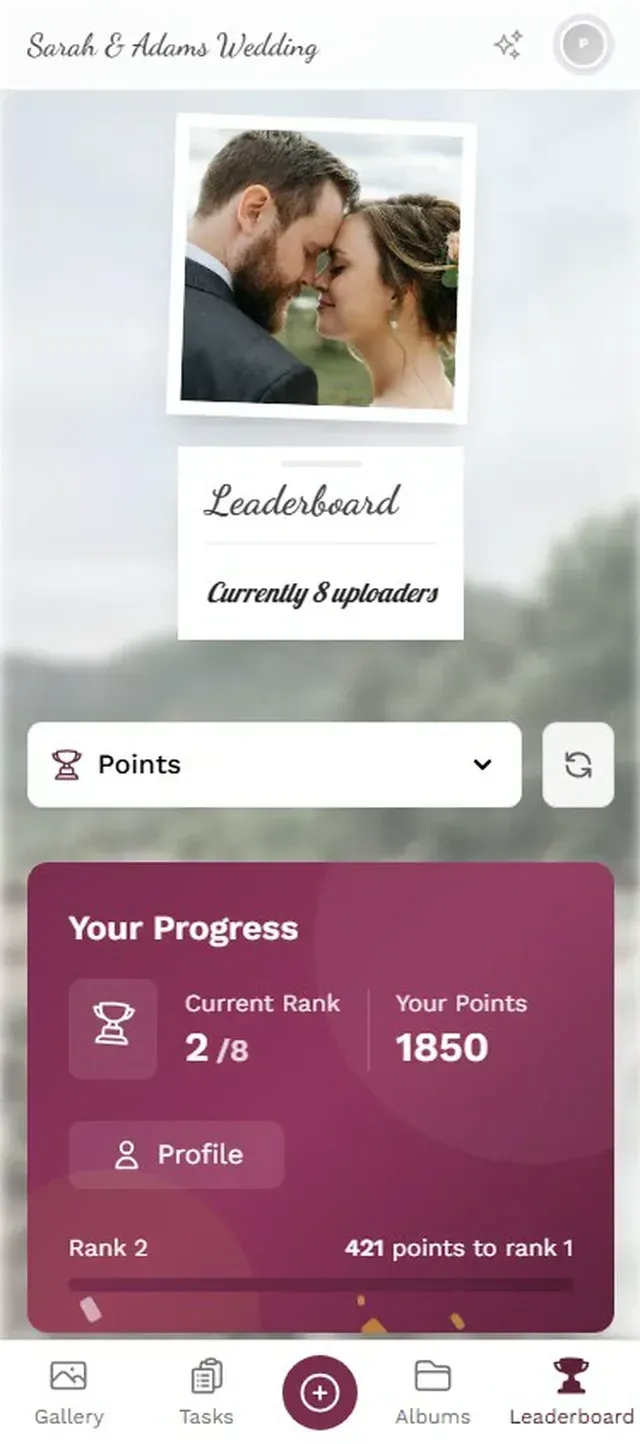
1.Challenges give guests specific photo prompts
What Happens After the Wedding
Collecting the photos is step one. Having them organized and accessible is step two, and most couples forget about it until they're staring at 600 unsorted files.
With a chat group, you're scrolling through message history trying to save photos one by one. With a shared album, organization depends on whichever platform you used. With a QR code gallery, everything is already in one place, downloadable as a ZIP, often sortable by time or contributor.
One thing to think about: storage duration. Some platforms keep your gallery for 6 months, others for 12. Check before your wedding, not six months after when you realize you forgot to download everything. Photogala keeps galleries for 6 to 12 months depending on the plan, with bulk ZIP download available anytime.
The best approach is to download everything within the first week while you're still in post-wedding mode. Set a calendar reminder. Future you will be grateful.
A Quick Comparison of Popular Options
If you're evaluating platforms, here's what the landscape looks like as of March 2026.
Wedding Guest Photo Sharing Options
| Feature | Photogala | GuestPix | WhatsApp Group | Google Photos |
|---|---|---|---|---|
| No app install needed | ||||
| No guest account required | ||||
| Original photo quality | ||||
| Unlimited photos | ||||
| Photo challenges | ||||
| Leaderboard & points | ||||
| Live photo wall (TV) | ||||
| Content moderation | ||||
| Works on all devices | ||||
| Cost | From €39 | From €33 | Free | Free |
The free options (WhatsApp, Google Photos) work for small, tech-savvy guest lists. For larger weddings where you want original quality, universal access, and features like a live wall or challenges, a dedicated platform is the more reliable choice. You can read more about collecting photos from all your guests in our complete guide to wedding guest photos.
The One Thing Most Guides Skip
Here's what surprised me researching this topic. The technical setup barely matters. Every QR code platform works more or less the same way. The real variable is when and how you introduce it to guests.
The couples who collect the most photos don't just place QR codes and hope. They build it into the flow of the wedding. The MC mentions it. The table cards explain it in one sentence. The photo wall makes it visible. The challenges make it fun. Each touchpoint adds maybe 15 to 20% more participation.
Stack four or five of those touchpoints and you go from "a handful of guests uploaded" to "we have more candid photos than the photographer took." That's not an exaggeration. At a 150-plus guest wedding with proper QR code placement and a live wall, 500 to 700 guest photos is a realistic number. That's not because the technology is magic. It's because removing friction at the right moments lets people do what they already wanted to do: share the moment.
Your guests are already going to take the photos. The only question is whether those photos end up in one shared place or scattered across 80 phones, slowly forgotten. A QR code on every table, one clear ask from the MC, and a platform that doesn't require a computer science degree to use. That's really all it takes.
All of this comes with your own event.
Setting it up takes five minutes. You can build and view everything before you decide.
Starting from €39 one-timeOne-time payment — No subscription
- No App Required
- Setup in 5 Minutes
- 30-Day Money Back
“Excellent service and great pictures! Photogala fully met our expectations at the event. The value for money is unbeatable. Absolutely recommended! The seating plan saved us a lot of hassle!”
Written by

I believe event photos should be more than static galleries. They should be live, playful, and unforgettable.
Categories
Related Posts

Bridal Shower Photo Sharing: Collect Every Sweet Moment in One Gallery
Bridal shower photos end up scattered across 15 phones. Here's how to get them all into one gallery before the mimosas wear off.

Company Retreat Photo Sharing: How to Actually Keep the Memories
Most offsite photos die on individual phones. Here's how to collect, share, and actually use every photo from your next company retreat.
Neighborhood Block Party Photo Sharing: How to Turn 40 Strangers Into One Shared Album
Block parties create great photos — and zero way to share them. Here's how a QR code gallery turns your street into a connected community.