Points, leaderboard, prizes – your guests play along.
Every photo, every solved task and every like earns points. Achievements unlock by themselves – optionally with a real prize.
Points for every photo. A reason to keep going.
You set the points, your guests collect them – and achievements reward the milestones.
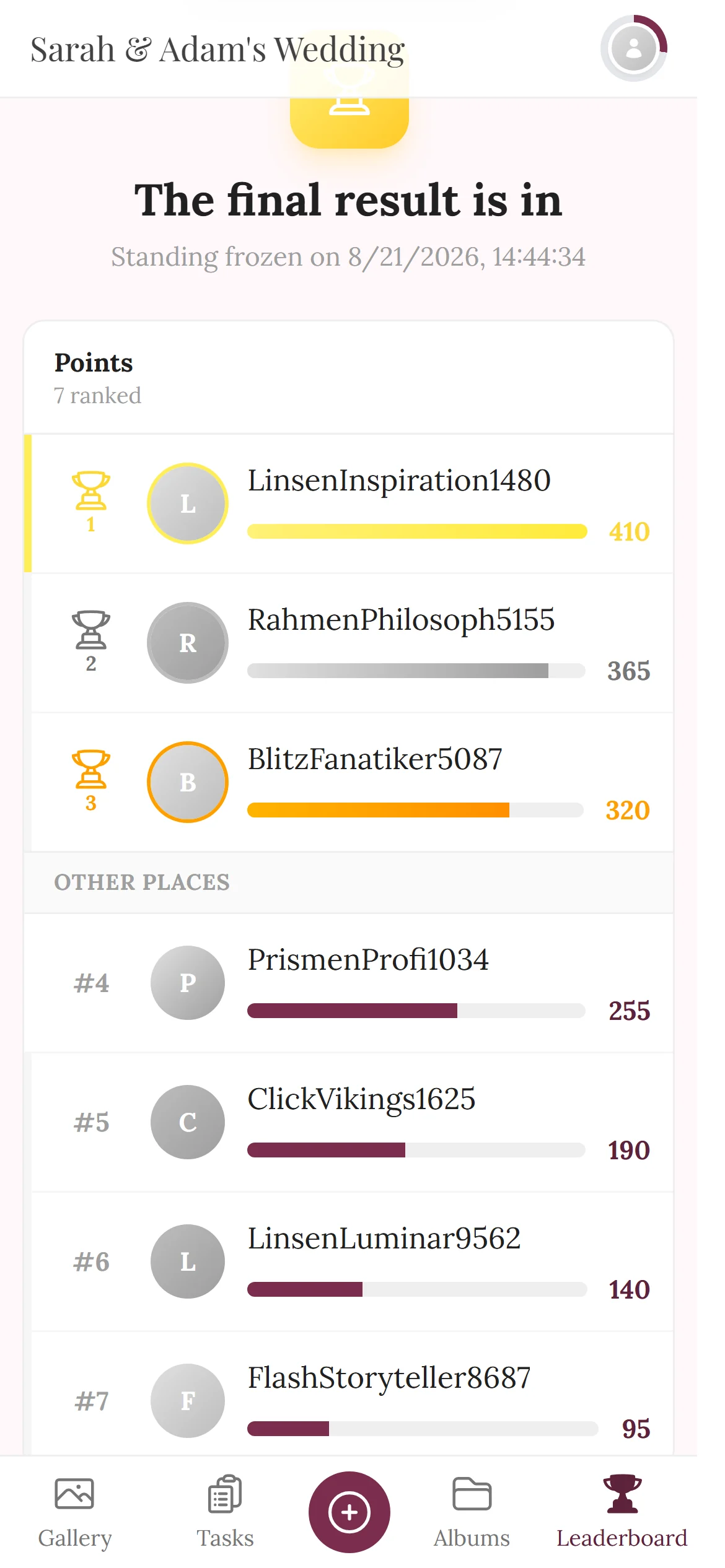
Guests see their rank and points right in the gallery – no app needed.
- Photo uploaded+5
- Task completed+20
- Like on your own photo+1
Decide what a photo, a task and a like are worth – or keep the defaults.
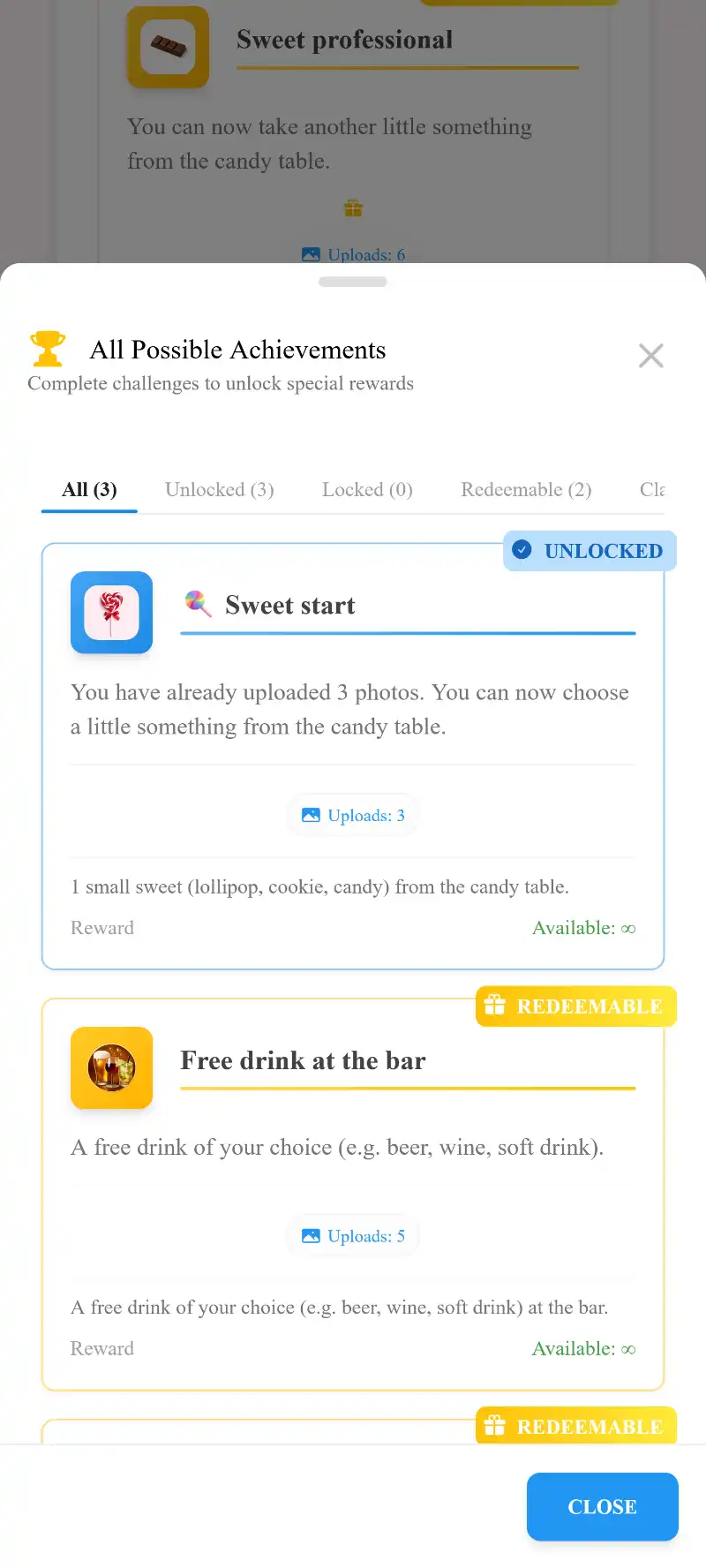
Milestones unlock automatically – optionally with a real prize.
Collect points. Unlock achievements.
The values are the defaults – you can change every one of them. The achievements are the real upload achievements of the demo wedding.
- Points for photos, solved tasks and likes received
- Achievements unlock automatically once the condition is met
- An achievement can come with a real prize, e.g. a free drink
Your whole table together
Free drink at the bar
The game lies on the table, too
Every photo task and every achievement can be printed as its own card with a QR code. Guests see at a glance what there is to do and to win – one scan and they are in.
See the cards on paperLeaderboard, achievements, prizes.
You set everything up in the admin area before the event – your guests simply play along.
1 / 6
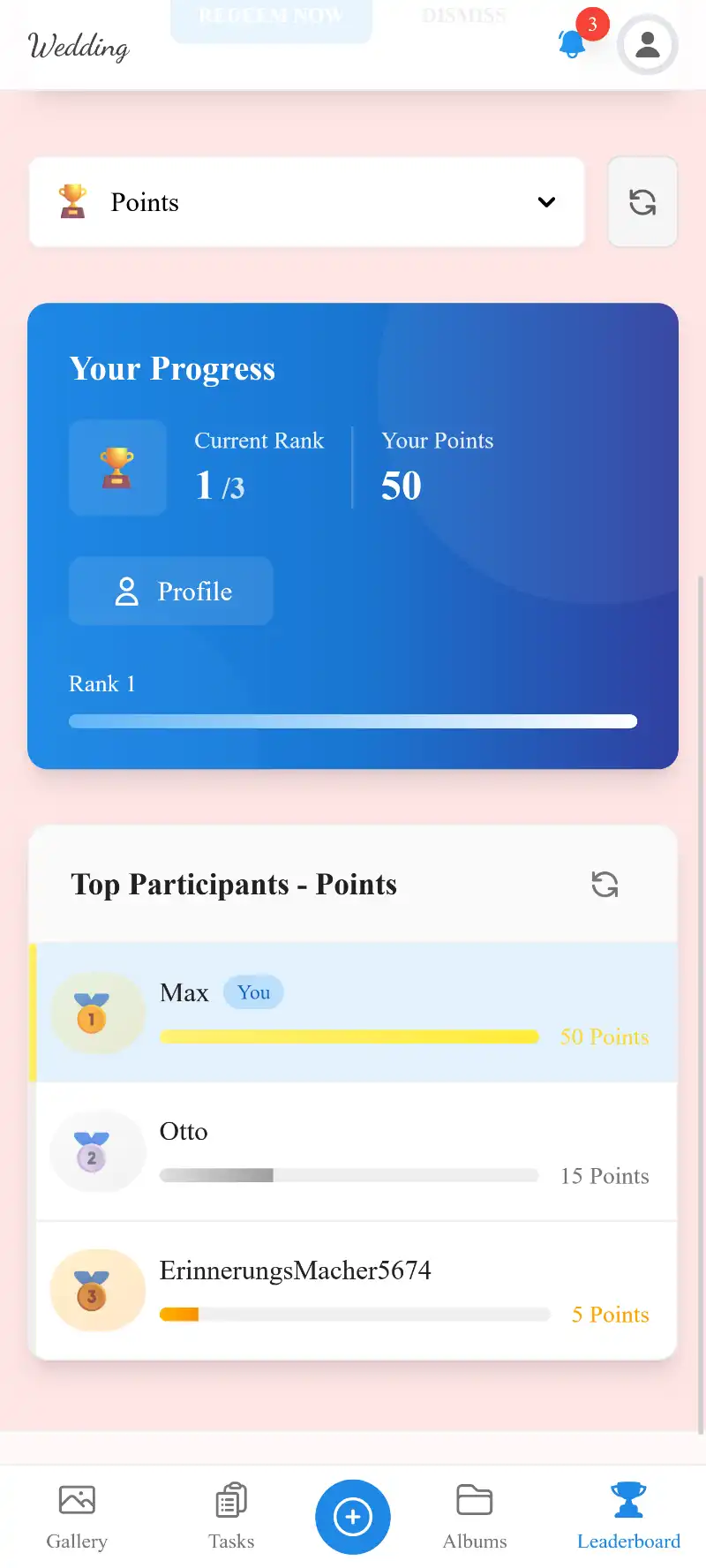
Your rank at a glance
Every guest sees their own rank and points – and who is ahead.







After the starters, the uploading stops.
One-time payment — No subscription
Starting from 69 € / one-time
Gamification is available from the Premium plan up.
Set up points, achievements and prizes before the event – guests see their progress right in the gallery.
- No App Required
- Setup in 5 Minutes
- 30-Day Money Back
What Is Event Gamification?
- 1Who it's forEvents where guests should join in
- 2What happensPoints for uploads, a live leaderboard and badges
- 3In the endGuests keep taking photos all evening
More details
Event gamification applies game mechanics — points, rankings, achievements, and rewards — to the real-world activity of event photo sharing. Instead of passively uploading a few photos and forgetting about the gallery, guests are motivated to participate actively, compete with other attendees, and strive toward meaningful goals throughout the event.
Photogala's gamification system is built on four interconnected pillars that work together to create a complete engagement loop. Points provide instant gratification for every action. The leaderboard creates social competition that drives ongoing participation. Achievements give guests milestone goals to work toward. And rewards — both digital badges and physical prizes — provide tangible incentives that make the whole system feel worthwhile.
- Points
- Leaderboard
- Achievements
- Rewards
Achievement Badges
Achievements are goals that guests unlock automatically once they meet certain conditions. Photogala offers more than ten condition types that you can combine — from uploads and likes to challenges and time windows.
Upload Count
Triggered when a guest uploads a certain number of photos. 'Shutter Bug' at 10 uploads, 'Photo Machine' at 50 uploads. Creates ongoing motivation to keep contributing to the gallery.
Point Threshold
Unlocked when a guest reaches a specific point total. 'Rising Star' at 100 points, 'Photo Legend' at 500 points. Works with all point-earning activities combined.
Challenges Solved
Triggered when a guest completes a set number of photo challenges. 'Challenge Accepted' at 3, 'Mission Master' at all challenges. Drives engagement with the challenge system.
Likes Received
Unlocked when a guest's photos collectively receive enough likes. 'Crowd Favorite' at 20 likes, 'Fan Favorite' at 100 likes. Rewards quality over quantity.
Achievements Earned
Meta-achievements that unlock when you earn other achievements. 'Collector' at 5 achievements, 'Completionist' for all achievements. Creates a satisfying collection loop.
Time-Based
Triggered at specific moments during the event. 'Early Bird' for uploading before the ceremony, 'Night Owl' for uploading after midnight. Encourages participation at key moments.
Album Contributions
Unlocked when a guest contributes photos to themed albums. 'Curator' for contributing to 3 different albums. Helps organizers get diverse, categorized content.
Invitation code used
Triggered when a guest joined the event via a specific invitation code — for example for a separate achievement per table or group.
Everything built in
- Points systemPoints for uploads, challenges and likes — values freely adjustable
- Achievement badgesMore than ten combinable conditions, automatic unlocking
- Physical rewardsInventory tracking, claiming flow, manual assign
Frequently Asked Questions
1How do guests earn points?
2Can I customize point values?
3How does the leaderboard work?
4What are achievements?
5Can I offer physical rewards?
6Does gamification really increase participation?
7Can I display the leaderboard on the photo wall?
8How do guests claim rewards?
9Can I create custom achievements?
10What condition types are available for achievements?
Goes well with
Ready to Get Started?
Create your event in minutes. No credit card required.