100% free

The menu everyone can read — including the guest with the nut allergy.

Courses, dishes, photos and dietary labels on one page your guests open on their phone. Plus the same menu as a festive PDF to print. Free, in English and German.

See a live menu

No credit card · Ready in 10 minutes

"Does that have nuts in it?" — three times per table, all evening.

A printed card rarely says what is actually in a dish. So your guests ask the waiters, the waiters ask the kitchen, and anyone with an intolerance ends up poking at their plate. A digital menu answers all of it beforehand — with a label on every single dish.

From the table to the kitchen

A menu that doesn't only look good — it does some of the work.

What your guests see

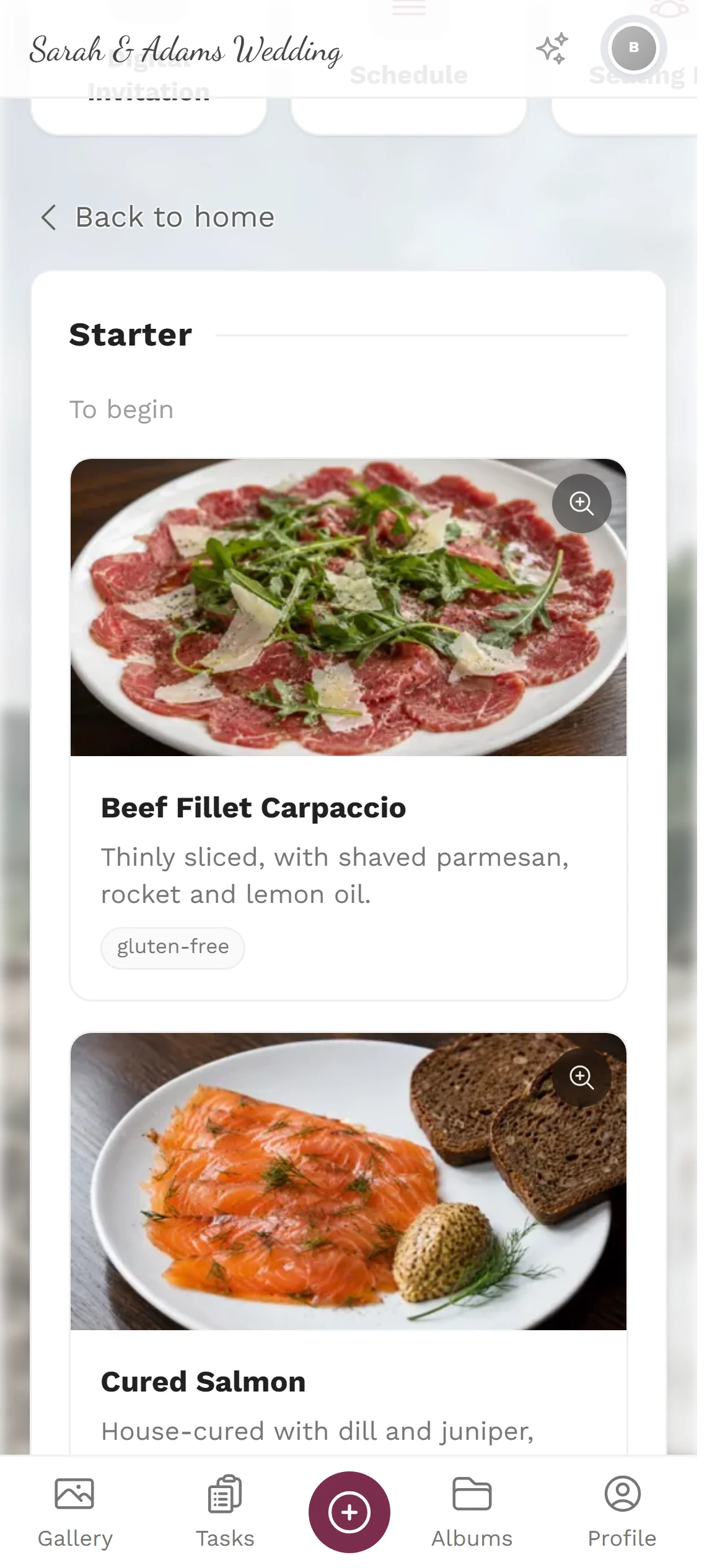
The courses in order, every dish with its description and photo, and the labels underneath: vegetarian, gluten-free, fish. No login, no download — the QR code on the table is enough.

Three looks, one click

Elegant with dividers, tiles with dish photos, or a compact list. You choose how the card looks to your guests — the preview updates as you pick.

And the printed card

The same content as a festive menu card in PDF — four styles from Gold & Ivory to Midnight Blue, in A4 or A5. What goes on it is a set of tick boxes: photos, descriptions, dietary labels, decorative frame.

What goes on the card

Room for any menu — from three courses to a buffet with a dozen stations.

Courses & dishes

Starter, main, dessert — or your buffet stations. With descriptions if you want them.

Photos

One picture per dish turns a list into something people get hungry looking at.

Dietary labels

Vegetarian, vegan, gluten-free, fish — right on the dish, visible to everyone.

Two languages

Every dish in English and German; guests automatically see their own.

From the guest's choice to the note in the kitchen

This is the part a printed card cannot do: your guests' choices come back to you.

The guest picks

Each guest chooses their course while accepting the invitation — or you enter it later yourself.

It lands in the guest list

Every choice sits next to the name, together with dietary needs and the seat.

It becomes the service plan

A PDF for the kitchen and the waiting staff: how many of each course were ordered, and table by table, who gets what.

The service plan is built from the seating plan, the guest list and the menu — you don't collect anything by hand.

To print and stand on the table

The digital card is for your guests; the PDF is for the laid table.

  • Menu card as PDF. Four festive styles, A4 or A5, with or without photos and dietary labels.
  • Or design it yourself. In the design studio you place the menu on a card of your own — the whole menu, single courses, or single dishes as blocks.
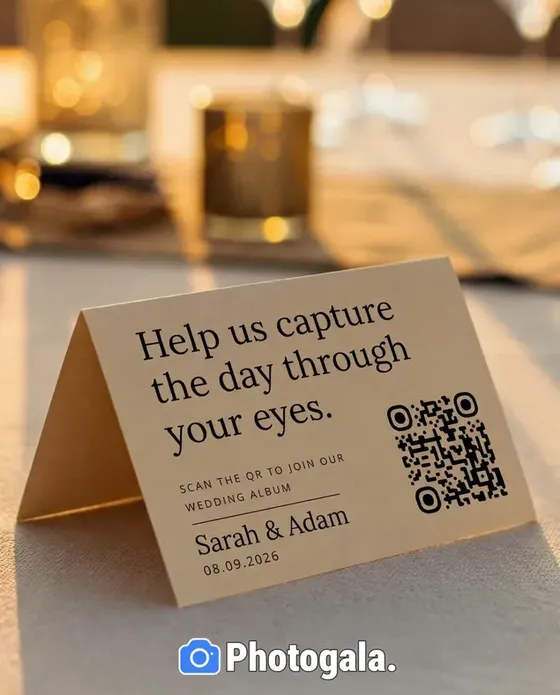
  • A QR code for the table. A code on the table stand leads straight to the always-current card.
See everything you can print

Everything included

  • Menu tool entirely free
  • Three display styles for your guests
  • One photo per dish
  • Dietary and allergy labels
  • English and German side by side
  • Menu card as a PDF in four styles
  • QR code for the table stand
  • Free design in the design studio
  • Meal choice with the RSVP
  • Service plan for kitchen and staff
Start for freeNo app neededGDPR-compliantServers in the EU

The menu tool stays free — the photo gallery starts at

Starting from 39 €

One payment instead of a subscription: if you also want every guest photo from the day, the gallery costs a fair one-off price.

See Pricing

Digital menu card — frequently asked questions

What does the digital menu card cost?
Nothing. Every planning tool at Photogala is free, the menu included — PDF export and design studio too. You only pay for the photo gallery if you want to collect your guests' pictures.
Can our guests choose their meal through it?
Yes. The choice happens with the RSVP: the guest sees the courses and picks one per course. The answer lands in your guest list and from there in the service plan for the kitchen.
Do our guests need an app?
No. The QR code on the table opens the card in any browser — no sign-up, no download.
Can we change the menu at short notice?
Any time. If a dish falls through, you change it in the editor and the card is current at the next scan. Only an already-printed PDF would need reprinting.
How do we show intolerances?
Every dish carries its own labels — vegetarian, vegan, gluten-free, fish and more. They appear right under the dish, in both languages.
Can we print the card?
Yes. The PDF export produces a festive menu card in four styles, in A4 or A5. Tick boxes decide whether photos, descriptions, dietary labels, the decorative frame and the ornaments come along.
Does it work for a buffet?
Yes. Instead of courses you simply create your stations — starter buffet, grill, dessert bar. The structure is the same.
What is the service plan?
A PDF for the kitchen and the waiting staff: first the overview of how many of each course were ordered, then table by table, which guest at which seat gets what — dietary needs included.

A menu that answers the questions before they're asked.

Enter the courses, pick a style, put the QR code on the table. Free, no credit card.

See a live menu