From Upload to Slideshow in 30 Seconds: How Real-Time Photo Walls Work

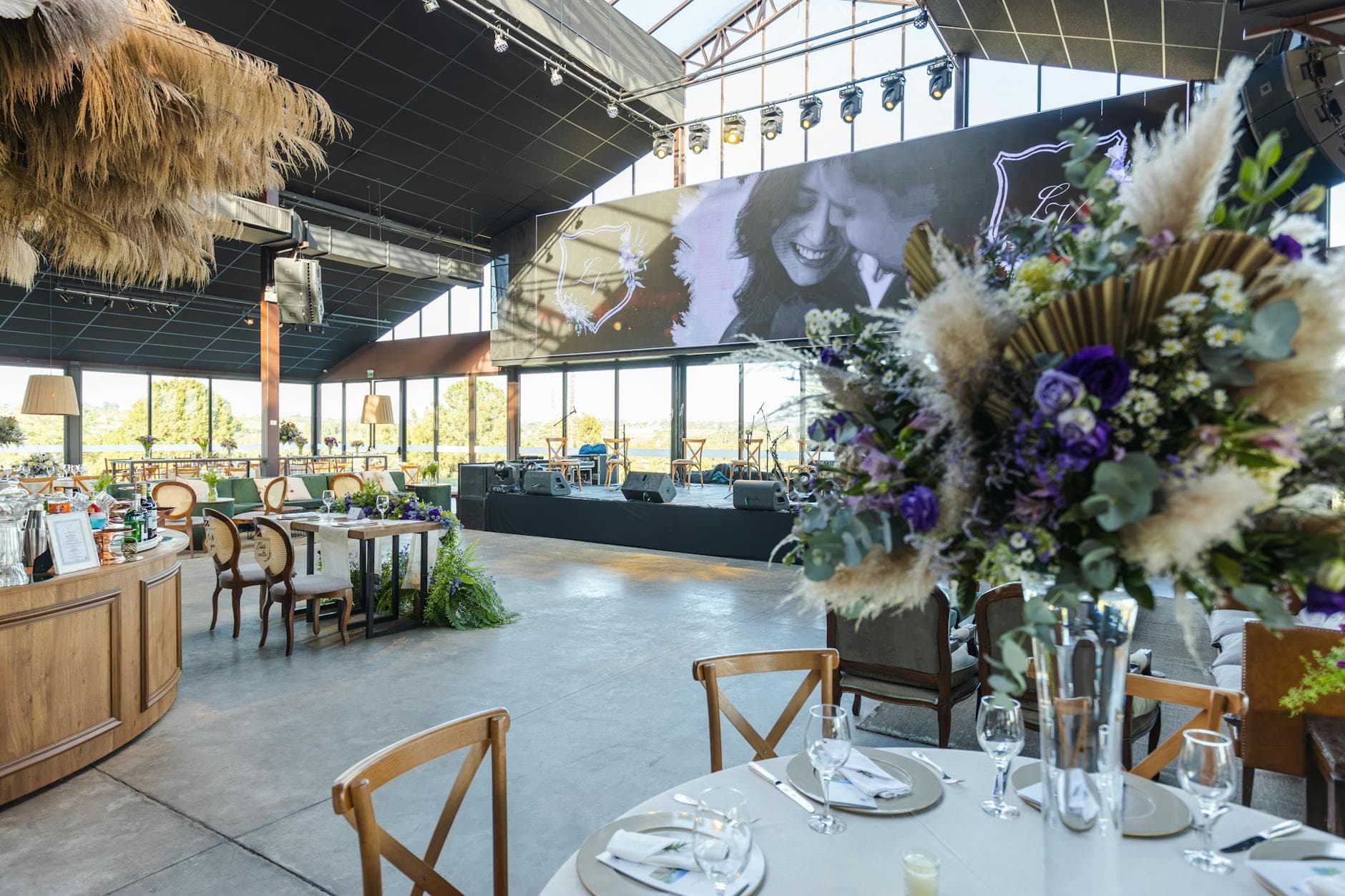
Eleven PM at a corporate summer party. The DJ is playing something nobody asked for, but the 55-inch screen behind the bar is doing more work than the entire playlist. Every few seconds, a new photo slides in. Someone's selfie with the CEO. A group shot from the terrace. A blurry but hilarious attempt at a dance move. People keep glancing at the screen, pointing, laughing.
That's a live photo wall doing its job. And the whole loop, from a guest tapping "upload" on their phone to the image appearing on that screen, takes about 30 seconds. No cables. No USB sticks. No dedicated photo booth attendant.
But how does it actually work? Not the marketing version. The real mechanics.
The 30-Second Chain: What Happens After You Hit Upload
A photo wall looks like magic from the outside. Guest takes photo, photo appears on screen. Simple. The reality involves a surprisingly elegant chain of events that most people never think about.
Here's the actual sequence:
- Guest scans a QR code. Their phone's browser opens a gallery page. No app download, no account creation. This is important because every extra step loses people. A 2024 study on event technology found that reducing friction is the single biggest factor in attendee engagement with digital tools.
- Guest selects photos from their camera roll (or takes a new one). Taps upload.
- The photos travel to a cloud server via the venue's WiFi or the guest's mobile data. The files are processed, thumbnails generated, metadata extracted.
- A WebSocket connection pushes the new photo to every connected device in real time. That includes the photo wall display, other guests' phones viewing the gallery, and the moderator's dashboard.
- The photo wall receives the update and adds the image to its rotation. Depending on the layout, it either slides in immediately or queues up for the next cycle.
The bottleneck isn't the technology. It's the WiFi. More on that later.
Why WebSockets Matter (and Why Polling Doesn't Cut It)
Most web apps work on a request-response model. Your browser asks the server "anything new?" and the server answers. That's fine for loading a webpage. It's terrible for a live photo wall.
Picture 80 guests at a wedding, all with the gallery open on their phones. If every phone polls the server every 5 seconds asking "new photos?", that's 960 requests per minute. The server spends most of its time saying "nope, nothing yet." Wasteful, slow, and the delay between upload and display can stretch to 10-15 seconds or more.
WebSockets flip that model. Instead of the client asking, the server tells every connected device the moment something changes. One upload triggers one broadcast. Every phone, every browser tab, every photo wall screen gets the update simultaneously.
That's how Photogala keeps the upload-to-screen time under 30 seconds even with hundreds of concurrent connections. The photo wall doesn't wait. It reacts.
How fast is "real-time"? On a decent WiFi connection, photos typically appear on the photo wall within 5-15 seconds of hitting upload. The 30-second figure accounts for slower connections, larger files, and the display's rotation cycle. Video uploads take longer because of transcoding.
The Moderation Layer: What Happens Before the Screen
Here's something most people don't consider until it's too late. A live photo wall at a 150-person event means anything can appear on that screen. Anything.
At a wedding, that's probably fine. At a corporate event with the board of directors in attendance? You need a filter.
Photogala handles this two ways. First, there's an AI-powered NSFW filter that scans uploads before they hit the gallery. You can configure the sensitivity, from strict (flags anything remotely questionable) to relaxed (only catches obvious violations). Second, you can enable manual moderation, where every photo sits in a queue until a designated moderator approves it.
The practical setup for most events: assign moderation to someone with a phone and good judgment. A bridesmaid at the head table. The HR person at the company party. They get a push notification for each new upload, tap approve or reject, and the photo either hits the wall or doesn't. One tap. Takes about two seconds per photo.

1.The moderation queue: approve or reject with one tap
Does moderation slow down the photo wall? Slightly. Instead of photos appearing in 5-15 seconds, there's a human bottleneck. But at events where I've seen moderation enabled, the delay is usually under a minute. The moderator is watching their phone anyway.
See it in action
Photos land live on the big screen.
Setting Up a Photo Wall: The 15-Minute Version
The setup is genuinely simple, which surprised me the first time I walked through it. No special hardware. No dedicated software running on the display machine.
Photo Wall Setup
Create your event gallery
Pick a name, upload a cover image, choose your gallery layout. The whole thing takes about 3 minutes.
Configure the photo wall
Enable the photo wall feature, set your display preferences (grid, slideshow, or mixed), and decide whether to enable moderation.
Connect a screen
Open the photo wall URL on any browser. Laptop connected to a TV via HDMI, a smart TV's built-in browser, or even a tablet propped on a stand. Full-screen it.
Print and place QR codes
Download the QR code, print it on table cards or posters. Place them where guests will see them: tables, bar area, entrance.
That's it. The screen shows the photo wall URL, guests scan the QR codes on the tables, and the whole thing runs itself.
One thing worth knowing: the photo wall display doesn't need to stay on the same device the whole night. If the laptop battery dies, open the URL on another device and you're back. The gallery is cloud-hosted, so the display is just a window into it.
The WiFi Problem (and How to Solve It)
I mentioned the bottleneck earlier. It's WiFi. Always WiFi.
A 200-guest wedding at a rural venue with one consumer-grade router will struggle. Not because the photo wall can't handle it, but because 200 smartphones competing for bandwidth on a single access point means slow uploads, timeouts, and frustrated guests who give up after one attempt.
The fix depends on the venue:
- Hotel ballroom or conference center: Usually fine. Enterprise WiFi is built for density. Ask the venue's IT contact to confirm guest WiFi can handle concurrent uploads.
- Restaurant or private venue: Check the upload speed before the event. Run a speed test from the exact room. If it's under 10 Mbps upload, consider a mobile hotspot as backup.
- Outdoor venue, tent, or barn: This is where it gets tricky. Bring a dedicated mobile hotspot (or two). Some event planners rent portable WiFi units for exactly this reason.
- Home or backyard party: Your home router is probably fine for 20-30 guests. Beyond that, a WiFi extender near the party area helps.
The good news: guests can also upload over their own mobile data. So even if the venue WiFi is shaky, anyone with a 4G/5G signal can still contribute. The photo wall itself only needs a stable connection on the one device running the display.
Pro tip: Test the full flow at the venue the day before. Scan the QR code, upload a photo, confirm it shows up on the display. This 2-minute test catches 90% of potential issues.
What Actually Gets Guests to Participate
A photo wall is only as good as the content on it. An empty screen cycling through the same three photos all night is worse than no screen at all.
The National Event Connection's 2026 trends report emphasizes that "intentional attendee engagement" is the defining shift in event production. A photo wall is a tool. What makes it work is giving people a reason to use it.
Photo challenges are one approach. Instead of hoping guests upload spontaneously, give them specific missions: "Best group photo with the bride," "Most creative use of a napkin," "Selfie with someone you just met." Photogala lets you create unlimited challenges with example photos, printable QR cards that link directly to each task, and a points system with a leaderboard.
Imagine a 200-guest wedding where 15 photo challenges are active. The uncle who never takes photos suddenly has a mission. The teenagers are competing for leaderboard position. The couple at table nine who don't know anyone yet have an excuse to approach strangers. The photo wall benefits because it's no longer waiting for organic uploads. It's being fed by a game running in the background.
According to Klikt's research on corporate photo walls, 81% of consumers prefer personalized, interactive experiences. Challenges turn a passive display into exactly that.
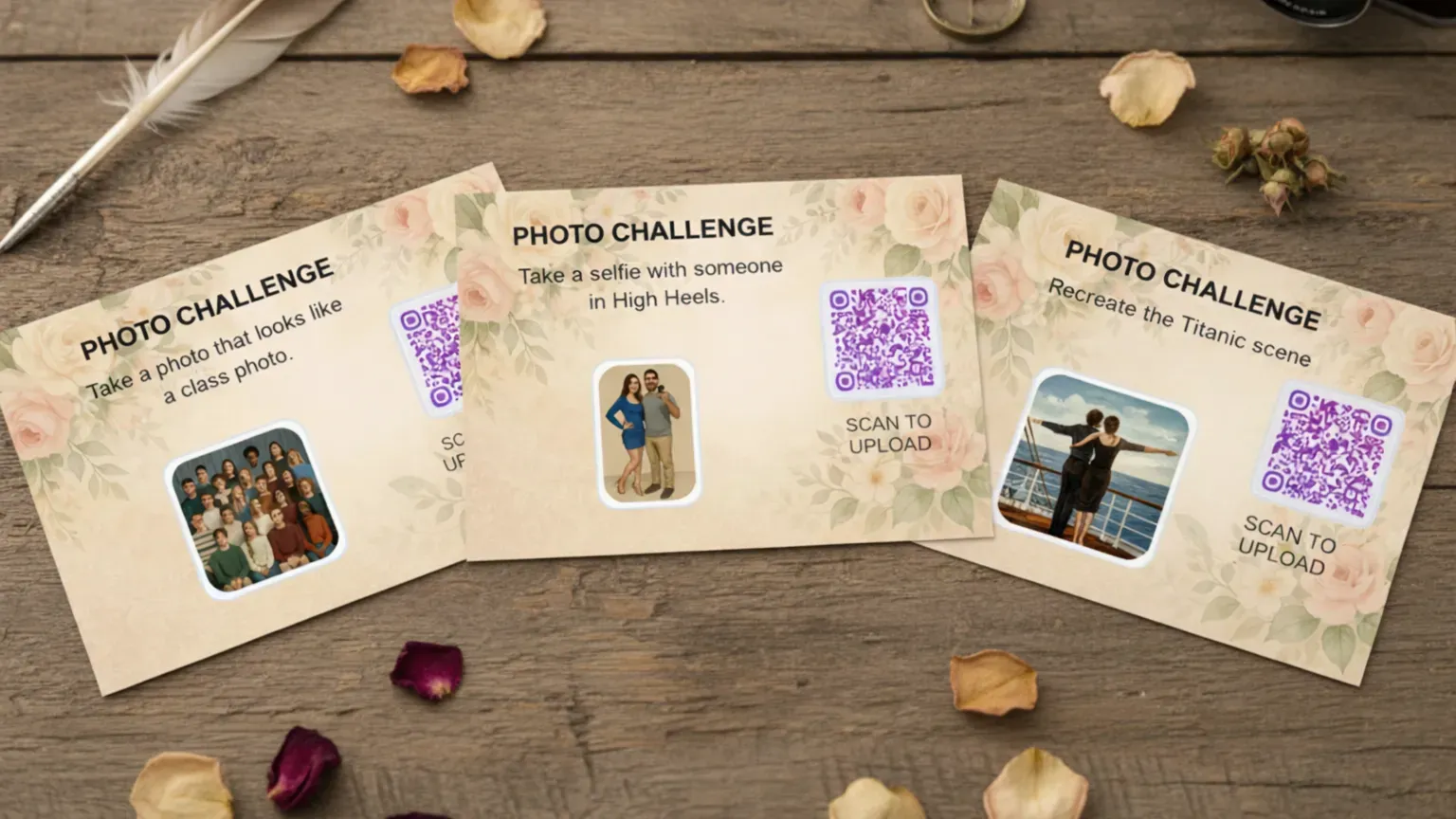
1.Guest photos appear on the big screen as they come in
Screen Placement: The Detail Everyone Gets Wrong
Where you put the screen matters more than what's on it.
The worst spot: a side room, a hallway, or behind a pillar. Nobody sees it, nobody cares. The best spot: where people are already looking and lingering. Near the bar. Behind the DJ booth. In the main reception area where guests gather between courses.
For corporate events, event production research suggests that digital-physical convergence works best when the digital element is embedded into the natural flow of the space, not isolated in a corner. The screen should feel like part of the event, not an afterthought.
A few placement rules that work consistently:
- Eye-level or slightly above. Nobody looks down at a photo wall.
- Visible from the main gathering area. If people can see the screen while chatting, they'll glance at it naturally and want to contribute.
- Near the QR code placement. Guests scan the code, upload a photo, then look up to see it appear. That instant feedback loop is what drives repeat uploads.
- Not next to a window during daylight events. Glare kills screen visibility. Obvious, but I've seen it go wrong at three different events.
For weddings specifically, we have a detailed guide on creative photo wall placement ideas that covers setups from intimate gatherings to 300-guest receptions.
What About Video?
Videos work on the photo wall too, but they behave differently. A photo uploads in 2-5 seconds. A 30-second video clip at 1080p might be 50-100 MB, which takes longer to upload and requires server-side transcoding before it's display-ready.
Expect video uploads to appear on the wall within 1-3 minutes rather than 30 seconds. That's not a Photogala limitation. It's physics and encoding. Any platform claiming instant video display is either compressing aggressively (and killing quality) or not being honest about their pipeline.
One thing Photogala does well here: original quality preservation. Your guests' 4K wedding video clips don't get downscaled to 720p for the sake of speed. They get transcoded for streaming and display, but the original file stays intact for download later.
The Honest Trade-Offs
No photo wall solution is perfect. A few things to know going in:
Browser-based means browser quirks. Photogala works in the browser (no app install, which is a huge advantage for adoption). But Safari on older iPhones occasionally hiccups with large batch uploads. The workaround: upload in smaller batches of 10-15 photos instead of selecting 50 at once.
The Plus plan doesn't include moderation. If content review is important for your event (and it should be for anything corporate), you'll need the Premium plan. That's €69 as a one-time payment. Not a dealbreaker, but worth knowing upfront.
WiFi dependency is real. We covered this above, but it bears repeating. The technology is solid. The venue's internet connection is the variable you can't fully control. Test beforehand.
If you want to see the full setup process step by step, our guide on setting up a live photo slideshow walks through every detail, from screen selection to QR code placement.
Back to that corporate summer party. The screen behind the bar ran for four hours. Say 60 people scanned the QR code and uploaded an average of 6 photos each. That's 360 photos cycling on the display by the end of the night. Not because anyone was forced to. Because a screen showing your coworker's ridiculous selfie is more interesting than whatever the DJ is playing.
That's what a photo wall does. It turns a crowd of spectators into contributors. And the tech to make it happen is a QR code, a browser, and a screen.
All of this comes with your own event.
Setting it up takes five minutes. You can build and view everything before you decide.
Starting from €39 one-timeOne-time payment — No subscription
- No App Required
- Setup in 5 Minutes
- 30-Day Money Back
“We used the software at my mum's birthday party. It went down really well 😊”
Written by

I believe event photos should be more than static galleries. They should be live, playful, and unforgettable.
Categories
Related Posts

Company Retreat Photo Sharing: How to Actually Keep the Memories
Most offsite photos die on individual phones. Here's how to collect, share, and actually use every photo from your next company retreat.

Neighborhood Block Party Photo Sharing: How to Turn 40 Strangers Into One Shared Album
Block parties create great photos — and zero way to share them. Here's how a QR code gallery turns your street into a connected community.
Why Upload Limits Ruin Event Galleries (and What Unlimited Actually Changes)
Upload caps at events create anxiety, reduce participation, and leave gaps in your photo collection. Here's what happens when you remove the ceiling.