Event Branding: Custom Photo Galleries That Match Your Theme

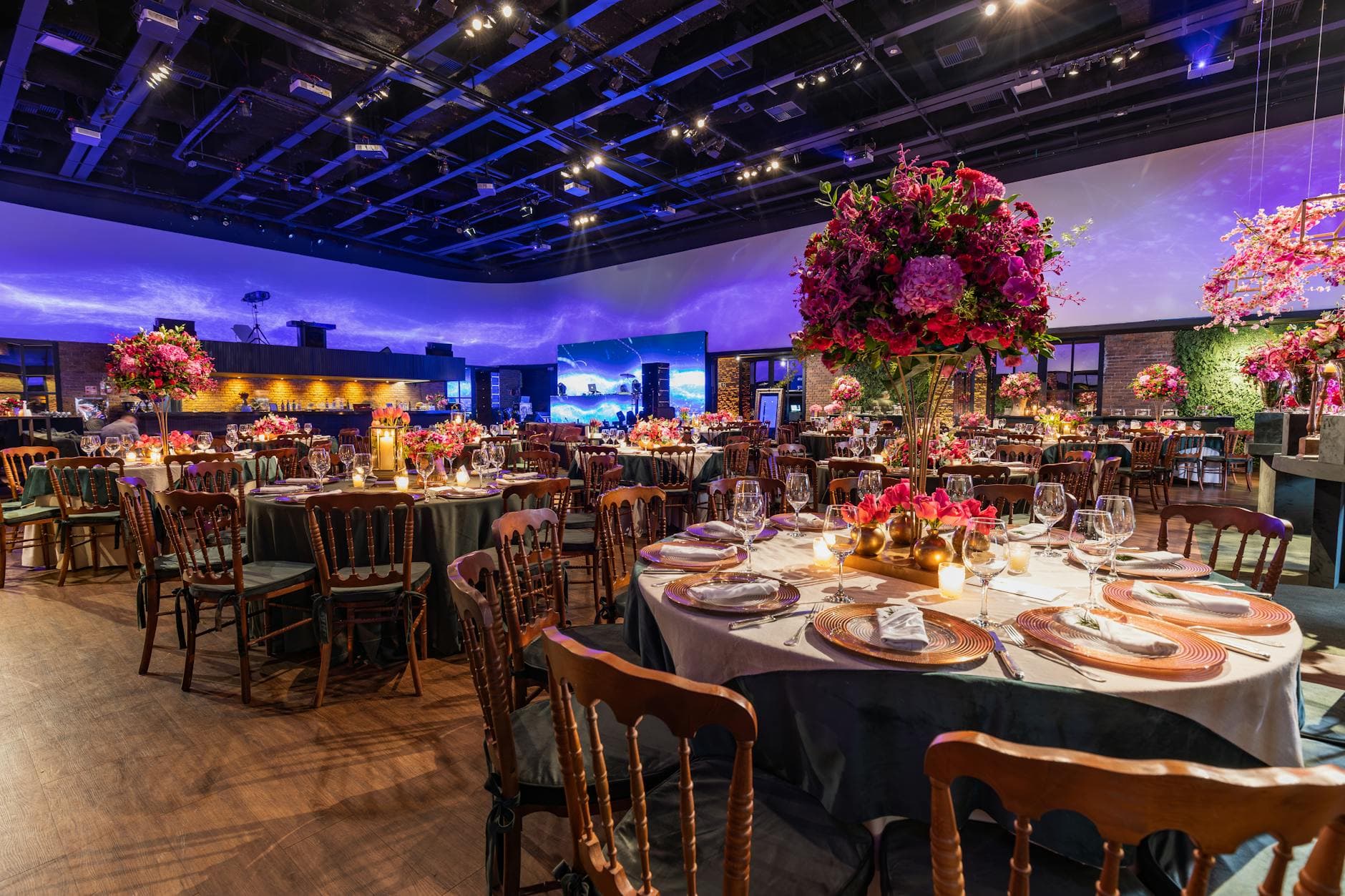
Picture a wedding where every detail is coordinated. The table linens match the invitation suite. The flowers echo the color palette. The signage uses the same serif font from the save-the-dates. Then a guest scans the QR code to upload photos, and the gallery that opens looks like a generic white page with a default blue header. That visual disconnect is more jarring than you'd think.
The photo gallery is often the single digital touchpoint every guest interacts with during an event. It's where they upload, browse, comment, and relive the night. And yet most event hosts treat it as purely functional: a bucket for photos, nothing more. That's a missed opportunity.
According to event branding experts at Eventtia, effective event branding aligns visuals, messaging, and emotions to create an immersive experience. Your photo gallery is part of that experience. When it matches your theme, it stops feeling like a third-party tool and starts feeling like your event.
Why a Generic Gallery Undermines Your Event
Think about it from the guest's perspective. They've been immersed in your carefully chosen color scheme all evening. The photo wall behind the DJ is cycling through uploads on a big screen. Then they open their phone to browse the gallery and it looks nothing like the event they're standing in. The spell breaks for a second.
That might sound dramatic for a birthday party, but for weddings and corporate events where branding is intentional, consistency matters. ConnectSpace's research on event branding found that consistent branding across all touchpoints communicates a strategic message clearly and builds recognition. A photo gallery is a touchpoint. Probably the most-used one at your event.
The good news: building a branded gallery doesn't require a design degree or an unlimited budget. It requires choosing a few visual elements and applying them consistently. If you've already picked your event colors and fonts (and if you sent invitations, you probably have), you're 80% of the way there.
The Four Pillars of a Branded Photo Gallery
A cohesive event gallery comes down to four visual decisions. Get these right and the whole thing clicks.
1. Color Palette
This is the foundation. Your gallery's background, accents, buttons, and text colors should reflect your event's palette. A rustic autumn wedding with burgundy and gold accents needs a warm gallery to match, not a default cool-blue interface.
Color coordination experts at Veldora Events describe color as the most powerful tool in event design. It sets the mood and tells a story. That applies to your digital gallery just as much as your physical venue. With Photogala's full color customization, you can match every element: primary color, background, text, accents, even button hover states. The gallery becomes a visual extension of the room.
2. Typography
Fonts carry personality. A playful script font says something completely different from a clean sans-serif. If your wedding invitations use Playfair Display for the couple's names, your photo gallery's title should echo that feeling. With custom font selection for gallery titles and descriptions, you're not stuck with whatever the platform defaults to.
3. Gallery Layout
The way photos are arranged changes the entire vibe. A clean grid feels modern and organized. A polaroid-style layout feels playful and nostalgic. A timeline layout tells a chronological story. A vintage layout adds warmth and character.
Photogala offers four distinct gallery layouts (Modern, Polaroid, Timeline, Vintage) plus six header styles ranging from Elegant to Minimalist. The combination you pick should match the event. A corporate conference probably wants Modern layout with a Minimalist header. A boho wedding might lean toward Polaroid layout with an Elegant header. Choosing the right layout isn't just aesthetic; it changes how guests experience the photos.
4. Cover Image and Logo
The cover image is the first thing guests see when they open your gallery. It sets expectations instantly. A great cover photo from the venue, the couple, or the event logo turns a generic gallery into something that clearly belongs to this specific event.
For corporate events, adding a company logo to the gallery and photo wall reinforces brand presence. For weddings, a monogram or custom illustration in the header creates a personal touch that guests notice.
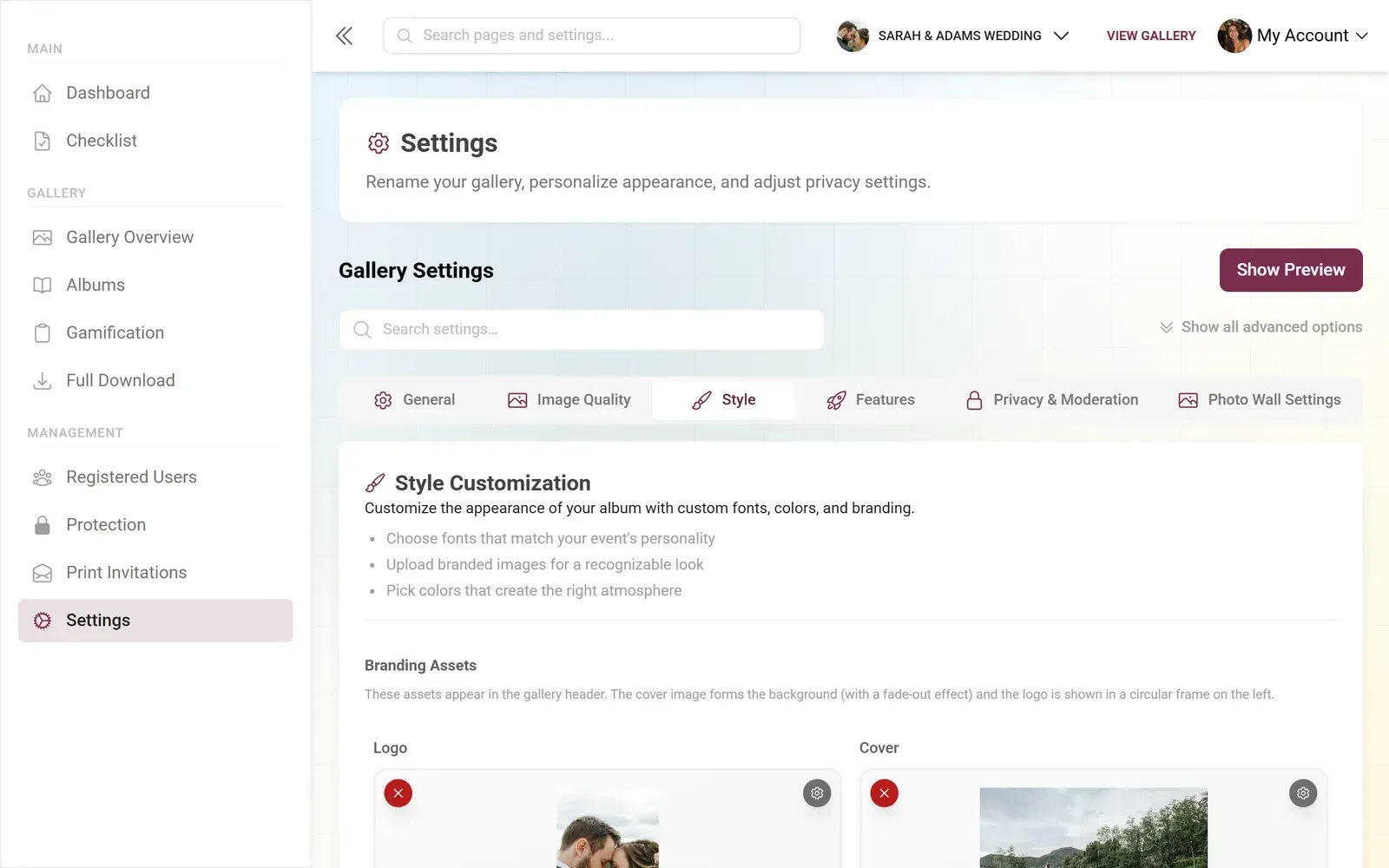
1.An elegant gallery style with coordinated colors
Three different galleries, three completely different moods. Same platform. The branding controls are the same ones you'd find in a professional design tool, except you don't need to know CSS.
See it in action
Every guest photo in one album – no app.
Matching Your Gallery to Common Event Themes
Knowing the four pillars is useful. Seeing them applied to real event types is more useful. Here's how different events translate their branding into a photo gallery.
Weddings: Extending the Invitation Suite
Say you're planning a destination wedding with a Mediterranean color palette: olive green, terracotta, cream. Your invitations already use these colors. The venue has olive branches on every table. The gallery should continue this: cream background, terracotta accent color, a serif font for the title, and the Vintage or Polaroid layout.
Add a QR code on the table cards styled in your event's colors (yes, QR codes can be customized too), and suddenly scanning feels like part of the event, not a tech interruption. Guests at beach weddings can get the same cohesive experience even at a casual outdoor venue.
Corporate Events: Professional but Not Boring
Corporate branding is usually well-defined. You have a logo, brand colors, and guidelines. The photo gallery should use them. Set the primary color to your brand's hero color, add the company logo to the gallery header and the photo wall display, and use the Modern layout with a Gradient or ModernCompact header.
For team-building events, you can go bolder. One approach that works well for corporate event photo sharing: use your brand's secondary or accent color as the gallery's primary. It signals "this is us, but this is our fun side." Pair it with photo challenges branded to your event theme and the whole gallery feels intentional.
Birthday Parties and Celebrations
Birthdays have more creative freedom. A 30th birthday with a neon theme? Go dark background with bright accent colors. A milestone anniversary with a classic feel? Warm tones, serif font, Elegant header. The gallery should feel like walking into the party.
For milestone celebrations, the gallery often becomes the keepsake. Months later, when someone revisits those photos, the branded gallery brings back the atmosphere in a way a plain white grid never could. That's the quiet power of visual consistency.
The Details That Separate Good Branding from Great
Colors and layouts get you most of the way there. But a few smaller touches push the experience further.
Branded QR codes. Most event hosts print a plain black-and-white QR code. Photogala lets you customize the QR design with your event colors and logo. Imagine a QR code that matches your invitation design sitting on every table. Guests don't even think of it as "tech." It's just another part of the décor.
Printable templates. If you're using photo challenges, the printable task cards and achievement cards carry your gallery's branding. Cards on the tables, branded with your colors, encouraging guests to compete for the best candid shot. It all ties together.
The photo wall. A TV or projector showing the live photo wall at your venue is already a crowd pleaser. When it carries your event logo (available on the Deluxe plan), it looks like a professional production, not a screen someone connected to a laptop five minutes ago.

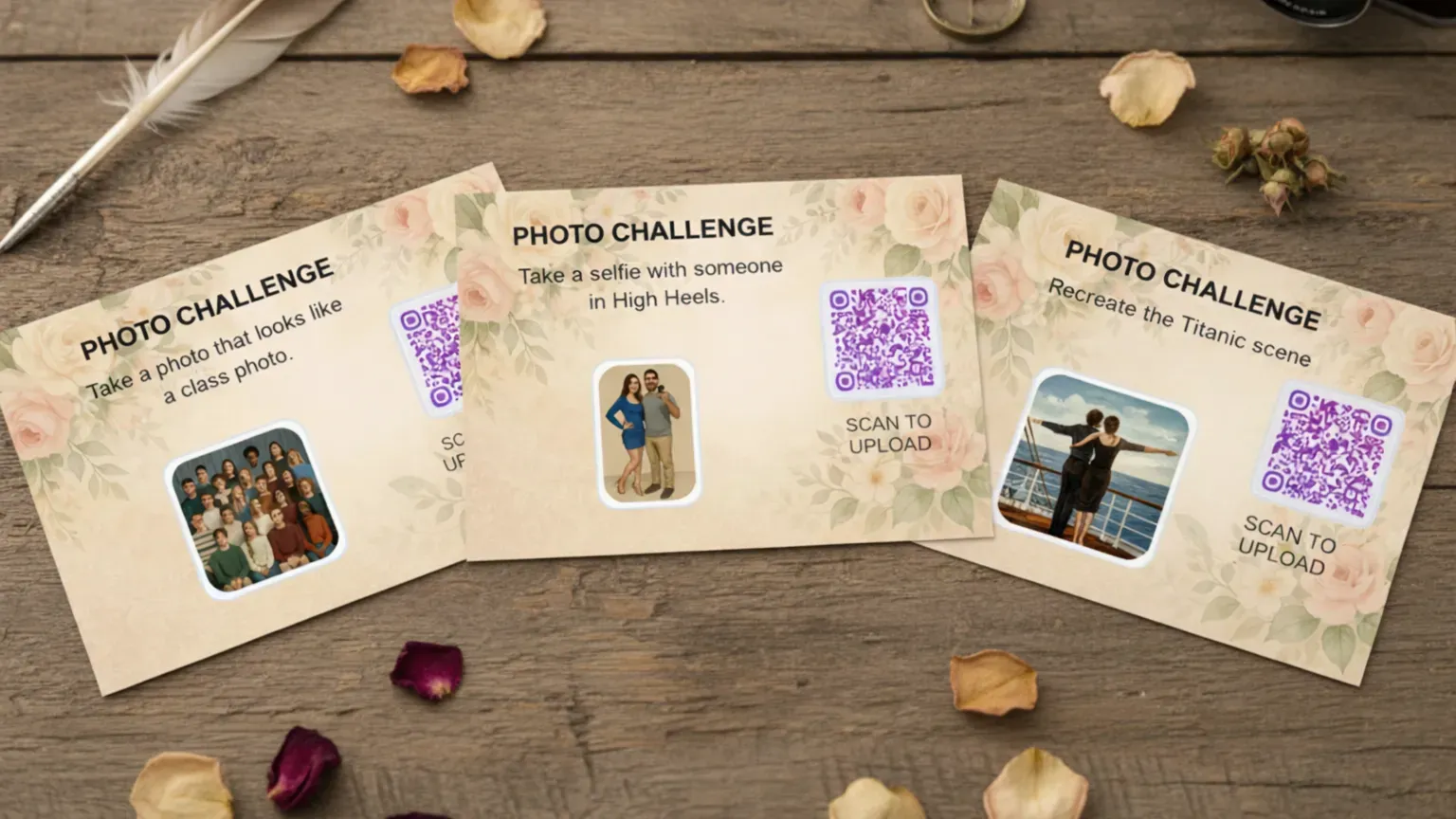
1.Branded QR codes blend into your event design
Quick branding checklist: Before your event, set your gallery's primary color, choose a header style, pick a layout, upload a cover image, and customize your QR code. Five decisions, ten minutes, and your gallery goes from generic to on-brand.
One Honest Caveat
Customization has limits on the free Starter plan. You get color customization and a custom QR code design, which already puts you ahead of most alternatives. But gallery layouts (beyond Modern), header style options, and logo on the photo wall require Premium or Deluxe plans. For a casual gathering, the Starter or Plus tier is genuinely enough. For a wedding or corporate event where branding matters, Premium unlocks the full toolkit.
That's a trade-off worth knowing about upfront rather than discovering mid-setup. But even on the free tier, the ability to match your gallery's colors to your event puts you miles ahead of a shared Google Photos album or a WhatsApp group with no visual identity at all.
Beyond Looks: How Branding Affects Guest Behavior
Here's something that might surprise you: a branded gallery doesn't just look better. It performs better. When the digital experience feels cohesive and intentional, guests treat it with more care. They upload more thoughtfully. They browse longer. They're more likely to come back days later to download photos.
It's the same psychology behind why people behave differently in a well-designed restaurant versus a cafeteria. Environment shapes behavior. Your photo gallery is the digital environment of your event. When it looks polished and intentional, guests mirror that energy.
Add social features like comments and mentions on top of a beautifully branded gallery, and engagement goes even higher. People want to interact with something that feels premium. If you're running a multi-day festival, that sustained engagement over several days makes the branding investment pay off many times over.
For international events, the visual branding also bridges the language gap. Colors, logos, and layouts communicate "this belongs to our event" without a single word. That's especially valuable when your gallery supports multiple languages and guests come from different countries.
Your photo gallery is more than a file dump. It's a canvas. When you treat it that way, the entire event experience comes together, from the first scan to the last download.
All of this comes with your own event.
Setting it up takes five minutes. You can build and view everything before you decide.
Starting from €39 one-timeOne-time payment — No subscription
- No App Required
- Setup in 5 Minutes
- 30-Day Money Back
“We used the software at my mum's birthday party. It went down really well 😊”
Written by

I believe event photos should be more than static galleries. They should be live, playful, and unforgettable.
Categories
Related Posts

Bridal Shower Photo Sharing: Collect Every Sweet Moment in One Gallery
Bridal shower photos end up scattered across 15 phones. Here's how to get them all into one gallery before the mimosas wear off.

Maternity Photo Sharing: How to Keep Every Announcement, Bump Shot, and Memory in One Place
Pregnancy announcements land on 4 different apps. Maternity photos get lost in group chats. Here's how to keep every photo in one shared gallery your whole family can access.

Sales Kickoff Photo Sharing: How to Turn a Mandatory Meeting Into a Team Memory
Sales kickoffs are expensive. The photos from them usually disappear into 14 different camera rolls. Here's how to fix that.