How to Set Up Photo Sharing for a Multi-Day Music Festival

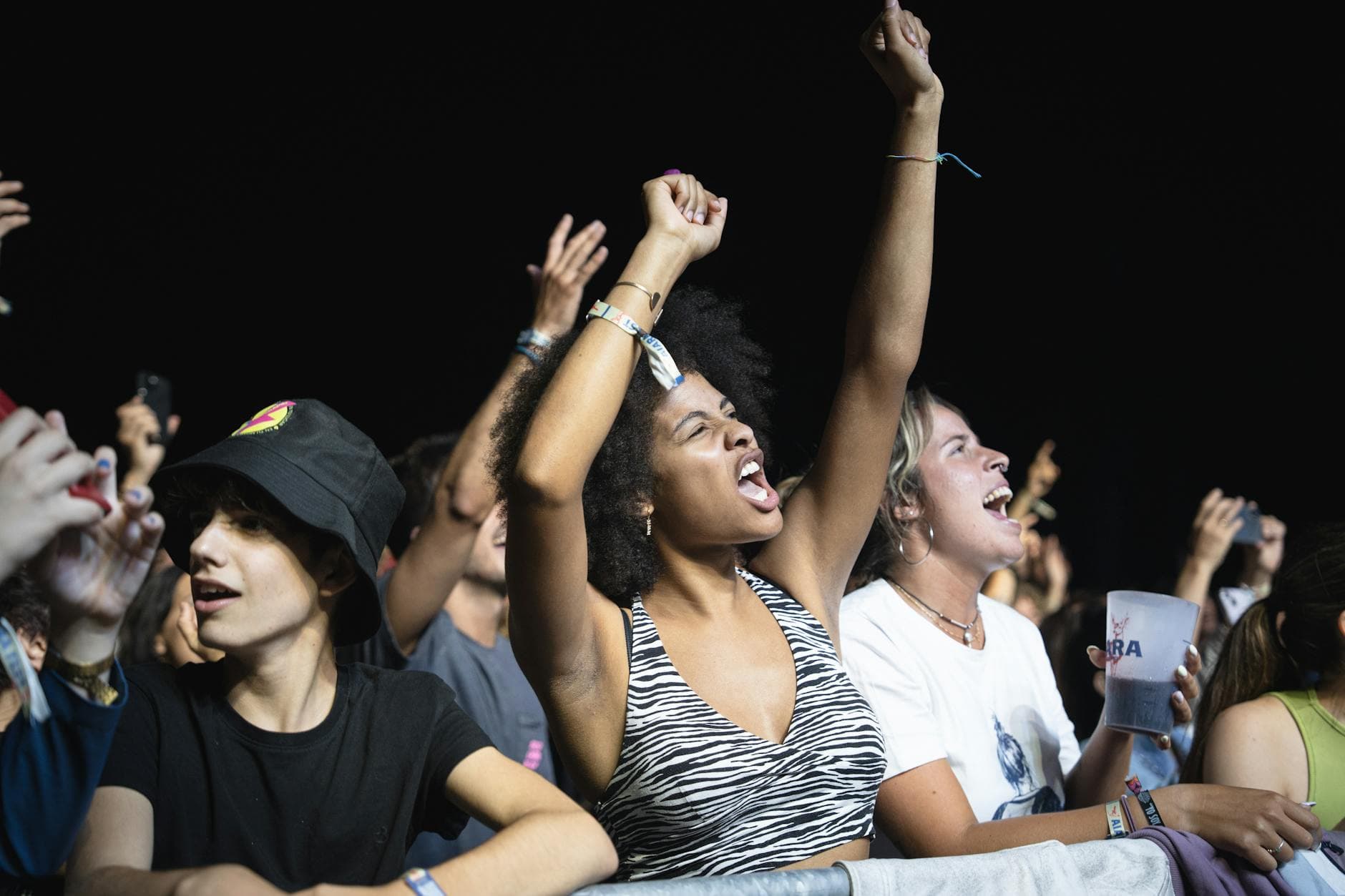
Three days. Four stages. Six hundred people with smartphones. And by Monday morning, exactly zero of them will send you the photos they promised.
That's the festival photo problem in one sentence. Everyone takes pictures. The sunset behind the main stage, the paint fight at the silent disco, the drummer who crowd-surfed into a folding chair. Great moments, well documented. Then the festival ends, everyone drives home, and those photos scatter across hundreds of camera rolls where they'll sit, unseen, until the next software update deletes them.
A 2023 survey found that 80% of people have photos on their phone they haven't looked at since taking them. At a festival, that percentage is probably higher. The intent to share is real. The follow-through is not.
This guide covers how to set up a centralized photo sharing system for a multi-day music festival, one that actually works when cell service is spotty, when phones are dying, and when people are too busy having fun to remember a URL.
Why Group Chats and Shared Albums Fall Apart at Scale
The instinct is always the same: create a WhatsApp group or a shared iCloud album, drop the link in the event info, and hope for the best. For a dinner party of 12, that works. For a festival of 200+, it collapses almost immediately.
WhatsApp compresses every image. A shared Google Photos album requires everyone to have a Google account. iCloud shared albums max out at 5,000 photos and 100 participants. And all of them require attendees to take a deliberate action (join a group, accept an invite, sign in) while they're standing in a muddy field trying to find the food trucks.
The friction is small but fatal. Every extra step between "I took a cool photo" and "It's in the shared gallery" loses you half the audience. At a festival, where attention spans are short and distractions are everywhere, you need the upload path to be as close to zero friction as possible.
The QR Code Approach (And Why It Works for Festivals)
QR codes solve the friction problem. A guest scans a code with their phone camera, a browser gallery opens, they upload. No app download, no account creation, no sign-in. The whole process takes under 30 seconds, and it works on any smartphone.
For a multi-day festival, this matters more than for any other event type. People arrive at different times, wander between stages, and may not check their email or event app once during the entire weekend. A physical QR code at the bar, on a stage banner, or printed on a wristband is always accessible. It doesn't need cell service to scan (the code itself is just a URL), though uploading does need a connection.
Placement tip: Put QR codes where people are already standing still. The bar queue, the food vendor line, the charging station. Not the mosh pit. Nobody is scanning anything in the mosh pit.
At a typical 300-person weekend festival, you can realistically expect 400-900 photos over three days if the QR codes are well-placed and visible. That number climbs significantly if you add challenges and a leaderboard (more on that below).
Setting Up: Before the Festival Starts
The setup takes about 15 minutes. Here's what you need to decide before the first band plays.
Festival Photo Gallery Setup
Create the gallery
Set up your event with a name, dates, and cover image. Pick a branding style that matches the festival vibe. This is the landing page attendees see when they scan the QR code.
Design and print QR codes
Customize the QR code colors to match your festival branding. Print on weatherproof material (laminated cards, vinyl stickers, or banner inserts). Plan 8-15 placement points across the venue.
Set up moderation
For a public festival, turn on content moderation so uploads get reviewed before appearing in the gallery. Assign 2-3 moderators who can approve photos from their phones.
Configure photo challenges
Create 6-10 challenges that match the festival schedule. Time-based unlocks work well: 'Best sunset shot' unlocks on Day 2 at 6 PM. Add example preview photos so attendees know what you're looking for.
One thing I didn't expect when first researching festival setups: the cover image and branding matter more than you'd think. When someone scans a QR code and lands on a generic-looking page, they're skeptical. When they land on something that looks like part of the festival (matching colors, the festival logo, a good cover photo), they trust it immediately and start uploading.
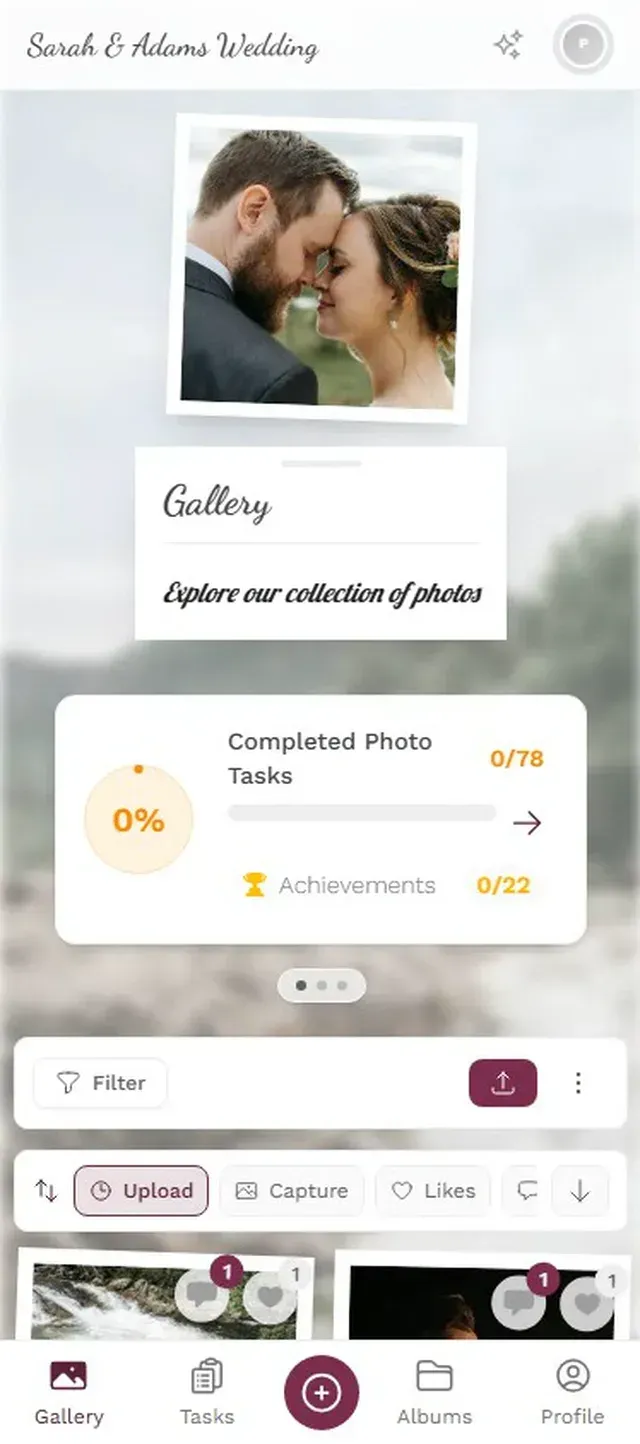
1.The landing page attendees see after scanning the QR code
QR Code Placement Strategy for Multi-Stage Venues
A single QR code at the entrance won't cut it. By the time someone walks past it, they're focused on finding their friends, their tent, or the closest bathroom. The code needs to meet people where they're already pausing.
High-traffic pause points are your best locations. The bar, food stalls, merch tables, charging stations, and portable toilet queues all work. People are standing still, probably bored, and their phone is already in their hand. A sign that says "Share your festival photos" with a QR code will get scans.
Stage-adjacent placement works differently. A banner behind the DJ booth or on the side of the stage serves double duty: it's visible in crowd photos (free advertising), and people who notice it between sets will scan it. Don't put codes on the stage floor where they'll get trampled.
Wristband QR codes are the premium move. If your budget allows it, print a small QR code directly on the festival wristband. It's always with the attendee, survives rain and sweat, and becomes a conversation starter ("What's this code for?"). QR code usage has surged roughly 323% from 2021 to 2025, so most people know what to do when they see one.
See it in action
Every guest photo in one album – no app.
Photo Challenges Turn Passive Attendees into Active Photographers
Here's the thing about festival photo sharing that most organizers miss. Giving people a place to upload isn't enough. You need to give them a reason to upload.
Photo challenges do this remarkably well. Instead of a vague "share your photos!" prompt, you give attendees specific missions: "Capture the weirdest food combo at the food court." "Find someone wearing the same band shirt as you." "Best crowd shot from the hill behind Stage 2." Specific prompts produce specific (and usually much better) photos.
What makes challenges particularly effective at festivals is the competitive element. Research from AmplifAI shows gamified environments increase engagement by 48% in workplace settings. At a festival, where the mood is already playful and social, that effect amplifies. Add a leaderboard and suddenly a group of friends is competing to see who can complete the most challenges by Sunday night.
The example photo feature opens up creative formats that go beyond simple prompts. Set a reference photo of a funny meme pose, and challenge attendees to recreate it. Upload a shot of a classic rock album cover and ask people to stage their own version with friends. Photo roulette, where guests get a random example and have to mimic it, consistently produces the most hilarious results.
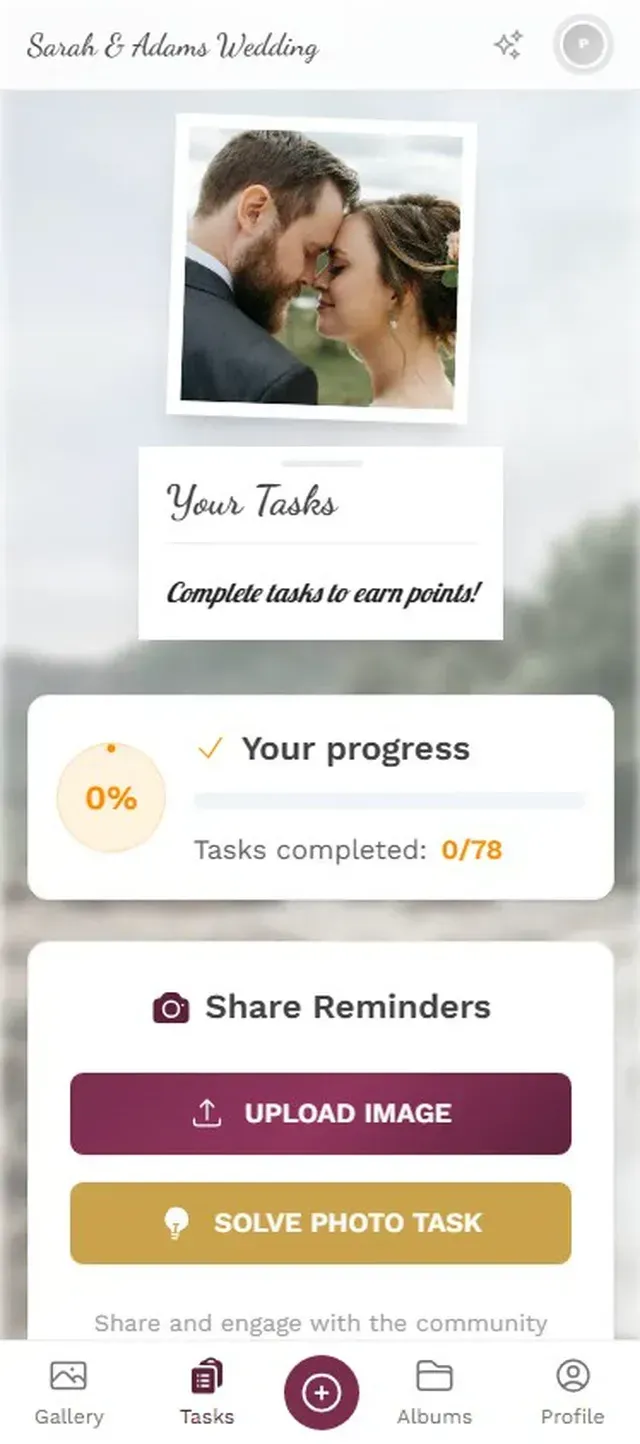
1.Attendees see available challenges and their progress
The Live Photo Wall: Your Best Visual Investment
Picture a 55-inch screen next to the main bar, cycling through the latest uploads every few seconds. Someone uploads a selfie with the headliner, and 30 seconds later it's on the big screen. Their friends see it, laugh, point, and then immediately scan the QR code to upload their own shots.
That feedback loop is the single most effective driver of participation. The photo wall turns uploading from a private act ("I'll share it later") into a public, social one ("Let's get our photo on the screen"). At a multi-day festival, this compounds. Day 1 attendees see the wall, upload a few photos. Day 2 they come back and actively try to get featured. By Day 3 you have regulars who treat it like a game.
Placement matters. The screen needs to be where people gather and linger, not where they walk past. Next to the bar is ideal. Near the food area works too. Behind the main stage is dramatic but often too far from the audience to drive scans. A second, smaller screen at the charging station is a smart add if you have the budget.
Photos appear on screen seconds after upload, with a live indicator
Moderation: Non-Negotiable for Public Events
At a private wedding, you can probably trust that Uncle Frank won't upload anything inappropriate. At a public festival with 500+ attendees, some of whom are several beers deep by 4 PM, content moderation isn't optional.
You want a pre-approval system where uploads land in a moderation queue before they appear in the public gallery or on the photo wall. This protects the event from inappropriate content and, just as importantly, protects the festival's brand. One bad photo on the big screen and the mood shifts fast.
Assign 2-3 moderators and give them phone access to the queue. Approval is one tap, rejection is one tap with an optional reason. At a festival, the volume is manageable because uploads come in waves (between sets, during meal breaks) rather than all at once. A moderator checking every 10-15 minutes is usually sufficient.
An AI-powered NSFW filter adds a second layer. It automatically flags potentially inappropriate content before it reaches the moderation queue, which means your human moderators spend less time scrolling through hundreds of photos and more time watching the bands.
For multi-day festivals: rotate moderators across days so nobody burns out. Two people per day shift, one for the evening/night, works well for a 300-500 person event.
Handling Spotty Cell Service
Festival Wi-Fi is a contradiction in terms. Cell service at outdoor venues ranges from "slow" to "praying for a signal." This is the reality you're building around, not an edge case.
The good news: QR code scanning itself works offline (it's just reading a URL pattern). The upload requires a connection, but most modern browsers will queue a failed upload and retry. Encourage attendees to upload when they're near the charging station or in areas with better reception. Some festivals set up a dedicated Wi-Fi hotspot near the photo wall, which has the bonus effect of driving traffic to exactly where you want it.
Another approach: remind attendees in the challenge descriptions that they can upload anytime, even after they leave the venue for the day. "Took an amazing sunset photo but had no signal? Upload it tonight from your tent." The gallery stays open, and late uploads still count for challenge points.
What About Privacy?
Eventbrite's 2026 trends report notes that 49% of younger attendees want events to feel less curated and more authentic. But authentic doesn't mean uncontrolled. Attendees want to share freely, and they also want to know their photos are handled responsibly.
A few practical steps: make the gallery access code-only (not publicly searchable), clearly communicate at the entrance that a shared photo gallery exists and participation is voluntary, and give moderators the ability to remove photos on request. If your festival spans multiple countries' worth of attendees, GDPR compliance matters. Pre-approval moderation helps here too, since every photo is reviewed before publication.
For a deeper look at how other festival organizers handle digital photo sharing, check out how festival organizers are using digital photo sharing to boost engagement.
The Monday After: What You're Left With
Here's what changes when you set this up properly. Instead of chasing attendees for photos in a WhatsApp group that goes silent by Wednesday, you have a complete, organized gallery of hundreds (or thousands) of photos from every angle, every stage, and every weird moment in between. Bulk download as a ZIP, use them for next year's marketing, share a highlight reel on social media.
The photos people take at festivals are almost always better than professional shots for marketing purposes. They're authentic, diverse, and show the event from the attendee's perspective. BizBash's 2026 predictions emphasize the industry shift toward "connection over scale," and nothing shows genuine connection like a gallery full of real, unfiltered moments from your audience.
And honestly, the biggest payoff might not be the photos themselves. It's the engagement. Attendees who participate in challenges, check the leaderboard, and see their photos on the wall feel more connected to the festival. They come back next year. They tell friends. That's hard to quantify, but every organizer who's tried it notices the difference.
All of this comes with your own event.
Setting it up takes five minutes. You can build and view everything before you decide.
Starting from €39 one-timeOne-time payment — No subscription
- No App Required
- Setup in 5 Minutes
- 30-Day Money Back
“I use PhotoGala Deluxe and I'm absolutely thrilled. It was the perfect solution for documenting a sports event. Uploading and downloading via the link is a breeze for every participant. What won me over most were the photo wall and the slideshow – both are quick to set up and look really professional. Big praise also to Peter from the PhotoGala team: he's very easy to reach by email, replies quickly and even took my suggestions on board and added new features that made my slideshow even better. You rarely get support this dedicated. A clear 5-star recommendation!”
Written by

I believe event photos should be more than static galleries. They should be live, playful, and unforgettable.
Categories
Related Posts

Bridal Shower Photo Sharing: Collect Every Sweet Moment in One Gallery
Bridal shower photos end up scattered across 15 phones. Here's how to get them all into one gallery before the mimosas wear off.

Maternity Photo Sharing: How to Keep Every Announcement, Bump Shot, and Memory in One Place
Pregnancy announcements land on 4 different apps. Maternity photos get lost in group chats. Here's how to keep every photo in one shared gallery your whole family can access.

Sales Kickoff Photo Sharing: How to Turn a Mandatory Meeting Into a Team Memory
Sales kickoffs are expensive. The photos from them usually disappear into 14 different camera rolls. Here's how to fix that.