DIY Wedding Photography: How Guest Photos Complete the Story

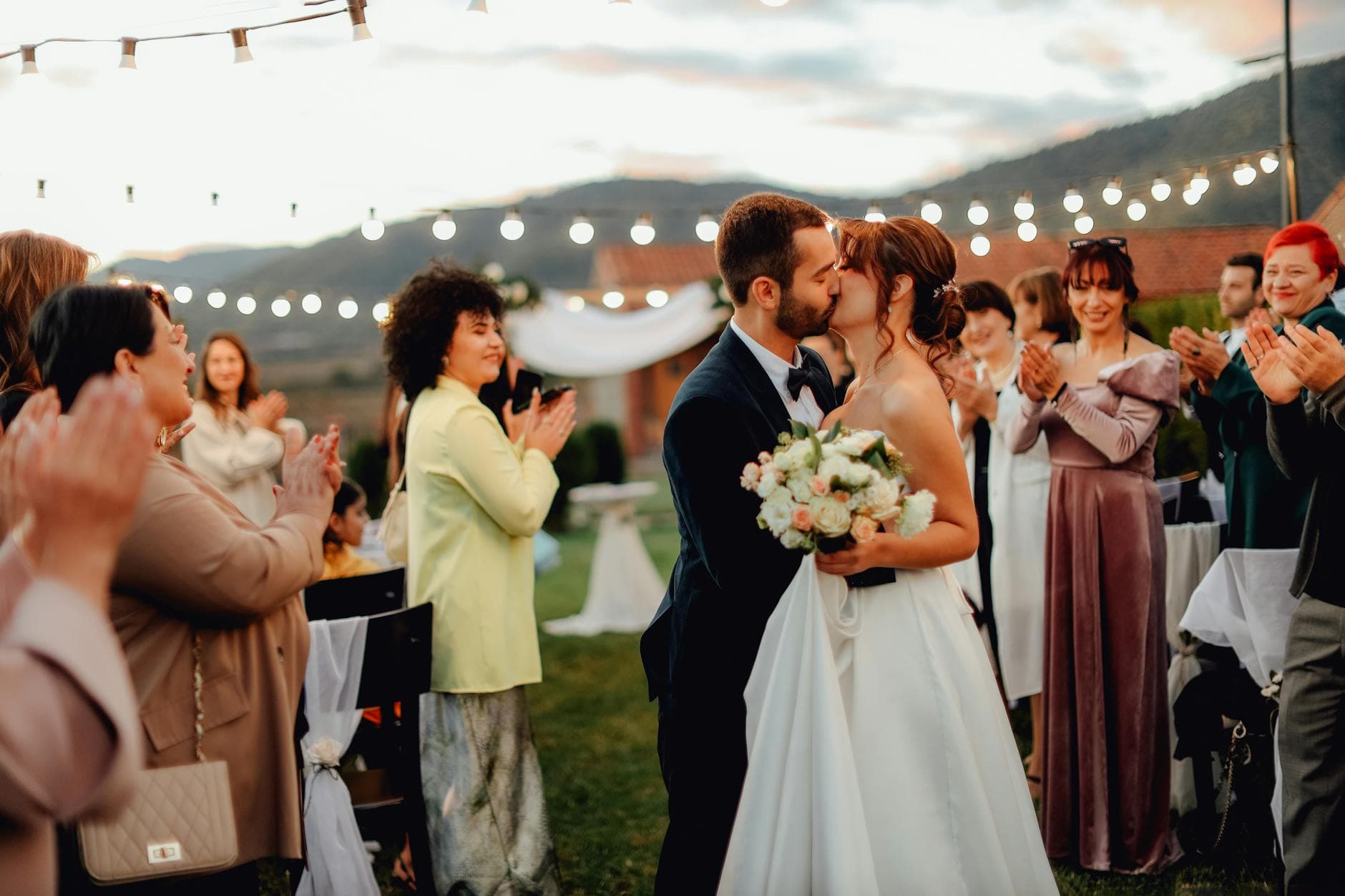
Picture this: the photographer delivers 312 polished shots two weeks after the wedding. Every one is beautiful. Perfectly lit, thoughtfully composed, worth every cent of the $2,600 average couples spend on wedding photography.
But the photo that gets framed on the nightstand? It's a slightly blurry shot of the groom's face when he first sees the bride walking in. Taken by his college roommate from the third row, on an iPhone with a cracked screen protector.
That's the gap this article is about. Not replacing your photographer. Filling in the 95% of the day they physically cannot cover.
One Photographer, 300 Guests, 12 Hours
The math doesn't work in your photographer's favor. Even the best professional with a second shooter covers maybe 15% of what happens at a wedding. They're staging the bridal party shoot while your uncle is doing his legendary toast at the bar. They're capturing the first dance while three flower girls are having a sword fight with breadsticks in the back corner.
Guest photos fill those gaps. The candid laughs during cocktail hour, the quiet conversations nobody else noticed, the kids running wild on the dance floor at midnight. These unscripted moments are often what couples treasure most, months and years later.
And there's no shortage of cameras. Smartphones account for 94% of all photos taken globally. Every guest at your wedding is carrying a high-quality camera in their pocket. The challenge isn't getting people to take photos. It's getting those photos out of their camera rolls and into one place before everyone forgets.
Why the Old Methods Keep Failing
You've probably tried the obvious approaches at other events. A WhatsApp group that turns into 47 unread messages by hour two. An iCloud shared album that half the Android users can't access. A Google Photos link that your partner's grandmother takes one look at and puts her phone away.
The core problem with these approaches is friction. WhatsApp compresses every image. Email creates dozens of separate threads. Cloud drives require accounts and logins that create barriers for older relatives or less tech-savvy guests. Each method works for the 30% of guests who are already digitally comfortable, and completely loses everyone else.
There's also a timing problem. The longer you wait to collect photos, the fewer you get. Say the wedding is Saturday. By Monday, the excitement has faded. By the following weekend, half your guests have moved on. A Brides.com feature on wedding photo collection quotes photographer Katelyn Wollet on this: the biggest thing is to include instructions early and remind guests. If sharing isn't frictionless on the day itself, those photos stay trapped on 150 different phones forever.
The golden window is 0-48 hours. Guests are most motivated to share photos while the excitement is still fresh. Any system you use needs to be live and accessible during the event itself, not set up afterward.
The QR Code Approach (And Why It Actually Works)
Here's what changed the game: QR codes on table cards. No app to download, no account to create, no login to remember. A guest picks up their phone, points the camera at a code, and they're uploading photos within 30 seconds.
This matters more than it sounds. The difference between "download this app and create an account" and "point your camera here" is the difference between 20 uploads and 200. Your tech-savvy cousin will figure out any system. The question is whether the 62-year-old surgeon and the teenager who just wants to get back to dancing will bother. With a QR code upload flow, they will.

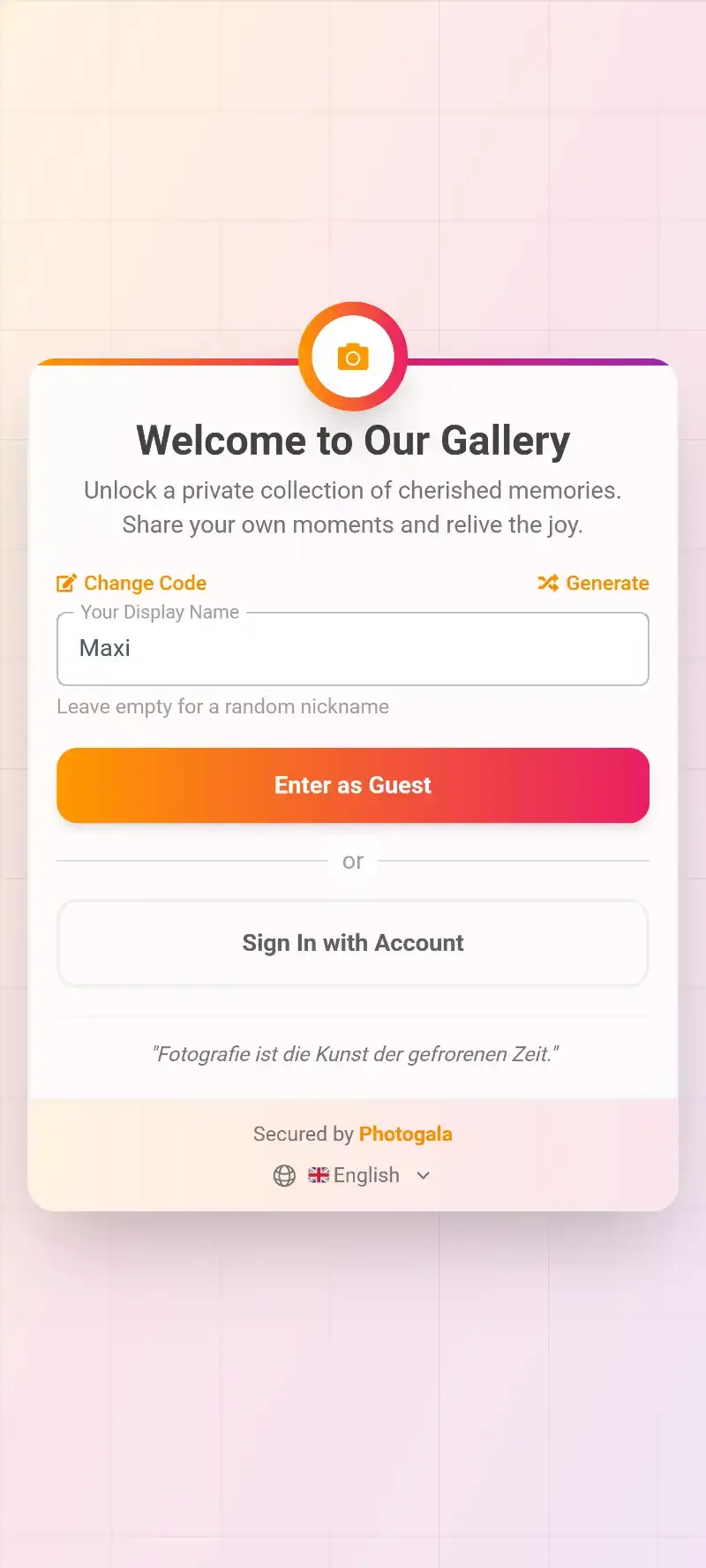
1.Guests scan a QR code on the table card to start uploading
Imagine a 180-guest wedding: QR codes printed on napkin rings at every table, one large framed code near the entrance, and a reminder slide between the first dance and cake cutting. By midnight, you might have 400-600 photos from guests across every age group. Not because you asked nicely in a WhatsApp group the next day, but because sharing was effortless in the moment.
See it in action
Every guest photo in one album – no app.
What Guest Photos Actually Capture (That Pros Can't)
Professional wedding photography has a specific visual language. Clean backgrounds, flattering angles, controlled lighting. It's gorgeous. It's also, by definition, curated. The photographer captures the story they're trained to tell.
Guest photos tell a different story. The messy, emotional, frequently hilarious one. Here's what shows up in guest galleries that almost never appears in a professional album:
- The reaction shots. The groom's mother tearing up during the vows, captured by the aunt sitting right next to her. A professional would need to be in two places at once.
- Behind-the-scenes chaos. The groomsmen's pre-ceremony panic. The bridesmaids fixing a wardrobe malfunction with safety pins. The couple sneaking a quiet moment behind the venue.
- Late-night gold. Photographers typically leave after 8-10 hours. The wildest dance floor moments, the after-party confessions, the 2 AM pizza run? Those come from guests.
- Kid moments. Flower girls asleep under the head table. The ring bearer chasing the dog. Children are unpredictable, and guests standing nearby catch what a distant photographer can't.
This is why the concept of having guests upload photos has exploded in popularity. It's not about replacing the professional. It's about capturing the full, unfiltered, 360-degree version of the day.
Setting Up a Guest Photo System That Actually Gets Used
The technology is the easy part. The hard part is human behavior. You need to make sharing so obvious and so simple that guests do it without thinking. Here's the practical setup that works for a wedding of any size.
Three Steps to a Complete Guest Gallery
Create your gallery before the wedding
Set up the gallery, choose your branding, and generate your QR code. Customize the gallery layout and cover image to match your wedding theme. This takes about 5 minutes.
Place QR codes everywhere guests look
Table cards, bar signage, bathroom mirrors, the back of the ceremony program. The more places guests see the code, the more photos you'll collect. Print task cards if you're using photo challenges.
Let the gallery run live during the event
Photos appear in real time as guests upload. Optional: connect a TV or projector to show a live photo wall at the reception. Nothing motivates uploads like seeing your own photo appear on a big screen.
The key insight from event photographers: QR code visibility drives volume. One QR code on the welcome table gets moderate results. QR codes on every surface guests interact with gets dramatically more. Think about every touchpoint: the invitation (before the wedding), the ceremony program, each dinner table, the bar, the dessert station, the photo booth area.
If you want to go further, photo challenges give guests specific missions: "Capture someone on the dance floor who's clearly giving it everything," or "Find the couple having the most fun at their table." Challenges with preview example photos work even better, because guests can see exactly what you're going for. Think meme recreation, movie scene reenactments, or a photo roulette where guests try to mimic a random reference image. It sounds silly, but it turns passive guests into active photographers.
The Live Photo Wall Effect
Here's something that surprised me when researching this: the single biggest driver of guest uploads isn't the QR code placement. It's a live photo wall.
Imagine a 55-inch screen behind the DJ or near the bar, cycling through guest photos in real time. Someone uploads a photo of the best man's terrible dance moves. It appears on the screen 10 seconds later. The entire table sees it, laughs, and three more people pull out their phones to upload their own shots. It creates a feedback loop.
1.Guest photos appear on a big screen in real time
For a 150-200 guest wedding, a photo wall placed near the bar or dance floor can double or even triple the number of uploads compared to QR codes alone. It turns photo sharing from a passive request into social entertainment. If you're curious about the full setup process, we wrote a step-by-step guide for live photo slideshows at receptions.
Managing the Flood (Without Losing Your Mind)
A successful guest photo system creates a new problem: volume. Say you get 500 photos from 180 guests. Some of those are masterpieces. Some are accidental pocket shots. Some are blurry, dark, or duplicates. And if you're projecting to a live wall, you probably want some quality control.
This is where a content moderation system earns its keep. Assign a bridesmaid or groomsman as moderator. Give them a phone with the moderation dashboard open. Every uploaded photo hits a queue before appearing on the photo wall. One tap to approve, one tap to reject. They can do it while sitting at the head table between courses.
Be honest about the trade-off here: moderation adds a small delay (photos take 15-30 seconds to appear on the wall instead of instantly) and requires someone to actively manage it. For most weddings, the peace of mind is worth it. For casual celebrations where you trust your guests completely, skip it and let everything flow through live.
On the AI side, an NSFW content filter can automatically flag inappropriate uploads before they ever reach the screen. Hopefully you won't need it. But at a wedding with an open bar, it's nice insurance.
After the Wedding: What to Do With 600 Guest Photos
The wedding is over. You have a gallery bursting with content. Now what?
First, don't rush. The timeline for receiving professional photos is typically 4-8 weeks. Your guest photos, on the other hand, are available immediately. This gives you something meaningful to look through (and share with family) during that long wait for the professional album.
Second, share the gallery link with everyone who attended. Even guests who didn't upload photos will love browsing what others captured. If your platform supports social features like comments and likes, the gallery becomes a living memory of the day that guests keep revisiting. It's like a modern twist on a photo guest book, except it filled itself.
Third, download everything as a ZIP archive while it's fresh. Original quality, no compression. Back it up somewhere permanent. These photos are irreplaceable.
Quick Tips for Better Guest Photos
You can't control what guests shoot, but you can nudge them in the right direction. A few practical tips that make a real difference:
Lighting matters, even for phones. If your venue has dim reception lighting, mention it in your photo challenge descriptions. "Tap the screen to focus before you shoot" is the single most useful tip for low-light phone photography. For outdoor ceremonies, natural light tips can dramatically improve what guests capture.
Winter weddings have unique advantages. The warm indoor-outdoor contrast, dramatic lighting, cozy atmosphere. Don't assume cold weather means fewer photos.
Remind guests about basic photo etiquette. The biggest one: don't step into the aisle during the ceremony to get a shot. Your photographer needs a clear sightline, and Uncle Dave's iPad blocking the view of the first kiss will haunt you.
The Complete Picture
Your wedding photographer tells the story of your day through their lens. Your guests tell it through 150 different ones. Neither version is complete on its own.
The couples who end up with the richest, most complete collection of wedding memories aren't the ones who hired the most expensive photographer (though a great photographer matters). They're the ones who made it stupidly easy for every guest, from the tech-savvy teenager to the phone-averse grandparent, to contribute their perspective.
A QR code on a napkin. A live wall behind the bar. A playful photo challenge that gets even the shy guests snapping. That's all it takes to turn 150 passive spectators into 150 active storytellers. And when you sit down weeks later to flip through everything, you'll find moments you didn't even know happened. That's the whole point.
All of this comes with your own event.
Setting it up takes five minutes. You can build and view everything before you decide.
Starting from €39 one-timeOne-time payment — No subscription
- No App Required
- Setup in 5 Minutes
- 30-Day Money Back
“We used the software at my mum's birthday party. It went down really well 😊”
Written by

I believe event photos should be more than static galleries. They should be live, playful, and unforgettable.
Categories
Related Posts

Bridal Shower Photo Sharing: Collect Every Sweet Moment in One Gallery
Bridal shower photos end up scattered across 15 phones. Here's how to get them all into one gallery before the mimosas wear off.

Company Retreat Photo Sharing: How to Actually Keep the Memories
Most offsite photos die on individual phones. Here's how to collect, share, and actually use every photo from your next company retreat.

Neighborhood Block Party Photo Sharing: How to Turn 40 Strangers Into One Shared Album
Block parties create great photos — and zero way to share them. Here's how a QR code gallery turns your street into a connected community.