Engagement Party to Wedding Day: Building One Photo Gallery for Your Entire Journey


Picture six events over eighteen months. The engagement party at your parents' house. A bridal shower in someone's backyard. The bachelor and bachelorette trips. A rehearsal dinner downtown. And then the wedding itself, 180 guests, twelve hours, roughly 900 photos taken by people who will never, ever send them to you unprompted.
That's the reality for most couples. Not one photo collection problem, but six of them, stacked on top of each other. By the time the honeymoon is over, you've got a photographer's album from the wedding, a WhatsApp group per event (some still active, most abandoned), and a nagging feeling that hundreds of great moments are sitting on phones you'll never see.
What if you didn't start fresh every time? What if every event, from the first champagne toast at the engagement party to the last dance at the reception, fed into one gallery?
The Problem With Starting Over
Every event creates its own little photo silo. Someone makes a Google Photos shared album for the engagement party. Someone else texts a Dropbox link for the bridal shower. The rehearsal dinner photos live in an iCloud album that half the group can't access because they're on Android. And the wedding? Maybe a dedicated app, or maybe just another WhatsApp group with 47 unread messages.
A Mixbook study found that 50% of Americans do nothing with the photos on their phone. Not because they don't care, but because the friction of organizing and sharing is just high enough to stop them. Now multiply that friction by six events.
The photos exist. They're just not yours yet.
One Gallery, Multiple Chapters
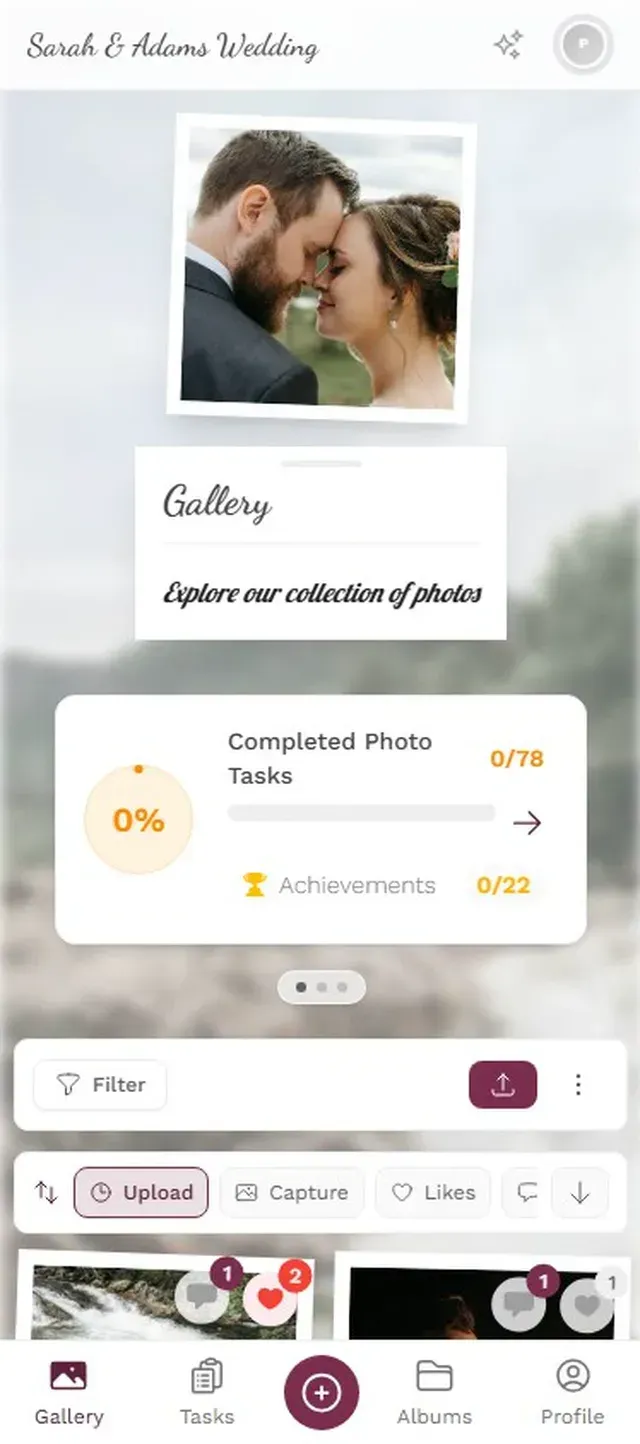
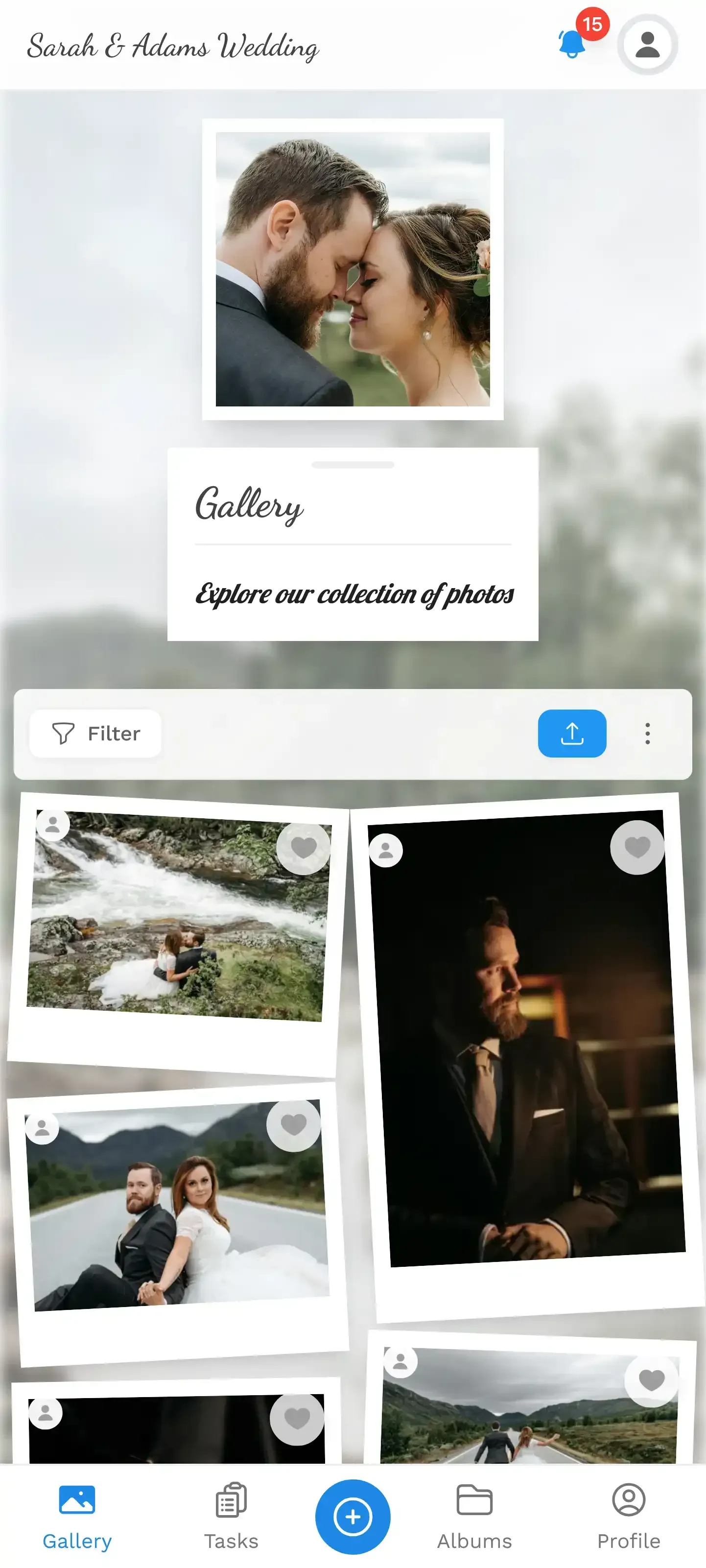
The idea is simple: create a single shared gallery at the start of your engagement, and keep it running through every milestone until the wedding. Each event becomes a chapter, an album inside the same gallery. Guests don't need a new link each time. The QR code stays the same. The URL stays the same. They open it, upload, and every photo lands in the right place.
This works surprisingly well because a wedding journey has a natural audience overlap. Your maid of honor is at the engagement party, the bridal shower, and the wedding. Your parents are at the rehearsal dinner and the ceremony. By keeping one gallery, these people don't need to re-learn a new system each time. They already know how it works.
Create albums for each event inside your gallery. Label them clearly: "Engagement Party - June 2026", "Bridal Shower", "Rehearsal Dinner", "Wedding Day". Guests can browse by event or scroll through everything together.
Setting It Up (Once)
You don't need to be technical. The whole setup takes about five minutes, and you only do it once.
How to Build Your Journey Gallery
Create your gallery early
Set it up right after the engagement. Give it a name that covers the whole journey, not just the wedding. Something like 'Sarah & Tom - Our Journey' works.
Add albums for each event
Create one album per milestone. You can always add more later. Each album keeps photos organized without splitting the gallery.
Share the same QR code everywhere
Print the QR code for your engagement party. Reuse it at the shower. Put it on the rehearsal dinner menu. Same code, same gallery, zero confusion.
Curate as you go
After each event, spend 10 minutes reviewing uploads. Approve, organize, maybe feature a few favorites. Much easier than doing it all at once after the wedding.
The key insight: do it once, reuse everything. The QR code you print for the engagement party table cards? It works at the wedding reception too. Guests who uploaded at the first event can open the gallery months later and upload again without starting over.
Ready to create your gallery?
What This Looks Like in Practice
Say you get engaged in June. You create your gallery that week. At the engagement party (30 guests, backyard barbecue), you put the QR code on a small sign near the drinks. Maybe 15 people scan it and upload a combined 80 photos. Not a massive haul, but enough to capture the mood: the ring close-ups, your mom's face, the toast.
Three months later, the bridal shower. Different venue, some different guests. Same QR code on a printed card at the entrance. Another 60 photos from 12 people. Now your gallery has two albums and 140 photos, all in one place.
Fast forward to the wedding day. 180 guests. The QR code is on the menu cards, on a sign at the entrance, maybe on the napkins (yes, people actually do this). Over the course of the evening, 70 guests upload a combined 500+ photos. Your gallery now holds the entire journey: 640 photos spanning a year and a half, from the first champagne toast to the last dance.
One gallery, one link. Guests return to the same place for every event.

The Photo Wall Payoff
Here's where the one-gallery approach really shines. If you set up a photo wall at the wedding reception (a screen near the dance floor or the bar cycling through uploads), it doesn't just show wedding photos. It shows everything.
Imagine the screen cycling through: an engagement party selfie from last summer, a bridal shower candid, a rehearsal dinner group shot, and then a fresh upload from the reception, ten minutes ago. That mix of old and new creates something a same-day-only gallery never could. Guests stop and point. "Oh, that's from the shower!" It becomes a conversation starter, not just a slideshow.
According to The Wed magazine, multi-day and multi-event weddings are increasingly popular because they create deeper, more immersive experiences for guests. A shared gallery that spans those events reinforces that feeling. The wedding isn't a single day. It's the culmination of a story, and the photos tell it.
What About Privacy and Control?
Reasonable question. If your gallery runs for 18 months across multiple events, you probably want some control over what goes in.
Content moderation solves this. You (or someone you trust, like your maid of honor) can review uploads before they appear in the gallery or on the photo wall. One tap to approve, one tap to reject. This matters more at the bachelor party album than the engagement party, obviously. But having the option means you don't have to worry about what ends up on the big screen.
You can also set different upload permissions per event. Maybe the engagement party album is open to anyone with the link. But the bachelorette trip album? Restricted to the people who were there.
One honest trade-off: a browser-based gallery means guests need internet access to upload. At most venues this isn't an issue. But if your rehearsal dinner is in a rural barn with spotty signal, mention the Wi-Fi password on the QR code sign. Problem solved.
Gamification Across the Journey
Photo challenges get more interesting when they span multiple events. Instead of cramming 15 challenges into the wedding day (where people are busy eating, dancing, and crying), spread them out.
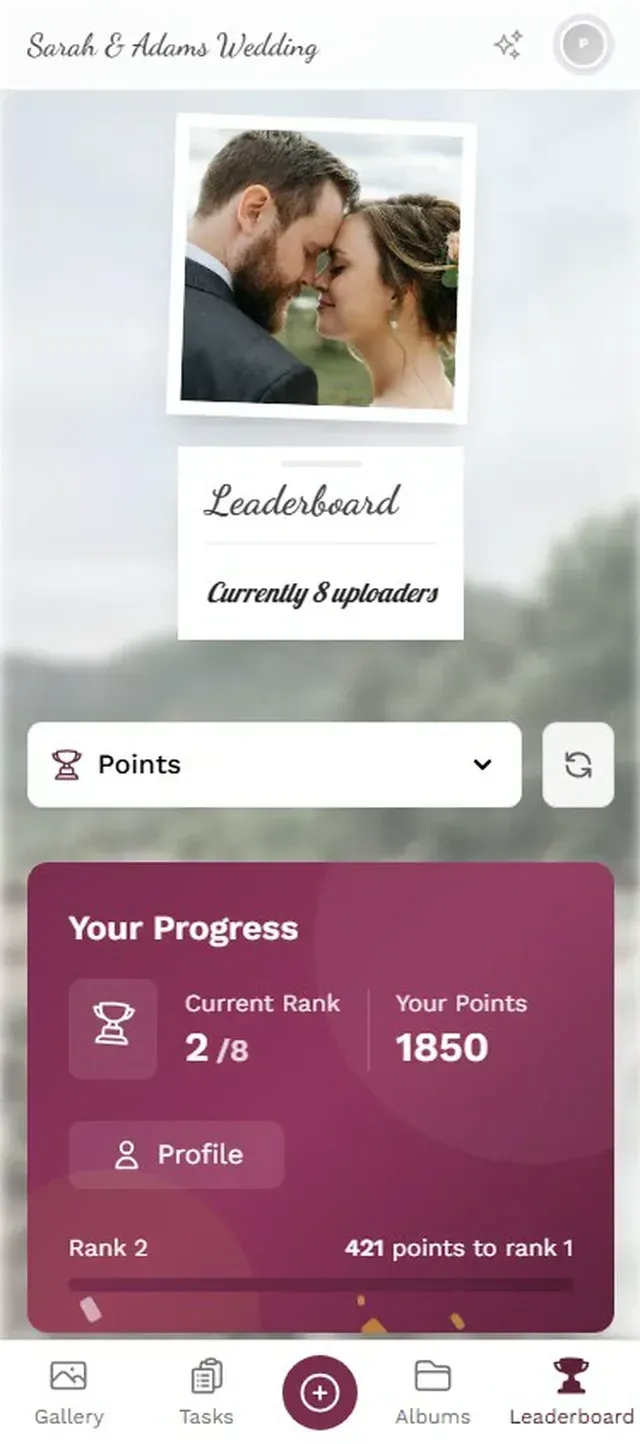
A few challenges at the engagement party: "Best candid of the couple", "Funniest face". A couple at the bridal shower: "Most creative gift wrap", "Group photo with the bride". Then at the wedding, the big ones: "First dance from the guest's perspective", "Catch the bouquet toss". Guests who completed challenges at earlier events already have points on the leaderboard. By the wedding, there's a genuine rivalry going. Your cousin who uploaded 30 photos at the engagement party? He's not letting anyone overtake him now.
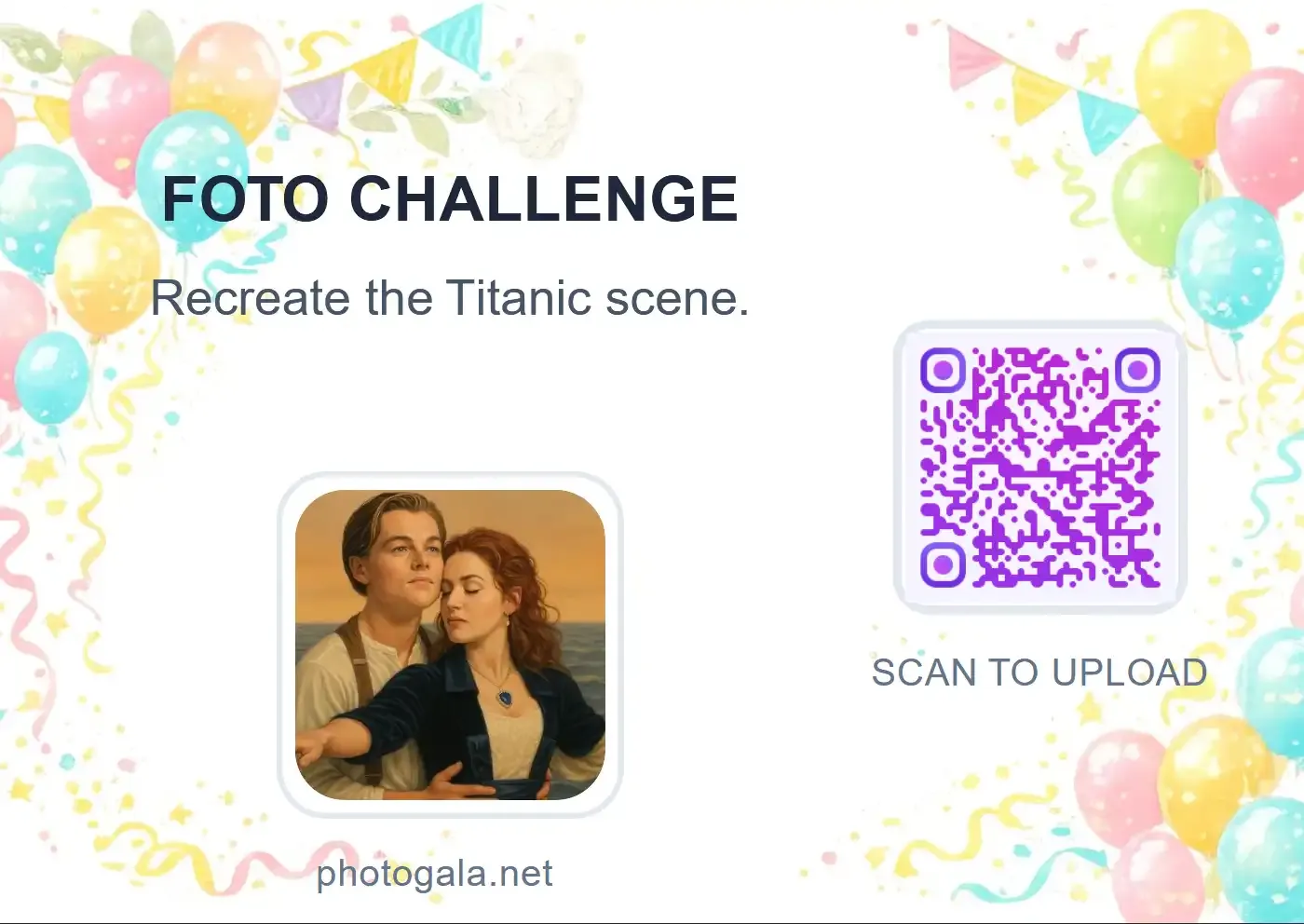
Challenges can include example preview photos showing guests exactly what to aim for. Think photo roulette, where guests get a reference image and have to recreate the pose. At a wedding, that means you can set a silly couples pose from your engagement shoot as the challenge photo, and watch guests attempt to copy it. The results are always hilarious.
Challenges spread across events keep guests engaged over months.
After the Last Dance
The wedding is over. The gallery stays. For months after, you'll get the occasional late upload from a guest who just found photos on their camera roll. (According to Guesticon's research, high guest participation is the single biggest factor in building a complete event photo collection.) A persistent gallery catches those late contributions instead of losing them.
When you're ready, download everything as a ZIP. One archive, 18 months of memories, organized by event. Hand it to your photographer for the final album. Use it for your wedding video. Or just scroll through it on a rainy Sunday, remembering the journey from "she said yes" to "I do."
That engagement party photo of your dad raising a glass? It belongs next to the wedding photo of him walking you down the aisle. One gallery puts them where they belong: together.
If you want more tips on collecting guest photos at the engagement party specifically, check out our guide on engagement party photo sharing. And for the wedding day logistics of collecting from a large guest list, this article on gathering photos from 200+ guests covers the practical details.
Ready to create your gallery?
Start sharing your event photos with guests in minutes.
Create GalleryWritten by

I believe event photos should be more than static galleries. They should be live, playful, and unforgettable.
Categories
Related Posts
Multicultural Wedding Photo Sharing: Honoring Every Tradition in One Gallery
When your wedding blends two (or more) cultures, collecting guest photos gets complicated fast. Here's how to make it work without losing a single moment.

How to Collect Photos From Event Guests Automatically
Stop chasing guests for photos after the event. A QR code, a shared gallery, and a few smart settings can do the collecting for you.
Housewarming Party Photo Sharing: How to Capture Your New Place Through Everyone's Eyes
Your housewarming is the only time your home will look this good and feel this new. Here's how to collect every guest's photos without lifting a finger.