Winter Wedding Guest Photos: Why Cold Weather Creates the Best Shots

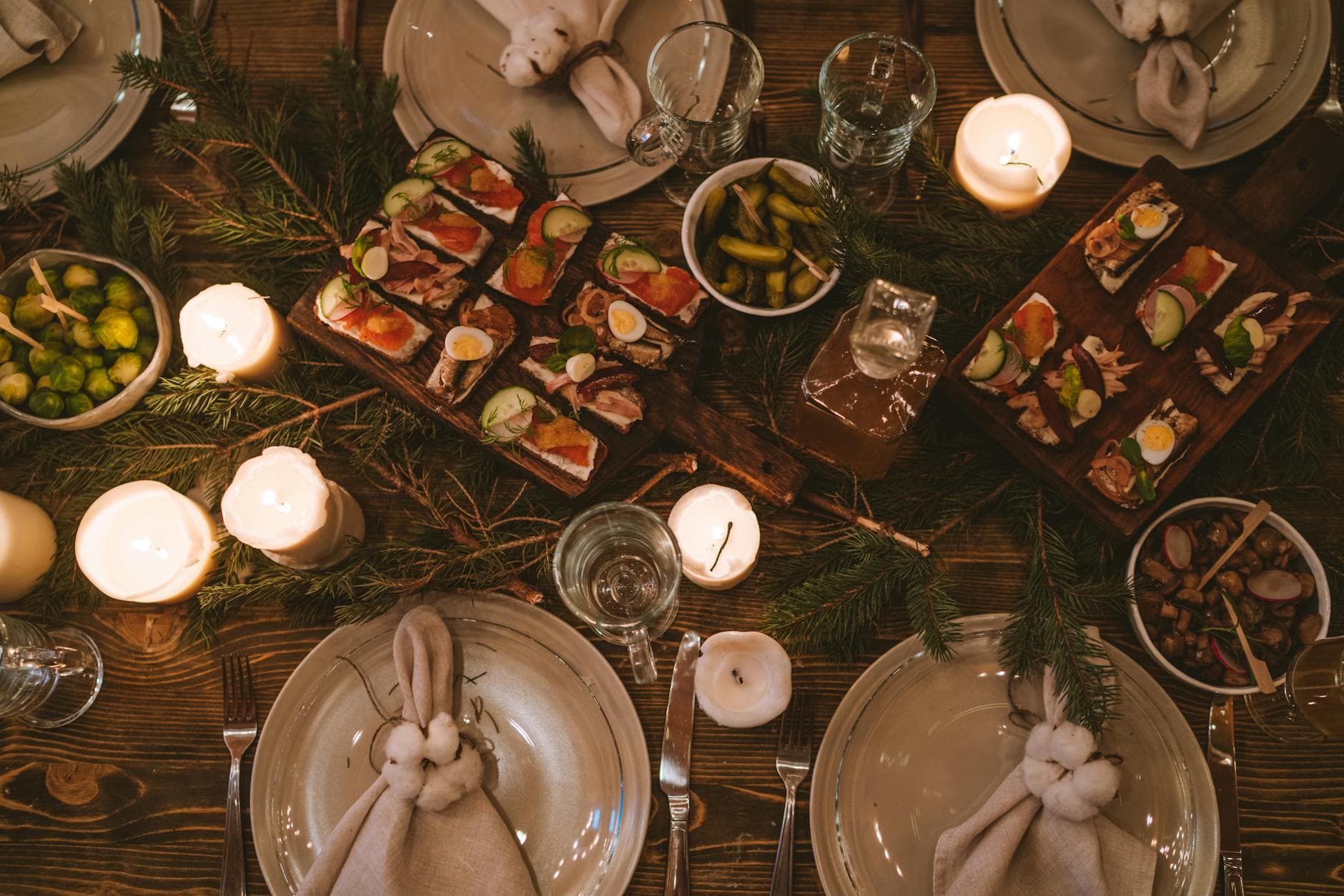
Picture a January wedding. Three PM, the sun already dipping behind bare oak trees. Inside, the venue glows: pillar candles on every table, fairy lights draped across exposed beams, guests wrapped in velvet shawls. The photographer is outside, racing the last twenty minutes of daylight for couple portraits. And the 140 guests inside? They're taking photos too. Lots of them.
Here's the thing about winter weddings that most couples don't realize until after: the guest photos often turn out better than the summer ones. Not because winter guests are better photographers, but because the light does all the heavy lifting. Overcast skies act as a giant softbox. Candlelight adds warmth that no Instagram filter can replicate. Snow, when it cooperates, transforms even a parking lot into something cinematic.
The challenge isn't the quality of winter guest photos. It's collecting them. Cold fingers, bulky coats with phones buried in deep pockets, shorter windows for outdoor shots. This guide covers both sides: how to set up environments that produce gorgeous guest photos, and how to actually get those photos into one place before they disappear into 140 separate camera rolls.
Why Winter Light Is a Photographer's Secret Weapon
Golden hour at a summer wedding happens around 7 or 8 PM, when everyone's mid-dinner and nobody wants to pause for photos. At a winter wedding, golden hour arrives around 3 to 4 PM, right when guests are arriving and energy is high. That's a massive advantage for candid shots.
Then there's blue hour, the thirty or so minutes just after sunset. The sky turns a deep, cool blue that contrasts beautifully with warm indoor lighting. Guests standing near windows during this window (no pun intended) get a natural two-tone lighting effect that professionals spend hours setting up in studios.
Overcast days, which winter delivers reliably, produce soft diffused light that's forgiving on everyone. No harsh shadows under eyes, no squinting. Your uncle who always looks angry in summer photos? He'll look ten years younger. Snow takes this even further, acting as a natural reflector that bounces light back up and fills in shadows. According to the Orion Photo Group, snow naturally diffuses light, creating a soft illumination that enhances skin tones and adds what they call a "magical glow." It sounds like marketing language, but anyone who's seen a good snow portrait knows it's accurate.
Golden hour timing hack: In December and January, golden hour can start as early as 2:30 PM in northern latitudes. Schedule your ceremony so guests arrive during this light. They'll take their best outdoor photos walking from the car to the venue, before they even sit down.
Indoor Ideas That Make Guest Photos Effortless
Most winter weddings spend 80% or more of the time indoors. That's not a limitation. It's an opportunity. Indoor venues give you control over lighting, backdrops, and flow in ways outdoor summer weddings never can.
Position Everything Near Windows
The simplest thing you can do for better indoor guest photos: arrange the key moments near natural light. The cake table, the gift station, the ceremony backdrop. Wide-angle shots near windows capture more of the scene while keeping natural light on faces. Guests instinctively take photos of things they interact with. If those things are near windows, the photos look professional by accident.
If your venue has large windows facing west, even better. Afternoon light streaming through creates long, dramatic shadows and a warm glow that guests will photograph without being asked. A dessert table in that light? Everyone's pulling out their phones.
Create Intentional Photo Moments
Winter venues lend themselves to cozy details that photograph beautifully: a hot chocolate bar with copper mugs, a blanket station with different textures, a candle-lined hallway leading to the reception. These aren't just décor choices. They're photo opportunities disguised as hospitality.
The trick is thinking like a guest. People photograph what surprises or delights them. A bowl of pinecones on a table won't get a single phone raised. But a s'mores station with an actual flame? Everyone's snapping that. A vintage armchair draped in fur throws, positioned in front of a bookcase? Couples will sit down and take their own portraits without you lifting a finger. And if you want guests to actually share those photos, you need to make uploading as frictionless as the photo-taking itself.
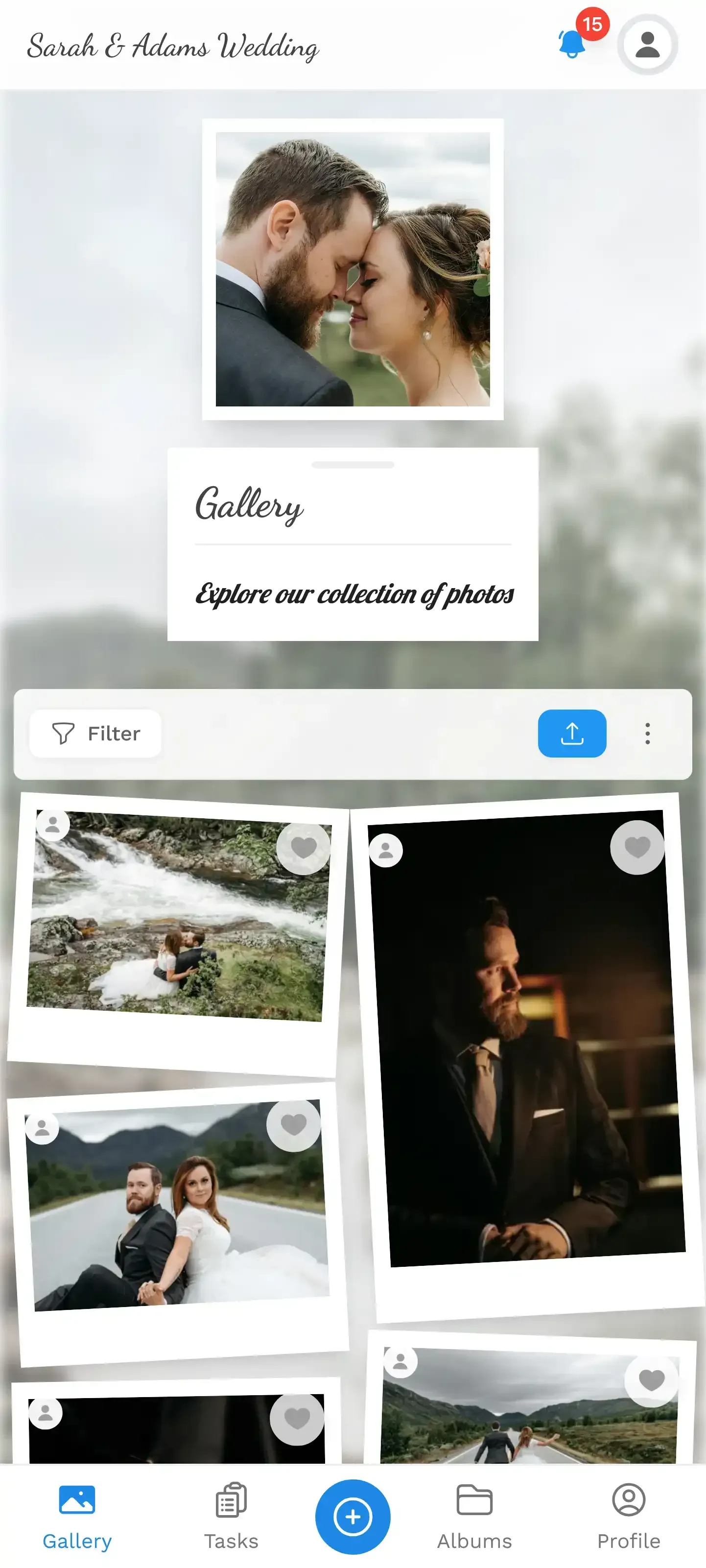
1.No app needed. Guests scan a QR code and upload directly from their phone browser.
A QR code on each table lets guests upload straight from their phone browser. No app, no sign-up, no group chat. Place the code on a card next to the table number. Something simple: "Snap it. Scan it. Share it." You'd be surprised how many people engage when there's zero friction. If you want to see what this looks like on a big screen, a live photo wall near the bar or dance floor can cycle through uploads in real time, which tends to motivate even the reluctant photographers.
See it in action
Every guest photo in one album – no app.
Outdoor Ideas: Work Fast, Think Warm
Outdoor winter photos can be breathtaking, but you're working against cold fingers, fading light, and the universal human instinct to get back inside. The key is planning short, intentional outdoor moments rather than hoping guests wander outside with their phones.
The 15-Minute Window
Plan outdoor group shots in 15-minute intervals. That's the comfort limit for most people in cold weather. Announce it clearly: "We're doing a quick group photo outside at 3:15, then straight back in for warm drinks." Guests will cooperate for a short burst. Ask them to do 45 minutes in the cold, and half will skip it.
If snow is falling, even lightly, get people outside immediately. Snow photos have a shelf life measured in minutes. The flakes melt, the ground turns to slush, the magic evaporates. A quick two-minute exit for photos while it's actively snowing will produce shots guests talk about for years.
Warm-Up Stations as Photo Bait
Set up a warming station just outside the main entrance: a fire pit, outdoor heaters, or even just a table with mulled wine and blankets. This creates a natural gathering point where people linger, talk, and take photos. The fire pit is especially effective because it provides its own light source, adding a warm amber glow to evening photos that smartphones handle surprisingly well.
Don't underestimate the power of props in cold weather. Faux fur wraps, oversized scarves, even matching mittens for the wedding party create visual cohesion and give guests something to interact with. People who feel awkward posing for photos suddenly have something to do with their hands.
The Real Problem: Collecting 400 Scattered Photos
Say your winter wedding goes perfectly. Gorgeous light, engaged guests, 350 photos taken across 140 phones. Now what? The WhatsApp group approach works for maybe 20 people, and even then, half the photos arrive compressed beyond recognition. iCloud shared albums require Apple accounts. Google Photos requires Google accounts. You end up with fragments scattered across five different platforms, and three months later, someone says "I'll send you those photos" and never does.
This is the photo problem nobody talks about: not taking the photos, but collecting them. Winter weddings make it worse because people put their phones away more quickly. Cold hands, coat pockets, the desire to get back to the warm room. The upload window is narrow.
A browser-based gallery with a QR code sidesteps all of this. No app download, no account creation, no tech skills required. That matters especially at weddings where guest ages span from 18 to 80. The 68-year-old grandmother who took surprisingly good photos of the first dance can share them the same way the 24-year-old cousin does.
One honest limitation: Photogala is browser-based, not a native app. That means no push notification reminders to upload. You'll want to make the QR code visible throughout the event and maybe have the best man give it a shout-out during his toast. The easier it is to find, the more photos you get.
Challenges That Work for Winter Weddings
Photo challenges turn passive guests into active photographers. Instead of hoping someone captures the cake cutting from a good angle, you assign it as a challenge. "Best close-up of the first slice" or "Catch the flower toss mid-air." Guests compete, and you end up with fifteen different perspectives of the same moment.
Winter-specific challenges work even better because they lean into the season. "Best photo through a frosted window." "Most creative use of a blanket." "Capture someone making a snow angel in formal wear." These aren't generic photography prompts. They're specific, funny, and tied to moments that only happen at winter weddings.
What makes challenges effective is the gamification layer underneath. Points for completing challenges, a live leaderboard, achievements for milestones. Imagine the best man checking his ranking between courses, or the bride's college roommate uploading six photos in a row trying to overtake someone she just met. It sounds silly, but a leaderboard creates competition even among people who wouldn't normally bother sharing photos.
And here's a feature most competitors don't offer: challenges can include example preview photos. You upload a reference image showing what you're looking for, and guests try to recreate or top it. Photo roulette, where guests get a random example and have to mimic the pose, produces genuinely hilarious results at weddings. Imagine the groomsmen trying to recreate a dramatic movie poster scene in their suits. In the snow.

1.Guests see a list of winter-themed challenges to complete.
Making It All Visible: The Photo Wall Effect
A live photo wall on a screen near the bar or dance floor does two things. First, it shows guests that their photos actually go somewhere, which motivates more uploads. Second, it creates a shared experience. People gather around, point at photos, laugh at the challenges. It becomes entertainment in itself.
For winter weddings specifically, the photo wall works best near a fireplace or in the main reception room where everyone congregates. Unlike summer weddings where guests spread across lawns and patios, winter keeps everyone in close proximity. That means more eyes on the screen, more social pressure to participate, and more photos. With content moderation enabled, you can assign a bridesmaid or groomsman to approve photos before they hit the big screen. One tap to approve, one tap to reject. Keeps things family-friendly without slowing down the flow.
The screen itself doesn't need to be fancy. A 43-inch TV on a stand works. Some couples project it on a wall, which is cheaper and bigger. The key is placement: visible from the dance floor, near high-traffic areas like the bar, but not blocking anything important. If your venue has a rustic vibe with exposed brick or wooden beams, the modern screen actually creates a nice contrast. A photo wall at your wedding isn't replacing the professional photographer. It's capturing everything the professional misses.
After the Wedding: What Happens to All Those Photos
The professional photographer delivers 300 polished shots two weeks later. Beautiful work. But the gallery guests keep coming back to? The one with 400 unfiltered, chaotic, wonderful photos shot on phones. The blurry dance floor shots, the kid stealing cake in the background, the grandmother slow-dancing with her grandson. Those are the photos that make people cry on a Tuesday afternoon six months later.
With a shared gallery and archive, guests can browse, download their favorites, and revisit the collection long after the event. On paid plans, the gallery stays active for up to two years. No chasing people for photos, no uploading to three different cloud services. Everything in one place, in original quality. You can even customize the gallery layout to match your wedding's visual style: modern grid, polaroid frames, vintage, or timeline view. Four layouts plus six header styles, so the gallery feels like an extension of the wedding, not a generic photo dump.
And if you had face recognition enabled, guests can upload a selfie afterward and instantly find every photo they appear in. Your uncle who wants only his photos? Sorted in seconds. The couple who wants to see every candid of them together? One selfie search. It's the kind of feature that sounds futuristic until you use it, and then it just feels obvious.
A winter wedding is already memorable. The candlelight, the snow, the warmth of being inside together while it's freezing outside. The photos your guests take capture that feeling in a way professional shots sometimes can't. Raw, unposed, real. The only question is whether those photos end up scattered across 140 phones, or collected in one place where everyone can see them.
All of this comes with your own event.
Setting it up takes five minutes. You can build and view everything before you decide.
Starting from €39 one-timeOne-time payment — No subscription
- No App Required
- Setup in 5 Minutes
- 30-Day Money Back
“I use PhotoGala Deluxe and I'm absolutely thrilled. It was the perfect solution for documenting a sports event. Uploading and downloading via the link is a breeze for every participant. What won me over most were the photo wall and the slideshow – both are quick to set up and look really professional. Big praise also to Peter from the PhotoGala team: he's very easy to reach by email, replies quickly and even took my suggestions on board and added new features that made my slideshow even better. You rarely get support this dedicated. A clear 5-star recommendation!”
Written by

I believe event photos should be more than static galleries. They should be live, playful, and unforgettable.
Categories
Related Posts

Bridal Shower Photo Sharing: Collect Every Sweet Moment in One Gallery
Bridal shower photos end up scattered across 15 phones. Here's how to get them all into one gallery before the mimosas wear off.

Maternity Photo Sharing: How to Keep Every Announcement, Bump Shot, and Memory in One Place
Pregnancy announcements land on 4 different apps. Maternity photos get lost in group chats. Here's how to keep every photo in one shared gallery your whole family can access.

Sales Kickoff Photo Sharing: How to Turn a Mandatory Meeting Into a Team Memory
Sales kickoffs are expensive. The photos from them usually disappear into 14 different camera rolls. Here's how to fix that.