How to Set Up a Live Photo Slideshow at Your Wedding Reception

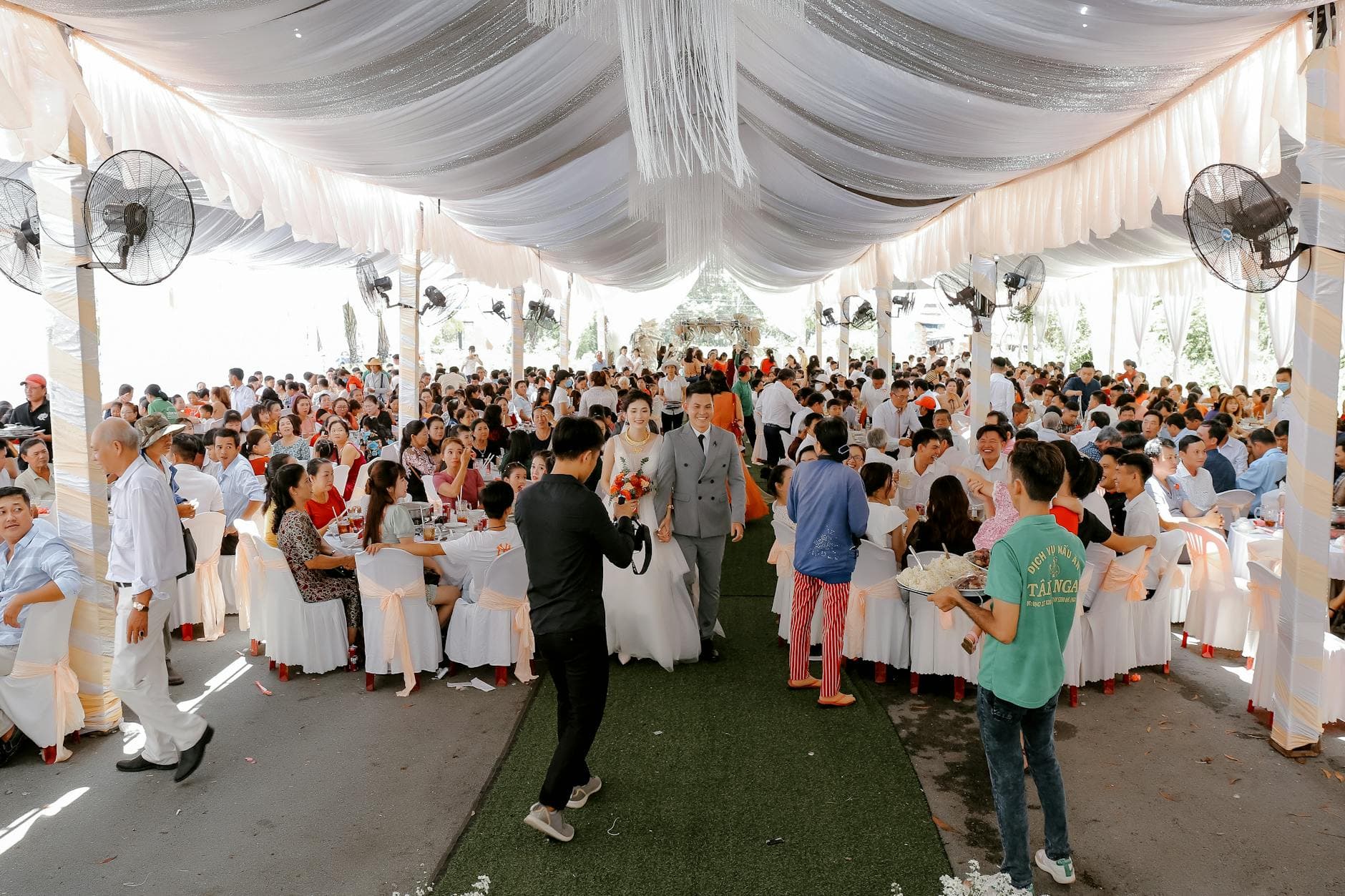
Picture this: it's 9 PM at a wedding reception. The dance floor is filling up. Behind the DJ, a 55-inch screen cycles through photos that guests took just minutes ago. Someone spots themselves mid-laugh during the cake cutting. A table of college friends erupts because the best man's failed champagne-pour selfie just appeared on screen. Nobody organized this. Nobody curated it. It's happening live.
That's a live photo slideshow. And it's a completely different experience from the carefully edited, pre-made slideshow most couples think of when they hear "wedding slideshow."
The Problem with Traditional Wedding Slideshows
Most wedding slideshows are built weeks before the event. You gather childhood photos, pick a sentimental song, drop everything into slideshow software, and hit export. It plays once during the reception, maybe during dinner. Guests watch politely. Some tear up. It's nice.
But here's the thing: that slideshow only contains photos from before the wedding. The actual moments happening at your reception, the ones your 150 guests are capturing on their phones right now, don't make it onto any screen. They sit in camera rolls, get posted to a few Instagram stories, and slowly disappear.
A 2023 Mixbook survey found that 50% of Americans do nothing with the photos they take on their phone. At a wedding, that's hundreds of candid moments sitting in digital limbo. Your photographer will deliver 300 polished shots in two weeks. But the chaotic, wonderful, unfiltered photos from your guests? Those are the ones people actually want to see at brunch the next morning.
Live Slideshow vs. Pre-Made Slideshow
A pre-made slideshow is a movie. You watch it. A live slideshow is a conversation. Guests participate in it.
The difference is participation. When photos appear on a big screen in real time, guests start paying attention to what they're shooting. They pose for group shots specifically because they know it'll show up. They laugh when a blurry candid of the flower girl makes it onto the display. The screen becomes a focal point that people gather around between songs.
As Emmaline Bride notes, a live photo stream is "an effective way to engage guests and increase photo uploads at your wedding." And from what the numbers suggest, that engagement effect is real. Imagine a 200-guest wedding: without a live wall, you might collect 150-200 guest photos over the entire evening. With one, that number can climb to 400-600 because guests have a visible reason to keep shooting.
A live slideshow doesn't replace your pre-made one. Play the sentimental childhood slideshow during dinner, then switch to the live feed when the party starts. Best of both worlds.
What You Actually Need
The hardware is simpler than you'd expect. A TV or projector, a laptop (optional, depending on your setup), and a Wi-Fi connection. That's the physical side. LED screens are increasingly popular at weddings because every guest gets a clear view regardless of seating, but a standard 55-inch TV works perfectly for most venues.
The software side is where the real choice happens. You can go with a dedicated live photo display service like TacBoard, where guests text photos to a phone number. Or you can use a QR-code-based platform where guests scan, upload from their browser, and photos appear on screen automatically. No app install, no texting fees, no friction.
That second approach is what Photogala uses. Guests scan a QR code on a table card, open the gallery in their phone's browser, and start uploading. Every photo hits the live slideshow within seconds. The upside: it also gives you a permanent shared gallery with every photo collected, organized, and downloadable after the event.
Ready to create your gallery?
Setting It Up (It Takes About 15 Minutes)
Here's the actual process, not a marketing pitch, but the real steps you'd walk through the night before or morning of the wedding.
Setup in 4 Steps
Create your gallery
Sign up, name your event, pick a gallery layout and color scheme. This takes about 3 minutes. You get a unique QR code and a shareable link.
Print QR codes
Download the QR code and print it on table cards, napkins, or a poster near the entrance. Put one near the bar too. Guests who are waiting for a drink will scan it out of curiosity.
Connect the display
Open the photo wall URL on a laptop or smart TV browser. Connect to the venue's TV or projector via HDMI. Set the display to slideshow mode. Done.
Test it once
Upload a test photo from your phone. Watch it appear on screen. Adjust the slideshow speed if needed (5-8 seconds per photo works well for most receptions).
That's it. No video editing software, no rendering, no exporting. The live slideshow runs itself for the rest of the night.
Where to Put the Screen (This Matters More Than You Think)
Placement can make or break the whole experience. A screen tucked in a corner gets ignored. A screen near the main action becomes the night's entertainment.
The best spot is near the bar or the dance floor, wherever people naturally congregate. Not behind the head table (guests face away from it), not in a side room, not next to the bathroom hallway. If you have a DJ booth, behind or beside the DJ is ideal. Guests facing the dance floor see photos cycling between songs.
One thing that surprises people: the screen height matters. Mount it at eye level or slightly above. Too high and people strain their necks. Too low and it gets blocked by the crowd. If you're using a TV on a stand, bring it up to about 5-6 feet. Projector screens naturally sit higher, which works in larger venues.
Guests scan the QR code and upload directly from their browser
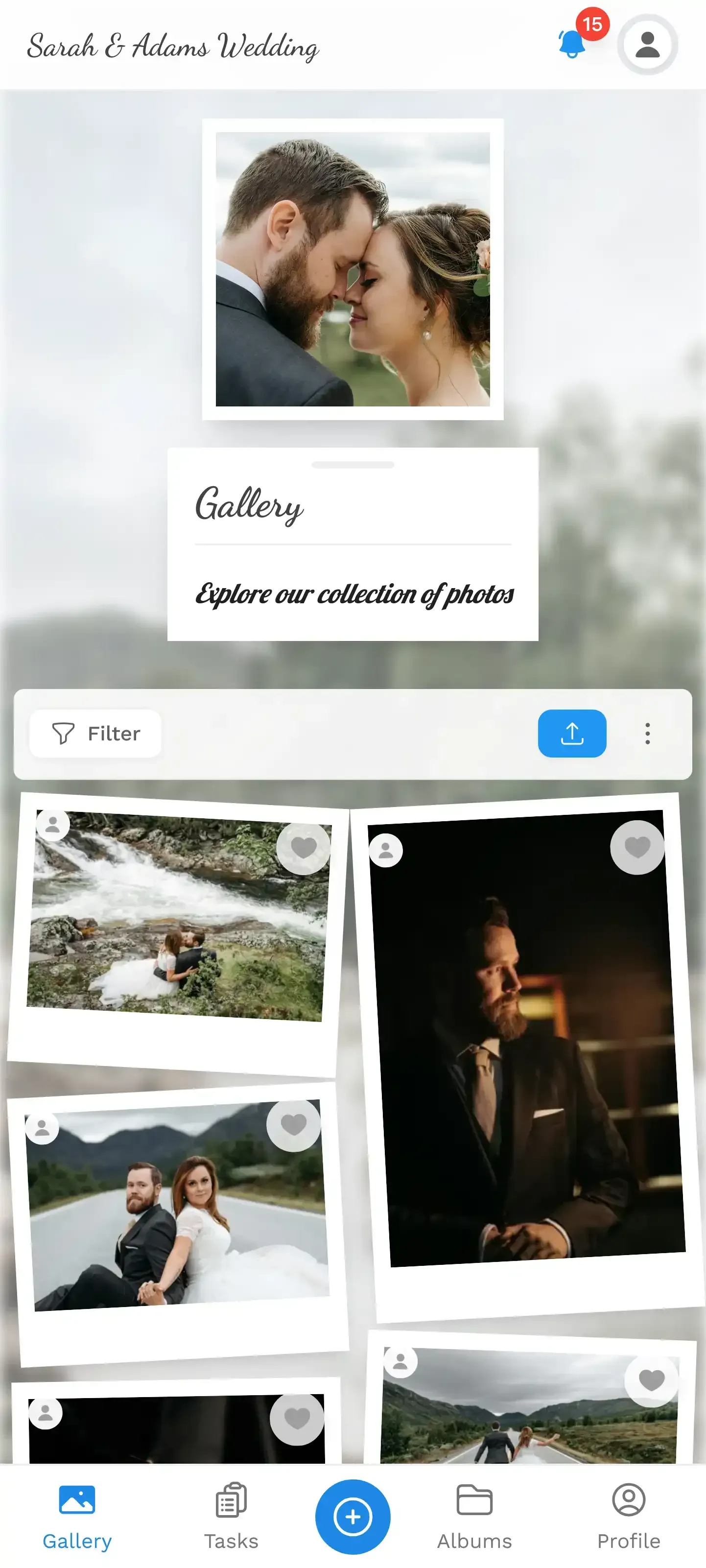
Getting Guests to Actually Participate
The screen alone generates curiosity. But if you want more than just the usual "photographer friend" uploading 40 shots while everyone else contributes three, you need a small push.
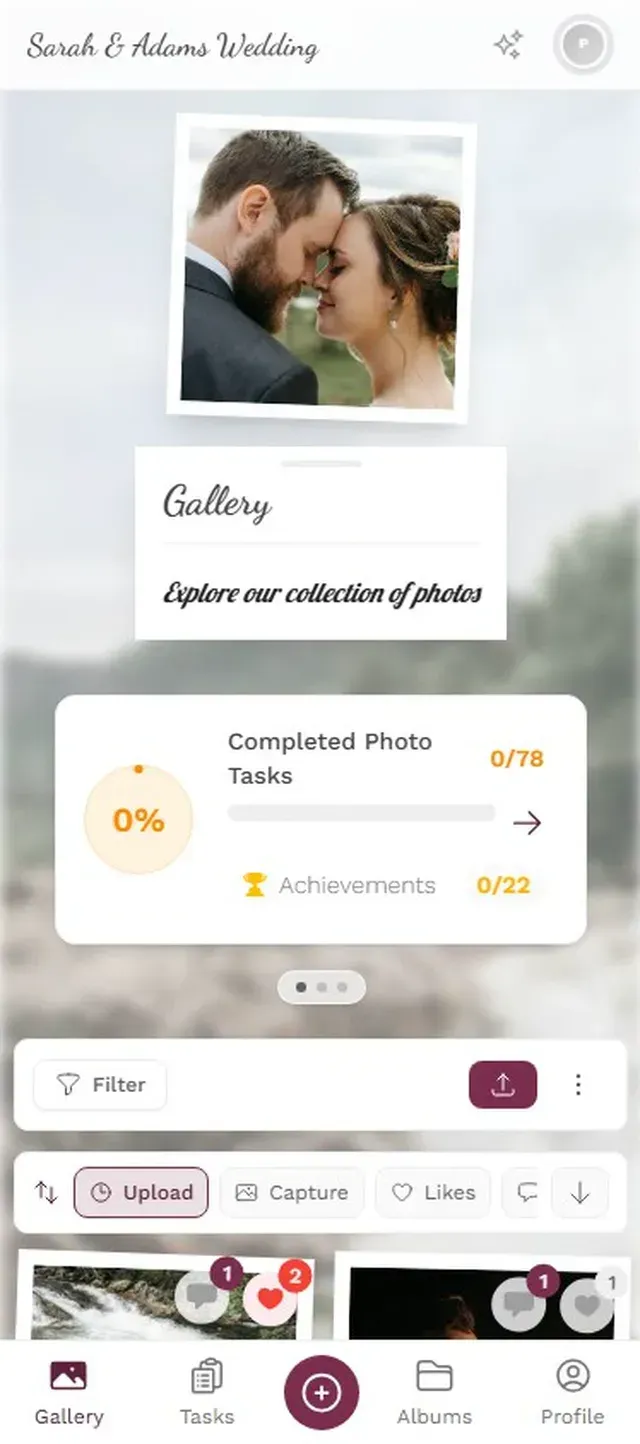
Photo challenges work surprisingly well here. Set up a few prompts: "Best photo of the bride's parents dancing," "Catch someone mid-bite," "Group selfie with a stranger." These give guests a reason to pull out their phone beyond the obligatory ceremony shot. Photogala lets you create unlimited challenges with example preview photos, so guests see exactly what kind of shot you're looking for. The results range from sweet to absolutely hilarious.
Pair challenges with a leaderboard displayed on a second screen (or announced by the DJ every hour), and something interesting happens. Imagine a 180-guest wedding where the bride's uncle, a retired accountant, uploads 25 photos because he's determined to outrank his teenage nephew. That competitive spark turns passive attendees into active participants.
Announce the QR code early. Have the MC mention it right after the first toast, not three hours into the reception. The earlier guests start scanning, the more photos accumulate by the time the party peaks.
Content Moderation (The Thing Nobody Thinks About Until It's Too Late)
Here's a real limitation you should consider: a live slideshow shows photos as they arrive. If Uncle Jerry uploads something inappropriate after his sixth glass of champagne, it goes on the big screen in front of grandma.
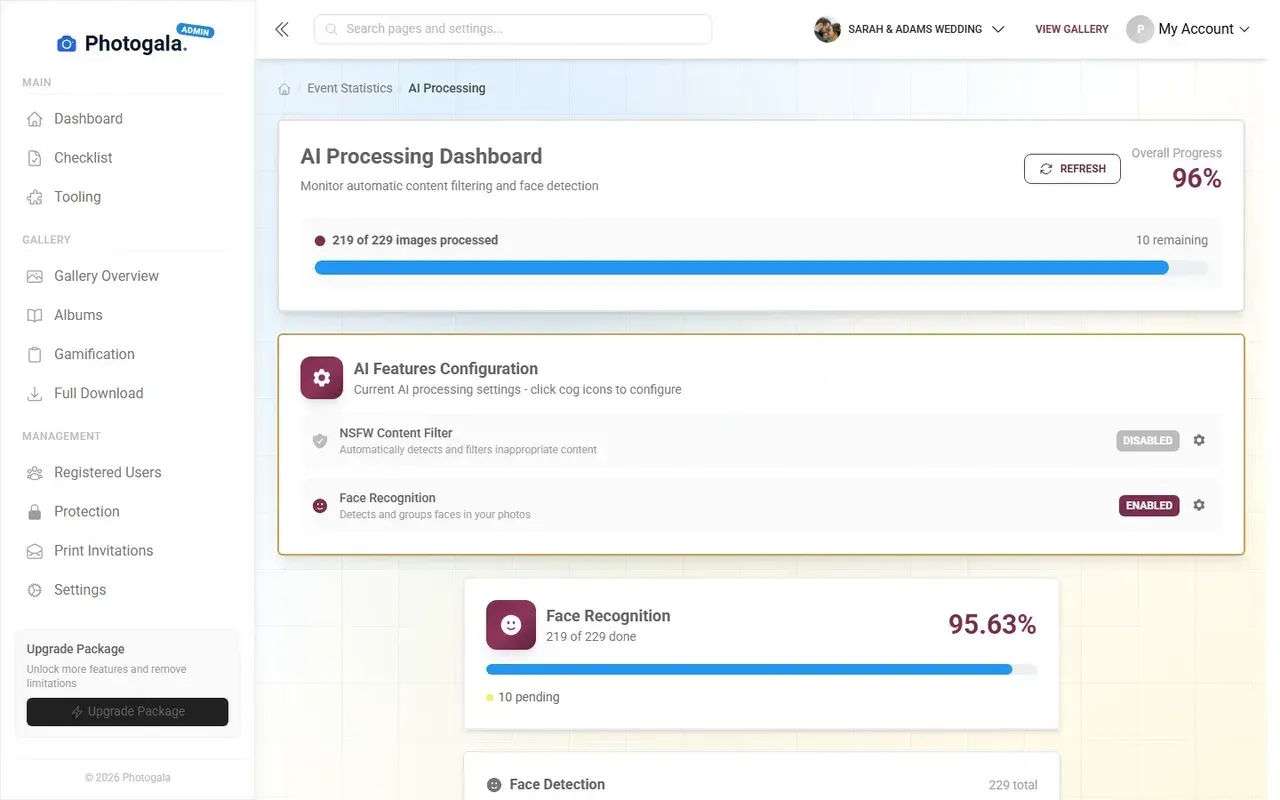
Some platforms have no way to prevent this. Everything that's uploaded goes live immediately. Photogala offers a pre-approval mode where every photo gets reviewed before it appears on the wall. You can assign moderation to a bridesmaid sitting at the head table. One tap to approve, one tap to reject. It adds a 10-15 second delay between upload and display, which is barely noticeable, but it prevents any unpleasant surprises.
Is moderation necessary for every wedding? Honestly, no. If your guest list is 80 people and you know everyone well, you'll probably be fine without it. But for larger weddings (150+) with extended family and plus-ones you've never met, it's worth turning on. The Deluxe plan also includes an AI NSFW filter that catches obvious problems automatically.
Review and approve photos before they hit the big screen
The Honest Trade-offs
A live slideshow needs Wi-Fi. That's non-negotiable. If your venue is a barn in the middle of nowhere with spotty reception, you'll need a mobile hotspot or a venue-provided network. Test the connection during your site visit, not on the wedding day.
Photogala runs entirely in the browser, which means no app download for guests (a genuine advantage). But it also means it doesn't have a native app with push notifications reminding guests to upload. The QR code and the visible screen do that job instead, but it's worth knowing.
And the cost: this isn't free like creating a shared iCloud album. Photogala starts at €39 for the Plus plan, and you'll likely want the Premium plan (€69) for moderation and the full gamification features. Compare that to renting a photo booth (typically EUR 500-1,500 for an evening), and it's a fraction of the price for something that captures far more moments.
If you want more detail on how QR-code-based photo sharing works, the step-by-step QR code setup guide walks through the whole process.
What Happens After the Wedding
The live slideshow is the party trick. But the real value shows up the next morning, when you wake up to a gallery with 400+ photos from every angle of your reception. No chasing people on WhatsApp. No "I'll send you the photos" promises that never materialize.
Guests can browse the gallery on their phones, download their favorites, and (on the Premium plan) leave comments and likes. Think of it as a living, interactive photo album that everyone contributed to. The wedding photo sharing guide covers the full picture of collecting guest photos beyond just the slideshow.
Say you're looking at the gallery the next day. There's the photographer's artful first-dance shot. And right next to it, a blurry, off-center photo of the groom's face mid-sneeze during the vows, taken by his college roommate from the third row. Both are priceless. One cost you thousands. The other was free.
The best wedding slideshows in 2026 aren't built in Premiere Pro the week before. They build themselves, one guest photo at a time, while the party is happening. All you need is a screen, a QR code, and guests who like seeing themselves on TV (so, basically everyone).
Ready to create your gallery?
Start sharing your event photos with guests in minutes.
Create GalleryWritten by

I believe event photos should be more than static galleries. They should be live, playful, and unforgettable.
Categories
Related Posts
How to Print Photos From a Shared Event Gallery
You collected hundreds of guest photos. Now what? Here's how to turn your shared event gallery into prints, books, and keepsakes worth keeping.

How to Archive and Back Up Your Event Photos for the Long Term
Most event photos disappear within two years. Here's how to preserve them properly, from the 3-2-1 backup rule to choosing the right file format.
Event Photography on a Phone: A Beginner's Guide for Hosts
You don't need a DSLR to get great event photos. Here's how to take better shots on your phone and make sure your guests do the same.