How to Create a QR Code for Photo Sharing at Your Event (Step-by-Step)

Picture this: 180 guests at a summer wedding. Every single one of them takes photos. The couple's photographer captures 350 polished shots, delivered three weeks later. But scattered across those 180 phones? Somewhere around 600 candid, unfiltered, hilarious, emotional photos that nobody will ever collect.
That's the gap. According to Snapeen's corporate event research, 95% of attendee photos never reach organizers. At weddings, the number is probably similar. The photos exist. They just stay trapped on individual phones, buried under screenshots and grocery lists.
A QR code changes that math completely. Guests scan it with their phone camera, a browser gallery opens, and they upload directly. No app to download. No account to create. No WhatsApp group where half the photos get compressed into pixelated thumbnails.
This guide walks you through setting up QR code photo sharing for any event, from a 30-person birthday to a 500-person corporate conference. The whole process takes about five minutes.
Why QR Codes Beat Every Other Collection Method
Before we get into the how, let's talk about why. You've probably tried the alternatives. A shared Google Photos album that half the guests can't access because they use iPhones. A WhatsApp group that spirals into 400 messages and compresses every image. An Instagram hashtag where photos disappear into the algorithm. A USB stick at the reception desk that three people actually use.
QR codes work because they remove every barrier. As Sven Studios notes, the key advantage is that guests add photos to a central private gallery without downloading an app or creating an account. Scan, snap, upload. That's it. Your 62-year-old uncle who still uses a flip case can do it. The teenager glued to TikTok can do it. The colleague who "doesn't do apps" can do it.
The result: you actually get the photos. Not some of them. Most of them.
Setting Up Your QR Code Gallery
Here's the actual process, start to finish. I'll use Photogala as the example since it's built specifically for this, but the general flow applies to most QR photo sharing platforms.
Three Steps to a Working QR Code Gallery
Create your event gallery
Pick your event type (wedding, party, corporate), name it, and choose your settings. Upload a cover photo if you want. This takes about two minutes.
Customize your QR code
Adjust the QR code design to match your event. Change colors, add your logo, pick a style. Download it as a printable file.
Share it with guests
Print the QR code on table cards, display it on screens, or share the link digitally. Guests scan and start uploading immediately.
That's genuinely it. No technical setup. No Wi-Fi configuration (guests use their own mobile data or the venue's Wi-Fi). No hardware to rent.
One thing worth knowing: the QR code just opens a browser link. So guests who prefer typing a URL can do that too. Handy for anyone whose phone camera doesn't auto-detect QR codes (rare in 2026, but it happens).

They pick a name so you know who uploaded what.

Where to Put Your QR Code (This Matters More Than You Think)
Here's something that surprises most people: the QR code placement is more important than the QR code itself. You can have the most beautiful gallery in the world, but if the QR code is on a small sign by the entrance that guests walk past without noticing, you'll get 20 uploads instead of 200.
The Rule of Three Touchpoints
Guests need to see the QR code at least three times before most of them actually scan it. Not because they're lazy, but because the first time they see it, they're busy. The second time, they think "oh right, I should do that." The third time, they finally pull out their phone.
For a wedding, that might look like this: QR code on the invitation (touchpoint one), table cards at every seat (touchpoint two), and a big screen near the bar showing uploaded photos in real-time (touchpoint three, plus social proof that makes everyone else want to join in).
For a corporate event, try: QR code in the pre-event email, printed badges or lanyards with the code, and a projected photo wall during the networking session.
The bar is your best friend. At every event, the highest-traffic spot is wherever drinks are served. Place a QR code there. People standing in line have their phones out already. It's the single most effective placement, period.
Ready to create your gallery?
Making Guests Actually Want to Upload
Getting the QR code in front of people is step one. Getting them to actually open it and upload photos is step two, and it's the harder step.
The QRpix guide on event photo sharing puts it well: removing app barriers drives higher participation. But removing barriers is the floor, not the ceiling. You want people excited to upload, not just able to.
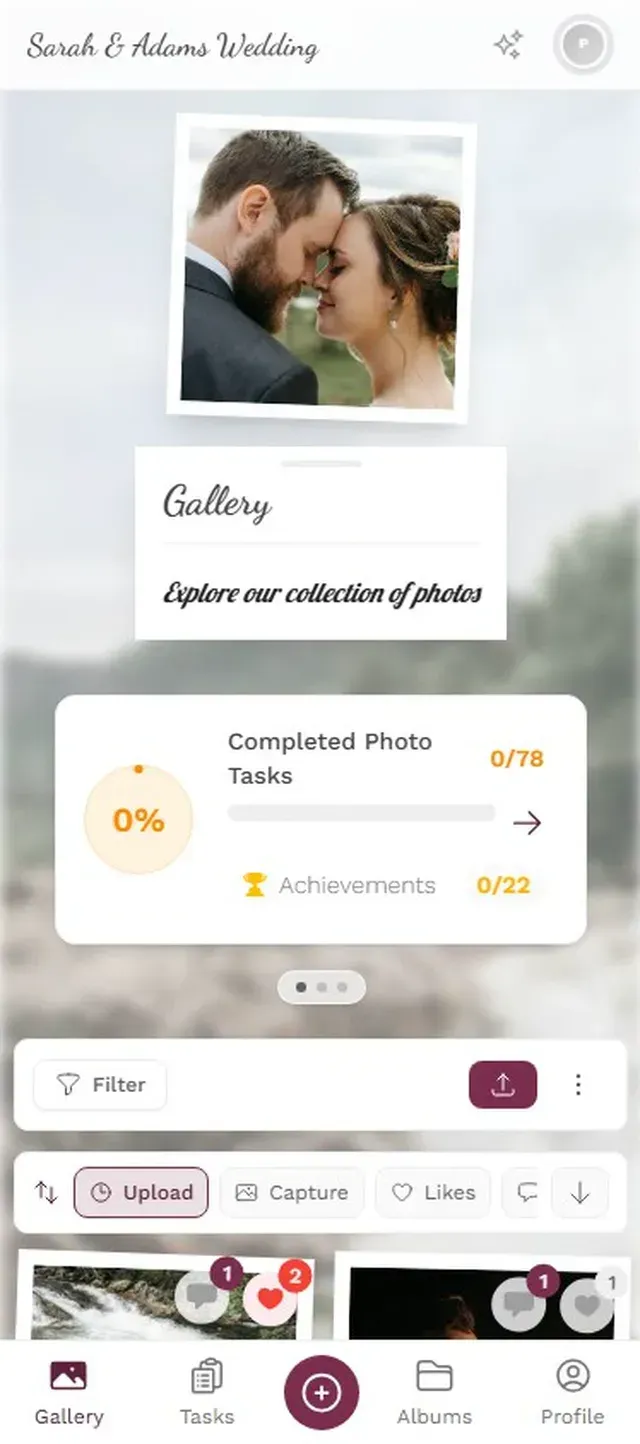
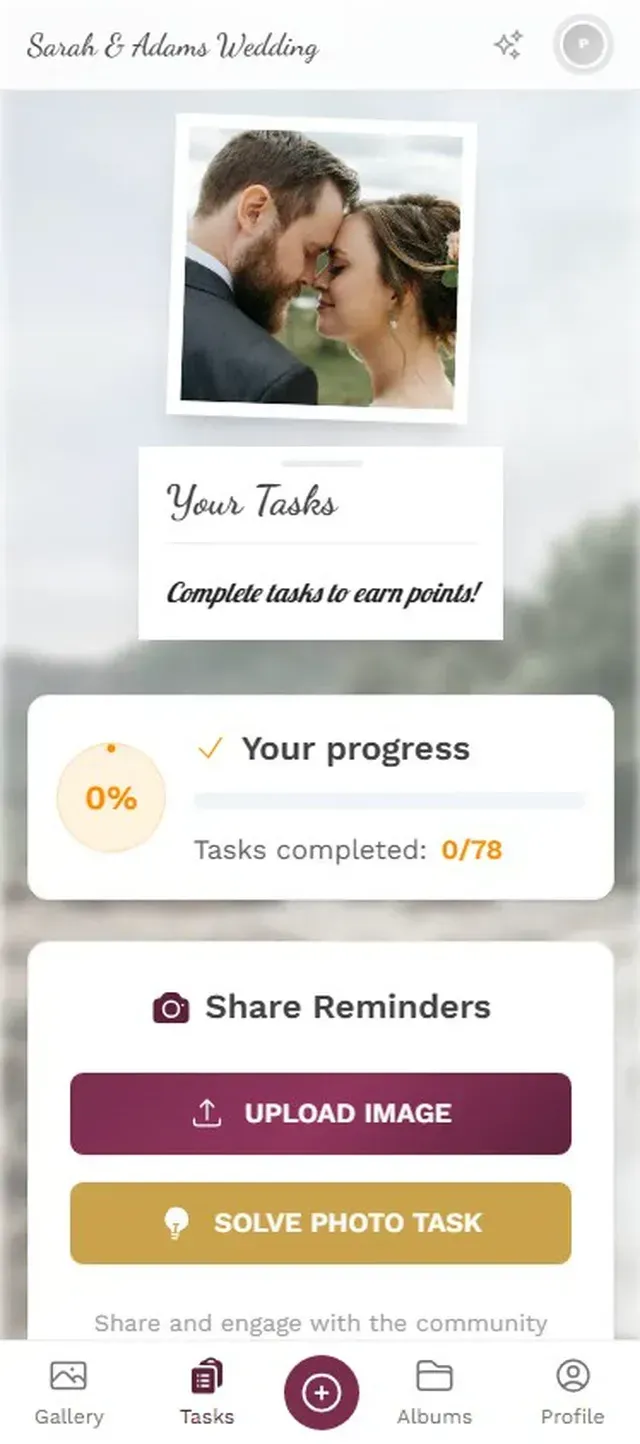
This is where gamification gets interesting. Imagine a wedding with photo challenges printed on the table cards: "Capture someone on the dance floor who shouldn't be" or "Find the oldest person at the party and take a selfie with them." Suddenly, uploading photos isn't a chore. It's a game.
Photogala takes this further with challenges that include example preview photos. You set a reference image, and guests try to recreate it. Think: "recreate this movie poster pose" or "mimic this silly face." At a 150-person wedding, this kind of thing generates photos you'd never get otherwise. The bride's cousin doing her best Titanic pose. Three groomsmen recreating a famous meme. A grandmother nailing a dramatic movie scene.
Guests browse available photo challenges.
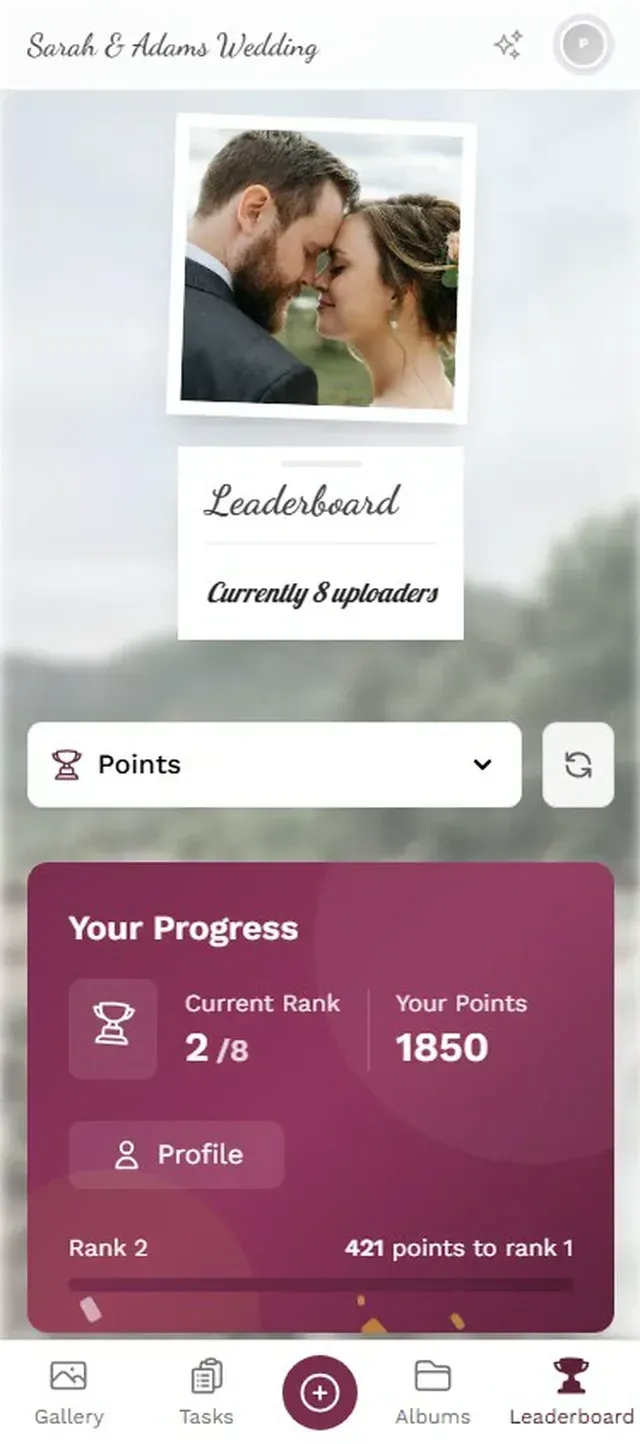
Add a leaderboard, and now there's friendly competition. Who uploaded the most? Who completed the most challenges? At a corporate event, this turns a polite "sure, I'll upload a few" into genuine engagement.
The Photo Wall Effect
Say you set up a TV screen near the dance floor that shows a live feed of uploaded photos. Something interesting happens: people start uploading specifically to see their photo on the big screen. It becomes a feedback loop. Someone uploads a funny photo, it appears on screen, three people nearby laugh, two of them scan the QR code to upload their own.
This is probably the single biggest participation driver you can add. The QR code gets photos into the gallery. The photo wall gets the gallery into people's faces. Together, they create momentum that builds throughout the event.
Photos appear on the big screen seconds after upload.
One practical note: set up content moderation if you're projecting photos publicly. On Photogala, you can assign a friend or colleague as a moderator who approves photos before they hit the screen. One tap to approve, one tap to reject. It takes maybe 10 seconds per photo and saves you from that one guest who thinks uploading a meme is funny. (It's always one guest.)
What About Privacy?
This comes up a lot, especially for corporate events in Europe where GDPR matters. A few things to consider.
First, the gallery should be private by default. Only people with the QR code or link can access it. No public URLs, no search engine indexing. Photogala handles this automatically.
Second, think about who can see what. Do you want all guests to see all photos, or should uploads go through moderation first? For corporate events, moderation is almost always the right call. For weddings, it depends on the crowd.
Third, storage duration matters. Photos should be available long enough for everyone to download their favorites, but they shouldn't live on a server forever. Photogala stores photos for 6-12 months depending on the plan, then deletes them. That's a reasonable window.
One honest trade-off: Photogala is browser-based, which means it works on any device without an app install. But it also means you need an internet connection. At venues with poor reception (remote barns, basements, some castles), you'll want to confirm the Wi-Fi situation in advance. No connectivity, no uploads.
The Real Cost Breakdown
QR code photo sharing platforms typically charge a one-time fee per event. No subscriptions. For context, AM Photography's 2026 trends report highlights that couples increasingly prioritize authentic guest perspectives alongside professional photography. A dedicated photo sharing setup is becoming standard, not optional.
Photogala's pricing starts at €39 for a basic gallery with unlimited photos, going up to €119 for the full suite with AI features and face recognition. Every plan includes unlimited uploads and unlimited guest viewers. Compare that to renting a physical photo booth (€400-800 for a few hours) and the math is pretty clear.
If you want to see the full pricing breakdown with feature details:
Plus
A clean, easy gallery where guests upload their photos — no app needed, no signup required. They scan, they share, done. You get a beautiful collection with albums and likes. Perfect for intimate weddings, birthday dinners, or any event where you just want every photo in one place.
- High quality uploads
- Live photo wall
- Bulk download (ZIP)
- Single photo downloads
- Albums
- Seating planner
- RSVP & guest replies
- +14 more
Premium
Everything in Plus, plus the features that turn your gallery into something guests actually can't put down. Video uploads, comments, mentions, photo challenges with points and a live leaderboard — your guests will compete for the best shots all night. Add QR-based task cards, moderation tools, and a stunning live photo wall. The go-to choice for weddings, milestone birthdays, and corporate events.
- Everything in Plus
- Photo challenges
- Smart albums
- Custom branding
- Comments & mentions
- Photo sharing
- Content moderation
- +15 more
Deluxe
Everything in Premium, plus AI that works behind the scenes so you don't have to. Face recognition lets guests find every photo they're in with a single selfie. AI moderation automatically filters inappropriate content before it hits your gallery. Add custom branding with your logo on the photo wall, multiple headers, advanced challenge conditions, and real-world rewards. For couples and hosts who want a polished, professional-grade experience without lifting a finger.
- Everything in Premium
- Real-world rewards
- AI face recognition
- AI content filter
- Geo map view
- Photo wall with logo
One-time payment. No subscription fees.
Quick Checklist Before Your Event
- Create your gallery and customize the QR code at least a week before the event
- Test the QR code yourself (scan it, upload a photo, make sure it works)
- Print QR codes for multiple locations (tables, bar area, entrance, bathroom mirrors)
- Set up photo challenges if you want to boost engagement
- Assign a moderator if you're using a live photo wall
- Confirm the venue has reliable Wi-Fi or mobile reception
- Brief one tech-savvy friend or colleague who can help guests if they struggle
That last point sounds minor, but it helps. At every event, there's someone who can't find their camera app or doesn't know how to scan a QR code. Having one person who can walk over and show them takes 15 seconds and adds another contributor to the gallery.
If you're curious about getting creative with QR code design and placement, our guide to images in QR codes covers what's possible.
Remember those 600 photos scattered across 180 phones from the opening? With a QR code gallery, most of them end up in one place. Not all of them. Some guests will forget. Some will upload one blurry photo and call it a day. But instead of recovering 5% of guest photos, you're looking at 60-70%. That's the difference between a gallery with 30 awkward selfies and one with 400 genuine moments from every angle of your event.
Five minutes of setup. One QR code. Hundreds of photos you'd otherwise never see.
Ready to create your gallery?
Start sharing your event photos with guests in minutes.
Create GalleryWritten by

I believe event photos should be more than static galleries. They should be live, playful, and unforgettable.
Categories
Related Posts

How to Archive and Back Up Your Event Photos for the Long Term
Most event photos disappear within two years. Here's how to preserve them properly, from the 3-2-1 backup rule to choosing the right file format.
Event Photography on a Phone: A Beginner's Guide for Hosts
You don't need a DSLR to get great event photos. Here's how to take better shots on your phone and make sure your guests do the same.
How to Send 1,000+ Event Photos Without Zip Files or Limits
Email caps at 25 MB. WhatsApp crushes quality. ZIP files confuse half your guests. Here's how to share massive photo collections from any event without the usual headaches.