How to Set Up a Multi-Language Event Gallery That International Guests Actually Use

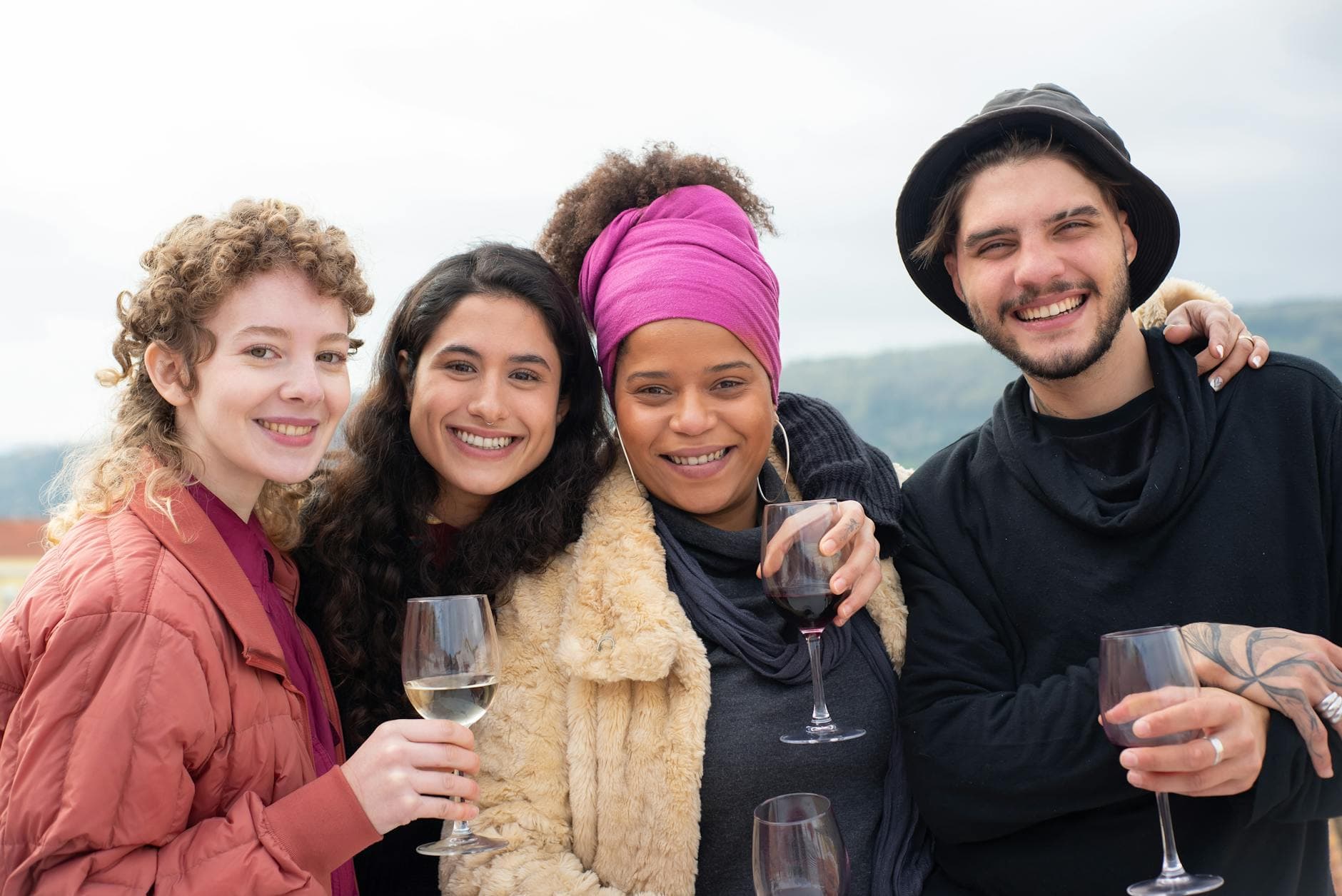
Picture a wedding in Vienna. The bride is Austrian, the groom is Brazilian. His family flew in from São Paulo. Her university friends came from London. The groom's grandmother speaks only Portuguese. The bride's childhood friend speaks only German. And somewhere between the Wiener Schnitzel and the brigadeiros, 140 guests are supposed to figure out how to share photos together.
This isn't a rare scenario anymore. Cross-cultural weddings, international corporate retreats, destination celebrations. Events where guests speak two, three, sometimes five different languages are becoming the norm, not the exception. And yet, most event tools still assume everyone reads English.
The photo gallery is where this breaks down fastest. Guests land on a page, see instructions they can't read, and close the tab. All those moments from the dance floor, the toasts, the group shots outside the church, gone. Not because people didn't want to share, but because the interface got in the way.
The Language Problem Nobody Plans For
Event organizers think about a lot of things: the venue, the catering, the playlist. Language support for digital tools is rarely on the list. But the data suggests it should be. A tech conference tracked by Snapsight attracted 2,000 registrations from 35 countries, with 60% of participants preferring a non-English language. At another industry summit with attendees from 40 countries, six languages covered 92% of the audience.
Conferences invest heavily in real-time interpretation. Weddings and private celebrations? They wing it. Someone's cousin translates the table plan. The DJ switches between English and Spanish. But the photo gallery, the one thing every guest interacts with on their phone, stays monolingual.
That's where participation drops. If your shared photo album greets half the room with instructions they can't understand, you're not collecting photos from half the room. It's that simple.
What a Multi-Language Gallery Actually Looks Like
A multi-language event gallery isn't just a translated button. It means the entire guest experience, from the moment someone scans a QR code to the moment they browse other people's photos, happens in their language. Upload prompts, navigation labels, notification text, challenge descriptions, achievement badges. All of it.
Photogala supports full interface translation on Premium plans and above. You set up your event content in multiple languages, and each guest sees the gallery in the language that matches their device. No manual switching required. A guest with their phone set to Portuguese sees Portuguese. A guest with their phone set to German sees German.
But the real trick isn't the interface language. It's the event content you write yourself: gallery titles, photo challenge descriptions, achievement names, welcome messages. Photogala lets you translate all of these per language, so the photo challenges your Brazilian guests see are written in Portuguese, while the Austrian guests see them in German. Same challenge, same gallery, two languages.
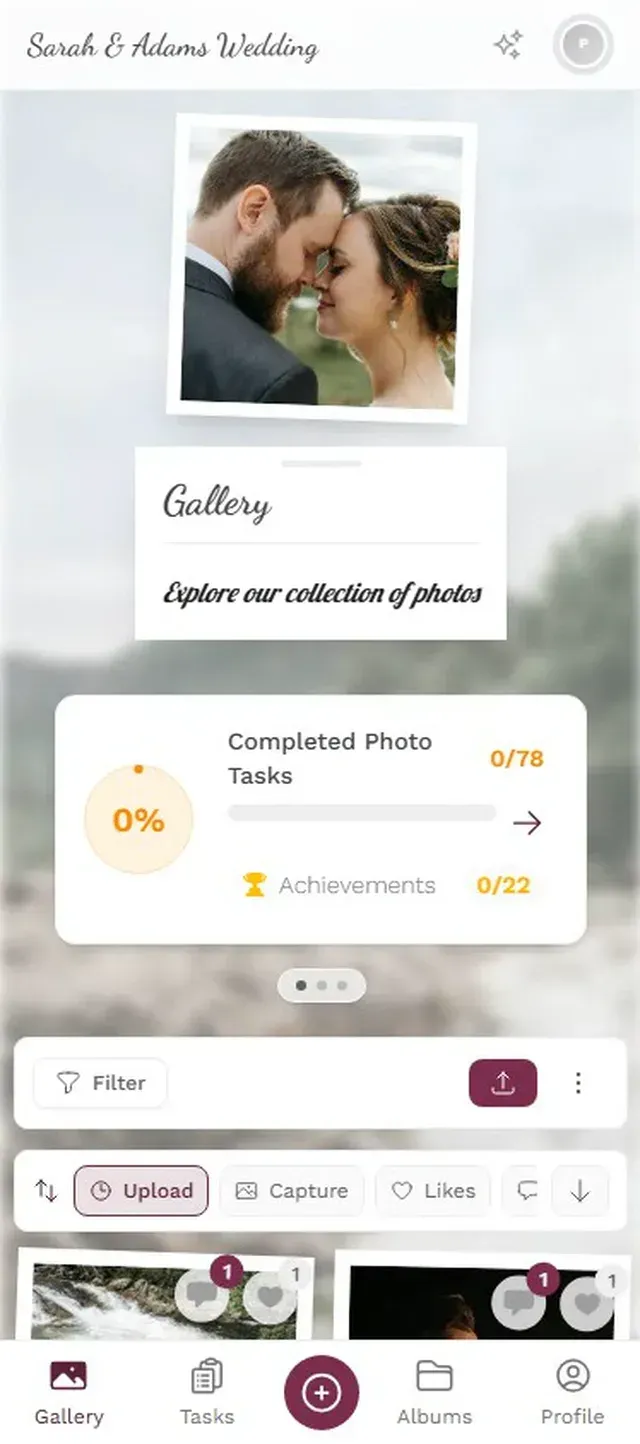
1.Guests scan a QR code and upload directly from the browser. No app, no sign-up.
Why This Matters More Than You Think
Language isn't just about comprehension. It's about comfort. When someone opens a gallery and sees their own language, it signals: this event thought about you. You belong here. That matters at a wedding where half the family traveled 10,000 kilometers. It matters at a corporate event where regional teams finally meet in person.
Inclusivity in events is a growing focus across the industry. According to the World Health Organization, 1.3 billion people (1 in 6 globally) experience significant disability. Language barriers aren't a disability, but the principle is the same: if your event creates friction for a specific group, that group participates less. Accessible design benefits everyone.
And there's a practical angle too. At a hybrid event with remote and in-person guests, language barriers compound with distance. Remote attendees already feel disconnected. Add a monolingual interface, and they drop off entirely.
Quick win: Even if you only have a few international guests, translating your photo challenge descriptions into their language makes them feel included. It takes five minutes and dramatically increases participation from that group.
See it in action
Every guest photo in one album – no app.
Setting It Up: A Practical Walkthrough
Here's how to configure a multi-language gallery for an international event. The whole process takes about 15 minutes once you have your translations ready.
Multi-Language Gallery in 4 Steps
Create your event and choose languages
Set up your gallery and select the languages your guests speak. Photogala currently supports English and German, with more languages planned.
Translate your event content
Write your gallery title, description, welcome message, and challenge descriptions in each language. The system stores translations per field.
Customize branding per language
Adjust your gallery's look with custom colors, fonts, and cover images. Branding is shared across languages, keeping the visual identity consistent.
Share one QR code for all guests
Every guest scans the same QR code. The gallery detects their device language and shows the right version automatically.
One thing worth noting: Photogala currently supports English and German for the interface and translatable content. If your event needs Spanish or Portuguese, the core interface stays in English or German, but you can write custom descriptions in any language. It's not perfect for every scenario, and more languages are on the roadmap. Honest trade-off.
For events where you need cross-platform photo sharing across iPhone and Android users who speak different languages, the browser-based approach has a huge advantage: no app store, no download friction, no language mismatch between the app's locale and the guest's actual preference.
Beyond Translation: Making International Guests Feel at Home
Language is one piece. The full picture is broader. Think about what international guests experience at events.
They don't know anyone except the person who invited them. They're jet-lagged. They're navigating unfamiliar food, unfamiliar customs, and a room full of strangers speaking a language they half-understand. A photo challenge that says "Take a selfie with someone you just met" in their language? That's an icebreaker. It gives them a reason to walk up to a stranger and say hello, phone in hand, pointing at the challenge as a conversation starter.
Imagine a destination wedding in Tuscany with 80 guests from three countries. The German-speaking guests see challenges in German: "Fotografiere den schönsten Sonnenuntergang." The English speakers see: "Capture the best sunset shot." Same challenge. Same leaderboard. Everyone competes together, but everyone reads the rules in their own language.
That kind of setup turns the photo gallery from a passive collection tool into something guests actually engage with. The uncle from São Paulo who barely speaks any German uploads 20 photos because the interface made sense to him. The colleague from Munich shares a funny video because the comment section was in German. Small details, big difference.
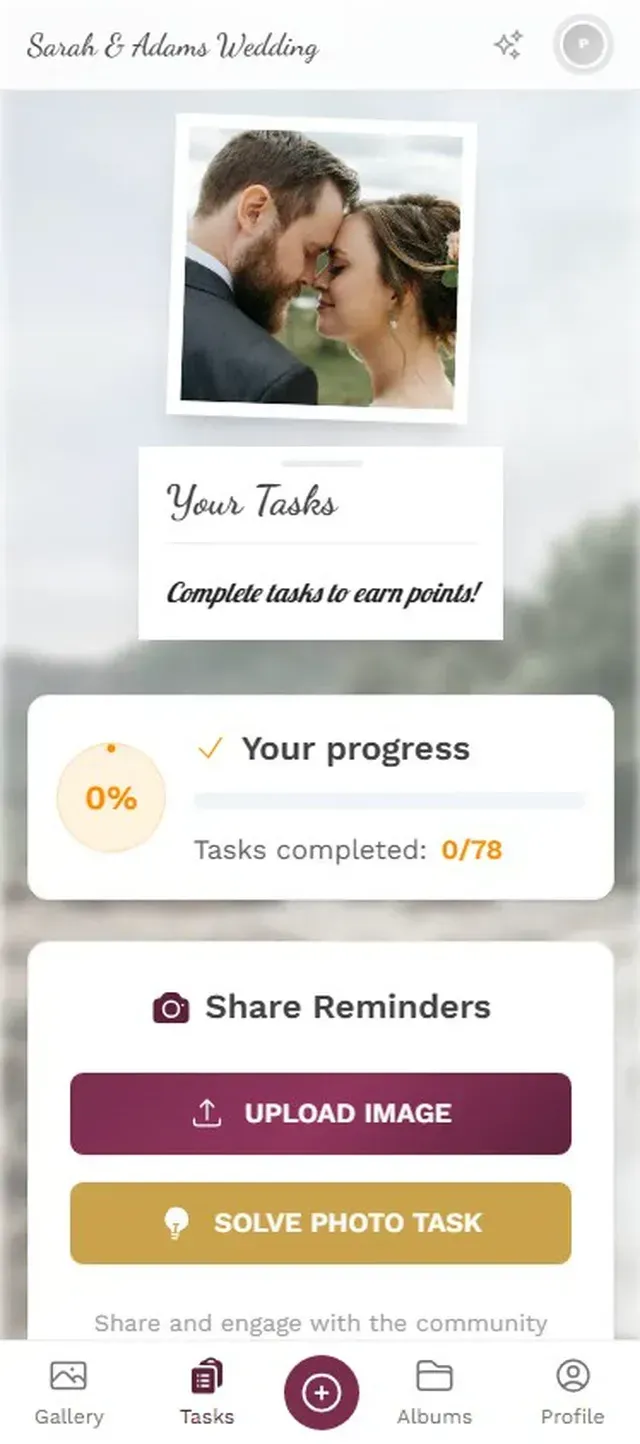
1.Challenges with translated descriptions let every guest participate equally.
What About the Photo Wall?
The live photo wall is where language becomes invisible. Photos don't need translation. A great candid shot from the dance floor works whether the person who took it speaks Portuguese, German, or Mandarin. The photo wall is the universal language of your event.
That said, if you're displaying photo challenge winners or achievement badges on the wall, those labels do need to be language-aware. On Photogala, the photo wall pulls from the shared gallery, so all uploads from all language groups appear together. The moderation dashboard lets you review everything in one place, regardless of which language the uploader saw.
For large venue setups, this centralized approach matters even more. You might have screens in different rooms showing the same gallery. Guests scanning QR codes at different tables in different parts of the building. All feeding into one stream. One gallery. One experience.
The Mistakes to Avoid
A few things go wrong when people try to set up multi-language galleries for the first time.
Separate galleries per language. Some organizers create one gallery for English speakers and another for German speakers. Don't do this. You end up with two half-empty collections instead of one rich one. The whole point is a shared experience. One gallery, multiple languages.
Machine-translating challenge descriptions. Google Translate is decent for simple phrases, but photo challenge descriptions need personality. "Take a funny photo with the bride" becomes awkward in machine-translated German. Spend ten minutes writing proper translations, or ask a bilingual friend. The quality shows.
Forgetting about notifications. If your event sends push notifications when someone unlocks an achievement or when the digital guest book gets a new entry, those notifications need to be in the right language too. Photogala handles this automatically based on the guest's interface language, but double-check your custom notification text.
Ignoring the download and archive experience. After the event, guests want their photos. Make sure the download flow, the ZIP archive labels, the sharing options all work in their language. This is where most DIY solutions (like generic shared albums or AirDrop workarounds) fall apart completely. They were never built for multi-language use.
For wedding planners: If you're organizing a destination wedding with international guests, set up the gallery two weeks before the event. Share the QR code in the invitation (in both languages) so guests can test it before they arrive. One less thing to explain on the day.
Who Actually Needs This?
Not every event. A backyard birthday with local friends doesn't need multi-language support. But if any of these sound familiar, it's worth the 15-minute setup:
- Cross-cultural weddings where families speak different languages
- International corporate offsites or conferences
- Destination events where guests travel from multiple countries
- University reunions with alumni now living abroad
- Elopements where you want to share photos with family across countries afterward
For corporate events specifically, Stenomatic's research highlights that multilingual accommodation directly improves communication and expands audience reach. The same applies to your photo gallery. If people can't read the upload button, they won't press it.
The Austrian bride and the Brazilian groom from the opening? Their gallery ended up with photos from both families, mixed together, commented on in three languages. The grandmother from São Paulo uploaded 14 photos. She found the upload button because it was in Portuguese. That's what photo sharing looks like when it works for everyone.
All of this comes with your own event.
Setting it up takes five minutes. You can build and view everything before you decide.
Starting from €39 one-timeOne-time payment — No subscription
- No App Required
- Setup in 5 Minutes
- 30-Day Money Back
“I use PhotoGala Deluxe and I'm absolutely thrilled. It was the perfect solution for documenting a sports event. Uploading and downloading via the link is a breeze for every participant. What won me over most were the photo wall and the slideshow – both are quick to set up and look really professional. Big praise also to Peter from the PhotoGala team: he's very easy to reach by email, replies quickly and even took my suggestions on board and added new features that made my slideshow even better. You rarely get support this dedicated. A clear 5-star recommendation!”
Written by

I believe event photos should be more than static galleries. They should be live, playful, and unforgettable.
Categories
Related Posts

Company Retreat Photo Sharing: How to Actually Keep the Memories
Most offsite photos die on individual phones. Here's how to collect, share, and actually use every photo from your next company retreat.
Neighborhood Block Party Photo Sharing: How to Turn 40 Strangers Into One Shared Album
Block parties create great photos — and zero way to share them. Here's how a QR code gallery turns your street into a connected community.
Why Upload Limits Ruin Event Galleries (and What Unlimited Actually Changes)
Upload caps at events create anxiety, reduce participation, and leave gaps in your photo collection. Here's what happens when you remove the ceiling.