Hybrid Event Photo Sharing: How to Build One Gallery for Two Audiences


Picture this: your company just wrapped its annual summer event. The Berlin office had a rooftop barbecue with 40 people. The London team joined a video call and watched from a conference room. Three remote employees dialed in from their kitchens. Two days later, the internal recap email goes out with photos. Every single one is from the rooftop. The remote folks? Not in a single shot.
That disconnect is more common than most event organizers realize. 78% of event planners now incorporate hybrid elements into their corporate gatherings, blending online and offline experiences. But the photo sharing part almost always defaults to whoever was physically present. The remote half gets left out of the visual story, and with it, a chunk of the shared memory.
This article is about fixing that. Not with complicated production setups or expensive gear, but with a simple shift in how you think about event photo sharing when your team is split across locations.
The Real Problem With Hybrid Event Photos
Generic tools like Google Photos or Dropbox weren't built for events. They're file storage with sharing bolted on. At a hybrid event, the friction multiplies: remote employees need a link, in-person attendees need a different link, someone has to manually merge the folders afterward, and half the team forgets to upload anything because the moment passed. As one event planning guide puts it, the core challenge is consolidating thousands of photos scattered across dozens of devices into a single unified gallery.
The result? A lopsided photo collection that makes remote team members feel like spectators rather than participants. And that's not just a sentimental problem. Research shows managers drive 70% of employee engagement variance, and visual inclusion in company culture moments is part of that equation. If your remote team only ever sees photos they're not in, the message is subtle but clear: you weren't really there.
One Gallery, One QR Code, Two Audiences
The simplest fix is also the most effective: give everyone, remote and in-person, the same upload destination. One gallery. One link. One QR code that works in any browser without app installs or account creation.
Here's what that looks like in practice. Print the QR code on table cards at the venue. Drop the same gallery link into the Zoom chat, the Teams channel, and the Slack thread. Now the marketing manager taking selfies at the rooftop barbecue and the developer in pajamas in their home office are uploading to the exact same place. The gallery fills up with both perspectives in real time.
This sounds obvious, but most teams don't do it. They default to "someone will collect the photos later" and later never comes. If you've ever tried to collect party photos from everyone after the fact, you know the pain. A shared gallery with instant access removes the delay entirely.
1.Guests upload directly from their phone browser. No app, no account.
See it in action
Every guest photo in one album – no app.
Making Remote Participants Visible
The gallery solves the logistics. But if you stop there, you'll still end up with 90% venue photos and 10% remote screenshots. You have to actively encourage remote participants to contribute.
Photo challenges are the most effective tool for this. Set up 3-5 challenges designed specifically for remote participants: "Show us your home office setup," "Best virtual background of the day," "Your reaction when the CEO's slide deck crashed." These aren't filler tasks. They create content that's genuinely fun to scroll through afterward and makes remote employees visible in the shared gallery.
The key is that challenges can include example preview photos showing participants what to aim for. Say you create a "recreate this team pose" challenge with an example photo of three colleagues doing a silly stance. Remote employees mimic it from their living rooms. In-person teams do it at the venue. The result is a mix of photos from both locations that feel connected, not separate.
Imagine a team-building day for a company with 60 people, 35 at the office and 25 remote. You set up five challenges: best desk snack, most creative background, team spirit selfie, "caught working" candid, and a group pose recreation. By the end of the afternoon, you've got 80-120 photos from both audiences. Not because people felt obligated, but because the challenges made it a game. Add a leaderboard and suddenly the remote team is uploading twice as much as the people at the venue, trying to close the gap.
The Photo Wall: Bridging the Physical-Digital Gap
A live photo wall on a screen at the venue does something subtle but important: it puts remote contributions on equal footing with in-person ones. When the London team's selfie appears on the big screen behind the DJ in Berlin, the physical audience sees their remote colleagues as part of the event, not just names on a call.
The practical setup is straightforward. Put a TV or projector at the venue, open the photo wall in a browser, and let it cycle through uploads. Share the screen on the video call so remote attendees can watch it update too. Now both audiences see the same visual feed. Every upload, from every location, appears in the same stream.
One thing that surprised me when researching this: the photo wall creates a feedback loop. Remote employees see their photos appear on the big screen (via the shared video feed), which motivates them to upload more. In-person attendees see remote photos popping up, which reminds them the event is bigger than just their room. It's a small technical detail with an outsized psychological effect.
Placement matters. Put the photo wall screen where people naturally gather, near the food or drinks, not tucked away in a corner. For the video call, share the photo wall as a second screen so remote attendees can watch it alongside the main meeting view.
Moderation: Non-Negotiable for Corporate Events
At a wedding, an unflattering photo is a funny story. At a corporate event, it's an HR conversation. This is where content moderation stops being a nice-to-have and becomes essential.
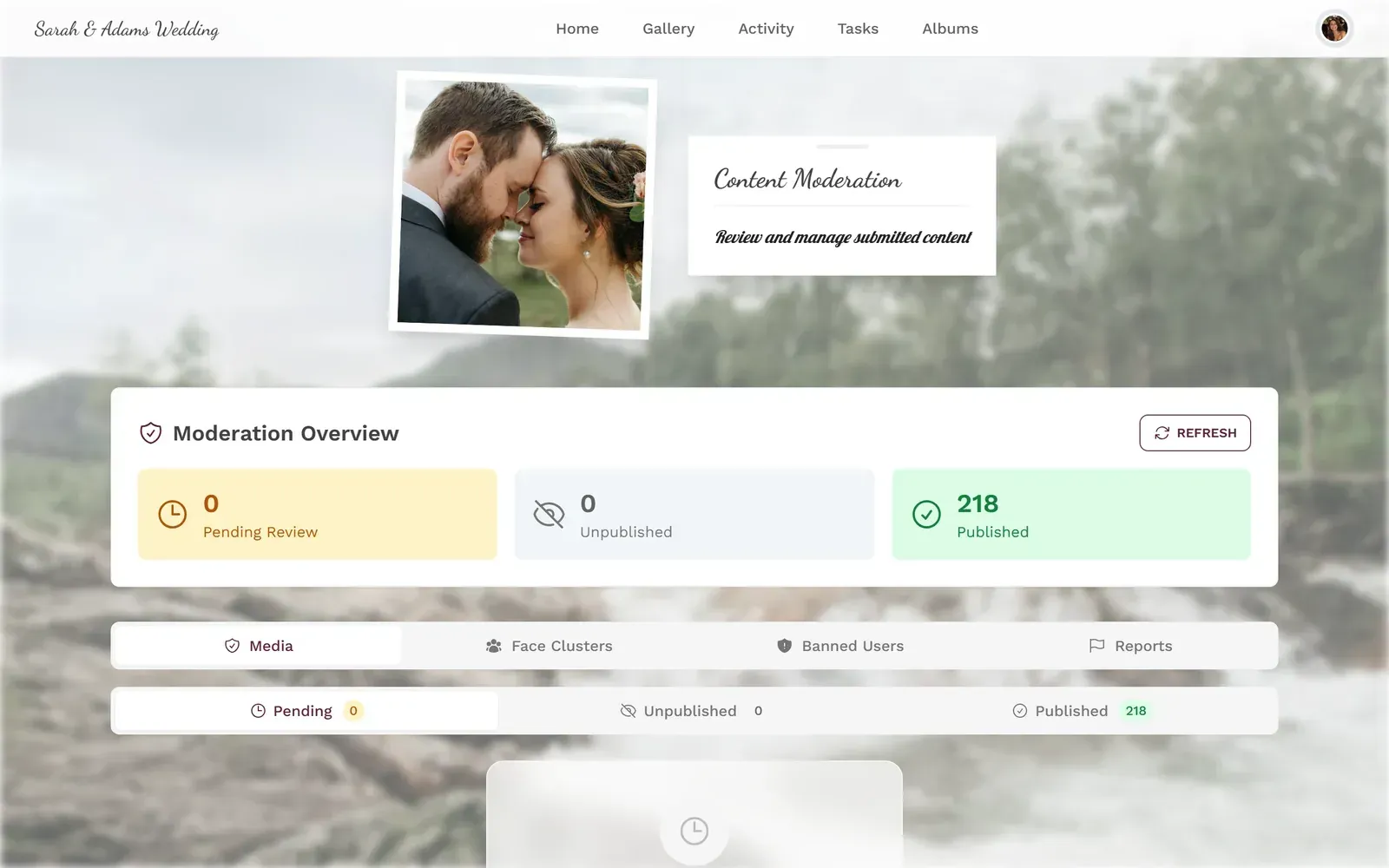
With pre-approval mode enabled, every uploaded photo goes through a review queue before it appears in the gallery or on the photo wall. Assign one person (the event coordinator, an HR rep, a team lead) as moderator. They get a notification for each upload and can approve or reject with a single tap from their phone. The NSFW AI filter adds a second safety layer, automatically flagging content that might be inappropriate.
This matters especially for hybrid events because you can't control the environment on the remote side. Someone's toddler might photobomb a submission. A home office background might include something unintended. Pre-approval lets you catch these before they hit the big screen in front of the CEO.
If your company runs conferences or trade shows, you already know how important this is. For smaller team events, it might feel like overkill. It's not. One awkward photo on the company-wide photo wall is all it takes.
A Practical Setup Checklist
Set Up Hybrid Photo Sharing in 15 Minutes
Create the gallery and customize branding
Set up your event gallery with your company logo, colors, and a custom welcome message. This takes about 2 minutes.
Print QR codes and share the link
Print QR table cards for the venue. Drop the gallery link into your video call chat, Slack channel, and email invite.
Set up photo challenges for both audiences
Create 3-5 challenges that work from any location. Include example photos. Mix silly and meaningful prompts.
Connect the photo wall and enable moderation
Open the photo wall on a screen at the venue. Share it on the video call. Turn on pre-approval mode and assign a moderator.
The entire setup fits into a lunch break. The impact lasts much longer. After the event, the gallery stays accessible for months (up to two years on the Deluxe plan), so team members can download their favorites or share highlights in the company newsletter.
What About Fully Remote Events?
Fully remote events follow the same principles, just without the venue. The gallery link goes into the video call chat and any messaging channels. Photo challenges become the primary engagement tool since there's no physical environment to photograph spontaneously.
For remote events, lean harder into creative challenges. "Recreate this meme" works brilliantly when everyone is at home with props and no witnesses. "Best view from your window" creates a visual tour of where your team actually lives. "Pet cameo" is guaranteed participation if your team has animal lovers (and most do).
The social features add another layer. Comments, likes, and mentions turn a passive photo gallery into an active conversation. Remote employees can react to each other's uploads, tag colleagues, and build the kind of casual interaction that's hard to manufacture on a scheduled video call.
If you're running a remote event for a group spread across different time zones, the asynchronous nature of a shared gallery actually works in your favor. People can upload and browse on their own schedule, not just during the live session.
The Honest Trade-offs
A few things worth flagging. Photogala is browser-based, which means it works on any device without an app install. That's a huge advantage for hybrid events where you can't control what devices people use. But it also means the experience depends on browser quality and internet speed. A remote employee on a flaky hotel Wi-Fi will have a rougher time uploading than someone on the office network.
Photo challenges work best when someone actively promotes them. Dropping a QR code in the chat and hoping for the best will get you some uploads, but not the kind of participation that makes the gallery feel alive. You need a host, an MC, or at least an enthusiastic team lead who periodically nudges people: "Hey, the recreate-this-pose challenge only has three entries, let's see more!"
And the free Starter plan has limits (15 uploaders, 50 photos, no video) that won't cut it for most corporate events. The Plus plan at €39 covers small team events, but for hybrid gatherings with 50+ participants, you'll want Premium for the challenges, moderation, and social features that make hybrid photo sharing actually work. If your company uses real-world rewards for gamification, the Deluxe plan unlocks that along with AI face recognition.
Beyond the Event: The Recap That Writes Itself
Here's the part most event organizers miss. A shared photo gallery from a hybrid event isn't just for the day itself. It's a ready-made visual recap.
The Monday after, drop the gallery link into your company-wide channel. The photos tell the story better than any written summary. And because both remote and in-person teams contributed, the recap actually represents the full team, not just whoever happened to be in the room.
For companies that run quarterly all-hands or annual retreats, building a shared photo album that people actually use creates a cultural archive. New hires browse it during onboarding. The marketing team pulls photos for the careers page. The photos become a shared reference point, proof that the team is more than a grid of Zoom squares.
Think back to that Berlin rooftop barbecue. Now imagine the recap email goes out with photos from both the venue and the remote team's living rooms, home offices, and balconies. The developer in pajamas is right there in the gallery next to the CEO with a bratwurst. That's the version of your company culture that actually feels real.
All of this comes with your own event.
Setting it up takes five minutes. You can build and view everything before you decide.
Starting from €39 one-timeOne-time payment — No subscription
- No App Required
- Setup in 5 Minutes
- 30-Day Money Back
“We were really thrilled, and everything went so much more smoothly, from the seating plan all the way to the photo games! Simply great! Highly recommended!”
Written by

I believe event photos should be more than static galleries. They should be live, playful, and unforgettable.
Categories
Related Posts

Sales Kickoff Photo Sharing: How to Turn a Mandatory Meeting Into a Team Memory
Sales kickoffs are expensive. The photos from them usually disappear into 14 different camera rolls. Here's how to fix that.

Customer Appreciation Event Photos: The Album Nobody Plans (But Everyone Wants)
Your best clients showed up, mingled, laughed. Then what? Here's how to turn a customer appreciation event into a shared photo gallery that keeps the relationship warm.

Store Grand Opening Photos: How One QR Code Captures the Ribbon Cutting and Everything After
The ribbon cutting lasts 3 seconds. The photos from your grand opening should last forever. Here's how to collect every guest photo with a single QR code.