Surprise Party Photo Sharing Without Spoiling the Secret

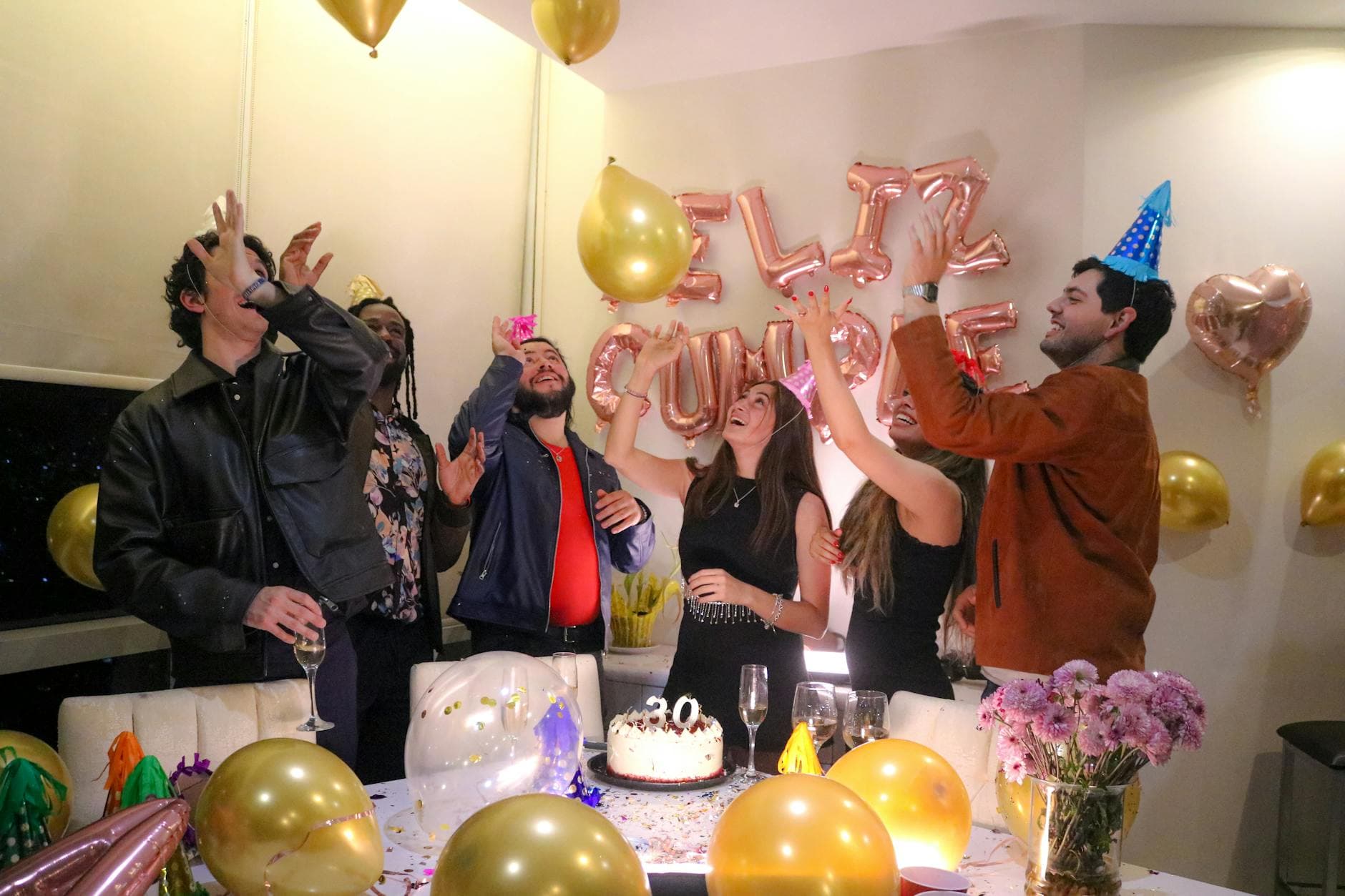
The door opens. The lights flip on. Forty people scream "SURPRISE!" and every single one of them pulls out a phone. For about eight seconds, the room is a wall of camera flashes and shaky video recordings. The guest of honor is crying. The uncle in the back is filming vertically. Someone's flash is still going off three seconds too late.
That moment, those raw eight seconds, is the whole reason you spent six weeks keeping a secret. And within an hour, the photos from it will be scattered across 40 different camera rolls, never to be seen together.
Unless you planned for it.
The Real Problem Starts After "Surprise!"
Organizing a surprise party is stressful enough. You're coordinating arrival times, hiding cars down the street, making sure nobody accidentally posts on Instagram before the guest of honor walks in. But here's what most planners forget: collecting the photos afterward is its own logistical headache.
The instinct is to create a group chat. But think about it. You can't make a WhatsApp group called "Mom's 60th Surprise Party" and add 40 people, including Mom's coworkers, without risking someone accidentally mentioning it. And if you create it after the party, you're chasing people for photos days later. According to Waldo's research on photo sharing, event photos have a "half-life." Their perceived value drops fast. By Monday morning, most guests have moved on. Their photos sit in the camera roll, buried under screenshots and grocery lists.
The core challenge is simple: at a party with 40 or 80 guests, you could end up with hundreds of photos spread across dozens of phones with no practical way to merge them. For a surprise party, this problem is worse because you can't coordinate openly before the event.
Why the Usual Solutions Don't Work for Surprise Parties
Shared Google Photos albums are fine for a family vacation. For a surprise party, they fall apart. You need everyone to have a Google account (they won't). You need to share the link before the party (risky). And the album name shows up in notifications, which means one push notification on a shared family tablet could blow the whole surprise.
iCloud Shared Albums have similar issues. AirDrop only works if everyone is standing close together with iPhones. And the "I'll send you the photos" promise? That's a polite fiction. A Deseret News survey found that 80% of people have photos on their phone they haven't looked at since taking them. They're not sending you anything. If you've ever tried AirDrop with a large group, you already know why that path leads nowhere.
What you need is something you can set up secretly, share at the party in seconds, and that requires zero technical effort from guests. No app downloads, no account creation, no shared passwords.
The QR Code Trick: Set Up Before, Reveal at the Party
Here's the approach that actually works. Before the party, you create a QR code photo gallery. You set it up in two minutes from your phone. You give the gallery a name, pick a cover image (maybe an old embarrassing childhood photo of the guest of honor), and you get a unique QR code.
Then you print a few copies of that QR code. Tape one to the gift table. Slip one into the card. Put one next to the drinks. If you're hosting at a restaurant or bar, you can even have the staff place them on tables.
The beauty: none of this tips off the guest of honor. It's a printed piece of paper with a QR code. Until someone scans it, it could be anything. A menu, a Wi-Fi code, a playlist link. No group chat notifications. No shared album invites popping up on their phone. No app for anyone to download. The secret stays intact until the confetti hits the floor.

1.Guests scan and start uploading in under 10 seconds
Timing Is Everything (A Mini Playbook)
The biggest mistake with surprise party photo sharing isn't the tool. It's the timing. You need a plan for three distinct phases.
Phase 1: Before the party (secret mode)
Set up the gallery privately. Customize the branding with the guest of honor's name, a fun color scheme, maybe their favorite colors. Upload 2-3 old photos to seed the gallery so it doesn't feel empty when the first guest scans the code. Print QR codes and prepare where you'll place them.
Important: don't share the gallery link digitally yet. Not in the planning group chat, not via text. Physical QR codes only. Digital links leave trails.
Phase 2: The reveal moment
Right after the big "SURPRISE!" moment, while the hugging and crying is happening, make a quick announcement: "Hey everyone, there's a QR code on the tables. Scan it to share your photos, and we'll have a gallery of tonight by the end of the party." That's it. Takes ten seconds. The guests who are already holding their phones (all of them) will scan immediately.
Timing trick: Make the QR announcement about 5 minutes after the surprise, not during the initial chaos. Let the emotional moment happen first. Then, once people are getting drinks and settling in, mention the QR code. They'll be calmer and more likely to actually scan it.
Phase 3: During and after the party
Photos roll in throughout the evening. If you've set up a live photo wall on a TV or projector, guests see their uploads appearing in real time. That creates a feedback loop: people see photos on the screen, laugh, take more photos, upload them. At a 40-guest birthday party, expect somewhere between 60 and 150 photos over the course of an evening.
After the party, the gallery stays open. Late uploads trickle in the next morning (always the best ones, honestly). And the guest of honor? You share the gallery link with them the next day. One link. Every photo. No chasing.
See it in action
Every guest photo in one album – no app.
Getting Everyone to Actually Upload (Even Your Tech-Resistant Aunt)
Every party has that one person. The uncle who still uses a flip phone. The aunt who thinks QR codes are "some kind of computer thing." The friend who takes 30 photos but can't figure out how to share them.
The good news: a QR code gallery is probably the lowest-friction option that exists. Scan with your phone camera, pick photos, tap upload. No login. No password. No app store visit. We wrote an entire guide on getting non-tech-savvy guests to participate, but the short version is: if someone can take a photo, they can share it.
One trick that helps at surprise parties specifically: recruit one or two people as "photo ambassadors." Not a formal role. Just quietly ask a couple of the more social guests to help anyone who looks confused with the QR code. At a 40-person party, you'll maybe need to help 2-3 people. Everyone else figures it out on their own.
If you're working with a crowd that skews older, it's worth printing the QR codes larger (A5 size at minimum) and adding a one-line instruction underneath: "Scan this with your phone camera to share photos." That single sentence eliminates 90% of confusion. Some creative QR placement ideas can also make the codes part of the decoration rather than a tech instruction.
What Could Go Wrong (And How to Prevent It)
Let's be honest. Not everything goes perfectly.
The guest of honor finds the gallery early. This is the nightmare scenario, but it's preventable. Don't share the gallery link digitally before the party. Physical QR codes only. And name the gallery something neutral during setup. You can rename it to "Sarah's 40th" after the surprise lands.
Someone posts a photo to Instagram before the surprise. This isn't a photo sharing problem, it's a communication problem. In your planning group chat, be explicit: "No social media posts until after 7:30 PM." Say it twice. People forget.
Nobody scans the QR code. This almost never happens if you make the announcement at the right moment. But if you're worried, have one person upload a funny photo first. Once people see a photo appear in the gallery (or on the photo wall screen), the social proof kicks in and others follow.
Inappropriate photos get uploaded. At a birthday party with family, this is usually not a concern. But if you're mixing friend groups or it's a particularly rowdy crowd, you can turn on content moderation so photos get reviewed before appearing in the gallery. A bridesmaid at a wedding might use this, but honestly, for most birthday surprise parties it's overkill.
Bonus: Turn the Gallery Into a Gift
Here's something most people don't think about. The photo gallery itself becomes one of the best gifts from the party. Think about it: 80 to 120 photos from a single evening, taken by different people from different angles, capturing moments the guest of honor didn't even know were happening.
The candid shot of them walking through the door. The group photo someone snapped during the toast. The blurry, slightly out-of-focus photo of the cake that somehow captures the mood perfectly. The right captions can turn these from random snapshots into a real story of the evening.
You can share the gallery link in a card: "Here's every photo from your surprise party. We managed to keep a secret AND keep the photos organized." If you want to go further, use the bulk download feature to grab the whole gallery as a ZIP and create a physical photo book.

1.A custom-branded gallery becomes the digital memory of the night
The 5-Minute Setup (Before Anyone Arrives)
Set up your surprise party gallery
Create the gallery
Head to Photogala, name your gallery something neutral (you can rename it later), and pick a color theme. Upload 1-2 seed photos. Total time: 90 seconds.
Print and place QR codes
Download the QR code, print 3-5 copies. Place them on tables, near the bar, by the entrance. Make them visible but not suspicious.
Make the announcement
After the surprise moment settles (give it 5 minutes), tell guests to scan the QR code. One sentence is enough. Photos start flowing immediately.
That's it. No technical setup required. No Wi-Fi passwords to share (it works on mobile data). No accounts for guests to create. The whole system runs in the browser, which means it works on every phone made in the last decade. For a birthday party, this kind of simplicity matters because you're already juggling enough logistics.
A surprise party is one of those rare events where the photos matter as much as the party itself. The look on someone's face when they realize 40 people kept a secret for six weeks? That's a photo worth preserving. And it shouldn't end up trapped on a stranger's phone.
All of this comes with your own event.
Setting it up takes five minutes. You can build and view everything before you decide.
Starting from €39 one-timeOne-time payment — No subscription
- No App Required
- Setup in 5 Minutes
- 30-Day Money Back
“We used the software at my mum's birthday party. It went down really well 😊”
Written by

I believe event photos should be more than static galleries. They should be live, playful, and unforgettable.
Categories
Related Posts

Bridal Shower Photo Sharing: Collect Every Sweet Moment in One Gallery
Bridal shower photos end up scattered across 15 phones. Here's how to get them all into one gallery before the mimosas wear off.

Maternity Photo Sharing: How to Keep Every Announcement, Bump Shot, and Memory in One Place
Pregnancy announcements land on 4 different apps. Maternity photos get lost in group chats. Here's how to keep every photo in one shared gallery your whole family can access.

Sales Kickoff Photo Sharing: How to Turn a Mandatory Meeting Into a Team Memory
Sales kickoffs are expensive. The photos from them usually disappear into 14 different camera rolls. Here's how to fix that.