Anniversary Party Photo Gallery: Decades of Memories in One Place

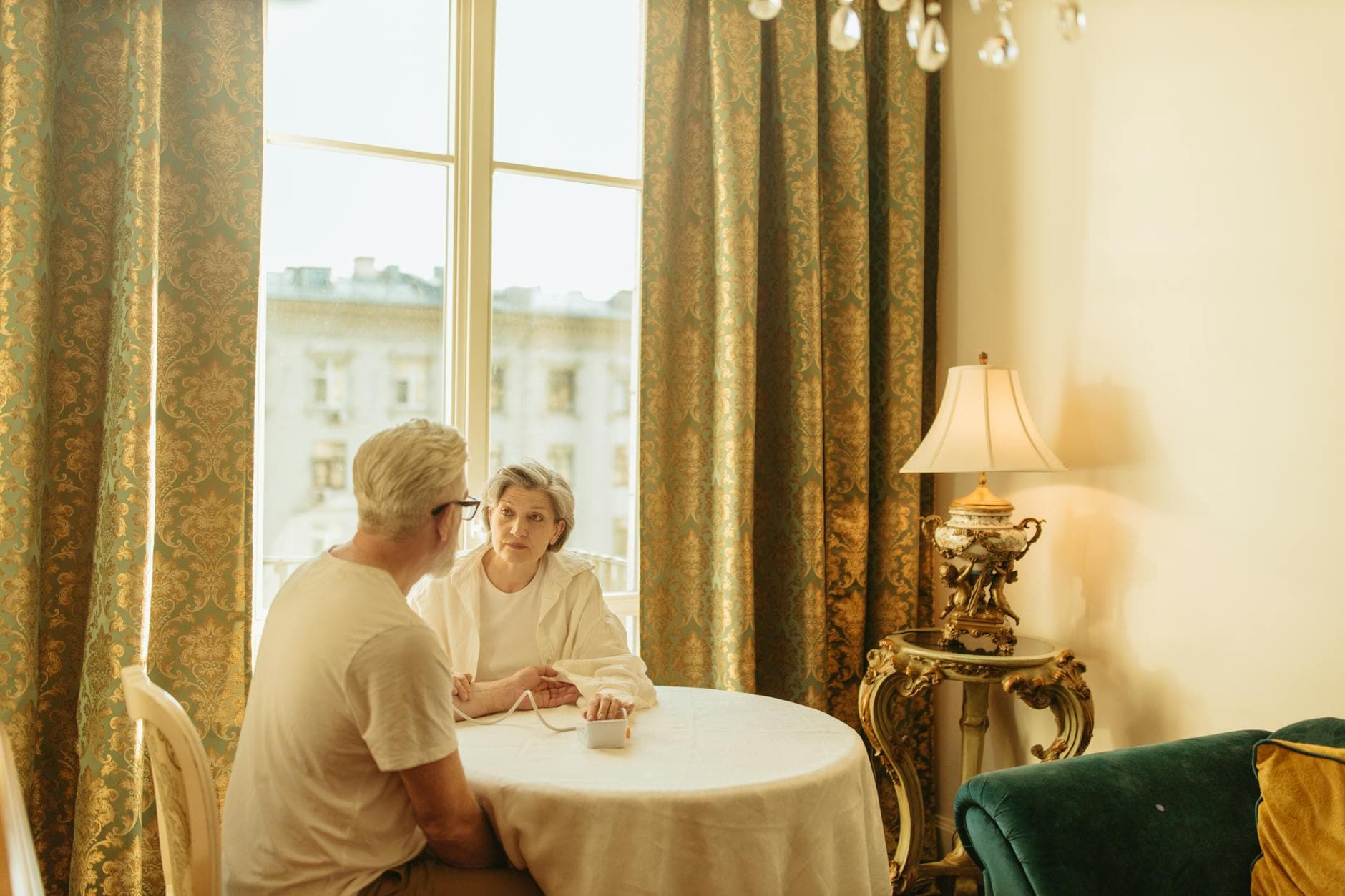
Picture this: a couple's 25th wedding anniversary. The dining room table is covered in shoeboxes. Faded Polaroids from the 1990s honeymoon. A stack of 4x6 prints from their first apartment. Three disposable camera envelopes from the 2005 family vacation nobody ever organized. And somewhere in the basement, a VHS tape labeled "Wedding Day" that nobody has a player for anymore.
Now imagine 60 guests showing up to the party, each with a smartphone full of fresh photos waiting to be taken. By the end of the night, you could have decades of memories mixed with that evening's candid moments, all in one place. Or you could have the usual outcome: the shoeboxes go back to the basement, the phone photos stay trapped in individual camera rolls, and nobody sees any of it again.
Anniversary parties have a unique problem that birthdays and corporate events don't. You're not just documenting one evening. You're trying to tell the story of an entire relationship, sometimes spanning 10, 25, or 50 years. That means mixing analog and digital, old and new, professional portraits and blurry snapshots taken by a cousin who had one too many glasses of champagne.
This guide covers how to pull that off. Not just the tech setup, but the actual strategy for building a photo gallery that feels like a timeline of someone's life together.
The Real Challenge: Photos Live in Too Many Places
A typical family gathering generates 100 to 500 photos from multiple cameras and phones. That's just one event. For an anniversary party, you're dealing with photos from dozens of events across decades. They're scattered across shoeboxes, old Facebook albums, Google Photos libraries, iCloud accounts, printed frames on the living room wall, and WhatsApp groups that expired three phones ago.
The couple's adult children might have their own stash. The best man from the original wedding probably has photos nobody else has ever seen. Grandma has a photo album she's been keeping since 1982. Getting all of that into one place sounds overwhelming because, honestly, it kind of is.
But here's the thing: you don't need every photo. You need the right 50-80 legacy photos that tell the story, plus whatever guests capture at the party itself. That second part, collecting photos from 40-60 guests in real time, is where most people give up and default to a WhatsApp group that dies within 48 hours. If you've ever tried to collect party photos from everyone, you know how that goes.
Step One: Curate the Legacy Photos
Before the party, someone (usually an adult child or a close friend) needs to play curator. Go through the shoeboxes, the old albums, the framed photos. Pick 40-80 images that cover the full arc: early dating, wedding day, first home, kids, vacations, milestones, and a few random candid shots that capture who this couple actually is.
Scan them. Your phone camera works fine for most prints. Google PhotoScan is free and handles glare well. For anything truly precious (the wedding portrait, the honeymoon Polaroid), consider a proper flatbed scan. The point isn't museum-quality digitization. It's getting these photos out of the shoebox and into a format you can actually share.
Once scanned, upload them to a shared gallery before the party starts. This becomes the foundation. When guests arrive and open the gallery on their phones, they'll see decades of history already there, and they'll immediately understand what this collection is about. It sets the emotional tone before a single new photo is taken. You can think of this as a digital guest book with photos that spans the couple's entire story, not just one evening.
Curator's shortcut: Ask the couple's kids, siblings, and close friends to each send their 5-10 best photos of the couple via email or a shared Google Drive folder two weeks before the party. You'll be surprised what surfaces. The best man from a 1998 wedding probably has photos the couple has never seen.
Step Two: Set Up Live Guest Uploads
This is where the evening's fresh photos come in. You need a way for guests to upload photos from their phones without installing an app, without creating an account, and without any technical friction. The grandparents need to manage it. The teenagers need to not roll their eyes at it.
A QR code that guests scan to upload photos is the simplest approach. Print it on the table cards, frame it next to the bar, put it on the invitation. One scan, browser opens, photos upload. No app store, no login, no "I'll send them to you later" promises that never happen.
With Photogala, you create the gallery, get a QR code, and share it. Guests scan and upload directly from their browser. The scanned legacy photos you uploaded beforehand are already there, so new uploads from the party appear alongside them. One gallery, two eras, zero friction.

1.Guests upload directly from their phone. No app needed.
The photo wall feature is particularly powerful for anniversaries. Set up a TV or projector near the main area, and it cycles through the gallery in real time. Imagine this: a black-and-white wedding photo from 1976 appears on screen, followed by a selfie someone just took at the dessert table 30 seconds ago. That juxtaposition, decades compressed into a slideshow, hits differently than a static photo display ever could. If you want to take the slideshow further, here's a guide on creating a wedding photo slideshow that works for anniversaries too.
See it in action
Every guest photo in one album – no app.
The Emotional Architecture of an Anniversary Gallery
Here's something that surprised me about anniversary galleries compared to, say, a standard wedding gallery: the emotional arc matters way more than photo quality.
At a wedding, every photo is from the same day. The mood is consistent. At a 25th or 50th anniversary party, you're placing a grainy 1985 honeymoon snapshot next to a crisp iPhone 16 photo from tonight. The quality gap is enormous. And it doesn't matter at all.
Anniversary photography captures the evolution of a couple's love over time, serving as a reflection of personal growth, a family legacy for children and grandchildren, and a way to document the present moment alongside the past. That's what makes the combination of old and new so powerful. A polished portrait from a studio session in 2010 sitting next to a blurry photo of the couple's first apartment in 1991 tells a more honest story than either photo alone.
When organizing the gallery, think in chapters rather than strict chronological order. Albums work well here: "How It Started," "The Early Years," "Growing the Family," "Adventures," "Tonight." Guests browsing the gallery on their phones will naturally scroll through years like pages in a book. This approach is similar to what works for sharing photos at family reunions, where the goal is connection across generations, not just collecting images.
Making Guests Actually Participate
The biggest risk at any anniversary party isn't the tech. It's inertia. Guests show up, eat, dance, leave, and the photos stay locked on their phones. You need a nudge.
Photo challenges work surprisingly well at anniversary parties. Not the generic "take a photo of the cake" kind. Think decade-themed challenges: "Recreate the couple's honeymoon pose," "Find something in the venue that's older than their marriage," "Take a photo with someone you met because of this couple." Challenges can include example preview photos that show guests exactly what to aim for. The photo roulette format, where guests get a random example photo and try to recreate it, generates genuinely hilarious results.
The leaderboard and points system adds a competitive edge. Picture the couple's nephew, a 28-year-old who normally wouldn't touch a photo sharing app, uploading 15 photos because he's determined to beat his sister on the leaderboard. At a gathering of 50 guests, even modest participation means 150-250 photos by the end of the night. That's without counting the legacy photos already in the gallery.
For a more intimate approach, skip the competition and lean into the social features instead. Comments and likes turn the gallery into a conversation. Imagine the couple's college roommate commenting on a 1995 photo: "I can't believe you still had that couch." That kind of interaction turns a photo gallery into a living scrapbook.
What About Privacy and Moderation?
Anniversary parties tend to be multigenerational. You've got teenagers and great-grandparents in the same room. A few things to consider.
Content moderation lets you approve photos before they hit the live wall. This is peace of mind when Uncle Dave has had three whiskeys and thinks his impression of the groom from 1986 is hilarious. Assign a trusted friend as moderator. One tap to approve, one tap to reject. They can do it from their phone at the table.
For larger anniversary parties (think a 50th with 100+ guests), face recognition is genuinely useful. Guests can upload a selfie and instantly find every photo they appear in, both from tonight and from the legacy photos. The couple's daughter doesn't have to scroll through 400 photos to find the ones with her kids. She takes a selfie, taps search, and there they are. It also works on the old scanned photos, which means guests can find themselves in pictures from 20 years ago.
One honest trade-off: Photogala is browser-based, not a native app. That means it works on every device without a download, but you won't get push notifications when new photos appear. For an anniversary party that's usually fine since people are checking the gallery on their own throughout the evening. If you're concerned about sharing lots of photos without overwhelming anyone, the album organization helps keep things browsable.
After the Party: The Gallery That Keeps Giving
Here's what most people don't think about until it's too late: what happens to all those photos after the party ends?
With a WhatsApp group, the photos are gone within a month. Nobody scrolls back. Nobody downloads them. A 2023 survey found that 80% of people have photos on their phone they haven't looked at since taking them. Anniversary photos deserve better than that.
A Photogala gallery stays accessible for up to two years depending on your plan. The couple can share the link with anyone who couldn't attend. Distant family members, friends who moved abroad, the college roommate who sent regrets. They can browse the full gallery, see the legacy photos alongside the party shots, and download everything as a ZIP archive to keep forever. Even a small anniversary party with 30 guests can produce 80-120 photos. That's a complete visual record of the evening, plus whatever legacy photos you curated beforehand.
For families who had an elopement and want to include extended family in milestone celebrations later, the anniversary party gallery becomes even more meaningful. It's a second chance to share the story with everyone.
Set Up Your Anniversary Gallery in 3 Steps
Curate & Upload Legacy Photos
Scan 40-80 photos spanning the couple's history. Upload them to the gallery before the party. This sets the emotional foundation.
Print QR Codes for Tables
Place QR codes on table cards, near the bar, and on the entrance sign. Guests scan to upload from their phone browser instantly.
Turn on the Photo Wall
Connect a TV or projector. The gallery cycles through old and new photos in real time. Decades of memories on one screen.
Choosing the Right Setup for Your Anniversary Size
Not every anniversary party needs the full suite. A casual dinner for 15 people is different from a 50th anniversary blowout with 120 guests. Here's a realistic breakdown.
For a small intimate dinner (10-25 guests), the free Starter plan covers the basics: 15 uploaders, 50 photos, QR code access. Upload 30-40 legacy photos, let guests add a few dozen more. Simple, effective, zero cost. You can customize the gallery colors and branding even on the free tier to match the party theme.
For a medium celebration (30-60 guests), the Plus plan at €39 unlocks unlimited photos, a photo wall, and bulk downloads. This is probably the sweet spot for most anniversary and birthday parties. Fifty uploaders is enough for the active photographers in the group, and unlimited photos means nobody hits a wall.
For a large milestone event (80+ guests), Premium at €69 adds photo challenges, social features, moderation, and the leaderboard. If you're investing serious money in a 50th anniversary party (venue, catering, music), €69 for a gallery system that actually engages guests is negligible. The gamification alone generates 2-3x more uploads than a passive gallery.
The shoeboxes in the basement aren't going to organize themselves. But 60 guests at an anniversary party, each with a phone and a QR code? That's a collection that builds itself in a single evening. Add the scanned legacy photos, and you've got something no shoebox ever was: a living, browsable, shareable record of an entire relationship. The 1982 honeymoon Polaroid deserves better than a dusty box. And tonight's photos deserve better than a camera roll nobody will scroll through next week.
All of this comes with your own event.
Setting it up takes five minutes. You can build and view everything before you decide.
Starting from €39 one-timeOne-time payment — No subscription
- No App Required
- Setup in 5 Minutes
- 30-Day Money Back
“We were really thrilled, and everything went so much more smoothly, from the seating plan all the way to the photo games! Simply great! Highly recommended!”
Written by

I believe event photos should be more than static galleries. They should be live, playful, and unforgettable.
Categories
Related Posts

Bridal Shower Photo Sharing: Collect Every Sweet Moment in One Gallery
Bridal shower photos end up scattered across 15 phones. Here's how to get them all into one gallery before the mimosas wear off.

Company Retreat Photo Sharing: How to Actually Keep the Memories
Most offsite photos die on individual phones. Here's how to collect, share, and actually use every photo from your next company retreat.
Neighborhood Block Party Photo Sharing: How to Turn 40 Strangers Into One Shared Album
Block parties create great photos — and zero way to share them. Here's how a QR code gallery turns your street into a connected community.