Selfie Search at Events: How AI Finds Your Photos Instantly

Picture a conference with 400 attendees. Three photographers working the floor. By the end of the day, they've captured 2,600 photos. You're in maybe 15 of them. Finding those 15 means scrolling through 2,600 thumbnails on your phone while waiting for your Uber. Most people give up after photo 80.
Now picture a different version. You open your phone, snap a quick selfie, and two seconds later the gallery shows you exactly the 15 photos you're in. No scrolling. No tagging. No asking the photographer to "send you the ones near the stage."
That's selfie search. And it's quietly becoming the feature that separates modern event photo sharing from the shared-Google-Drive era.
The Old Way Was Broken (and Nobody Talked About It)
Event photo delivery has had the same problem for over a decade. Photographers shoot hundreds or thousands of images. Those images end up in a shared folder, a gallery link, or a Dropbox nobody checks after the first week. According to a Substack deep-dive on AI in event photography, guests often wait days or weeks to receive their pictures, then spend even longer scrolling for the ones they're actually in.
The friction is real. Imagine a 200-guest wedding with 900 photos in the gallery. You want to find the candid shot of you laughing on the dance floor, but you're buried somewhere between table 4's dessert course and a dozen sparkler exit shots. So you scroll for three minutes, get distracted, and close the tab. That photo lives in the gallery forever, unseen.
Shared albums, AirDrop chains, WhatsApp groups: they all assume people will do the work of finding their own photos. They won't. The research on face recognition in event photography puts it bluntly: gone are the days when guests had to hunt down their pictures.
How Selfie Search Actually Works
The concept is dead simple. The execution underneath is not.
Here's what happens when a guest uses Photogala's face recognition: they open the event gallery on their phone (no app install, just a browser), tap the selfie search button, and take a quick photo of themselves. The AI compares that selfie against every face detected in the gallery. Within seconds, it returns a filtered view showing only photos containing that person.
Behind the scenes, the system has already done the heavy lifting. When photos are uploaded to the gallery, Photogala's AI scans each image for faces, maps facial geometry, and clusters them into groups. So by the time a guest takes their selfie, the database already knows which faces appear in which photos. The selfie just becomes the search query.
How Selfie Search Works in Practice
Photos get uploaded
Guests and photographers upload to the shared gallery via QR code. The AI detects and clusters faces automatically in the background.
Guest takes a selfie
Open the gallery, tap the face search icon, snap a selfie. No account needed, no tagging required.
AI matches your face
The system compares your selfie against all detected face clusters and returns your personal gallery in seconds.
The technology behind this uses neural networks that understand faces as dynamic patterns, not static templates. Modern algorithms from Facia.ai's 2026 trends report show that systems now handle variations in lighting, angles, and expressions far better than even two years ago. That means it works whether your selfie is a well-lit portrait or a hasty shot under dim reception lighting.
What This Looks Like on Your Phone
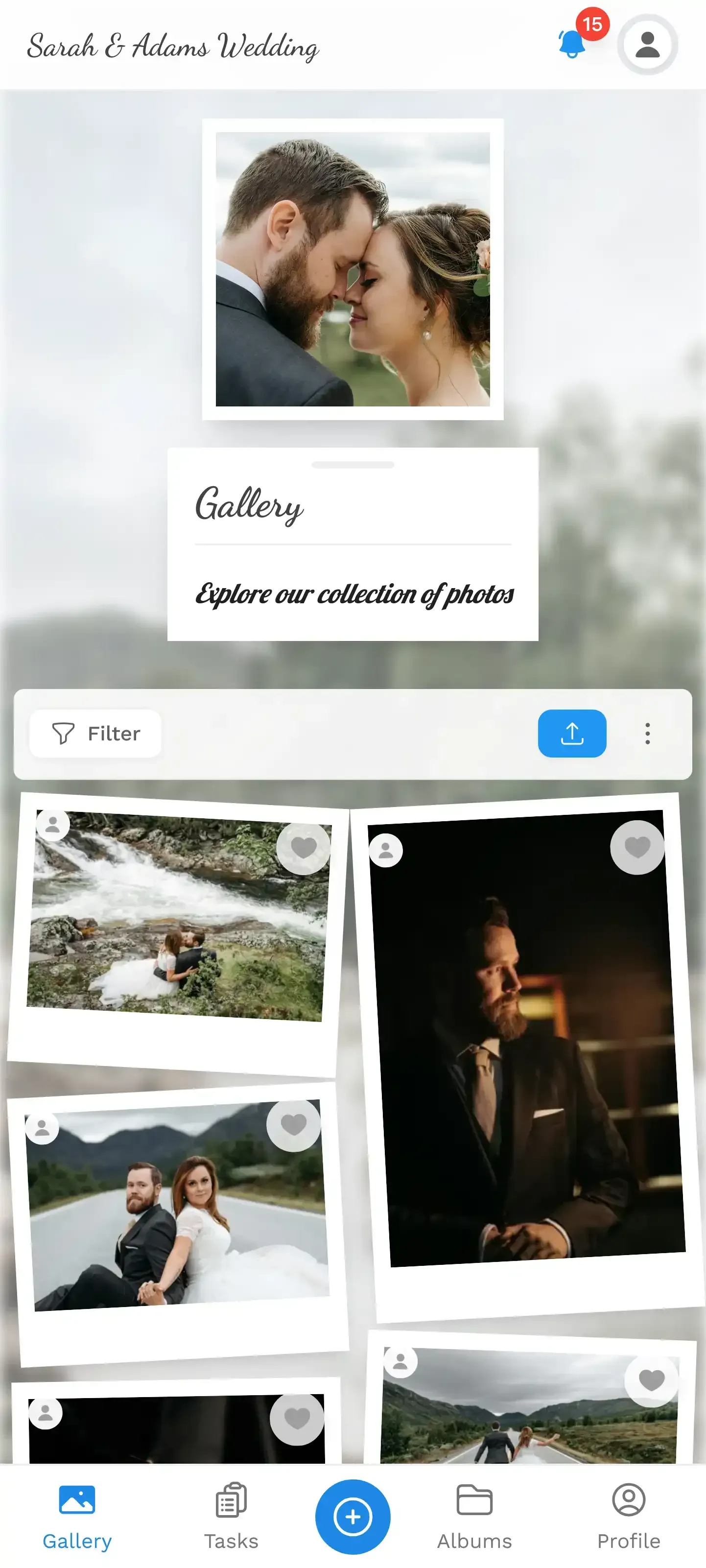
Words only go so far. Here's the actual interface guests interact with:
1.The face filter panel shows all detected people in the gallery
The face filter panel shows all detected face clusters. Guests can browse them manually or use the selfie shortcut. Either way, finding your photos goes from minutes of scrolling to a single tap.
See it in action
Every guest photo in one album – no app.
Why This Matters More Than You'd Think
Selfie search isn't just a convenience feature. It changes how people engage with event photos entirely.
Think about what happens at a typical corporate team-building day. The event organizer sets up a shared photo gallery and shares a QR code. 60 people upload throughout the afternoon. By the end, there are 280 photos. Without face search, the gallery is a chronological wall of images. Fun to scroll briefly, then forgotten. With face search, every single person at that event has a reason to come back: "Let me see which photos I'm in."
That shift, from passive browsing to active searching, is the difference between a gallery that gets 30 visits and one that gets 200. People share photos they're in. They don't share random crowd shots, no matter how well composed.
This also makes selfie search a natural companion to photo challenges and gamification. Say you ran a photo scavenger hunt at a wedding. Guests were snapping challenge photos all night. The next morning, they want to see which challenge shots they ended up in. Selfie search surfaces those instantly, including the embarrassing "recreate this movie pose" photos they forgot about.
The Privacy Question (Because You're Thinking It)
Face recognition and privacy are inseparable topics. And they should be. Any tool that processes biometric data needs to be transparent about what it does with that data.
Photogala's approach: face data stays within the event gallery. The system clusters faces to enable search, but doesn't build persistent identity profiles across events. When the event gallery expires (based on your plan's archive duration), the face data goes with it. There's no cross-event tracking.
Event hosts on the Deluxe plan who enable face recognition can also use content moderation to control what appears in the gallery in the first place. Photos go through an approval queue before they're visible to guests, and the AI-powered NSFW filter catches inappropriate uploads automatically.
One honest trade-off: Face recognition is a Deluxe plan feature (€119, one-time). It's not available on the Free, Plus, or Premium tiers. If your event is small enough that scrolling works fine, you probably don't need it. For events with 100+ guests and hundreds of photos, the time savings are significant.
Beyond the Selfie: What Else Face Clustering Enables
Selfie search is the guest-facing feature. But the face clustering engine underneath powers several other things that event hosts care about.
Person labeling. Hosts can name face clusters ("Uncle Marco", "Marketing Team") to organize the gallery by person. This is especially useful for large events like conferences or school reunions where not everyone knows each other.
Find similar faces. If the AI created two separate clusters for the same person (maybe they changed hats or the lighting shifted dramatically), you can merge them. Split clusters that accidentally grouped two similar-looking people together. The system gives you control.
Manual face tagging. For photos where the AI didn't detect a face (back of head, extreme profile angle), you can manually tag someone. Not every photo is a front-facing portrait, and the system accounts for that.
If you're curious about how AI sorting fits into the bigger picture of event photography, our deep dive on smart galleries and AI photo sorting covers the broader landscape.
Setting It Up: What the Host Needs to Do
This is refreshingly simple. Create your event gallery, choose the Deluxe plan, and enable face recognition in the gallery settings. That's it. There's no separate AI dashboard to configure, no API keys, no third-party integrations.
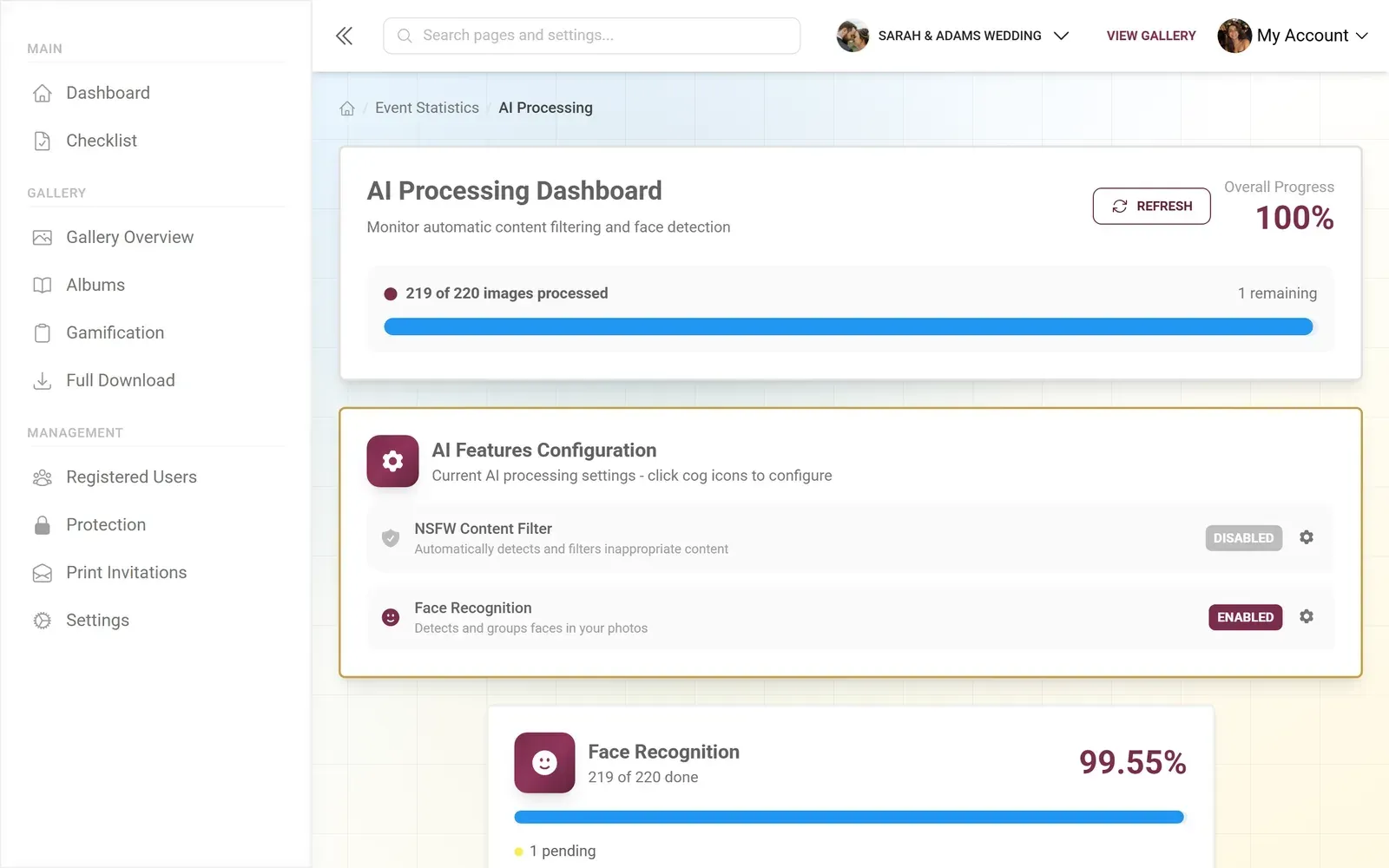
Once enabled, face detection runs automatically on every uploaded photo. The AI processing status is visible in the dashboard so you can see how many photos have been scanned and how many face clusters have been identified. For a gallery of 500 photos, expect the initial clustering to complete within minutes.
Guests don't need to do anything special. They access the gallery the same way they always would, via QR code scan or shared link. The face search option appears in the gallery interface automatically.
1.Guests access the gallery by scanning a QR code. No app needed.
When Selfie Search Makes the Biggest Difference
Not every event needs face recognition. A birthday dinner with 12 friends and 45 photos? You can scroll through that in a minute. But scale changes everything.
Weddings with 150+ guests. The gallery easily hits 600-900 photos. Guests want to find their table photos, their dance floor moments, their group shots. Selfie search turns a 20-minute scroll into a 2-second search. If you're planning a wedding, our guide on collecting guest photos covers the full workflow.
Corporate conferences. Multiple sessions, networking breaks, team photos. Attendees want their specific moments, not the general highlights reel. Combine this with a live photo wall at the venue and selfie search afterward, and you've covered both real-time engagement and post-event access.
Multi-day events. Festivals, retreats, sports tournaments. When photos accumulate over days, the gallery becomes unwieldy fast. Face search is the only practical way to navigate a 2,000-photo gallery from a three-day sports tournament.
Charity galas and fundraisers. Professional photographers capture hundreds of shots. Donors and sponsors want their photos for social media and internal communications. Making those photos instantly findable via selfie search adds genuine value to the event experience, which we explored in detail in our charity gala photo sharing guide.
How It Compares to Other Approaches
Most event photo sharing platforms don't offer face recognition at all. GuestPix, Everlense, AirPhoto, FridaySnap: none of them include AI face search. Their approach is chronological galleries, maybe with some basic filtering by album or upload date. That works until the photo count crosses a few hundred.
Dedicated AI photo delivery services like Waldo Photos focus almost entirely on the recognition piece, but they're built for professional photographers, not for guest-driven galleries where everyone uploads. Photogala sits in a different space: it's a complete event photo platform with uploading, sharing, social features, gamification, moderation, and a photo wall, with face recognition as one layer on top. For a detailed head-to-head, check our Photogala vs Waldo Photos comparison.
Face Recognition: Photogala vs Common Alternatives
| Feature | Photogala | Shared Album Apps | Dedicated AI Delivery |
|---|---|---|---|
| Selfie-to-Search | |||
| Guest Uploads via QR | |||
| No App Install Required | |||
| Face Clustering & Labeling | |||
| Content Moderation | AI + manual | ||
| Photo Challenges & Gamification | |||
| Live Photo Wall | |||
| Multiple Gallery Layouts | 4 layouts | ||
| One-Time Pricing (No Subscription) |
The Moment That Sells It
Imagine this: it's the morning after a wedding. The bride sends a message to the group chat: "All the photos are in the gallery, just take a selfie to find yours." Within an hour, 80 people have searched for and downloaded their photos. Some post them on Instagram. Others forward their favorites to the family group. The gallery goes from a static archive to something people actively use.
That's the real shift. Not the technology itself, but what it enables: people actually engaging with their event photos instead of letting them sit in a folder. If guests can share and comment on their favorites and find themselves in the gallery effortlessly, the photos do what photos are supposed to do. They get seen.
All of this comes with your own event.
Setting it up takes five minutes. You can build and view everything before you decide.
Starting from €39 one-timeOne-time payment — No subscription
- No App Required
- Setup in 5 Minutes
- 30-Day Money Back
“Excellent service and great pictures! Photogala fully met our expectations at the event. The value for money is unbeatable. Absolutely recommended! The seating plan saved us a lot of hassle!”
Written by

I believe event photos should be more than static galleries. They should be live, playful, and unforgettable.
Categories
Related Posts

Company Retreat Photo Sharing: How to Actually Keep the Memories
Most offsite photos die on individual phones. Here's how to collect, share, and actually use every photo from your next company retreat.

Neighborhood Block Party Photo Sharing: How to Turn 40 Strangers Into One Shared Album
Block parties create great photos — and zero way to share them. Here's how a QR code gallery turns your street into a connected community.
Why Upload Limits Ruin Event Galleries (and What Unlimited Actually Changes)
Upload caps at events create anxiety, reduce participation, and leave gaps in your photo collection. Here's what happens when you remove the ceiling.