Your Guests Will Take 94% of the Photos. Here's How to Make Them Good.

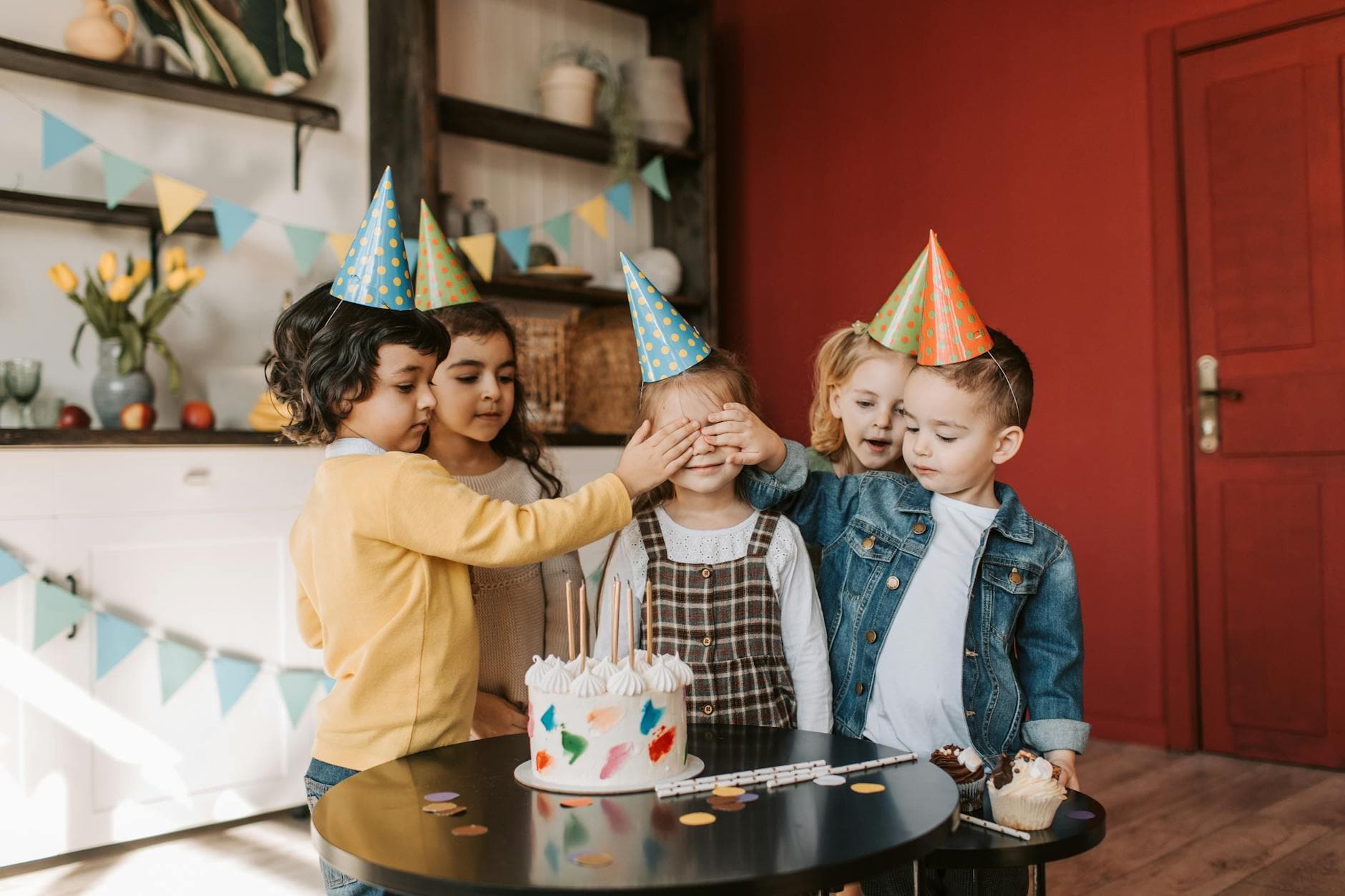
Picture a corporate summer party. The company hired a photographer. She's excellent: 280 crisp, well-lit shots delivered the following week. But across 60 guests with smartphones, somewhere between 400 and 700 photos were taken that same evening. Most of them will never leave those camera rolls.
That ratio tells you something important. Smartphones account for 94% of all photos taken today. At any event, the hired photographer captures the planned moments. Guests capture everything else: the weird dance moves, the toast that went sideways, the dog that snuck under the buffet table. Those photos are often the ones people actually want to see.
The problem isn't taking the photos. It's that most of them end up trapped on individual phones, never shared, slowly buried under screenshots and grocery lists. A survey by the Deseret News found that 80% of people have photos on their phone they haven't looked at since taking them.
This guide is about two things: taking better event photos with whatever camera you have (yes, your phone counts), and making sure those photos actually end up somewhere people can enjoy them.
Light Decides Everything Before You Touch the Shutter
You can fix bad composition in a crop. You can't fix a photo taken in near-darkness. Light is the single biggest factor separating a photo you keep from one you delete, and it matters even more at events where you can't control the environment.
At an indoor venue, the reality is usually mixed lighting: warm overhead spots, cool daylight from windows, maybe some colored accent lights. Your phone's auto mode will try to handle it, and sometimes it gets confused. The result is that yellowish, muddy look nobody likes.
A few things that help without requiring any gear:
- Face the light source. Sounds obvious, but most people stand with the light behind them. If you're photographing someone, position yourself so the light falls on their face, not on the back of their head.
- Avoid flash on phones. The built-in LED flash on smartphones produces harsh, flat light that makes everyone look slightly startled. Turn it off. If it's dark, find the nearest lamp or window instead.
- Use portrait mode in moderation. The artificial blur is convincing about 70% of the time. The other 30%, it cuts off ears and blurs half a face. For group shots, skip it entirely.
- Watch for backlit situations. A person standing in front of a bright window becomes a silhouette. Tap their face on your screen to force the exposure. Or just move.
Professional event photographers solve this with fast lenses (f/2.8 or wider) and external flashes bounced off ceilings. Photography Real's gear guide recommends dual camera bodies with backup equipment for events, because there are no second takes. But if you're a guest with a phone, the rules above get you 80% of the way there.
The 3-second rule: Before taking a photo at an event, pause for 3 seconds and look at where the light is coming from. Just that tiny awareness shift improves your photos dramatically. Lumina Event Lighting's guide explains why the same space can look cinematic or flat depending entirely on how light hits the scene.
Candids Are the Whole Point
Here's something that sounds counterintuitive: the less people know you're photographing them, the better the photo.
Posed group photos have their place (you need at least a few), but the shots that get shared, laughed at, and remembered are almost always candid. Someone mid-laugh. Two people deep in conversation. A kid stealing cake when nobody's looking.
The Daydream Film guide on event photography calls this "the unique pressure of event photography": you can't recreate the moment. Once the best man's speech gets the whole room laughing, that exact expression on the bride's face exists for about half a second.
A few techniques that work even if you've never done event photography before:
- Shoot from the hip. Hold your phone at chest or waist height instead of bringing it up to eye level. People notice a phone pointed at their face. They don't notice one at table height.
- Take three, keep one. Burst mode exists for a reason. Fire off three quick shots when something interesting happens. Delete the bad ones later.
- Capture reactions, not actions. The interesting photo isn't the person blowing out candles. It's the face of the friend watching them do it.
- Move around. The same event looks completely different from the dance floor vs. the bar vs. a quiet corner. Change your position every 15-20 minutes.
One thing I'd add: don't spend the whole event behind your phone. Take your shots, then put it away and be present. The best event photographers (amateur or pro) shoot in bursts, not continuously.
The Shots Nobody Thinks to Take
Every event has a collection of photos that 90% of guests take: the cake, the venue, the group photo, the sunset. Those are fine. But the photos that tell the actual story of the event are usually the ones nobody thinks about.
- The setup before anyone arrives (empty tables, decorations, the calm before the chaos)
- Name tags, menus, or handwritten signs (they capture effort and personality)
- Shoes. Seriously. A row of shoes at a house party or a dance floor full of heels tells a story.
- The cleanup crew. The person packing leftover food. The quiet end of the night.
- Detail shots: flowers, place settings, a half-eaten dessert table, someone's jacket draped over a chair
These work because they provide context. Fifty photos of people smiling at the camera blur together. But a photo of the hand-lettered welcome sign next to one of the first guests arriving next to one of the full dance floor at midnight: that's a narrative.
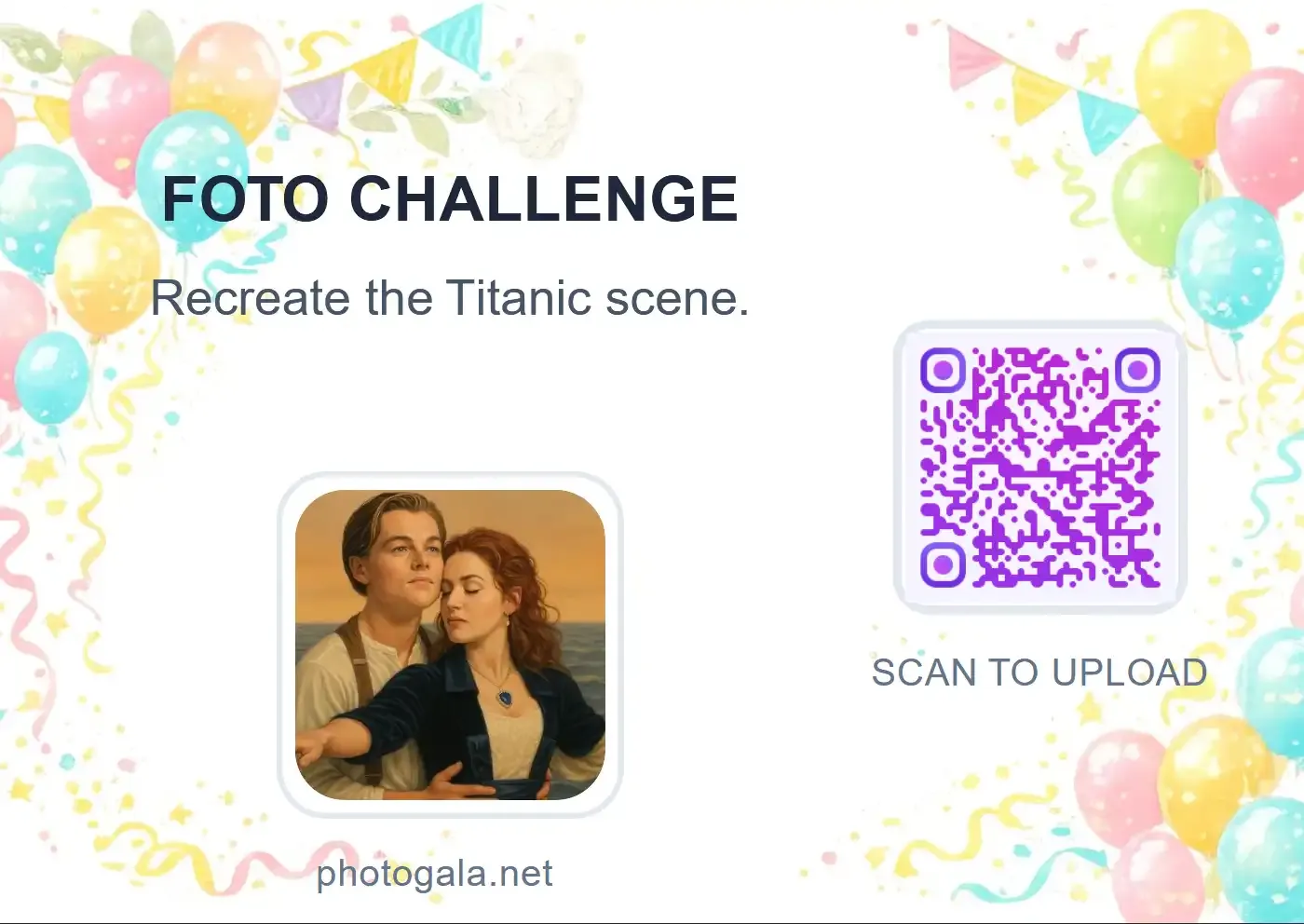
If you're hosting an event and want guests to think about these kinds of shots, photo challenges help. Give people a list of specific moments to capture ("the first person on the dance floor", "someone laughing so hard they can't breathe", "the best-dressed shoes") and you'll get a completely different photo collection than if you just say "take lots of photos."
Photo challenges nudge guests toward creative shots they wouldn't take on their own
Ready to create your gallery?
The Collecting Problem (and Why It Ruins Good Photos)
Say you follow all the tips above and your guests take genuinely great photos. Here's what typically happens next: nothing.
Someone creates a WhatsApp group. Twelve people join. Three actually upload photos. The rest say "I'll send them later" and never do. Or someone makes a shared Google Photos album, but half the guests don't have Google accounts, and the ones who do forget the link exists after 48 hours.
This is the part that frustrates me. The photos exist. They're sitting on people's phones. But the friction of sharing them (finding the right group, selecting photos, waiting for uploads over mobile data, dealing with compression) means most of them never reach anyone else.
The approach that actually works is reducing the steps between "I just took a photo" and "everyone can see it" to as close to zero as possible. QR code scanning does this well: guest scans a code at the venue, phone browser opens, they upload directly. No app to install, no account to create, no group to join.
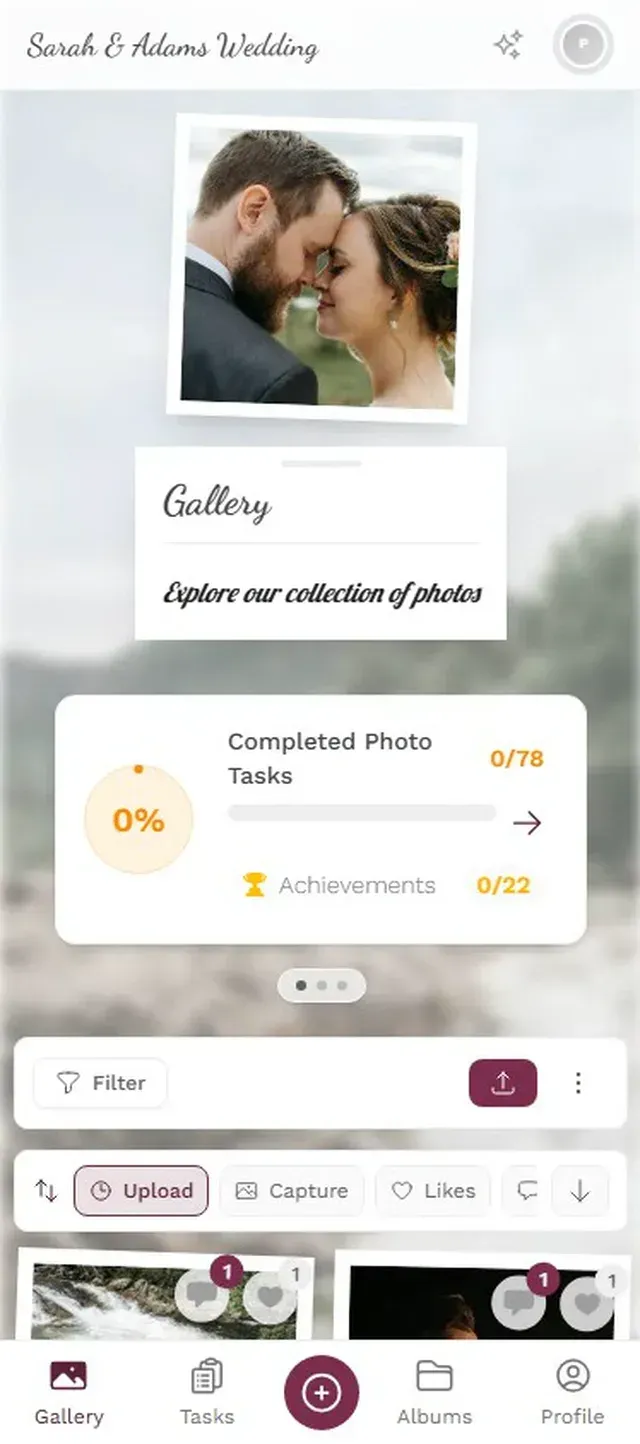
Photogala works exactly this way. You set up a gallery before the event, print the QR code on table cards or a poster, and guests scan to upload from their phone's browser. Photos appear in the shared gallery within seconds. At a 120-person company event, that could mean 200-350 photos collected without anyone having to coordinate a thing.
There's a limitation worth mentioning: Photogala is browser-based, not a native app. For 95% of guests, that's actually better (no download friction). But it does mean you won't get push notifications on the guest side, and the upload experience depends on the phone's browser. On modern phones this works fine. On a 2018 budget Android, it might feel a bit slower.
No app, no account. Scan the QR code and upload directly from the browser.

Turning Guests Into Active Photographers
Here's something that surprised me when I first looked at the data: gamification in workplace settings increases engagement by 48%, according to research from AmplifAI. The same psychology applies at events.
Think about it. Telling 150 wedding guests "please share your photos" produces a polite trickle. Giving them a leaderboard that shows who's uploaded the most? Now you've got competition. The uncle who normally takes two photos suddenly uploads 15 because he saw his nephew in second place.
Photo challenges take this further. Instead of "take photos" (vague, easy to ignore), you give guests specific missions: "Catch someone dancing who definitely doesn't want to be caught dancing." "Find the oldest person at the party and get a selfie with them." "Photograph something blue."
The specificity matters. A challenge with an example preview photo works even better. Say you want guests to recreate a famous movie pose. Attach the reference image to the challenge. Now guests aren't just taking random photos; they're staging mini photo shoots at their tables. The results are usually hilarious.
If you want more ideas for creative challenges, there's a solid list in this photo scavenger hunt guide that works for weddings, corporate events, and casual parties alike.
The Equipment Question (It Matters Less Than You Think)
If you're reading event photography guides, you'll see recommendations for dual camera bodies, 70-200mm telephoto lenses, and external flash units. Henry's photography guide recommends full-frame sensors for the low-light performance common at events. That's all good advice for professionals.
For everyone else (which is most people at most events), your phone is fine. Actually more than fine.
Modern smartphone cameras handle low light better than dedicated cameras from five years ago. They compute multi-frame exposures, apply noise reduction in real time, and adjust white balance automatically. The iPhone 15 and Pixel 8 produce better event photos straight out of the camera than a $2,000 DSLR did in 2018.
What matters more than equipment:
- Clean your lens. Your phone lives in your pocket with keys and lint. Wipe the lens with your shirt before shooting. This alone fixes the mysterious haze in 30% of bad phone photos.
- Use both cameras. Switch between wide and standard focal lengths. The wide lens captures the room. The standard lens captures faces.
- Shoot video too. A 10-second clip of the dance floor or someone's speech captures atmosphere that photos can't. You don't need to be a videographer. Just hold the phone steady for 10 seconds.
- Turn on grid lines. Every phone has this in camera settings. The grid helps you avoid tilted horizons and keeps faces out of dead center (rule of thirds, even loosely applied, improves composition).
For the serious hobbyist: If you're attending an event and want to step up from phone-only, a mirrorless camera with a 35mm or 50mm f/1.8 lens is the best bang for your money. PhotoWorkout's event photography guide recommends Aperture Priority mode (set the aperture, let the camera handle shutter speed), which works well for moving between bright and dim areas of a venue.
After the Event: Don't Let Good Photos Die on Camera Rolls
The window for sharing event photos is about 48 hours. After that, life moves on, the excitement fades, and those 200 photos from Saturday night become just another folder people mean to organize "sometime."
If you're hosting, the best thing you can do is make sharing happen during the event, not after. A shared gallery with a QR code at the venue means photos get uploaded in real time. By the time guests leave, the gallery is already full. No follow-up needed. No "who was going to create the shared album?" No waiting two weeks for the photographer's edited set while the candid shots rot on phones.
The photo wall adds another layer. When guests see their photos appear on a big screen at the venue, it creates a feedback loop. Someone uploads a photo, sees it on the screen, laughs, and their friends immediately upload one too. It turns passive "I might share these later" guests into active participants.
Imagine a birthday party with 25 close friends. No professional photographer. Just phones. With a QR code gallery and a simple photo challenge list ("best group selfie", "the birthday person's reaction to a gift", "the dessert table before it gets destroyed"), you could end up with 60-90 photos that actually tell the story of the evening. Without it, you'd get maybe 15 scattered across six different group chats.
Quick Setup: Event Photo Gallery in 3 Steps
Create a gallery
Pick your event type, add a name and cover photo. Takes about 2 minutes.
Share the QR code
Print it on table cards, a poster, or include it in the invitation. Guests scan to open the gallery.
Photos flow in automatically
Guests upload from their browser. Photos appear in the shared gallery and on the photo wall in real time.
The best event photos aren't technically perfect. They're the ones that make someone stop scrolling and smile because they remember exactly how that moment felt. Your job isn't to be a professional photographer. It's to notice those moments and press the button. Then make sure the photos actually end up somewhere everyone can find them.
Ready to create your gallery?
Start sharing your event photos with guests in minutes.
Create GalleryWritten by

I believe event photos should be more than static galleries. They should be live, playful, and unforgettable.
Categories
Related Posts
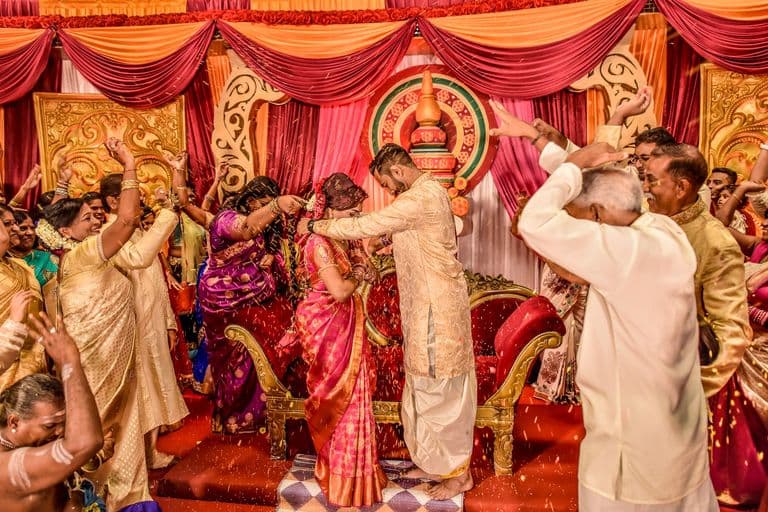
Multicultural Wedding Photo Sharing: Honoring Every Tradition in One Gallery
When your wedding blends two (or more) cultures, collecting guest photos gets complicated fast. Here's how to make it work without losing a single moment.
Free Event Planning Tools Every Organizer Should Bookmark
The best free tools for budgets, guest lists, timelines, photo sharing, and more. No subscriptions, no bloated software suites.

Milestone Birthday Photo Sharing: 30th, 40th, 50th and Beyond
At milestone birthdays, decades of relationships converge in one room. Here's how to collect every guest's photos before they vanish into 40 separate camera rolls.