How to Share Wedding Photos with Family (Without the 6-Month Delay)

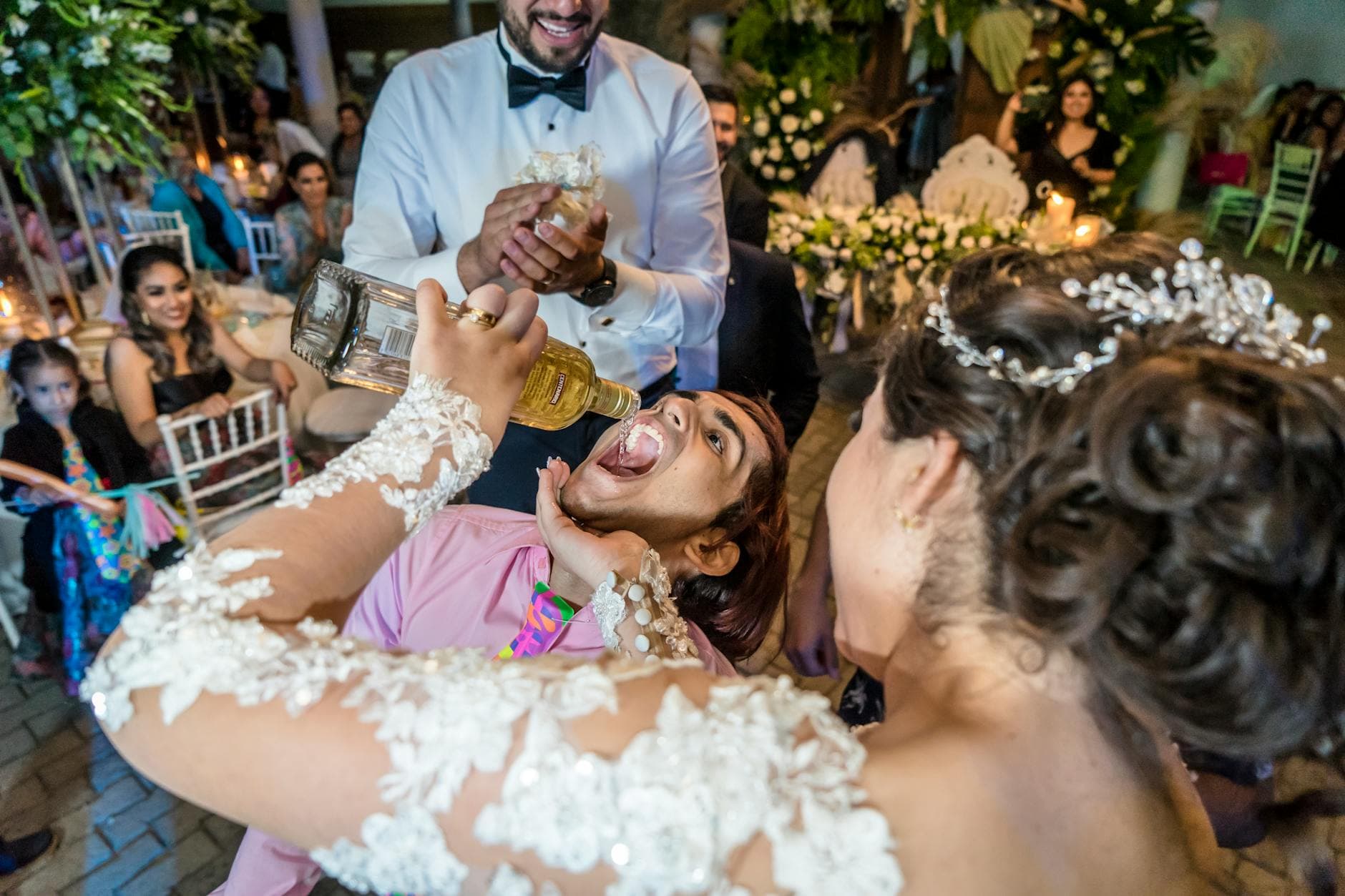
Picture the Monday after a wedding. The couple is on a plane to their honeymoon. Back home, the bride's mother is scrolling through her own 47 photos, wishing she could see what everyone else captured. The groom's sister in London missed the whole thing and is refreshing Instagram hoping someone posted something. The best man has 83 photos on his phone and every intention of sending them. He won't.
This is the wedding photo problem that nobody plans for. The ceremony, the venue, the photographer: all sorted months in advance. But the 400+ candid photos sitting on guest phones? Those follow a predictable pattern: taken enthusiastically, promised generously, shared never.
A 2023 survey by MemoryKpr found that guests take an average of 23 photos per event and maintain roughly 3,000 photos in their camera rolls. The problem isn't taking photos. It's the gap between capturing them and getting them to the people who actually want them.
Why the Usual Approaches Fall Short
Most couples default to one of three strategies. All of them work in theory. None of them work reliably in practice.
The WhatsApp Group
Someone creates a group called "Sarah & Tom's Wedding Photos 💒" the morning after. Twelve people join. Three people upload photos. The group chat devolves into thank-you messages and blurry screenshots within 48 hours. Two weeks later, someone's aunt asks "how do I find the photos again?" and nobody answers.
WhatsApp compresses images heavily, too. That golden-hour portrait your cousin took? It arrives looking like it was photographed through a window screen.
The Shared Google Photos or iCloud Album
Better than WhatsApp, but it assumes everyone uses the same ecosystem. Your uncle with the Android phone can't easily join an iCloud shared album. Your college friend without a Google account won't bother creating one for six photos. As FAD Magazine notes, preparation and tool selection are key for seamless photo gathering, and platform lock-in is the fastest way to lose half your contributors.
"I'll Send Them to You"
The most common approach. Also the least effective. People mean it when they say it. But life gets in the way. A week passes, then a month. The photos stay on the phone, slowly buried under newer ones. The moment to share them passes quietly.
The best time to collect wedding photos is during the wedding itself, not after. Once guests leave the venue, the sharing rate drops dramatically with each passing day.
The QR Code Fix
Here's what actually works: a QR code that guests scan with their phone camera, opening a shared gallery in the browser. No app to download. No account to create. No platform compatibility issues. Scan, upload, done.
This is the approach platforms like GUESTPIX popularized, and it works because it removes every friction point. A guide by Eventoly emphasizes the same principle: centralized albums accessible to all guests, regardless of device or technical skill.
The concept is simple. You set up a gallery before the wedding. Print the QR code on table cards, place it near the entrance, or include it in the ceremony program. Guests scan it whenever they feel like sharing. Photos appear in the gallery in real time. Family members who couldn't attend can open the same link from anywhere and watch the photos roll in as they're taken.
That last part matters more than people realize. For the groom's sister in London, or the grandmother who couldn't travel, seeing photos appear live during the reception is a completely different experience than receiving a zip file three months later.

1.Guests scan the QR code and start uploading instantly
See it in action
Every guest photo in one album – no app.
Setting It Up (It Takes About 10 Minutes)
The technical part is faster than most people expect. With Photogala, you create a gallery, customize the look, and get a QR code. That's the core setup. Everything else is optional polish.
Three Steps to a Shared Wedding Gallery
Create your gallery
Pick a name, choose your event type, upload a cover photo. You can customize colors, fonts, and gallery layout to match your wedding theme.
Print and place QR codes
Download the QR code and print it on table cards, place it on a sign near the entrance, or add it to your ceremony program. Photogala includes printable templates.
Share the link with remote family
Copy the gallery link and send it to family members who can't attend. They can view photos in real time from anywhere and upload their own well-wishes.
One thing I'd add: place QR codes in multiple spots, not just on the tables. A framed sign near the photo booth area, a small card tucked into the napkin fold, maybe one near the bar. The more visible it is, the more people notice it early, and early adoption creates a snowball effect. When guests see photos already appearing on screen, they want to contribute too.
What About Family Who Couldn't Be There?
This is the part that gets overlooked. Most photo-sharing solutions focus on guests at the venue. But weddings always have people who couldn't make it: elderly relatives, friends abroad, family members who were sick or couldn't travel.
A browser-based gallery solves this cleanly. Send them the link before the wedding. They open it on their phone, tablet, or computer. As guests at the venue upload photos, remote family sees them appear. It's not the same as being there, obviously. But watching your granddaughter's first dance photos pop up in real time, from your living room in another country? That's genuinely meaningful.
Remote family can also upload their own photos and video messages. Some couples set up a "congratulations" album specifically for well-wishes from people who couldn't attend. It becomes a digital guestbook of sorts, with faces and voices instead of just signatures.
One limitation worth mentioning: Photogala is browser-based, not a native app. For most people that's an advantage (no install needed). But for older family members who aren't comfortable with QR codes, you might need to send them the direct link via text message and walk them through opening it. A quick phone call usually does the trick.
Going Beyond a Simple Photo Dump
A shared album is useful. A shared album that people are excited to contribute to is better. This is where most solutions stop, and where things get interesting.
Photogala lets you create photo challenges: specific prompts like "catch the flower toss," "best dance floor moment," or "funniest face at the dessert table." These aren't just fun (though they are). They give guests a reason to actively look for photo opportunities instead of passively snapping whatever's in front of them.
You can even include example preview photos with each challenge, showing guests what you're looking for. Some couples use this for a photo roulette format: the guest gets a random example image and has to recreate it. The results range from impressively accurate to hilariously terrible. Either way, the photos are far more interesting than 40 nearly identical shots of the cake.
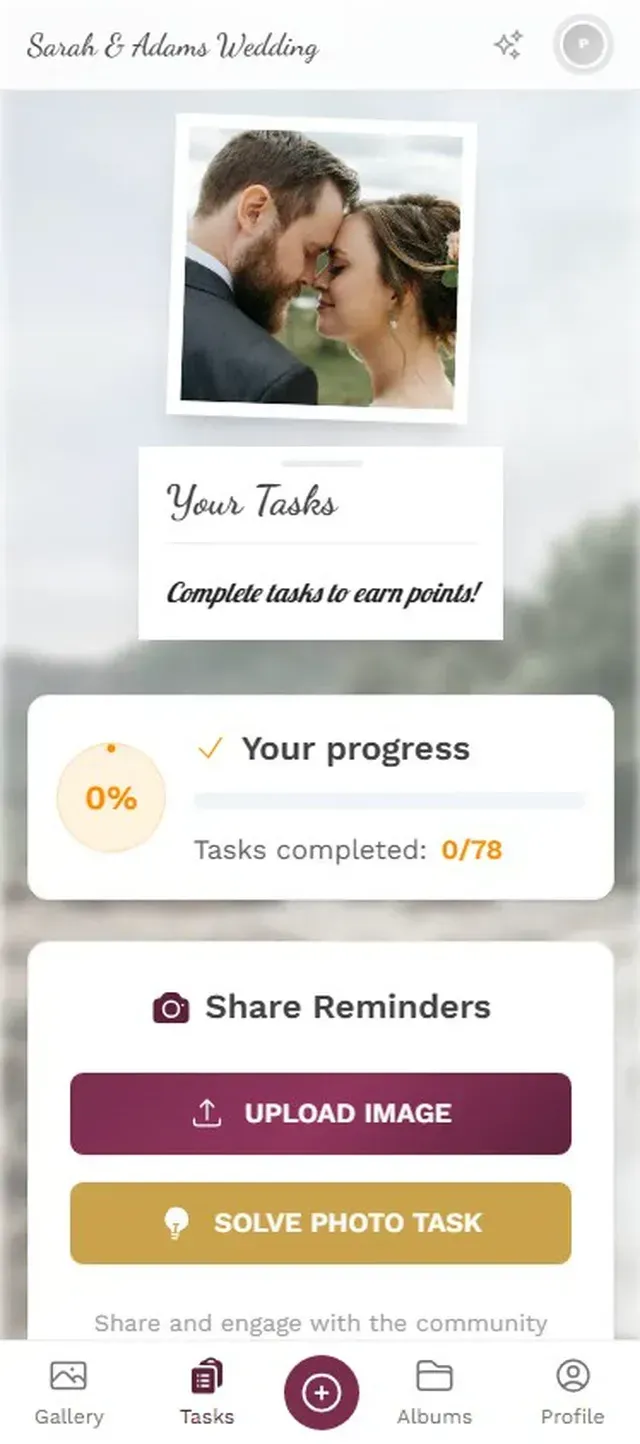
1.Guests browse challenges and pick ones to complete
There's a leaderboard too. This sounds gimmicky until you see it work. Imagine the bride's uncle, a quiet guy who normally takes two photos all night, suddenly uploading his twelfth because he noticed he's three points behind his nephew. Gamification taps into something real about how people behave at social events. Research from academia found leaderboards increased engagement by 58% in educational settings. The same psychology applies to wedding guests with smartphones.
After the Wedding: Keeping Photos Alive
The gallery doesn't disappear when the reception ends. Premium and Deluxe plans keep it accessible for 12 months. That gives you time to download everything, create physical albums, or just revisit the photos whenever you want.
A few practical tips for the post-wedding phase:
- Download the full gallery as a ZIP file before your storage period expires. Original quality, no compression.
- Share the gallery link one more time in the days after the wedding. Some guests will have photos they forgot to upload, and the reminder catches the stragglers.
- Create a physical photo book from the best guest shots. Services like Mixbook or Artifact Uprising work well for this. The candid guest photos often tell a more personal story than the professional ones.
- Send specific photos to specific people. If Aunt Martha's photo of the ring bearer got 30 likes in the gallery, text it to her directly. People love knowing their contribution was valued.
SayIDo's guide to wedding photo sharing recommends combining multiple approaches: a professional gallery for the polished shots, and a guest gallery for the candid ones. The two complement each other surprisingly well. The photographer captures the moments you planned. Your guests capture the moments you didn't.
The professional photographer will deliver 300 polished, color-graded images in two to four weeks. They'll be beautiful. But the gallery that gets pulled up at the family dinner a month later, the one that makes everyone laugh and point and say "I remember that moment"? It'll be the messy, unfiltered, wonderful collection of photos your guests took on their phones. The trick is making sure those photos actually end up somewhere everyone can see them.
All of this comes with your own event.
Setting it up takes five minutes. You can build and view everything before you decide.
Starting from €39 one-timeOne-time payment — No subscription
- No App Required
- Setup in 5 Minutes
- 30-Day Money Back
“I use PhotoGala Deluxe and I'm absolutely thrilled. It was the perfect solution for documenting a sports event. Uploading and downloading via the link is a breeze for every participant. What won me over most were the photo wall and the slideshow – both are quick to set up and look really professional. Big praise also to Peter from the PhotoGala team: he's very easy to reach by email, replies quickly and even took my suggestions on board and added new features that made my slideshow even better. You rarely get support this dedicated. A clear 5-star recommendation!”
Written by

I believe event photos should be more than static galleries. They should be live, playful, and unforgettable.
Categories
Related Posts

Bridal Shower Photo Sharing: Collect Every Sweet Moment in One Gallery
Bridal shower photos end up scattered across 15 phones. Here's how to get them all into one gallery before the mimosas wear off.

Company Retreat Photo Sharing: How to Actually Keep the Memories
Most offsite photos die on individual phones. Here's how to collect, share, and actually use every photo from your next company retreat.
Neighborhood Block Party Photo Sharing: How to Turn 40 Strangers Into One Shared Album
Block parties create great photos — and zero way to share them. Here's how a QR code gallery turns your street into a connected community.