Best Wedding Photo Apps 2026: 7 Platforms Compared

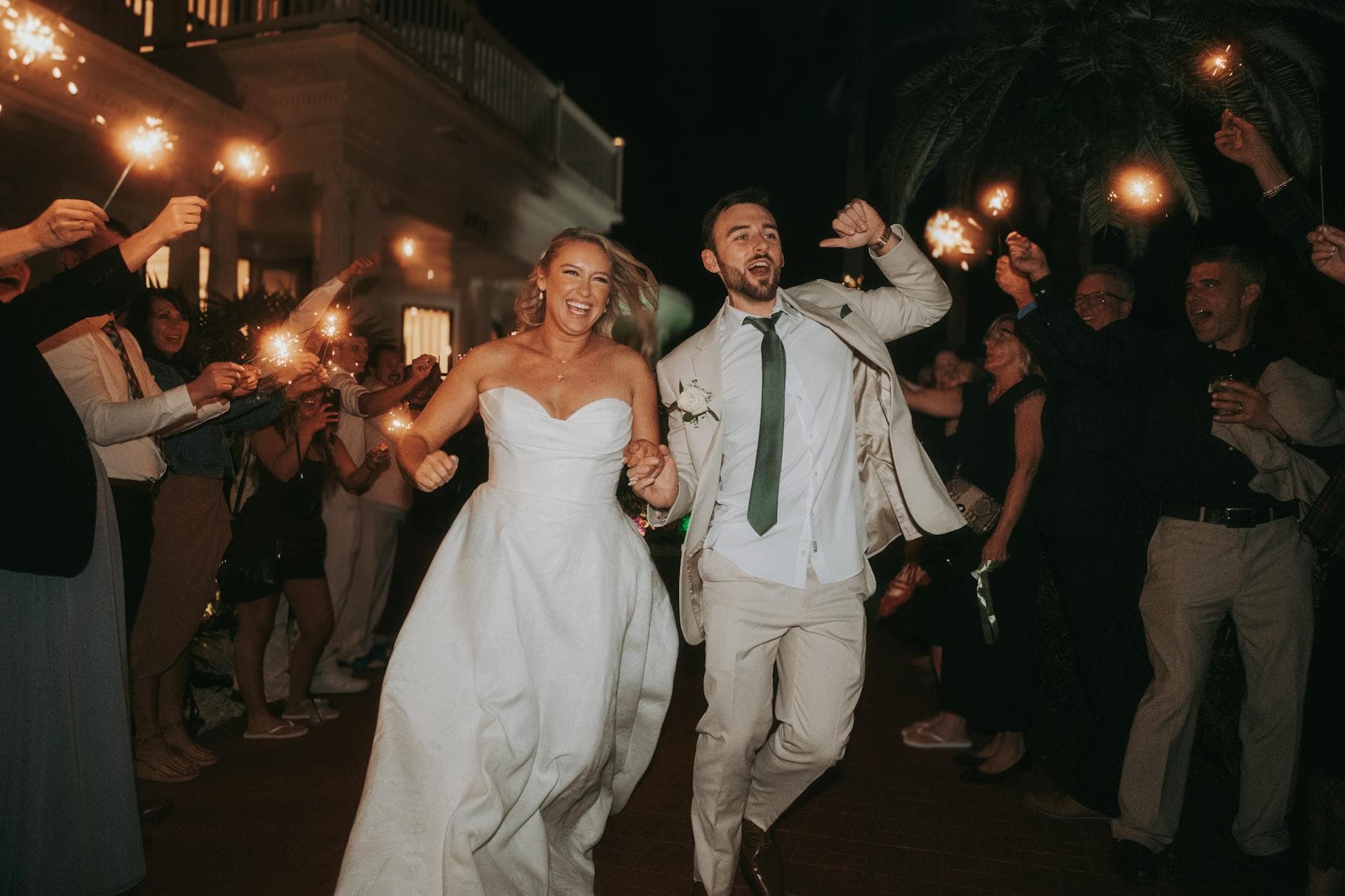
The morning after a 180-guest wedding, the couple's phone buzzes. Not the photographer (those photos won't arrive for two weeks). Someone just dropped a link in the family group chat: 740 guest photos from the night before. The bride ugly-crying during the best man's speech. The groom's dad doing something deeply unfortunate on the dance floor. A blurry but somehow perfect shot of the first dance, taken by a seven-year-old cousin.
Those 740 photos didn't collect themselves. Someone picked the right app.
Guest photos are the most undervalued part of any wedding. Your photographer captures the ceremony, the portraits, the detail shots. Your guests capture everything else: the in-between moments, the weird angles, the stuff that actually makes you laugh ten years later. But as Brides points out, collecting those photos takes planning. Without a clear system, most stay buried on phones forever.
The Battle Abbey wedding roundup puts it well: professional photographers capture the main events, but guests photograph the candid, funny, heartfelt moments from angles you'll never get otherwise. The real challenge is pulling those moments out of 150 different camera rolls and into one place.
What Actually Separates These Apps
After going through every major platform in the space, the real differences aren't where you'd expect. Upload speed? All fast enough. Interface design? All serviceable. The three things that actually matter:
Whether guests actually use it. An app with incredible features means nothing if half your guests give up at the download screen. Browser-based QR code access, no app install, is the baseline now. Every platform on this list clears that bar.
What happens after the upload. This is where the gap widens. Some apps are glorified Dropbox folders: upload, done, goodbye. Others add games, social interaction, live displays, and AI tools that turn a passive photo dump into something guests genuinely enjoy participating in.
Photo limits and hidden costs. The sticker price means little if you hit a 500-photo cap halfway through the reception. Unlimited storage isn't universal, even among paid apps. Read the fine print.
We looked at six dedicated platforms and the free DIY approach. Pricing, feature sets, real limitations. No affiliate deals, no sponsored rankings. Just what each platform actually delivers versus what couples need.
Side by Side
Wedding Photo App Comparison 2026
| Feature | Photogala | GuestPix | Everlense | FridaySnap | AirPhoto |
|---|---|---|---|---|---|
| No App Install | |||||
| Unlimited Photos | tier limits | max 10,000 | tier limits | ||
| Video Support | |||||
| Photo Challenges | with preview photos | basic text only | basic | ||
| Leaderboard & Points | |||||
| AI Face Recognition | auto-grouping | ||||
| Content Moderation | dashboard + AI filter | ||||
| Comments & Mentions | |||||
| Gallery Layouts | 4 layouts, 6 headers | 1 layout | limited | limited | limited |
| Starting Price | €39 | €33 | Free | €70 | €25 |
The Breakdown
Photogala (€39–€119)
The only platform that treats photo collection as a social experience rather than a file upload. Photo challenges with example preview images let guests recreate a pose, mimic a meme, or snap specific moments. A real-time leaderboard, achievements, and redeemable rewards turn uploading into a game. Think of it less as a photo app and more as a party activity that produces a photo gallery as a side effect.
The Deluxe tier adds AI face recognition (auto-groups photos by person, so the bride can find every photo she's in with one tap) and an NSFW filter. Content moderation lets you assign a trusted friend to approve every photo before it hits the live wall. Four gallery layouts and six header styles give you actual design flexibility, not just a logo upload.
The honest trade-off: no free tier. The full feature set requires the €119 Deluxe plan. The €39 Starter already includes unlimited photos, challenges, and the photo wall, but you'll need Premium (€69) or Deluxe for moderation, social features, and AI.
Picture this: 10 PM, the dance floor is packed, and someone's grandmother just uploaded her 18th photo because a challenge asked for the best candid of the flower girl. On the TV behind the DJ, those photos cycle through in real time, and every few minutes someone points at the screen and laughs. That kind of engagement doesn't happen with a basic upload folder.
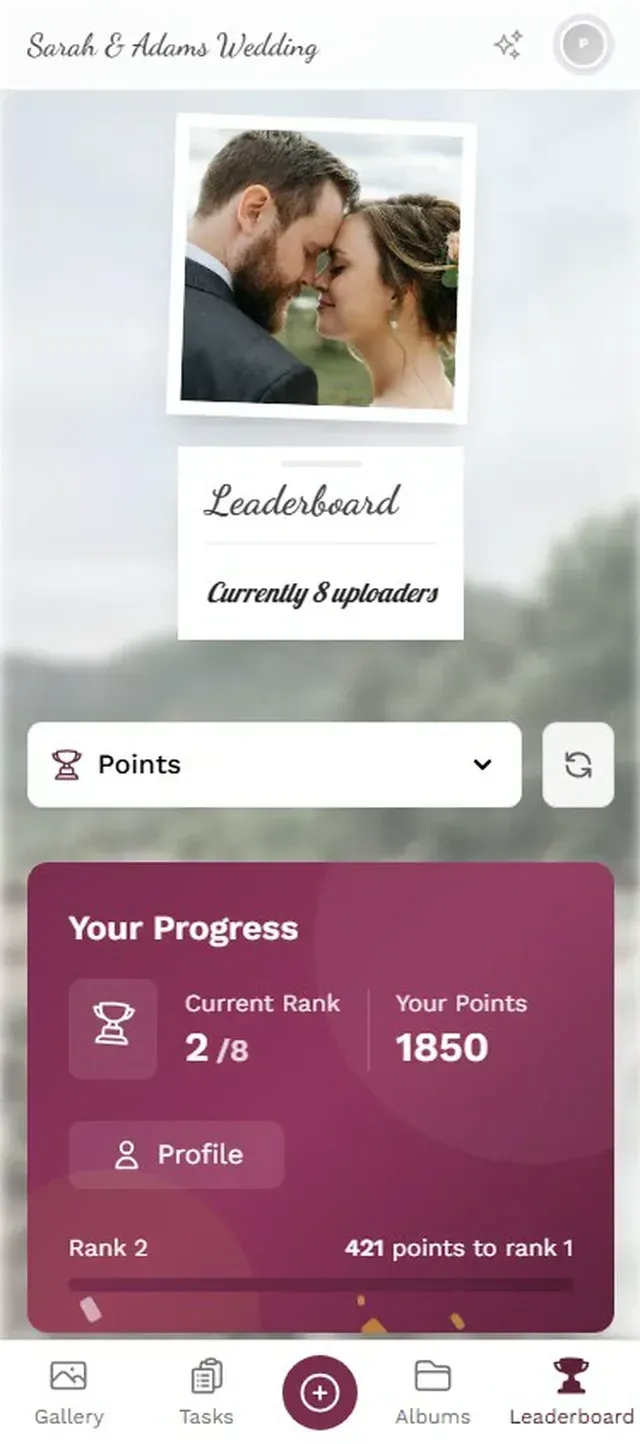

1.The gallery guests see after scanning the QR code
See it in action
Every guest photo in one album – no app.
GuestPix (€33–€109)
The most established name in the space, with over 90,000 events on record. GuestPix does one thing: collect photos via QR code into a shared gallery. Simple, reliable, no learning curve. If your only goal is getting photos off guests' phones and into one place, it handles that just fine.
Where it falls short: no gamification, no moderation tools, no social features, and a single gallery layout. Photo and video limits vary by tier, so a big wedding could push you to a higher plan. GuestPix is the safe, uncomplicated choice.
For couples who actively don't want games, points, or social features at their wedding, that simplicity is a feature, not a bug.
Everlense (Free–€139)
The only platform with a genuinely usable free tier (up to 50 photos), which makes it tempting for very small events or couples on tight budgets. Paid tiers unlock more photo capacity and basic text-based challenges. If you're hosting a casual gathering with 20 people and just need a central photo dump, the free option gets the job done.
The catch: even the top tier caps at 10,000 photos. No AI features, no social layer, no moderation. As one comparison roundup notes, photo limits create real anxiety at larger events because you simply can't predict how many photos guests will take.
FridaySnap (€70, flat)
One price, one tier, unlimited photos and videos. If pricing simplicity is your top priority, FridaySnap makes the decision easy. Basic challenges are included, but there's no leaderboard, no achievements, and no moderation. It's the Honda Civic of wedding photo apps: reliable, straightforward, does exactly what it promises. For couples who genuinely don't care about engagement features and just want a place for photos to land, it's solid.
AirPhoto (€25–€95)
The cheapest entry point at €25. Bare-bones but functional for small, casual gatherings where you need basic photo collection and nothing more. No gamification, no AI, no social features, no moderation. Photo limits apply per tier, and by the time you need the higher tier for a larger wedding, the price difference to more feature-rich options narrows considerably.
Weddie
Browser-based with QR code access, similar concept to the other platforms. Weddie claims an average of 600–800 photos per wedding, which is plausible if QR codes are placed prominently. Worth adding to your shortlist, though feature documentation is less transparent than the more established competitors.
Google Photos, iCloud, and WhatsApp (Free)
Free. Universal. And consistently disappointing for wedding-scale photo collection. The technology works fine. The problem is friction: half your guests don't have Google accounts, the other half are on Android and can't join iCloud. WhatsApp compresses everything to potato quality.
Bespoke Bride documented a real wedding that tried the social media hashtag approach with prominent neon signage and active promotion. Result: about a dozen submitted photos, half from non-guests. Dedicated QR code apps exist specifically because the DIY approach collapses at scale.
And then there's the morning-after problem. Even when a few guests manage to upload to a shared album during the event, most forget within 48 hours. The photos sit on their phones, slowly buried under screenshots and food delivery confirmations, until the couple stops asking.
The Pattern Worth Noticing
Something becomes obvious once you line up all seven options: the platforms that focus purely on file collection (upload and done) all start looking identical. Same QR code, same basic gallery, same experience. The differentiation happens entirely in what occurs after the photo leaves someone's camera roll.
Does a guest see their photo pop up on a live wall and feel a little thrill? Do they check the leaderboard between courses? Do they try three different angles for a challenge because the preview photo looks hilarious? Those micro-moments are what separate a gallery with 90 photos from one with 600.
Imagine a 180-guest wedding where the uncle who'd normally take three polite photos ends up uploading 25 because he's chasing first place on the leaderboard. That's not a marginal improvement. That's a fundamentally different collection outcome.
This is why the comparison table looks so lopsided in certain rows. Gamification, social features, and moderation aren't bonus extras. They're the mechanism that determines whether you end up with 90 photos or 700. Every platform handles the upload part. Only one makes uploading feel like part of the celebration.
Which One Fits Your Wedding?
Small gathering, tight budget (under 50 guests)? Everlense's free tier or AirPhoto's cheapest tier. Keep it simple, keep it cheap. No shame in going minimal for a casual event.
Classic wedding, 80–200 guests, you just want it to work? GuestPix or FridaySnap. Proven, uncomplicated, reliable. Good enough is genuinely good enough sometimes.
You want guests actually engaged, not just uploading? Photogala's gamification, social features, and live photo wall create a different dynamic entirely. The guest upload setup guide walks through the full process in about ten minutes.
Premium wedding, multi-day celebration? Photogala Deluxe. AI face recognition for sorting hundreds of photos by person, real-world rewards for engagement, and full moderation controls for keeping the photo wall clean across multiple events.
One thing regardless of which app you pick: test it before the wedding day. Create a test gallery, share the QR code with a few friends, and verify the upload flow works on both iPhone and Android. Finding out your app has issues at the rehearsal dinner is too late.
QR code placement is the single biggest factor in how many photos you collect. Table cards, bathroom mirrors, the bar counter, near the photo wall. The more places guests see the code, the more they upload. One poster by the entrance is not enough.
All of this comes with your own event.
Setting it up takes five minutes. You can build and view everything before you decide.
Starting from €39 one-timeOne-time payment — No subscription
- No App Required
- Setup in 5 Minutes
- 30-Day Money Back
“Excellent service and great pictures! Photogala fully met our expectations at the event. The value for money is unbeatable. Absolutely recommended! The seating plan saved us a lot of hassle!”
Written by

I believe event photos should be more than static galleries. They should be live, playful, and unforgettable.
Categories
Related Posts

Bridal Shower Photo Sharing: Collect Every Sweet Moment in One Gallery
Bridal shower photos end up scattered across 15 phones. Here's how to get them all into one gallery before the mimosas wear off.

Free vs Paid Event Photo Apps: What You Actually Give Up
Free event photo sharing sounds perfect until you see compressed images, upload limits, and zero engagement tools. Here's what the price tag really buys.

Why Event Photo Galleries Beat Group Chats for Sharing Memories
Group chats promise easy photo sharing but deliver chaos, compression, and silence after 48 hours. Dedicated photo galleries fix every one of those problems.