Photo Gallery Website Ideas That Go Beyond the Grid


Open ten photo gallery websites right now. Nine of them will look nearly identical: a grid of thumbnails, maybe a lightbox when you click, a download button if you're lucky. Close the tab, forget it existed.
The tenth one? Something about it makes you linger. Maybe photos appear in real time. Maybe there's a leaderboard showing who uploaded the most. Maybe the layout feels like flipping through a physical album instead of scrolling a database.
That gap between forgettable and memorable is what this article is about. Not "how to build a photo gallery" (there are dozens of tools for that), but which ideas actually make a gallery worth visiting twice.
The Thumbnail Grid Problem
Here's the uncomfortable truth about most photo gallery websites: they're solving a storage problem, not an experience problem. Upload photos, display them in rows, let people download. Done.
That works for a photographer delivering client proofs. Platforms like Pixieset have built entire businesses around polished delivery galleries, and they're great at it. But when you're building a gallery for a wedding, a corporate event, or any gathering where multiple people contribute photos, the static grid falls apart fast.
Why? Because a grid treats every photo the same. The blurry selfie from the dance floor sits next to the golden-hour couple portrait. There's no story, no hierarchy, no reason to keep scrolling after the first twenty thumbnails.
The galleries people actually remember do something different. They create a reason to come back.
Ideas That Actually Change the Experience
1. Let the Gallery Build Itself in Real Time
A static gallery is a finished product. A live gallery is an event.
Picture a wedding reception: guests scan a QR code at their table, snap a photo, and it appears on a big screen behind the DJ within seconds. The gallery isn't something you visit after the event. It IS the event. Every new upload changes the room. People cluster around the screen, pointing and laughing. The couple's uncle checks back every ten minutes to see what's new.
This idea alone transforms a gallery from "archive" to "entertainment." And the numbers back it up: according to SLR Lounge, online galleries have largely replaced physical media delivery because they let people browse and engage with collections in ways that DVDs and USB sticks never could. A live gallery takes that a step further.
No app needed. Scan, upload, done.
2. Give Photos Context with Multiple Layouts
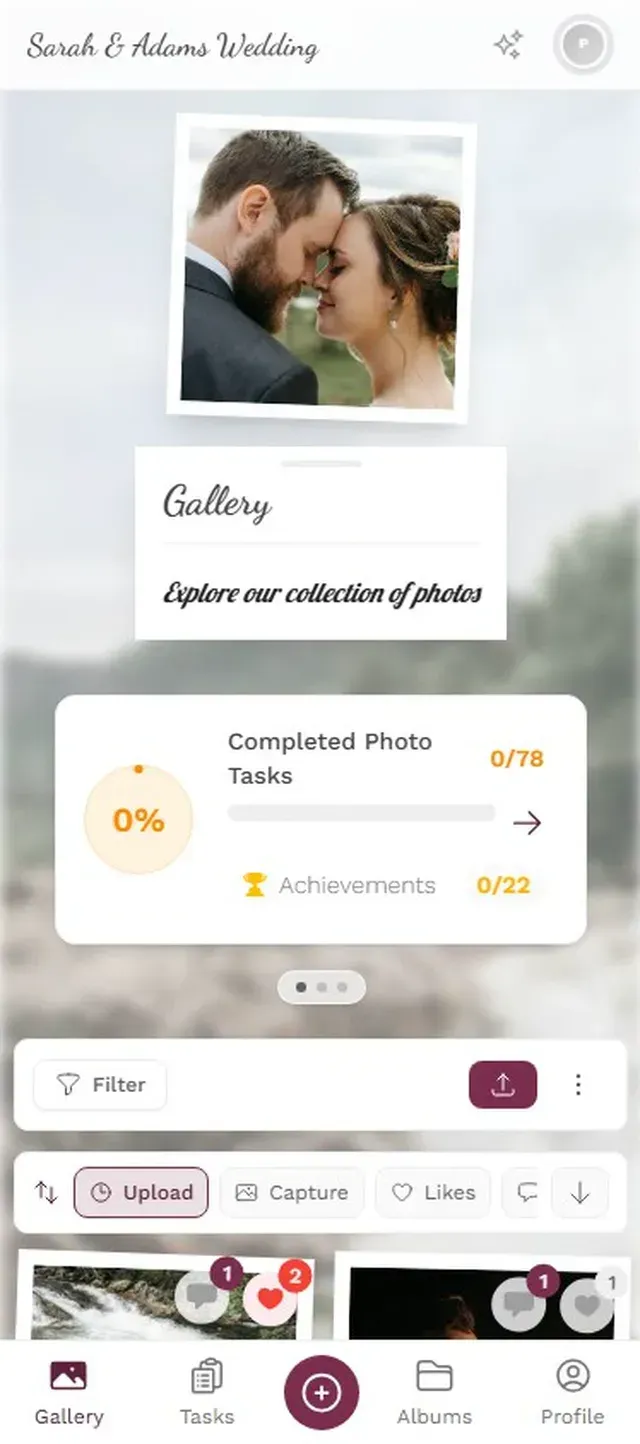
A grid says "here are some photos." A timeline says "here's what happened." A polaroid layout says "this was a moment worth framing."
The layout itself tells a story. Most gallery builders give you one option (the grid) and call it a day. But switching between layouts changes the emotional register of the same set of photos. A vintage layout makes a casual birthday feel nostalgic. A modern masonry grid makes a corporate event look polished. A timeline view turns 400 random uploads into a chronological narrative of the night.
This isn't just aesthetics. Elfsight's research on gallery design found that interactive, well-designed galleries keep users exploring longer and build more credibility than simple grids. The layout does work that captions can't.
Multiple gallery layouts change how the same photos feel
3. Turn Uploading into a Game
This is the idea most gallery websites completely miss. Uploading photos is boring. It's a chore. You open the gallery, hit upload, wait for the progress bar, close the tab.
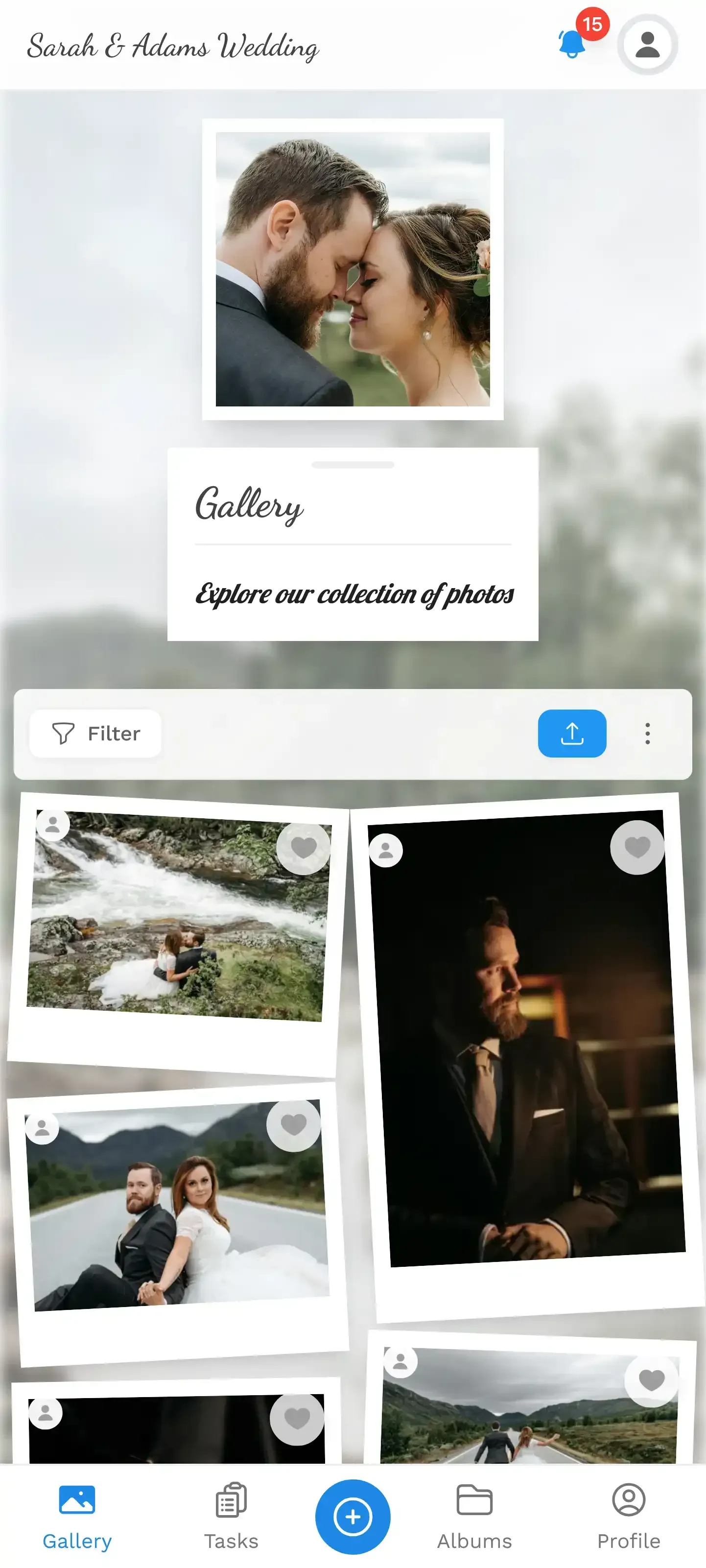
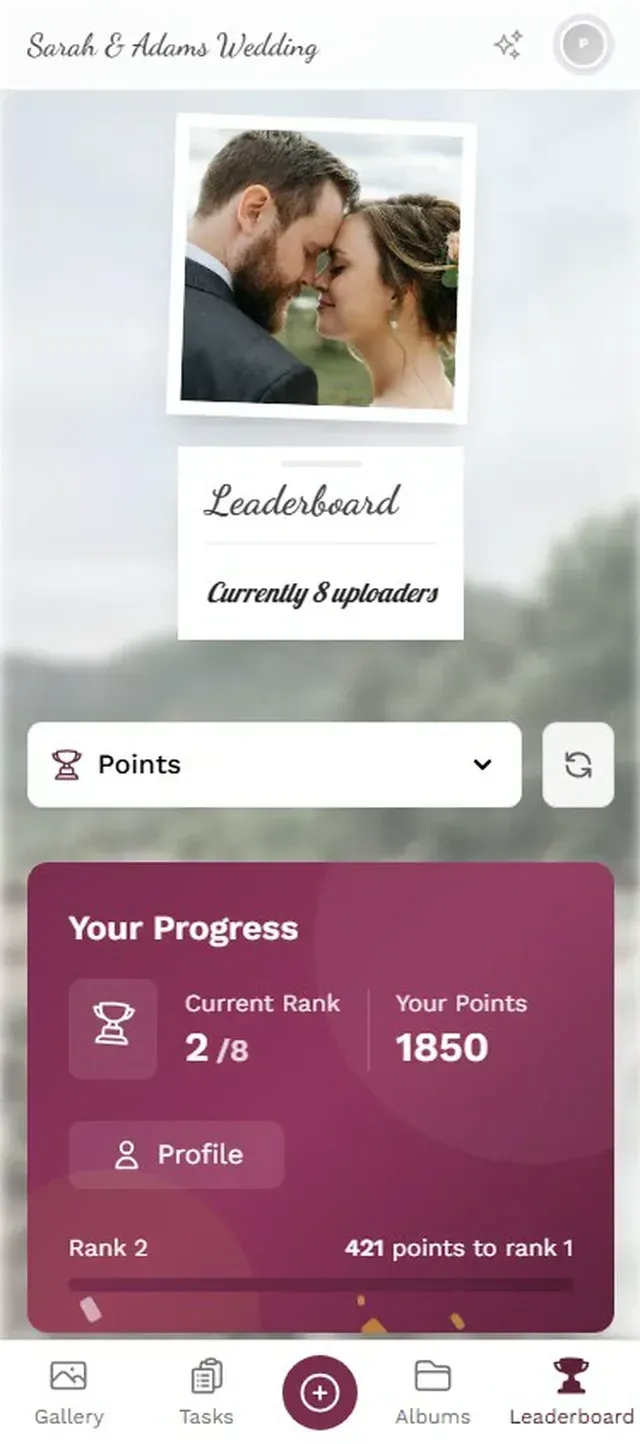
Now imagine every upload earns points. A leaderboard shows who's contributed the most. Specific photo challenges pop up throughout the night: "Best dance floor action shot" or "Find the oldest guest and take a selfie together." One challenge includes an example photo that guests need to recreate, and suddenly people are staging elaborate group poses trying to match it.
Gamification isn't a gimmick. Research from academia found that leaderboards alone increased engagement by 58% in structured environments. At an event, the effect is even more dramatic because the social pressure is immediate. Nobody wants to be last on the board when their friends can see it.
The best photo challenges include example preview photos that show guests what to aim for. This opens up creative formats: photo roulette (recreate the example shot), meme poses, movie scene reenactments. Text-only challenges get maybe 40% participation. Challenges with visual examples? Significantly more.
Discover what Photogala can do
4. Moderation That's Invisible to Guests
Here's a gallery idea nobody talks about until they need it: what happens when someone uploads something inappropriate?
At a casual birthday, maybe it doesn't matter. At a corporate event with 200 employees and the CEO watching the photo wall? It matters a lot. At a wedding where grandma is watching the slideshow? Very much matters.
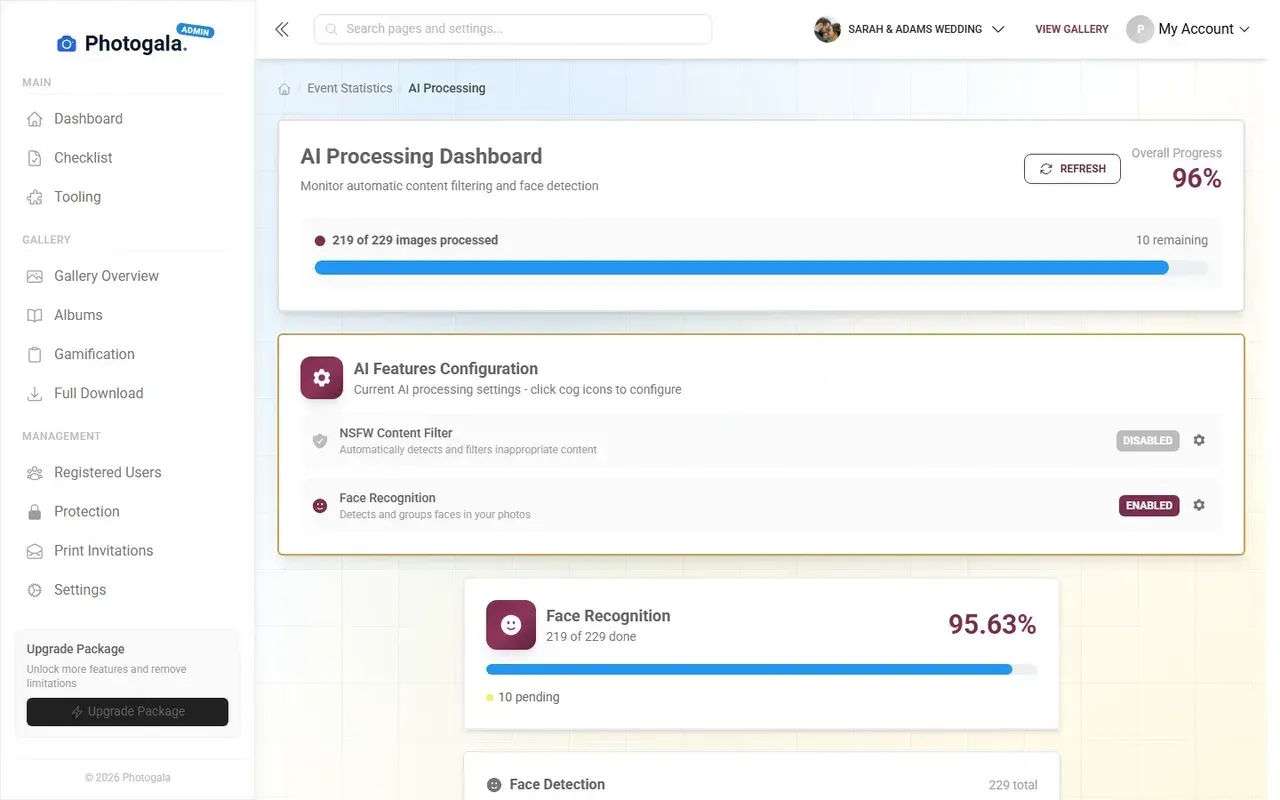
The best gallery websites build moderation into the flow without making it feel like censorship. A designated moderator (assign it to the maid of honor, or the HR coordinator) reviews uploads before they hit the big screen. One tap to approve, one tap to reject. Guests never know the filter exists. They just see a clean, curated gallery.
Some platforms like EventPxl use AI to automatically identify and flag content. That's the direction the industry is heading, and for good reason.
Review every upload before it goes live
5. Social Features That Keep People Coming Back
A gallery most people visit once: download their photos, leave. A gallery people revisit: one where they can comment on photos, tag friends, and react to uploads.
Think about why Instagram works. It's not the photo quality (phone cameras are all good enough now). It's the social layer on top: likes, comments, mentions, the dopamine loop. A photo gallery website that borrows just a few of those mechanics turns a passive archive into something people actually check the morning after the event.
Comments on photos. @mentions that notify people. A like count that creates gentle competition. These aren't complex features, but almost no event gallery platform includes them. Most stop at "upload and view."
What This Looks Like in Practice
Let's put these ideas together with a real scenario.
Imagine a 150-guest wedding. The couple sets up a photo gallery with a QR code printed on table cards. Guests scan it (no app to download, it works in the browser). They upload photos throughout the evening. A photo wall behind the bar displays new uploads every few seconds.
But here's where it gets interesting. The couple has set up eight photo challenges: "Best dance move," "Most creative table selfie," "Catch the flower bouquet mid-air." One challenge shows an example photo of the couple's dog wearing sunglasses. Guests need to find the dog and recreate the pose. By 10 PM, 23 people have attempted it, and the leaderboard is getting competitive.
The maid of honor is moderating from her phone. She's rejected exactly two photos (blurry duplicates, nothing scandalous). Every approved photo appears on the wall and in the gallery. By midnight, the gallery has 380 photos from 67 different uploaders.
The next morning, guests open the gallery link again. They browse photos, leave comments, tag themselves. The gallery stays active for days, not hours.
That's not a fantasy. That's what happens when you combine the five ideas above into a single platform.
The Honest Trade-offs
Not every idea fits every situation. A photographer delivering client work doesn't need gamification. A corporate headshot gallery doesn't need a leaderboard. And a browser-based gallery, while convenient (no app install for guests), means you're dependent on the venue's WiFi. Weak signal in a rustic barn? Uploads will be slow.
There's also the cost question. Free AI website builders can create a basic photo gallery page, and for a personal portfolio, that might be all you need. But the moment you need multiple contributors, real-time updates, or moderation, free tools hit their ceiling fast.
The right approach depends on what the gallery is for. Portfolio showcase? A clean grid on Pixieset or your own website is perfect. Multi-contributor event gallery with engagement features? That's a different tool entirely.
Where Photogala Fits
Photogala combines the ideas above into one platform: live photo wall, four gallery layouts (modern, polaroid, timeline, vintage), photo challenges with example photos, leaderboard, social features (comments, likes, mentions), and AI-powered moderation with NSFW filtering.
It runs in the browser. No app install. Guests scan a QR code and start uploading. Every plan includes unlimited photos, unlimited guests, and original quality. The Premium plan (€69 one-time, not a subscription) unlocks gamification and moderation. Deluxe adds AI face recognition and geo maps.
It's not free, and it's not a website builder. It's specifically built for event galleries where multiple people contribute, and where you want those people to actually engage, not just dump files. If you want a photo gallery website template for a portfolio site, there are better options. If you want a gallery that turns 150 passive guests into active participants, that's the gap Photogala fills.
Challenges give guests a reason to keep uploading

Ready to create your gallery?
Start sharing your event photos with guests in minutes.
Create GalleryWritten by

I believe event photos should be more than static galleries. They should be live, playful, and unforgettable.
Categories
Related Posts

Multicultural Wedding Photo Sharing: Honoring Every Tradition in One Gallery
When your wedding blends two (or more) cultures, collecting guest photos gets complicated fast. Here's how to make it work without losing a single moment.

Free Event Planning Tools Every Organizer Should Bookmark
The best free tools for budgets, guest lists, timelines, photo sharing, and more. No subscriptions, no bloated software suites.

Milestone Birthday Photo Sharing: 30th, 40th, 50th and Beyond
At milestone birthdays, decades of relationships converge in one room. Here's how to collect every guest's photos before they vanish into 40 separate camera rolls.