The Rise of AI Photo Sorting: How Smart Galleries Are Changing Event Photography

Eight hundred photos from a single corporate summer party. That was the number staring back at me from a shared Google Drive folder last July. Twelve contributors, zero organization, and somewhere in that mess were the three shots the marketing team actually needed for the company newsletter.
Finding those three photos took 45 minutes of scrolling.
That experience isn't unusual. According to Pics.io's research, people spend roughly 65% of their photo management time just searching for the right images. Not editing. Not sharing. Searching. And when you multiply that across dozens of contributors at an event, the problem compounds fast.
AI photo sorting is starting to change this. Not in some futuristic, conceptual way. Right now, in tools you can actually use at your next event. But the technology isn't magic, and it's worth understanding what it does well, where it stumbles, and how to get the most out of it.
The Real Problem Isn't Taking Photos
Nobody struggles with the capture part anymore. Smartphones are absurdly good cameras. The average user takes around 3,000 photos per year, and at events those numbers spike. A 200-guest wedding can easily generate 500-800 guest photos in a single evening, on top of whatever the professional photographer delivers.
The bottleneck hits after the event ends.
Picture a wedding planner trying to assemble a highlight gallery for the couple. She has the photographer's curated 350 shots, plus a shared album with 600+ guest uploads. Some are duplicates. Some are blurry. Some are stunning candid moments the photographer missed entirely. Sorting through all of that manually? That's a full afternoon of work, minimum.
Traditional folder systems break down once you cross a few hundred images with multiple contributors. Naming conventions go out the window ("IMG_4521.jpg" tells you nothing), duplicates multiply, and finding every photo of, say, the groom's parents becomes a game of endless scrolling.
What AI Photo Sorting Actually Does
The term "AI sorting" gets thrown around loosely, so let's be specific about what's happening under the hood. There are three main capabilities that matter for event photography:
Face Recognition and Clustering
This is the headline feature. The AI scans every uploaded photo, detects faces, and groups them by person. Upload 400 photos from a birthday party, and the system creates clusters: here are all 47 photos with Grandma in them, here are the 23 with the birthday kid, here are the 8 where both appear together.
The practical value is enormous. Instead of scrolling through hundreds of photos to find every shot of a specific person, you tap their face cluster and see them all instantly. For events where people want their photos (which is basically every event), this saves hours.
It's not perfect. Dim lighting, unusual angles, and sunglasses can confuse face detection. Clusters sometimes split one person into two groups, or merge two similar-looking people. Good systems let you manually merge or split clusters to correct mistakes.
Content Filtering
AI can flag or auto-remove inappropriate content before it hits the shared gallery. This matters more than you'd think. At any event with alcohol and a few hundred smartphones, someone will upload something the host would prefer not to show on the big screen.
NSFW filtering with configurable sensitivity means the host sets the threshold. A corporate event might want strict filtering. A friend's bachelor party might want almost none. The point is: it happens automatically, in real time, without someone manually reviewing every upload.
Smart Organization
Beyond faces, AI can sort by timestamp, location data, and visual similarity. Photos from the ceremony cluster separately from the reception. Dance floor shots group together. The result is a gallery that feels curated even though nobody manually organized anything.
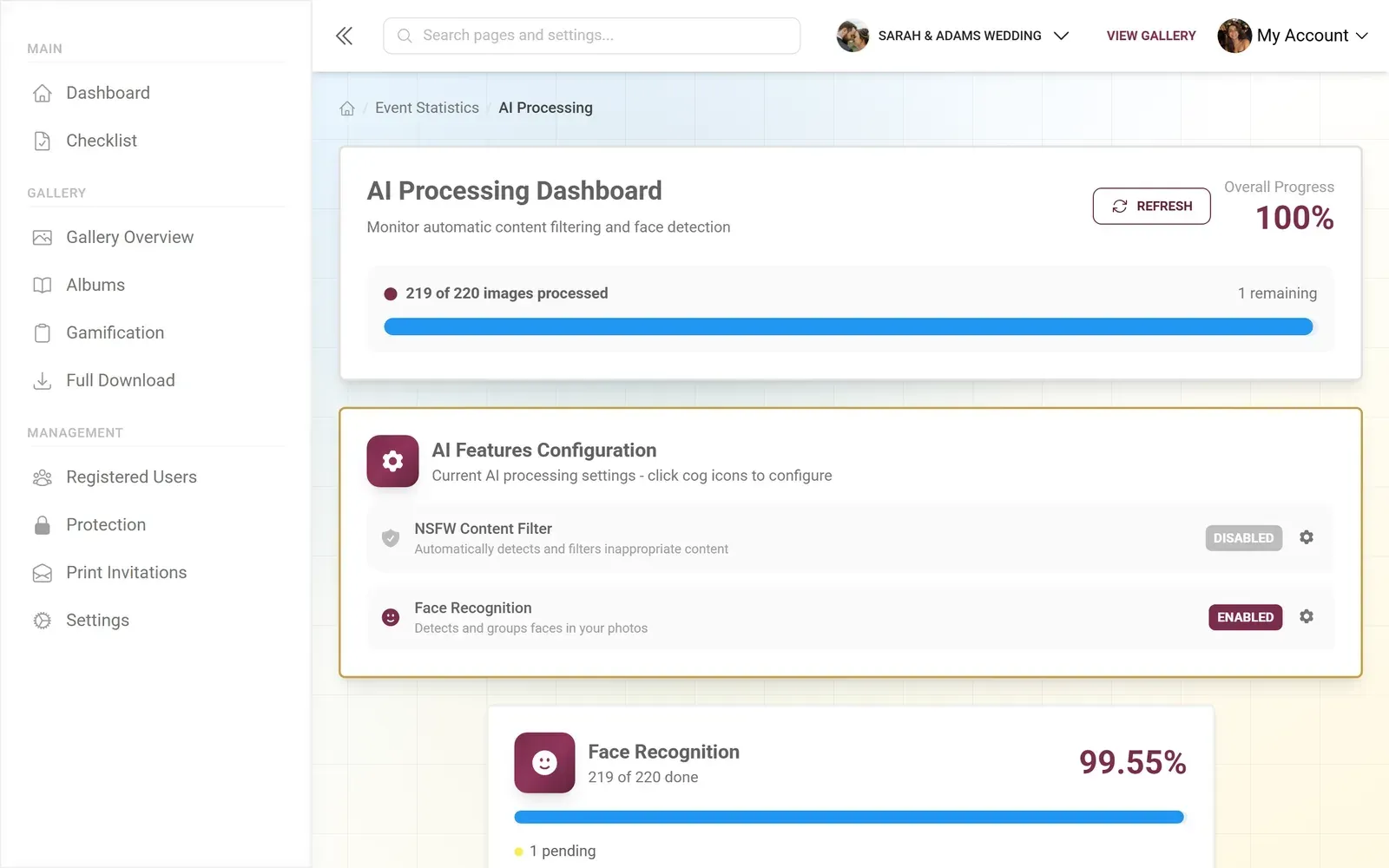
1.Face clusters let guests find every photo of themselves instantly
The 2025 Workflow Shift
The 2025 Aftershoot Photography Workflow Report, which surveyed over 1,000 professional photographers, found something interesting: clients barely notice whether AI was involved in the editing and sorting process. They judge the result, not the method.
That's a significant shift. It means the old argument ("AI lacks the human touch") doesn't hold up when tested against actual client satisfaction. What clients do notice is speed. Fast delivery has replaced marathon editing sessions as the new professional standard.
For event photography specifically, TurtlePic's analysis highlights that post-event work is the real bottleneck: thousands of images, tight deadlines, endless sorting. AI automates the tedious parts (culling duplicates, grouping by person, flagging blurry shots) while freeing the photographer, or the event host, for the decisions that actually require human judgment.
The honest trade-off: AI sorting works best with good input. If most of your event photos are taken in very low light or heavy motion blur, face detection accuracy drops noticeably. Well-lit venues with decent smartphone cameras produce the best results.
See it in action
Every guest photo in one album – no app.
What This Looks Like in Practice
Say you're organizing a company team-building day for 80 people. You set up a shared gallery with a QR code at the entrance. Throughout the day, people upload photos from their phones. No app download, just scan and upload.
By 4 PM, there are 260 photos in the gallery from 34 different uploaders. Without AI sorting, that's a wall of chronological thumbnails. Finding every photo of the CEO giving her speech means scrolling through everything.
With face recognition running in the background, those 260 photos are already grouped by person. The HR manager pulls up the CEO's face cluster: 14 photos, different angles, different photographers. She picks the three best ones for the internal newsletter in about 90 seconds.
Meanwhile, the NSFW filter quietly rejected two uploads that someone thought were funny after the third beer. Nobody had to review them manually. They just didn't appear.
That's the difference. Not a revolution in photography. Just the removal of the grunt work that nobody wants to do.
Choosing the Right Level of AI
Not every event needs the full AI toolkit. A casual birthday with 20 friends and 60 photos? Basic chronological sorting is fine. You don't need face recognition for that.
Here's a rough guide:
When AI Sorting Pays Off
| Event Type | Face Recognition | Content Filtering | Smart Clustering |
|---|---|---|---|
| Small birthday (10-30 guests) | |||
| Family reunion (30-60 people) | helpful | ||
| Wedding (80-200+ guests) | essential | recommended | |
| Corporate event (50-200) | essential | essential | |
| Multi-day festival (100+) | essential | essential |
The pattern is simple: more people and more photos means more value from AI sorting. Below 100 photos, you can scroll through them manually without much pain. Above 300, manual organization becomes a real time sink.
The Face Recognition Deep Dive
Since face recognition is the feature that generates the most questions, let's go deeper.
Modern face clustering works in stages. First, the system detects faces in each image (the "is there a face here?" question). Then it generates a mathematical representation of each face, essentially a fingerprint. Finally, it compares those fingerprints across all photos and groups similar ones together.
The accuracy depends heavily on conditions. Front-facing, well-lit photos get clustered almost perfectly. Profile shots, heavy shadows, or photos where someone is mid-laugh with their face scrunched up are harder. Most systems hit 85-95% accuracy in typical event conditions.
The manual correction tools matter a lot here. A system that's 90% accurate but lets you merge two split clusters with one tap is more useful than one that's 95% accurate with no manual override. Because you will need to make corrections, and the question is whether that takes 30 seconds or 10 minutes.
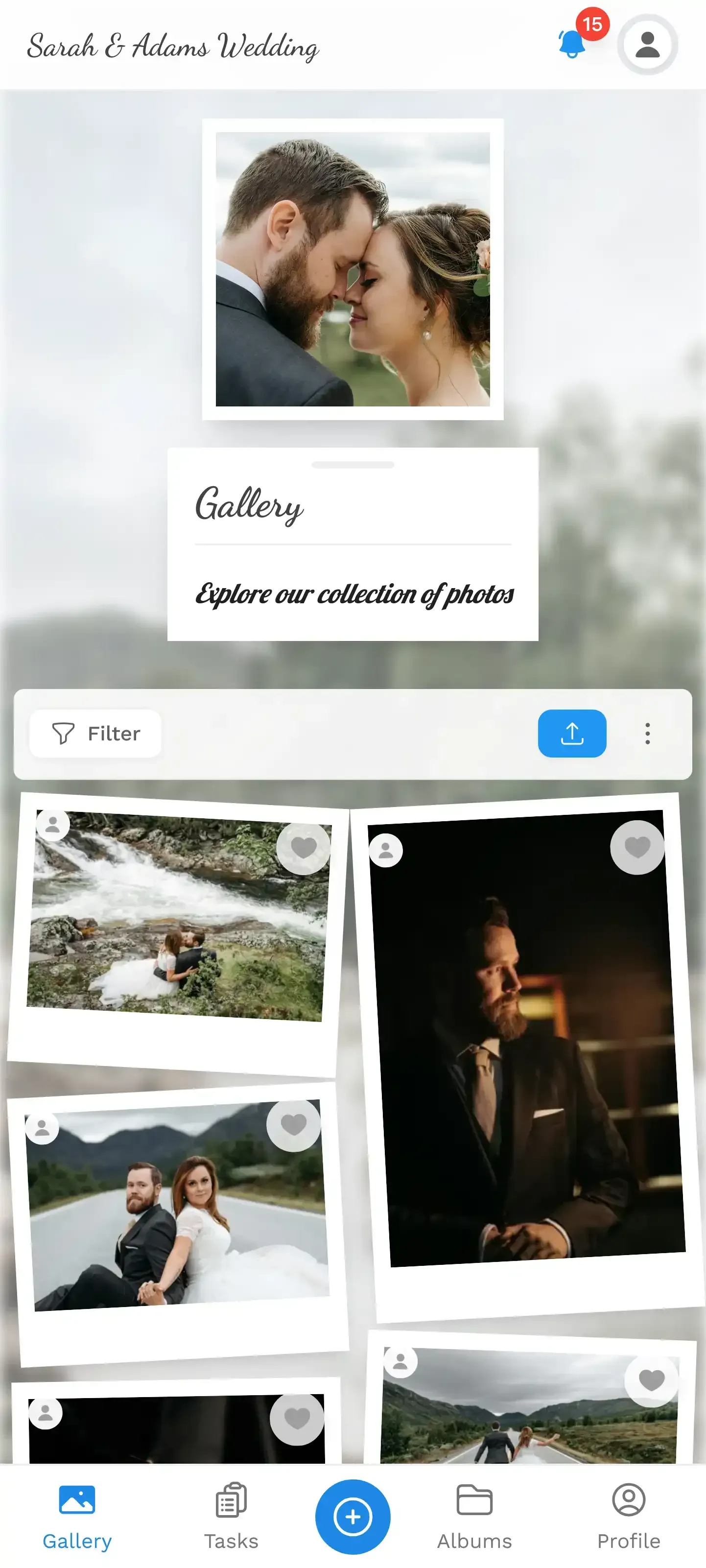
1.A clean, browsable gallery without manual organization
Beyond Sorting: What Smart Galleries Enable
Once photos are sorted by person, some interesting possibilities open up.
Personal galleries become automatic. Instead of asking guests to tag themselves in photos (spoiler: they won't), face recognition creates a personal gallery for each person at the event. Grandma gets a link to all 31 photos she appears in, without tagging a single one.
Finding group shots becomes trivial. Want every photo where both the bride and her mother appear together? With face data, that's a filter, not a 20-minute search. For large weddings, this alone saves significant time when creating albums or slideshows.
Photo walls get smarter. If you're running a live photo wall at the venue (a TV or projector cycling through guest uploads), face data can help balance whose photos appear. Without it, the wall shows photos chronologically, which means the person who uploaded 40 photos dominates the screen. With face-aware rotation, everyone gets represented.
For a deeper look at how event galleries have evolved beyond simple grids, there's a good overview in Photo Gallery Website Ideas That Go Beyond the Grid.
The Practical Setup
If you're convinced AI sorting is worth trying, here's what the setup actually looks like with a platform that supports it:
Getting AI-Sorted Event Photos
Create a gallery and share the QR code
Guests scan the code on their phones. No app download needed. They pick a name and start uploading immediately.
Photos upload and AI processes in the background
Face detection, clustering, and content filtering happen automatically as photos come in. You don't need to trigger anything.
Browse by person, not by timestamp
After the event, open face clusters to find every photo of any guest. Merge or split clusters if needed with a single tap.
Download or share the organized gallery
Grab individual photos, share someone's personal gallery link, or bulk download everything as a ZIP.
The key thing: none of this requires technical knowledge from the host. You set it up, share the QR code, and the AI handles the organization layer. If you want to review and correct face clusters afterward, it takes a few minutes. If you don't bother, the auto-clustering is still dramatically better than a flat, unsorted photo dump.
Worth noting: AI face recognition is typically available on higher-tier plans. Photogala includes it in the Deluxe tier alongside NSFW filtering and geo map views. The basic photo sharing and challenge features work on all plans. It's a trade-off: not everyone needs AI sorting, and the pricing reflects that.
What AI Sorting Can't Do (Yet)
Honesty check. There are real limitations.
AI can't tell you which photos are emotionally meaningful. It can identify faces, detect blur, and flag inappropriate content. But the blurry, slightly out-of-focus photo of grandpa wiping away a tear during the speech? An AI might flag that as low quality. A human knows it's the best photo of the night.
Context is another gap. The AI doesn't know that the photo of an empty dance floor at 6 PM is boring, but the one at 2 AM tells a story. It groups by visual similarity, not narrative value.
And as Pixpa's analysis of AI tools notes, AI accelerates workflows but doesn't replace creative judgment. The sorting, filtering, and grouping save hours of tedious work. The curation, the selection of which photos actually matter, still needs a human.
That balance is actually healthy. You probably don't want a fully automated gallery where the AI decides what's shown and what's hidden. You want the AI to do the boring organizational work so you can spend your time on the interesting decisions.
Where This Is Heading
The photography industry is moving toward authenticated, AI-assisted workflows. Content credentials (C2PA signing) are starting to appear in cameras from Leica, Nikon, and Sony, adding verification that a photo is authentic. Combined with AI sorting, this means future event galleries could automatically verify that every photo is a real, unmanipulated capture from a real device.
For event hosts, the trajectory is clear: less manual work, more intelligent automation, and galleries that organize themselves. The technology isn't there yet for every use case, but for the core task of "make sense of 500 event photos without spending an entire afternoon," it works right now.
Back to that corporate party folder with 800 photos. Imagine those had been uploaded to a gallery with face recognition running. The marketing team's three newsletter photos? Found in under a minute. The HR team's slideshow for the next all-hands? Built from face clusters in 15 minutes instead of two hours.
That's not a future promise. That's a Tuesday.
All of this comes with your own event.
Setting it up takes five minutes. You can build and view everything before you decide.
Starting from €39 one-timeOne-time payment — No subscription
- No App Required
- Setup in 5 Minutes
- 30-Day Money Back
“Excellent service and great pictures! Photogala fully met our expectations at the event. The value for money is unbeatable. Absolutely recommended! The seating plan saved us a lot of hassle!”
Written by

I believe event photos should be more than static galleries. They should be live, playful, and unforgettable.
Categories
Related Posts

Bridal Shower Photo Sharing: Collect Every Sweet Moment in One Gallery
Bridal shower photos end up scattered across 15 phones. Here's how to get them all into one gallery before the mimosas wear off.

Maternity Photo Sharing: How to Keep Every Announcement, Bump Shot, and Memory in One Place
Pregnancy announcements land on 4 different apps. Maternity photos get lost in group chats. Here's how to keep every photo in one shared gallery your whole family can access.

Sales Kickoff Photo Sharing: How to Turn a Mandatory Meeting Into a Team Memory
Sales kickoffs are expensive. The photos from them usually disappear into 14 different camera rolls. Here's how to fix that.