Sports Tournament Photo Sharing: How Teams and Parents Can Collect Every Action Shot


Saturday morning, 8 AM. Six fields, four age groups, fourteen teams. Every sideline packed with parents holding up smartphones, shooting burst after burst of their kid's header, slide tackle, or victory dance. By Sunday evening, somewhere between 2,000 and 5,000 photos exist across those phones. And then what?
Nothing. That's what.
The photos sit in camera rolls. A few get posted to Instagram. Maybe one parent texts a handful to the team group chat. The rest vanish. The coach who wanted a highlight reel never gets the footage. The parent who forgot their phone gets nothing. Sound familiar?
Youth sports tournaments are one of the most photographed events on the planet, yet they have the worst photo-sharing infrastructure of any organized activity. A 2024 study from PhotoAid found that 45% of all smartphone photos are taken at events like these. The gap between "photos taken" and "photos shared" is enormous, and closing it doesn't require a professional photographer or expensive software. It requires a system.
Why Tournament Photo Sharing Falls Apart
The core problem isn't that parents don't want to share. They do. It's that every existing method creates friction that kills momentum.
WhatsApp and iMessage groups seem like the obvious answer. But with 14 teams at a tournament, you'd need 14 group chats. Parents from opposing teams never share with each other. File compression destroys image quality. And scrolling through 300 messages to find your kid's goal? Forget it.
Google Photos shared albums work if everyone has a Google account. At a youth tournament, that's maybe 60% of parents. The rest get a confusing prompt to sign up, and most bail. Apple's iCloud sharing has the same problem from the other direction.
Team management apps like TeamSnap include photo sharing, but they're designed for a single team. Tournament-wide sharing across multiple teams from different clubs? Not built for that. And parents from the opposing team definitely aren't downloading your team's app to share that incredible save their kid made against yours.
The result: every tournament produces a mountain of great photos that nobody outside the photographer's immediate circle ever sees.
The QR Code Fix
Here's what actually works. One QR code, printed on a banner at the registration table or taped to each field's scoreboard. Any parent scans it with their phone camera, a browser gallery opens (no app install, no account creation), and they upload directly.
That's the entire workflow. Scan, tap, upload. A parent who's never heard of the tournament organizer's tech stack can contribute photos in under 30 seconds.
This approach sidesteps every problem with the old methods. No group chats to manage. No accounts to create. No platform lock-in. And because everyone uploads to the same gallery, you get photos from both sidelines, not just your own team's parents.
Print the QR code large enough to scan from 3-4 meters away. A standard A4 printout works for a registration desk, but for field-side placement, go A3 or bigger. Laminate it. Tournaments are outdoor events, and one rain shower can destroy a paper sign.

1.Any parent scans the code and opens the gallery instantly
Setting Up a Tournament Gallery That Actually Gets Used
Having a QR code is necessary but not sufficient. The difference between a gallery with 40 uploads and one with 400 comes down to a few practical decisions.
Timing matters more than you think
Don't reveal the QR code at halftime of the third game when everyone's already settled into their routines. Introduce it at registration, before the first whistle. Include it in the pre-tournament email. Print it on the back of the schedule handout. The earlier parents know about it, the more likely they are to shoot with sharing in mind.
Make it visible at every field
One QR code at the main tent isn't enough if there are six fields spread across a complex. Each field needs its own visible code. Tournament planning research emphasizes that every detail in event logistics matters. Photo sharing is no different. If a parent has to walk 200 meters back to the registration tent to find the QR code, they won't bother.
Use photo challenges to guide what gets uploaded
Left to their own devices, parents upload what they always upload: their own kid scoring goals. Which is great, but it means you miss the candid stuff. The team huddle. The post-game snack pile. The coach's reaction to an offside call.
Photo challenges fix this. Set up 8-10 specific prompts: "Best celebration photo," "Funniest sideline moment," "Team huddle from above," "The water break." Each challenge can include an example preview photo showing what you're looking for, so parents immediately understand the vibe. One challenge could even be a photo roulette: upload a random reference image (say, a famous sports celebration) and ask parents to recreate it with their kid's team.
With challenges, you're not just collecting random snapshots. You're curating a story of the entire tournament.
See it in action
Every guest photo in one album – no app.
The Leaderboard Effect
Here's something that surprised me when I first saw it in action at events. Parents are competitive. Obviously. They're at a sports tournament. That competitive energy doesn't stop at the sideline.
Add a leaderboard to the photo gallery and watch what happens. Research on gamification shows leaderboards increase engagement by 58% in educational settings. At a sports tournament, the effect is arguably stronger because the audience is already primed for competition.
Picture a tournament where the leaderboard is displayed on a tablet at the snack bar. By the second round of games, parents are checking their ranking between matches. The dad who uploaded 3 photos in the morning has uploaded 15 by afternoon because he saw the team manager from the next field has 22. It sounds absurd. It works.
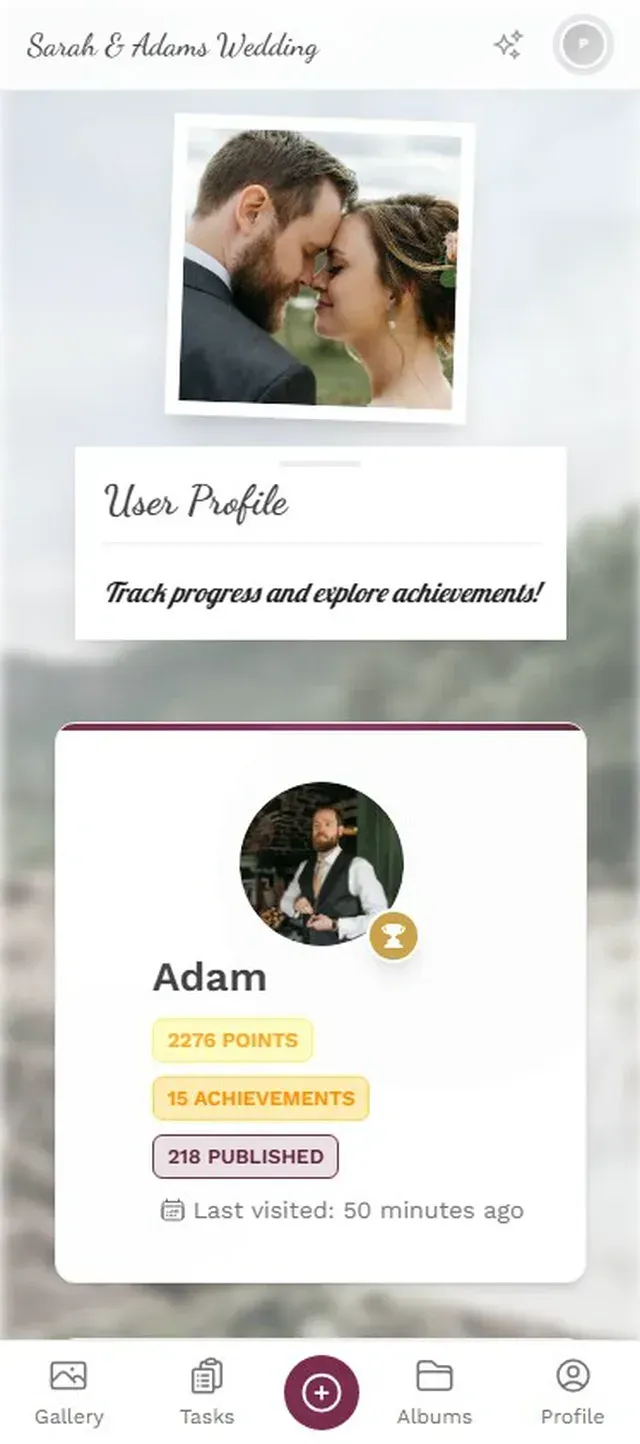
1.Guests check their ranking throughout the event
What About Privacy?
This is the question every tournament organizer asks, and rightfully so. You're dealing with photos of minors. The stakes are higher than a wedding gallery.
A few non-negotiable rules:
- Get blanket photo consent during registration. Most youth sports organizations already include media release forms. Add a line about the shared photo gallery.
- Use content moderation. Assign a volunteer (or two) as moderators who approve photos before they appear in the gallery. Pre-approval takes about one tap per photo, and it means nothing inappropriate ever goes public.
- Keep the gallery access-controlled. A QR code is shareable, but you can restrict who can view vs. who can upload. Parents upload freely; public viewing stays behind a link only shared with registered families.
One honest trade-off with browser-based galleries: there's no native app with biometric lock. The gallery is as secure as the link. For most youth tournaments, QR-code-gated access with moderation is more than sufficient, but if your organization requires enterprise-grade access controls, you'll want to evaluate that against your specific policies.
Photogala's moderation dashboard lets you assign multiple moderators who can approve or reject uploads from their phones. For a multi-field tournament, assign one moderator per two fields. They'll stay on top of the queue without it feeling like a second job.
After the Final Whistle
The tournament ends. Trophies are handed out. Families pile into minivans. But the photo gallery keeps working.
Parents who were too busy coaching or filming video during the games now have time to browse, download their favorites, and upload the shots they forgot about. The 48 hours after a tournament typically generate 20-30% of all uploads, because that's when parents finally sit down and go through their camera rolls.
This is also when the gallery becomes a highlight reel. Coaches pull photos for the team's social media. The tournament organizer grabs shots for next year's promotional flyer. Parents download team photos they'd never have gotten otherwise, like the one a parent from the opposing team took of their kid making an incredible diving catch.
That cross-team sharing is what makes a centralized gallery fundamentally different from team-specific solutions. A guide on youth sports photography notes the challenge of coordinating photos across multiple teams and schedules. A single shared gallery eliminates that coordination entirely.
Quick Setup: Tournament Photo Gallery in 3 Steps
Create the gallery before the event
Set up your tournament gallery, customize it with your league logo and team colors, and generate the QR code. Takes about 5 minutes.
Print and place QR codes everywhere
Registration desk, each field's scoreboard area, snack bar, and the back of the printed schedule. Laminate for weather protection.
Add photo challenges and assign moderators
Set 8-10 challenges to guide uploads. Assign 2-3 parent volunteers as moderators for pre-approval.
Making It Work for Multi-Day Tournaments
Single-day tournaments are straightforward. Multi-day events (think regional championships, travel ball weekends, or club showcases) need a bit more structure.
Create separate albums within the gallery for each day or each age group. This way, the U-12 parents aren't scrolling through 400 U-16 photos to find their kid. Filters help too. If the gallery supports it, let parents filter by upload time so they can quickly find photos from a specific game slot.
For tournaments spanning Friday evening through Sunday, consider a daily photo challenge rotation. Friday's challenges focus on arrival and team bonding ("Team dinner selfie," "Hotel room chaos"). Saturday shifts to game action ("Best save," "Muddiest uniform"). Sunday closes with celebrations and farewell shots. This keeps the content fresh and gives parents new reasons to engage each day.
The gallery also doubles as a communication tool. Pin an announcement photo at the top with schedule changes, weather delays, or field reassignments. Parents are already checking the gallery constantly. Put useful information where their eyes already are.
Next Saturday morning, when those six fields are buzzing and every sideline is lined with phone cameras, the photos don't have to disappear. A QR code on each scoreboard, a gallery that takes 30 seconds to contribute to, and suddenly every parent's camera roll feeds the same collection. The coach gets the highlight shots. The parent who left early gets the celebration photos. The kid who scored the winning goal in the semifinal gets to see it from five different angles.
That's worth the ten minutes of setup.
All of this comes with your own event.
Setting it up takes five minutes. You can build and view everything before you decide.
Starting from €39 one-timeOne-time payment — No subscription
- No App Required
- Setup in 5 Minutes
- 30-Day Money Back
“We used the software at my mum's birthday party. It went down really well 😊”
Written by

I believe event photos should be more than static galleries. They should be live, playful, and unforgettable.
Categories
Related Posts

Bridal Shower Photo Sharing: Collect Every Sweet Moment in One Gallery
Bridal shower photos end up scattered across 15 phones. Here's how to get them all into one gallery before the mimosas wear off.

Maternity Photo Sharing: How to Keep Every Announcement, Bump Shot, and Memory in One Place
Pregnancy announcements land on 4 different apps. Maternity photos get lost in group chats. Here's how to keep every photo in one shared gallery your whole family can access.

Sales Kickoff Photo Sharing: How to Turn a Mandatory Meeting Into a Team Memory
Sales kickoffs are expensive. The photos from them usually disappear into 14 different camera rolls. Here's how to fix that.