The Complete Guide to Photo Sharing at Charity Galas and Fundraisers

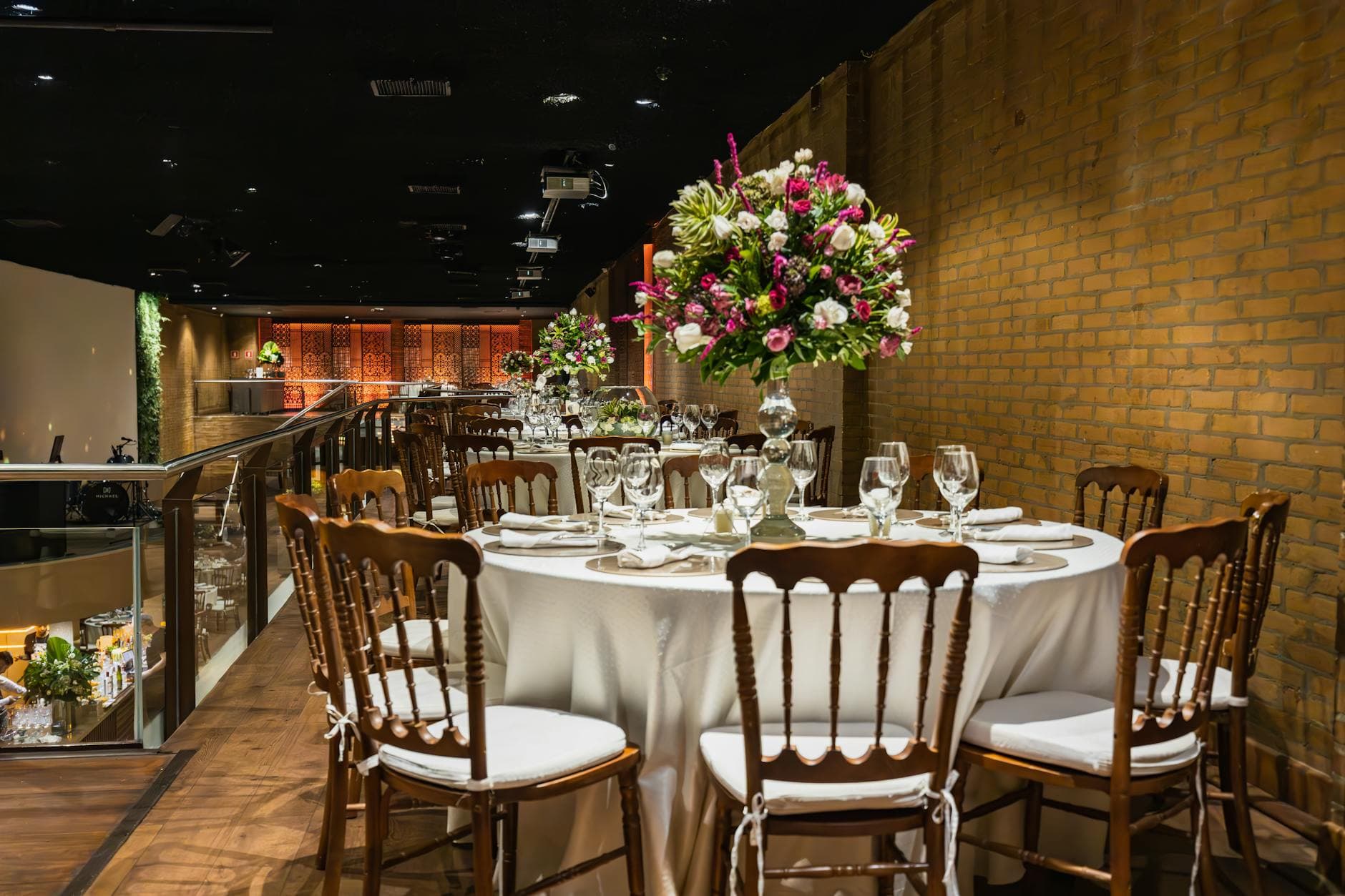
Picture this: a black-tie gala for 300 guests. The silent auction raised $180,000. The keynote speaker got a standing ovation. The event photographer captured 400 beautiful, polished shots. And somewhere on 300 phones, another 1,200 photos sit in camera rolls, unsorted, unshared, slowly drifting toward digital oblivion.
Those 1,200 photos are worth something. Not in pixels, but in stories. The board chair laughing with a first-time donor. A volunteer's kid sneaking a cookie from the dessert table. The moment the fundraising thermometer hit its goal. These candid shots carry emotional weight that professional photography often misses, and they're exactly the kind of content that keeps donors engaged long after the checks clear.
The problem is collecting them. And if you've ever tried to gather photos from a group of 50 people, let alone 300, you know how quickly it falls apart.
Why Gala Photos Disappear (and Why It Matters)
Charity galas are peculiar events. They blend corporate formality with emotional storytelling. The photography has to reinforce the event's thematic goals while also capturing the human moments that make donors feel connected. A professional photographer handles the first part beautifully. The second part? That's on the guests.
The math is simple. A professional photographer covers maybe 5% of what happens at a gala. They're focused on stage moments, posed group shots, and the venue itself. The other 95%, the conversations at Table 12, the impromptu dance floor, the selfie with the charity mascot, lives on guest phones.
And guest phones are where photos go to die. Greenfly's research on group photo collection puts it bluntly: organizing photos from multiple groups without proper tools is "nearly impossible." That's true even for media organizations with full-time staff. For a nonprofit running a gala with three volunteers and a clipboard? Good luck.
The Usual Approaches (and Where They Break)
Most gala organizers default to one of three methods. All of them work in theory. None of them work well in practice.
The WhatsApp Group
Someone creates a group chat. Adds 40 people. Asks everyone to share their photos. What actually happens: 6 people share, the chat turns into a conversation thread, and the photos are compressed to the point where you can't use them in a donor newsletter. The other 260 guests never joined the group in the first place.
The Shared Google Drive / Dropbox Folder
Better in theory. You create a folder, share the link, and guests upload at their leisure. In practice, half the guests don't have Google accounts. Others get confused by folder permissions. And three weeks later, the folder has 47 photos from 8 people because the other 292 forgot the link existed.
The "Email Us Your Photos" Approach
The communications director sends a follow-up email asking guests to share their best photos. Response rate: roughly the same as your direct mail campaign. Single digits.
The common thread? Friction. Every extra step between "I just took a great photo" and "it's now in the shared collection" loses people. At a gala, where guests are dressed up, holding drinks, and socializing, even one extra step is too many.
The friction rule: If your photo collection method requires guests to remember a URL, download an app, create an account, or do anything beyond point-and-tap, you'll collect photos from fewer than 5% of attendees.
What Actually Works: QR Code Photo Sharing
The solution that's quietly taken over event photo sharing is deceptively simple. Print a QR code. Guests scan it with their phone camera. A browser-based gallery opens. They upload. Done.
No app download. No account creation. No login. No shared folder links to remember. The entire process, from scanning to uploading, takes under 30 seconds.
For charity galas specifically, this matters more than you'd think. Your guest list includes board members in their 60s, corporate sponsors who won't install random apps on their work phones, and young professionals who'll scan a QR code without thinking twice. A browser-based approach is the only one that works across all of them.

1.Guests scan, tap, upload. No app, no account.
See it in action
Every guest photo in one album – no app.
Setting Up Photo Sharing for a Charity Gala
The logistics of gala photo sharing are different from a wedding or a birthday party. Galas have sponsors, brand guidelines, VIP guests who may not want their photos public, and a communications team that needs usable content afterward. Here's how to set it up properly.
Before the Event
Start by deciding what the photos are for. This sounds obvious, but it changes everything. If the goal is a donor newsletter, you need high-resolution originals. If it's social media content, you need volume and variety. If it's internal reporting for the board, you need coverage of key moments. Most galas need all three, which means you need a system that preserves original quality and gives you a way to sort through everything afterward.
Create your gallery 1-2 weeks before the event. Customize it with your organization's branding: logo, colors, event name. This takes about five minutes, but it makes the gallery feel intentional rather than improvised.
Print QR codes. Not just one. Put them on every table, at the bar, near the entrance, on the back of the program, and by the photo booth if you have one. The more places guests encounter the code, the more photos you'll collect. A well-planned gala accounts for guest flow through the venue, and your QR code placement should follow that same logic.
Setup Checklist for Gala Night
Create the gallery
Set up your event gallery with your nonprofit's branding, logo, and event name. Enable content moderation before anything goes live.
Print and place QR codes
Table cards, bar signage, program inserts, entrance display. Aim for at least one QR code per 10 guests.
Brief your volunteers
Assign 1-2 volunteers as moderators. Show them the approval queue. It takes 10 minutes to learn.
Set up the photo wall
Connect a TV or projector near the main social area. Approved photos appear in real time. Instant conversation starter.
During the Event
Here's something most guides skip: someone needs to seed the gallery. Before guests arrive, upload 5-10 photos yourself. The venue setup. The welcome signage. The table arrangements. An empty gallery feels like a party nobody's dancing at. A gallery with a few photos signals "this is happening, join in."
If you're running a live photo wall (a screen displaying uploaded photos in real time), position it where people naturally gather. Near the bar is ideal. Near the coat check is pointless. As event photography experts note, events unfold in real time with no do-overs, so placement decisions matter from minute one.
The photo wall itself becomes a feedback loop. Someone sees their photo on the big screen, nudges the person next to them, and suddenly both of them are uploading. At a 200-guest gala, expect the first 30 minutes to be slow. By the main course, the gallery fills up fast.
Content Moderation: Non-Negotiable for Galas
This is where charity galas differ from casual events. You have donors, board members, and possibly media present. Every photo needs to be reviewed before it appears on the photo wall or in the public gallery.
With Photogala, you can enable pre-approval moderation. Every upload enters a queue. A designated moderator (your communications director, a trusted volunteer, whoever has good judgment) reviews each photo with a single tap: approve or reject. The photo wall only shows approved content.
Is this extra work? Yes. Is it necessary? Absolutely. One unflattering photo of a major donor on the big screen and you've created a problem no amount of fundraising can fix. Moderation isn't a luxury feature for galas. It's table stakes.
Assign two moderators, not one. One person can handle a 50-guest dinner. A 200+ guest gala generates too many uploads for a single person, especially during peak moments like the dance floor or award presentations. Split the shift or run two devices.
After the Gala: Making Photos Work Harder
This is where most organizations drop the ball. The event ends. The team is exhausted. The photos sit in the gallery, and nobody does anything with them for weeks.
Don't let that happen. Post-event photo organization is dramatically easier when you tackle it within 48 hours, while the event is still fresh. Sort immediately. Delete duplicates and blurry shots. Tag the best ones.
Then put them to work:
- Thank-you emails: Include 2-3 candid photos from the event. Donors who see themselves in the email open the next one.
- Social media drip: Don't dump all photos at once. Post 3-5 per week for a month. Tag attendees. Each post re-engages someone.
- Annual report: Guest photos tell the story of community, not just the organization. Use them alongside professional shots.
- Next year's invitation: "Remember this moment?" with a candid photo from this year's gala is more persuasive than any graphic designer's work.
A 300-guest gala that collects 400 guest photos creates enough content for three months of donor engagement. That's not hyperbole. That's a social media calendar practically writing itself.
For a deeper look at turning gala photos into ongoing donor engagement, check out how to share corporate event photos so people actually see them.
The Honest Trade-Offs
No system is perfect. A QR-code-based gallery like Photogala works in the browser, which means it depends on venue Wi-Fi or guests' mobile data. Most gala venues have decent connectivity, but if your event is in a historic mansion with stone walls and spotty reception, test it beforehand. Upload a few photos from different spots in the venue during your walkthrough.
The Plus plan (€39) covers up to 75 uploaders, which is fine for an intimate donor dinner but tight for a 300-guest gala. You'll want Premium (250 uploaders plus content moderation) or Deluxe (500 uploaders plus AI face recognition, which lets attendees find their own photos instantly).
And here's a limitation worth knowing: Photogala is browser-based, not a native app. That's a feature for ease of access (no install friction), but it means push notifications work differently than a dedicated app. Guests won't get a "someone liked your photo" ping on their lock screen. For a gala, this barely matters. For a multi-day conference, it might.
What Makes Galas Different from Other Events
Imagine a gala where the organizer sets up photo challenges: "Best dressed table," "Caught mid-laugh," "The auction item you'd bid on if money were no object." These aren't just fun. They're engagement tools. They give guests a reason to explore the event with their camera and interact with people they wouldn't otherwise talk to.
Challenges can include example preview photos showing guests what to aim for. Picture a challenge card on each table with a QR code and a sample photo of last year's "Best Table Selfie" winner. Guests scan, see the example, and try to top it. Suddenly the quiet table in the corner is the loudest in the room.
For galas with a competitive crowd (and let's be honest, most donor audiences skew competitive), a leaderboard adds fuel. The guest who uploaded the most photos gets announced from the stage. It's low-stakes, it's fun, and it generates content your marketing team will use for months.
If you want to see how professional-looking photos are possible without hiring a photographer, that's a whole separate conversation. But the short version: good lighting and enthusiastic amateurs produce surprisingly strong results.
All of this comes with your own event.
Setting it up takes five minutes. You can build and view everything before you decide.
Starting from €39 one-timeOne-time payment — No subscription
- No App Required
- Setup in 5 Minutes
- 30-Day Money Back
“We were really thrilled, and everything went so much more smoothly, from the seating plan all the way to the photo games! Simply great! Highly recommended!”
Written by

I believe event photos should be more than static galleries. They should be live, playful, and unforgettable.
Categories
Related Posts

Sales Kickoff Photo Sharing: How to Turn a Mandatory Meeting Into a Team Memory
Sales kickoffs are expensive. The photos from them usually disappear into 14 different camera rolls. Here's how to fix that.
Customer Appreciation Event Photos: The Album Nobody Plans (But Everyone Wants)
Your best clients showed up, mingled, laughed. Then what? Here's how to turn a customer appreciation event into a shared photo gallery that keeps the relationship warm.
Store Grand Opening Photos: How One QR Code Captures the Ribbon Cutting and Everything After
The ribbon cutting lasts 3 seconds. The photos from your grand opening should last forever. Here's how to collect every guest photo with a single QR code.