Free Event Photo Gallery: Start Sharing Memories Without Paying a Cent

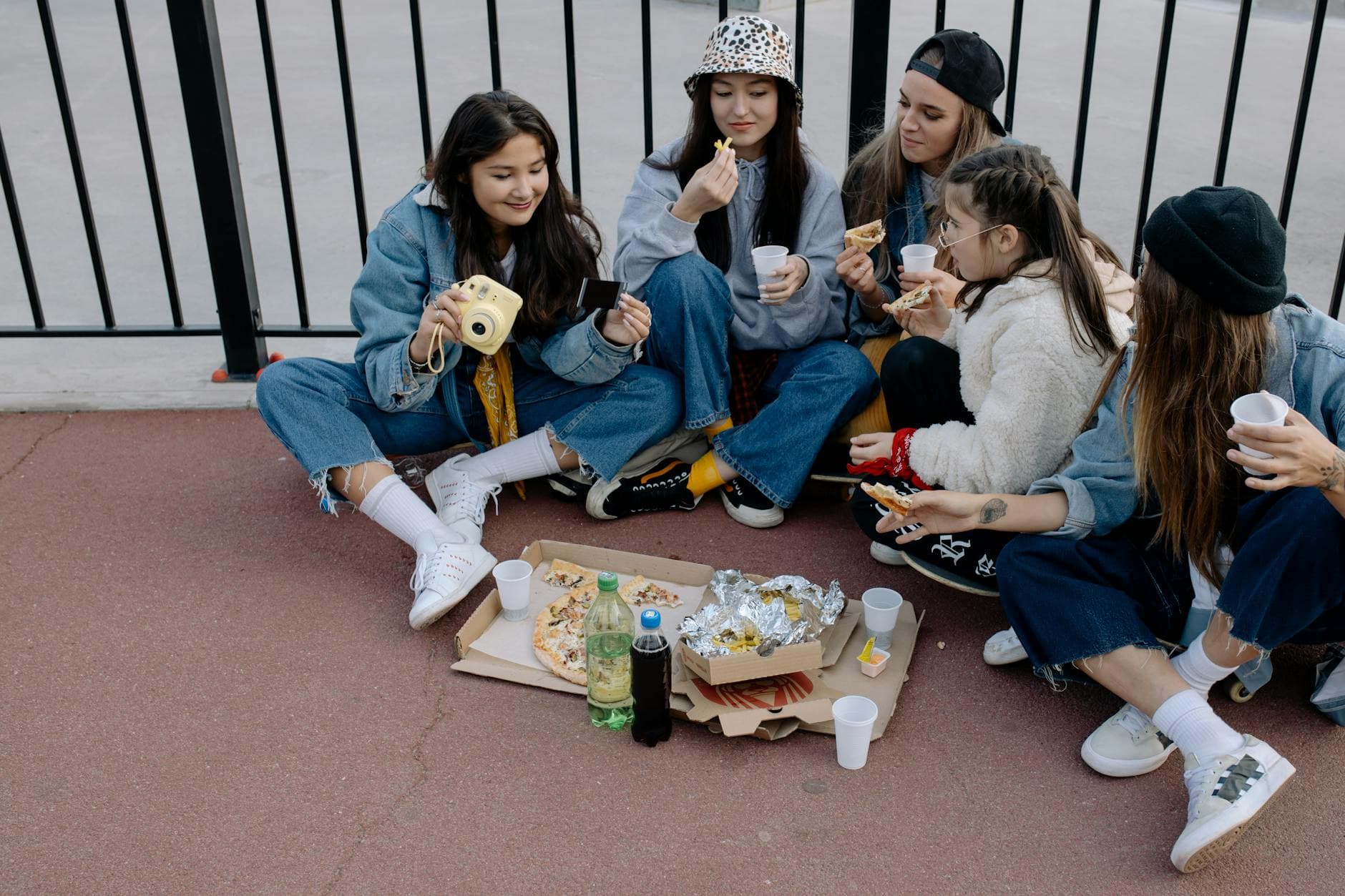
Picture this: your best friend's 30th birthday is in four days. You're hosting. There's no photographer, no budget for fancy tech, and you already know what's going to happen. Thirty people will take photos on their phones, post a few to Instagram Stories that vanish in 24 hours, and the rest will sit in camera rolls forever. Six months later, someone will text the group chat asking if anyone still has "that photo from the balcony" and nobody will.
That cycle is so predictable it's almost comforting. But it doesn't have to be the default. You can set up a shared photo gallery for your event in about two minutes, for free, and every guest can upload without downloading an app or creating an account. The catch? There really isn't one, as long as you understand what you're getting and where the limits are.
Why Free Shared Albums Usually Fail
The obvious first move is a shared iCloud album or a Google Photos link. Both are free, both work reasonably well, and both have a problem that only shows up at events: not everyone uses the same ecosystem. Half your guests have iPhones, half have Android. The iCloud invite goes to 15 people and 7 of them can't open it because they don't have Apple accounts. The Google Photos link works better across devices, but still requires a Google login to upload. That's a small hurdle, but at a party, small hurdles become invisible walls. People tap the link, see a login screen, and go back to their drink.
WhatsApp groups are even worse. Someone creates "Sarah's 30th Photos 📸" and it fills up with 200 compressed thumbnails that look fine on a phone screen and terrible printed on anything larger than a postcard. Plus the group stays active for weeks afterward with stragglers posting random selfies at 2 AM. If you've ever tried to share event photos without forcing guests through app installs, you know the frustration.
According to a Tagbox guide on event photo management, the core challenge is that photos from multiple contributors end up scattered across platforms, requiring manual downloading and re-uploading to consolidate them. A dedicated photo gallery with a single upload link solves that by giving everyone one place to contribute.
What a Free Event Gallery Actually Looks Like
A proper event photo gallery isn't a shared folder. It's a purpose-built space where guests scan a QR code, land on a mobile-friendly page, and start uploading. No app store visit, no account creation, no friction. The photos show up in a shared gallery that everyone can browse during and after the event.
Photogala's Plus plan does exactly this at zero cost. You get 15 uploader slots, 50 photo uploads, a custom QR code, and three months of gallery access. No credit card required. For a casual birthday, a small team lunch, or a family dinner, that's often more than enough. Say you're hosting a dinner party for 12 people. Fifteen uploader slots covers the whole table. Fifty photos means each person can upload about four, which is roughly the number of "good ones" most people are willing to share anyway.
The free tier doesn't include video uploads, photo wall display, or gamification features like challenges and leaderboards. That's a real limitation. If you're planning a wedding or a 100-person corporate event, you'll outgrow it. But for smaller gatherings? It does the job without asking for your credit card.

1.Guests upload directly from their phone browser. No app needed.
Setting It Up in 2 Minutes (Literally)
This isn't an exaggeration. I timed it. The setup is three steps, and none of them require technical skill.
Create Your Free Gallery
Create a gallery
Go to photogala.net/en/new-gallery, name your event, and pick a style. No account setup needed to start.
Grab the QR code
Photogala generates a custom QR code automatically. Download it, screenshot it, or share the link directly.
Share it at the event
Print the QR code on a table card, tape it to the door, or drop the link in a group chat. Guests scan and upload.
That's it. The gallery is live. Guests scan the QR code on their phone camera, enter a display name, and start uploading. No app download screen. No "sign in with Google" popup. This matters more than it sounds, because every extra step between "I want to share this photo" and "done" loses people. A 2022 SendItToYou article on family reunion photo sharing put it well: photos scatter across 30+ phones and rarely get shared, because the effort required to send them exceeds most people's motivation at a party.
See it in action
Every guest photo in one album – no app.
The Honest Trade-Offs of Free
Here's where most "free tool" articles get dishonest. They either pretend free means unlimited, or they bury the limitations in a footnote. Neither helps you make a decision. So here's exactly what you're giving up on a free Photogala gallery:
- 50 photo cap. Enough for 8-15 people uploading a few favorites each. Not enough for a full wedding.
- 15 uploader slots. Every unique person who uploads counts as one slot. Unlimited people can view the gallery, but only 15 can contribute.
- No video uploads. Photos only. If you want guests to capture video moments, you'll need the Plus plan or higher.
- No photo challenges or leaderboard. The gamification features that encourage people to upload more are a paid feature.
- 3 months duration. The gallery stays accessible for three months after the first 10 photos are uploaded. Plenty of time to download everything.
For context, a Gordon Tredgold article on corporate event platforms in 2026 describes the shift toward turning passive attendees into active participants through real-time photo contribution. The free tier gets you the basic version of that participation loop. The paid tiers add the engagement mechanics (challenges, rewards, social features) that push participation further.
But here's the thing: the free tier isn't a crippled demo. The photos are high quality (original resolution, no compression), the gallery looks polished with dark mode and customizable colors, and the QR code works exactly the same way it does on paid plans. You're not getting a watered-down experience. You're getting a smaller container.
When Free Is Enough (and When It's Not)
Imagine a dinner party for your partner's promotion. Twelve people, a nice restaurant, phones on the table. You tape a small QR code card next to the centerpiece. By dessert, 38 photos are in the gallery: someone's candid of the toast, the group shot the waiter took, a close-up of the ridiculous cake your friend brought. Nobody had to install anything. Nobody will forget to send them later.
That scenario fits the free tier perfectly. Now imagine something different: a 150-guest wedding where you want every guest's perspective. You want a live photo wall behind the DJ showing uploads in real time. You want photo challenges on table cards asking guests to capture "the best dance move" or "the flower girl doing something adorable." You want AI face recognition so guests can find their own photos by taking a selfie. That's Premium or Deluxe territory.
The gap between free and paid isn't about quality. It's about scale and engagement tools. A baby shower for 20 people? Free works. A multi-day music festival? You need more.
Making the Most of a Free Gallery
If you're going the free route, a few small moves make a big difference in how many photos you actually collect.
Print the QR Code (Don't Just Text It)
A physical QR code in the room outperforms a link in a group chat every time. People see it, scan it, upload immediately. A link in a message gets buried under 40 other notifications. You don't need anything fancy. Print the QR code on regular paper, cut it out, and tape it to a wine bottle. We've seen creative approaches like sticking QR codes on pizza boxes and chair backs, and they all work better than a digital link.
Placement tip: Put the QR code where people are already standing still: near the food table, at the bar, next to the bathroom mirror. People scan when they're idle, not when they're mid-conversation.
Curate Before You Share
Fifty photos goes fast if people upload duplicates and blurry shots. A quick note on the QR card like "Share your 2-3 best shots!" sets the right expectation. You're not limiting creativity, you're telling guests: quality over quantity. This is especially relevant if you later want to download everything as a ZIP archive and print favorites.
Assign a Photo Champion
One person who actively takes photos and uploads first creates social proof. When others open the gallery and see 8 photos already there, they're far more likely to add their own. An empty gallery feels awkward to be the first contributor to. This psychological nudge is the same reason photo galleries with some initial content outperform blank ones.
Free vs. Paid: A Quick Visual Comparison
Photogala Free vs. Paid Plans
| Feature | Starter (Free) | Plus (€39) | Premium (€69) |
|---|---|---|---|
| Uploader Slots | 15 | 50 | 250 |
| Photo Uploads | 50 | Unlimited | Unlimited |
| Video Uploads | |||
| Photo Wall (TV/Projector) | |||
| Photo Challenges | |||
| Leaderboard & Points | |||
| Gallery Layouts | 1 | 1 | 4 layouts |
| Content Moderation | |||
| Custom Branding | colors only | colors + QR | full branding |
| Event Duration | 3 months | 6 months | 1 year |
| Downloads (ZIP) |
The jump from Free to Plus at €39 gets you unlimited photos, more uploaders, and downloads. For most people stepping up from free, that's the sweet spot. Premium at €69 unlocks the engagement layer (social features, challenges, moderation) that turns a photo collection into an interactive experience. Both are one-time payments, not subscriptions. Your gallery duration starts when the first 10 photos are uploaded, not when you buy.
If you're comparing this to other options, we've written detailed breakdowns of Photogala vs. WeTransfer for event photos and why dedicated apps beat Facebook shared albums. The short version: generic file sharing tools work, but they weren't designed for the specific problem of collecting photos from multiple people at a live event.
Beyond the Party: What Happens After
The gallery doesn't disappear when the event ends. On the free tier, you have three months to browse, share the link with people who couldn't make it, and screenshot your favorites. Paid plans add bulk ZIP downloads and longer storage (up to two years on Deluxe), but even on free, the gallery remains accessible.
Imagine hosting a retirement celebration for a colleague. The event lasts three hours. But the gallery link gets forwarded to people in other offices, remote team members who couldn't attend, even the retiree's family. The photos live on and reach people who weren't in the room. That extended reach is worth more than the photos themselves, because it turns a local moment into a shared memory across an entire network.
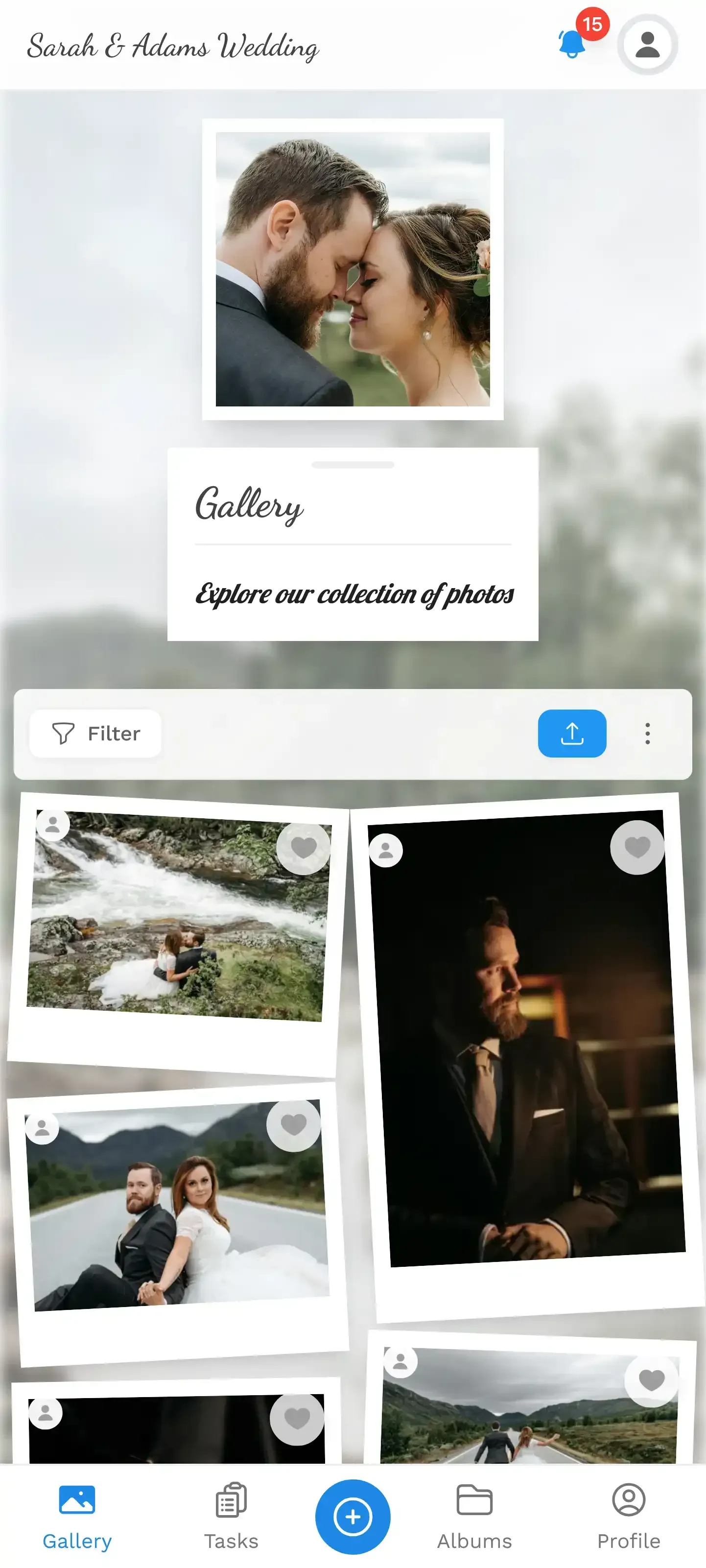
1.Guests can browse and enjoy the full gallery from any device.
The best event photos aren't the ones a photographer takes. They're the ones your guests almost forgot to share. A free gallery with a QR code makes sharing effortless enough that those photos actually make it out of camera rolls and into a place where everyone can see them.
All of this comes with your own event.
Setting it up takes five minutes. You can build and view everything before you decide.
Starting from €39 one-timeOne-time payment — No subscription
- No App Required
- Setup in 5 Minutes
- 30-Day Money Back
“We used the software at my mum's birthday party. It went down really well 😊”
Written by

I believe event photos should be more than static galleries. They should be live, playful, and unforgettable.
Categories
Related Posts

Bridal Shower Photo Sharing: Collect Every Sweet Moment in One Gallery
Bridal shower photos end up scattered across 15 phones. Here's how to get them all into one gallery before the mimosas wear off.

Maternity Photo Sharing: How to Keep Every Announcement, Bump Shot, and Memory in One Place
Pregnancy announcements land on 4 different apps. Maternity photos get lost in group chats. Here's how to keep every photo in one shared gallery your whole family can access.

Sales Kickoff Photo Sharing: How to Turn a Mandatory Meeting Into a Team Memory
Sales kickoffs are expensive. The photos from them usually disappear into 14 different camera rolls. Here's how to fix that.