How to Share Event Photos with Guests (No App Required)


Picture a wedding reception. The couple has set up a photo sharing app. There's a cute sign on every table with the app name, the event code, and step-by-step instructions. Download the app. Create an account. Enter the code. Allow camera access. Now upload.
By the time most guests get through step two, the best man is already giving his speech.
This is the dirty secret of event photo sharing: the technology works fine. The problem is adoption. And adoption dies the moment you ask 80 people to install software on their phones for something they'll use exactly once.
The App Install Problem Is Bigger Than You Think
It sounds minor. "Just download the app." Five words. But in practice, those five words create a surprisingly long chain of friction. The guest needs to find the app store. Search for the right app (and not the three similarly-named ones). Wait for the download over spotty venue Wi-Fi. Create an account, often with email verification. Enter an event code. Grant permissions.
Each step loses people. Not because they're technologically challenged, but because they're at a party. They came to celebrate, not to troubleshoot an app install while balancing a drink and a plate of canapés.
DropEvent puts it well on their site: photos end up scattered across WhatsApp, iMessage, AirDrop, Google Drive, and Instagram DMs. Files get compressed, links expire, uploads get forgotten. The coordination overhead after the event is enormous. And that's assuming people share at all.
According to Honcho's overview of wedding photo apps, the core promise of these tools is a single upload point, usually via QR code or link, with no registration. The apps that require a download? They're solving the easy technical problem while creating a harder human one.
What Browser-Based Photo Sharing Actually Looks Like
The alternative is dead simple: a QR code. Guest scans it with their phone camera. A browser page opens. They pick photos. They upload. Done.
No app store. No account creation. No event code. No permissions dialog. The entire process takes about 15 seconds for someone who's never done it before.

Pick a name, no account needed

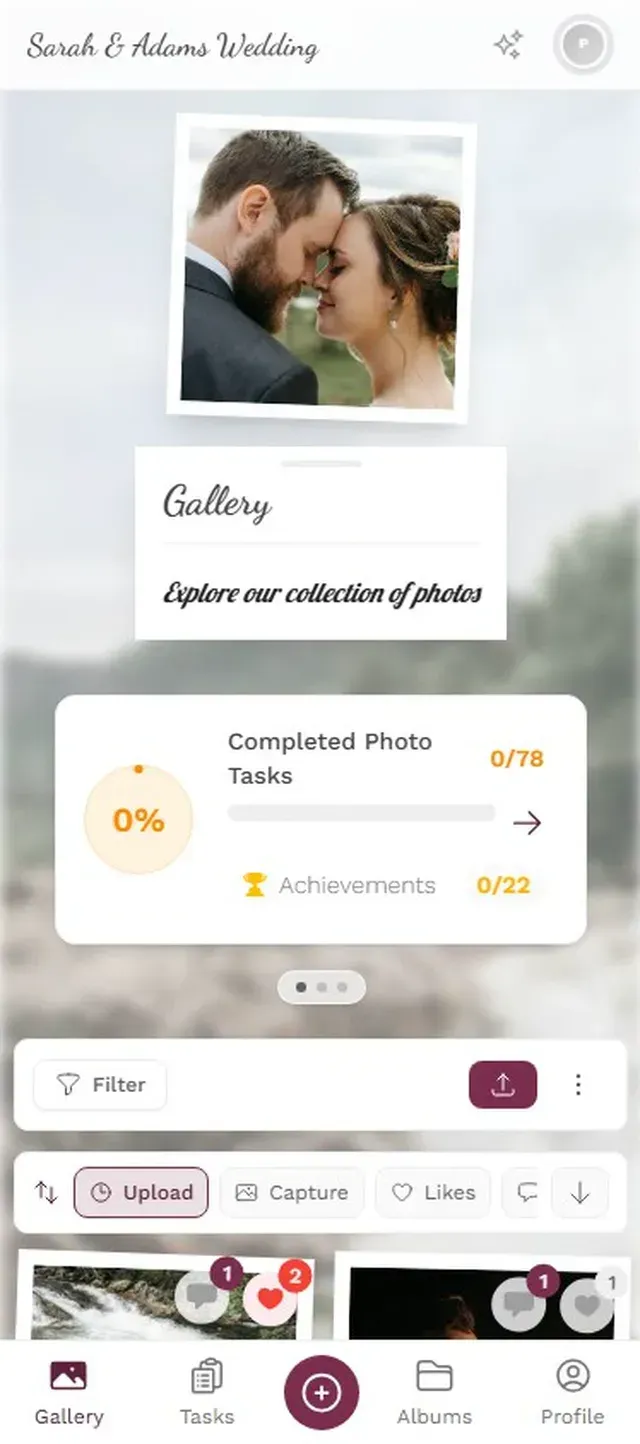
That's it. Three taps from "I just arrived" to "my photos are in the gallery." The person sitting next to your guest can do the same thing in the same amount of time, whether they have an iPhone, an Android, or a phone from 2019.
Why This Matters More Than Features
Here's something that might surprise you: the fanciest photo sharing platform in the world is worthless if only 12 out of 150 guests actually use it.
Imagine a 200-guest wedding. Say 60% of guests are willing to share photos (the rest are too busy dancing, which is fine). That's 120 potential uploaders. With an app-based solution, realistic adoption might be 20-30% of those willing guests, because the download barrier filters out everyone who isn't motivated enough to deal with it. You end up with 25-35 uploaders.
With a QR code that opens in the browser? That same 60% can actually follow through. Now you're looking at 90-110 uploaders. Triple the participation. Not because the photos are better, but because the entry point is frictionless.
GatherShot describes their setup as taking two minutes, with guests uploading via QR code and no account needed. EventPics offers a similar approach with their free tier. The market is clearly moving toward no-install solutions because event organizers have learned the hard way that app downloads kill participation.
The best spot for QR codes is wherever guests are already sitting still: table cards, the bar counter, the bathroom mirror. People don't scan QR codes while walking. They scan them while waiting.
Ready to create your gallery?
Going Beyond Just Collecting Photos
Collecting photos is table stakes. Every tool on the market does that. The harder question is: how do you get guests to actually want to share more?
This is where most browser-based solutions stop. They give you a shared folder with a QR code. Upload, done, goodbye. Functional, but not engaging.
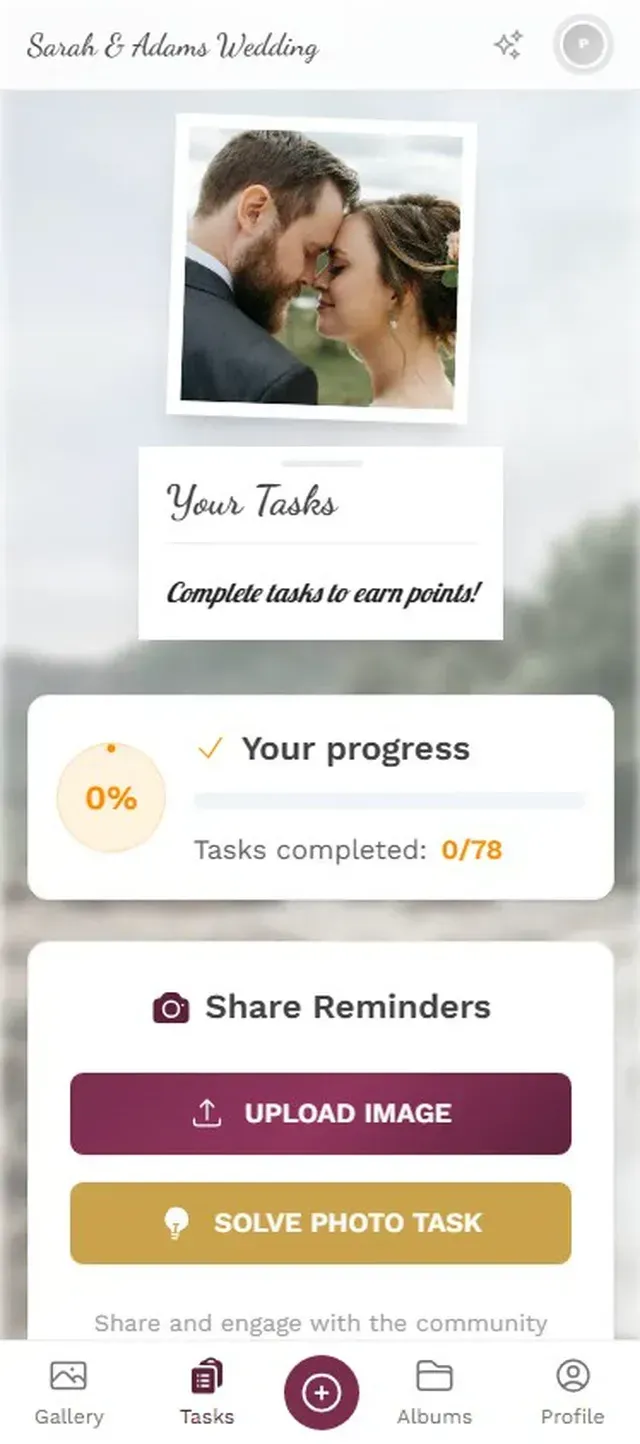
Photogala takes the no-app-needed approach but layers on features you'd normally only find in native apps. Photo challenges, for instance. You create prompts like "best dance floor moment" or "find the oldest guest and take a selfie." Guests see these in the browser gallery and start competing. No download required to participate.
The challenges can even include example preview photos, so guests know exactly what to aim for. Imagine setting a challenge called "recreate this pose" with a reference photo of the couple's engagement shoot. Guests try to mimic it, and the results are reliably hilarious. All of that runs in the browser.
Guests browse challenges right in the browser
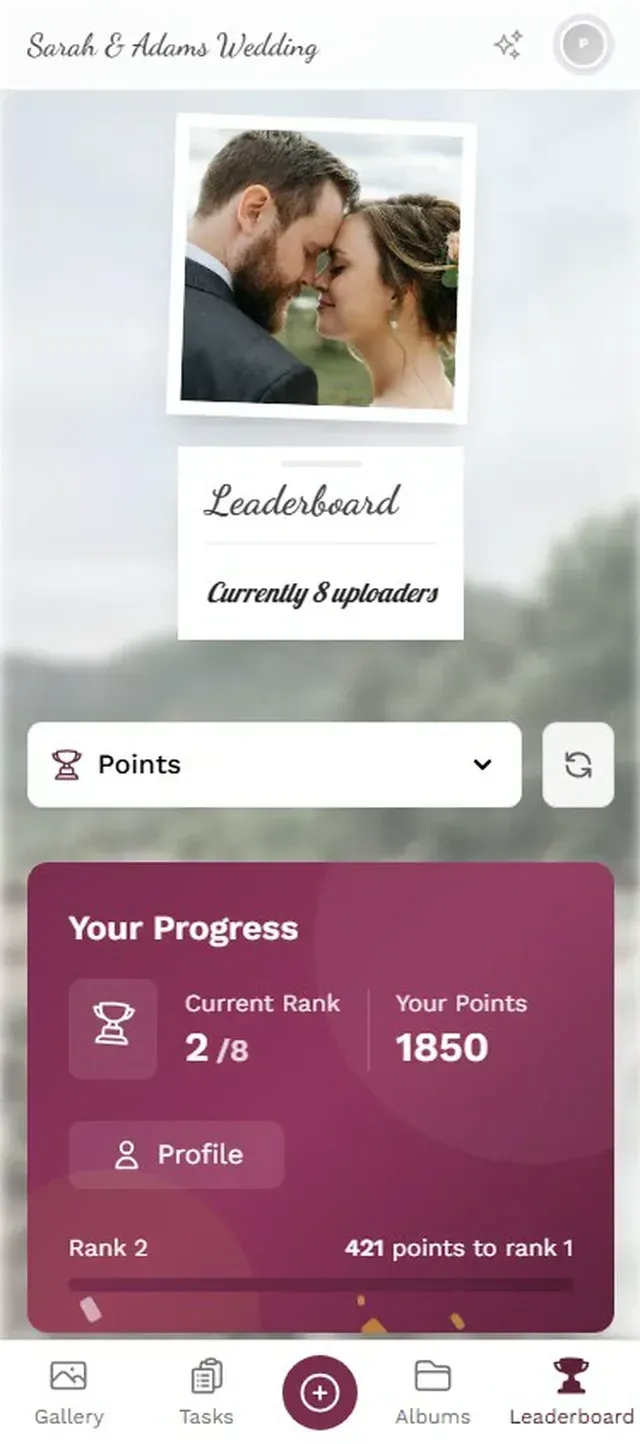
Then there's the leaderboard. It tracks who's uploaded the most, who's completed the most challenges, who's gotten the most likes. At a wedding, imagine the bride's uncle checking his ranking between courses because he's determined to beat his niece. That kind of engagement doesn't happen with a basic upload folder.
The Photo Wall Changes the Dynamic
One detail that consistently drives more uploads: showing photos on a big screen at the venue. A TV behind the DJ booth, a projector in the lounge area, a monitor near the entrance.
When guests see their own photos appear on that screen 10 seconds after uploading, something shifts. Suddenly it's not just "sending photos to the couple." It's performing for the room. People start uploading more. They take sillier photos. They recruit friends who haven't scanned the QR code yet.
Photos appear on the big screen in real time
Kululu describes their photo wall as a real-time live slideshow that updates instantly with each submission, displayed via any browser on a projector or smart TV. It's the same idea: turn passive photo collection into an active, visible part of the event.
And the best part? The photo wall is just another browser window. No special hardware, no software installation on the display device. Open a URL on the TV, done.
What About Moderation?
"But if anyone can upload without an account, won't people upload garbage?"
Fair concern. And honestly, most of the time it's not an issue at a wedding or birthday. Your guests are people you know. But at a corporate event with 200 employees, or a public celebration, you want a safety net.
Photogala handles this with a moderation queue. Every uploaded photo can be set to require approval before it appears in the gallery (and especially before it hits the photo wall). You assign a moderator, maybe a bridesmaid or an HR colleague, and they approve or reject from their phone. One tap each way.
On the Deluxe plan, there's also an AI filter that automatically flags NSFW content before a human even sees it. Overkill for a family reunion? Probably. Essential for a 500-person company party? Absolutely.
One honest trade-off: the moderation features aren't on the Plus plan. If you're running a small birthday on a budget, you'll need to trust your guests (or upgrade to Premium for the moderation dashboard).
Setting It Up: Simpler Than You'd Expect
From zero to live gallery in 3 steps
Create your gallery
Pick your event type, add a name and cover image. The whole setup takes about two minutes.
Share the QR code
Print QR codes on table cards, tape one to the photo booth, or text the link to your guest list. Guests scan and they're in.
Watch photos appear
Uploads show up in the gallery and on the photo wall instantly. No refresh needed, no waiting.
That's genuinely it. I expected there to be some catch, like "you need to configure WebSocket endpoints" or "make sure your guests enable JavaScript." There isn't. If a phone can open a website, it can upload photos.
How This Compares to the Alternatives
Let's be honest about the options. A shared iCloud album works great if every single guest has an iPhone and an iCloud account. A Google Photos shared album works if everyone has Google. WhatsApp groups work if you enjoy scrolling through 400 compressed thumbnails mixed with "congratulations!!!" messages.
Each of these is free, which matters. But each also assumes something about your guests that probably isn't true for all of them. And none of them offer a photo wall, challenges, or moderation.
If you've been down the iCloud route before, you might find our comparison of shared albums vs dedicated photo apps useful. The short version: shared albums hit surprising limits faster than you'd think.
For a deeper look at all the methods side by side, we tested six different ways to share photos with a group. QR-code-based sharing consistently scored highest on actual guest participation.
The apps that require downloads had their moment. But in 2026, when guests expect everything to work instantly from their browser, the smartest thing an event host can do is remove the install barrier entirely. Put a QR code on the table. Let the photos come to you.
Ready to create your gallery?
Start sharing your event photos with guests in minutes.
Create GalleryWritten by

I believe event photos should be more than static galleries. They should be live, playful, and unforgettable.
Categories
Related Posts

How to Collect Photos From Event Guests Automatically
Stop chasing guests for photos after the event. A QR code, a shared gallery, and a few smart settings can do the collecting for you.

Club Event Photos: How to Stop Losing Member Moments to WhatsApp Chaos
Sports clubs, hobby groups, and societies generate hundreds of photos at every event. Most vanish into WhatsApp threads nobody scrolls back through. Here's a better system.
Housewarming Party Photo Sharing: How to Capture Your New Place Through Everyone's Eyes
Your housewarming is the only time your home will look this good and feel this new. Here's how to collect every guest's photos without lifting a finger.