Retirement Party Photo Sharing: How to Turn 40 Phones Into One Beautiful Gallery


Thirty-two years. That's how long Margaret from accounting worked at the same company before her retirement lunch last Friday. Forty-three colleagues showed up. The speeches were great. Someone brought a photo book from 1994. And by the time the cake was cut, at least a dozen people had their phones out, snapping photos of Margaret's reaction.
Now here's the part that always goes wrong: those photos live on a dozen different phones, scattered across iMessage threads, a WhatsApp group someone created and half the office never joined, and three people's Google Photos accounts. Margaret gets maybe ten of them forwarded over the next week. The rest vanish.
This is fixable. Not with another group chat, not with a shared iCloud album that requires everyone to have an Apple ID. With a QR code and a shared gallery that takes two minutes to set up.
Why Retirement Parties Deserve Better Photo Sharing
Retirement celebrations are weird in the best way. They're one of the few work events where genuine emotion shows up. People who've worked together for decades share stories, laugh at old inside jokes, sometimes tear up during speeches. The photos from these moments carry real weight.
But unlike weddings (where couples plan photo logistics months in advance), retirement parties get organized in a week or two. The focus is on the caterer, the gift, the speeches. Nobody thinks about how to collect photos until it's too late.
A 2025 trend report from Photier highlights how instant photo access via QR codes is becoming standard at events. The reasoning is simple: if uploading takes more than a few seconds, most people won't bother. Make it frictionless, and participation jumps.
The Two-Minute Setup (Seriously)
Here's what the whole process looks like. No technical skills required. If you can order lunch on an app, you can do this.
Set Up a Retirement Party Gallery
Create the gallery
Pick a name ("Margaret's Farewell" works fine), choose a cover photo or use the default, and you're live. The whole thing takes about 90 seconds.
Print or share the QR code
You get a unique QR code for the gallery. Print it on table cards, tape it to the entrance, or just text the link to the team Slack channel. Guests scan with their phone camera. No app download.
Watch it fill up in real time
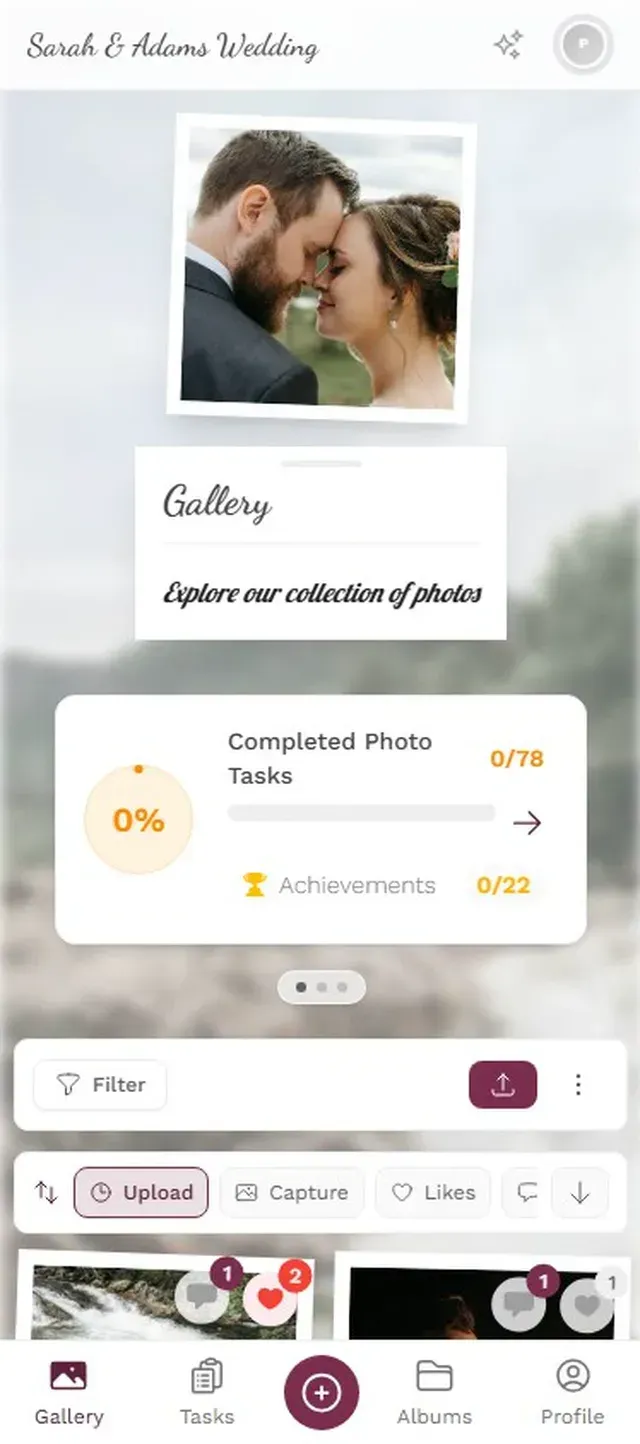
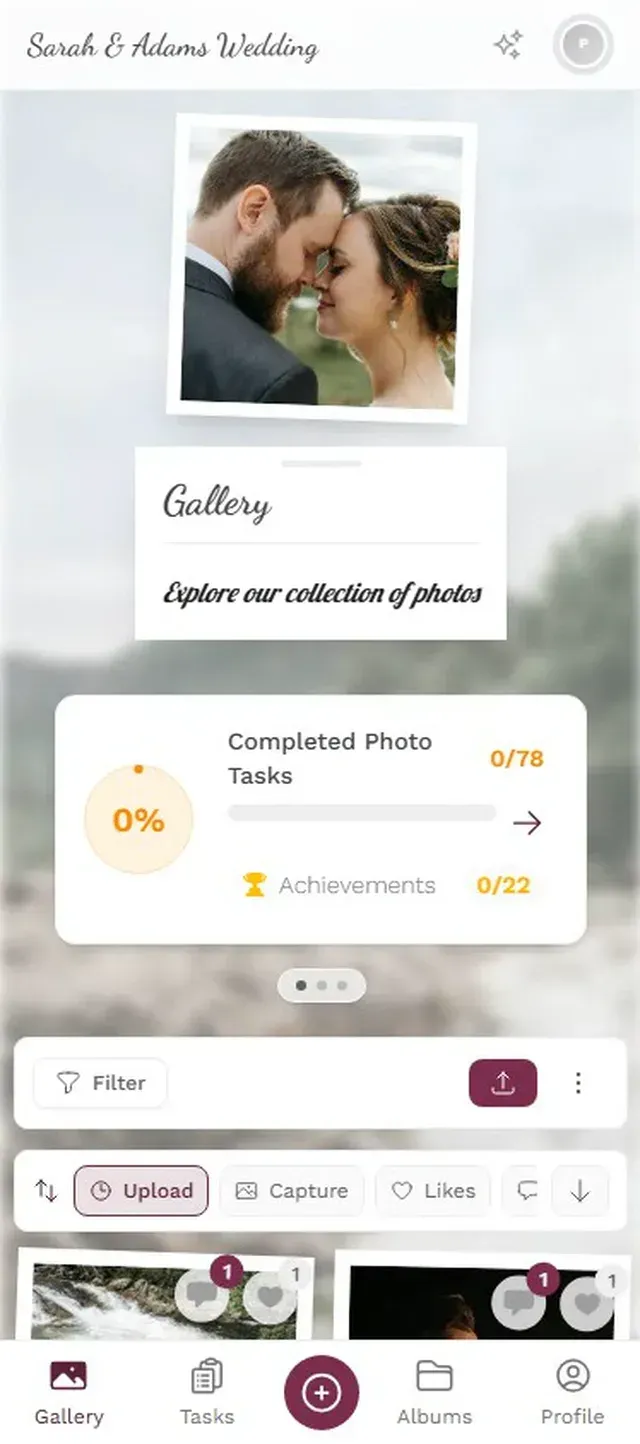
As people upload, photos appear in the shared gallery instantly. Put a laptop or screen near the entrance to show the gallery as a live slideshow. Photos keep coming in even after the party ends.
That's it. No accounts for guests to create. No app to install. No "I'll send you the photos later" promises that never get kept.
Upload works directly in the browser. Takes about 10 seconds.

Ready to create your gallery?
Making It Actually Work: Practical Tips
Setting up the gallery is the easy part. Getting 40 colleagues (half of whom are over 50 and suspicious of QR codes) to actually participate requires a little strategy.
Put the QR code where people already are
The bar. The dessert table. The entrance. Taped to the podium during speeches. The worst thing you can do is put one small printout in a corner nobody visits. Print three or four. Bigger is better. A QR code on an A4 sheet is readable from two meters away.
Table cards work surprisingly well. Print small cards with the QR code and a line like "Add your photos to Margaret's gallery" on each table. People pick them up while waiting for food. That idle moment is when most uploads happen.
Assign a photo champion
Pick one person (ideally someone who's already the office photographer type) to nudge people during the event. "Hey, did you get that shot of Margaret's face when she opened the gift? Upload it to the gallery!" Social encouragement works better than signs.
Timing matters more than you think
The first 30 minutes of any retirement party are stiff. People are arriving, finding seats, making small talk. The good photos happen later: during speeches, the gift opening, the group photo attempts where someone always blinks. Make sure the QR code is visible before the speeches start, because that's when phones come out anyway.
Don't forget the slideshow trick
If you have a screen or projector at the venue (even a laptop propped up on a table), display the gallery as a live photo wall. Something changes when people see their own photo pop up on a screen 15 seconds after uploading it. Suddenly everyone wants to contribute. It turns passive attendees into active participants.
Photos appear on the screen in real time. Guests love seeing their uploads pop up.
What About the Person Who Doesn't "Do Technology"?
Every office has at least one. The colleague who still prints emails. The one who calls IT when their monitor goes to sleep. They were probably close to the retiree for 20 years, and they have the best stories and photos.
Here's what actually works: pair them with someone. "Hey Tom, scan this with your camera. Yeah, just point it at the code. See? Now tap 'choose photos' and pick the ones from today." It takes 30 seconds of hand-holding, and then Tom has uploaded six photos from 2003 that nobody else has.
The browser-based approach matters here. You're not asking Tom to download an app, create an account, or remember a password. Open camera, scan code, tap upload. Three steps. Even Tom can handle three steps.
Beyond the Party: Building a Retirement Memory Book
The real value of a shared gallery isn't just the party photos. It's what happens after.
Imagine this: two weeks after the retirement party, you open the gallery and find 147 photos from 28 different people. There are candid shots from the speeches, a blurry but hilarious photo of the CEO trying to use the coffee machine, six different angles of the group photo, and three photos from 2011 that someone dug out of their phone for the occasion.
That collection becomes a retirement gift in itself. Download the full gallery as a ZIP, pick the best 40-50 photos, and turn them into a printed photo book. Companies like Mixbook or Cewe make this straightforward. The retiree gets a physical book filled with photos they never would have seen otherwise.
One thing to be honest about: the gallery won't organize itself into a polished narrative. You'll get duplicates, blurry shots, and photos of the dessert table that nobody needs. But that's what makes it feel real. A curated collection of 200 perfect photos feels corporate. A messy collection of 147 real moments feels human.
A limitation worth knowing: Photogala is browser-based, not a native app. That means guests won't get push notification reminders to upload. If you want stragglers to contribute after the party, send a follow-up email with the gallery link the next Monday. Most late uploads come in within 48 hours of that reminder.
Photo Challenges: The Secret Weapon for Shy Offices
Some offices are naturally social. People mingle, take group photos, tag each other on Instagram. Other offices... aren't. If your team is more the "eat cake quietly and leave" type, photo challenges can change the dynamic.
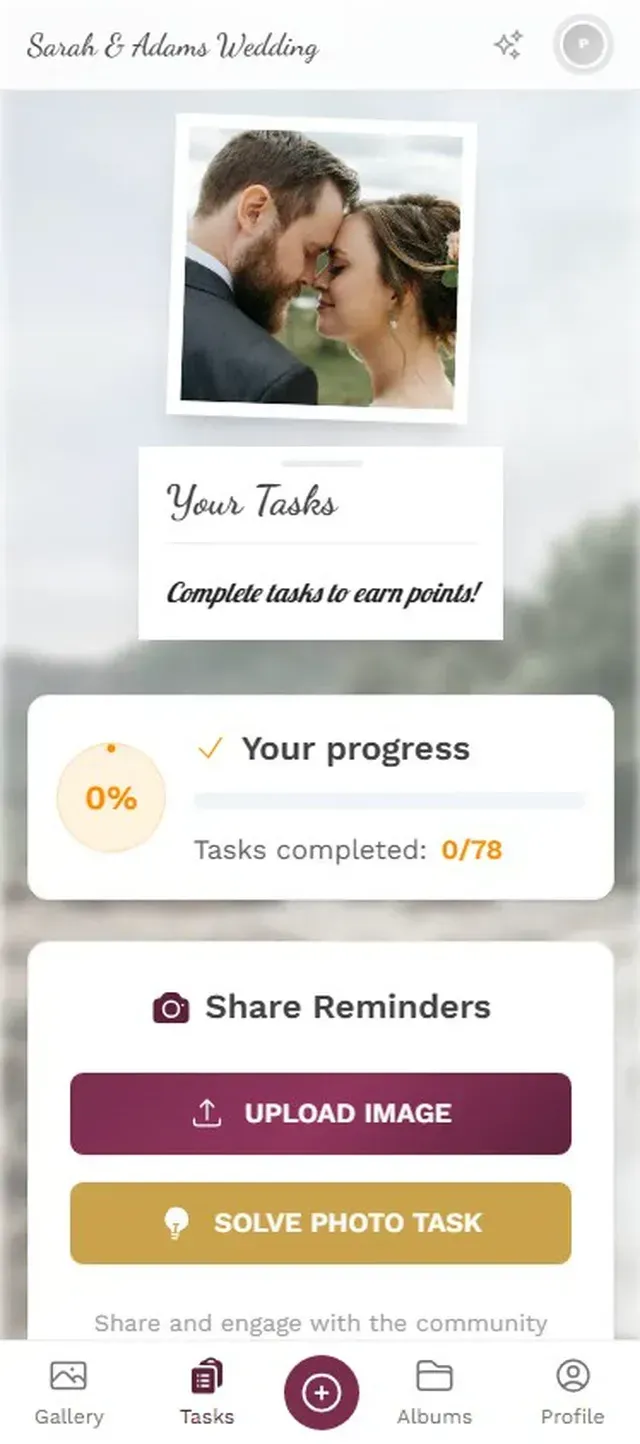
The concept is simple: create specific photo prompts that give people a reason to take and upload photos. "Take a photo with the retiree," "Capture someone telling their favorite story," "Find the oldest item in the office." Each challenge includes an example preview photo showing guests what you're looking for, which makes the whole thing less awkward than a vague instruction.
At a team of 25, even five or six challenges can generate 60-80 extra photos that wouldn't exist otherwise. The challenges create natural conversation starters too. "Did you do the one where you have to find something from the '90s? I found the original fax machine in the storage room."
Challenges give guests specific, fun photo prompts.
What You'll Need (and What You Won't)
Let's be practical about the logistics.
You need: A phone or laptop to create the gallery (2 minutes). A printer for QR code cards, or just the ability to send a link via email/Slack. Optionally, a screen or projector for the live photo wall.
You don't need: A professional photographer (though if you have one, they can upload to the same gallery). A tech-savvy organizer. An IT department approval. A budget beyond what you're already spending on the party. Everyone uses their own phone, uploads through the browser, and the photos are collected automatically.
Storage lasts 6-12 months depending on the plan, which is plenty of time to download everything and create that memory book. For a typical retirement party of 30-50 people generating 100-200 photos, even the Plus plan is more than enough.
The Gift That Arrives Late
Here's something that keeps happening with shared galleries for retirement events. The party ends on Friday. By Monday, the gallery has maybe 80 photos. Then someone shares the link in a company-wide email, and by Wednesday there are 140. A few people dig through their old phone photos and add shots from team outings, holiday parties, and office milestones from years ago.
The gallery becomes something bigger than a party record. It becomes a timeline of relationships. And when you hand the retiree a printed book made from those photos three weeks later, they're seeing moments they didn't even know were captured.
That's worth more than a gift card. That's worth more than a card signed by everyone in the office (though GroupTogether makes nice digital farewell cards if you want both). It's a tangible record that 30 years of showing up every day mattered to the people around you.
Ready to create your gallery?
Start sharing your event photos with guests in minutes.
Create GalleryWritten by

I believe event photos should be more than static galleries. They should be live, playful, and unforgettable.
Categories
Related Posts

Multicultural Wedding Photo Sharing: Honoring Every Tradition in One Gallery
When your wedding blends two (or more) cultures, collecting guest photos gets complicated fast. Here's how to make it work without losing a single moment.

Free Event Planning Tools Every Organizer Should Bookmark
The best free tools for budgets, guest lists, timelines, photo sharing, and more. No subscriptions, no bloated software suites.

Milestone Birthday Photo Sharing: 30th, 40th, 50th and Beyond
At milestone birthdays, decades of relationships converge in one room. Here's how to collect every guest's photos before they vanish into 40 separate camera rolls.