How to Collect Party Photos from Everyone (Without Chasing People for Weeks)


The party was two weeks ago. You posted in the group chat: "Hey everyone, can you send me your photos?" Three people responded. One sent a blurry screenshot. Another sent six photos over WhatsApp, compressed to the point where you could count the pixels. The third said "oh yeah, I'll send them tonight" and never did.
Sound familiar?
Here's the thing nobody warns you about when you throw a party: the best photos from the night aren't on your phone. They're scattered across 20, 30, maybe 50 other phones. The candid shot of your best friend doing karaoke. The group photo someone took on the balcony at midnight. Your parents slow-dancing in the kitchen. Those photos exist. They're just trapped.
A Mixbook survey found that 50% of Americans do nothing with the photos sitting on their phone. Not because they don't care, but because the friction of sharing is just high enough that "I'll do it later" turns into "I forgot."
This article breaks down five real methods for collecting party photos from everyone, what actually works, what doesn't, and what I'd set up differently if I were planning a party next weekend.
Why Most Photo Sharing Attempts Fail
The problem isn't that your guests are lazy. It's that every sharing method adds a tiny bit of friction, and friction compounds fast.
Think about it from the guest's perspective. They took 14 photos at your birthday. Now you want them to: open WhatsApp, find the group, select photos (the app helpfully compresses them), wait for upload, and hope the chat doesn't bury the photos under 60 messages by morning. Or maybe you asked them to upload to a shared Google Photos album, which means they need a Google account, which means your iPhone-only friend is already out.
According to a WedPicsQR analysis, the right sharing method can generate 80 to 1,000 additional photos from guests. The wrong method generates three blurry screenshots in a group chat.
The difference isn't motivation. It's method.
Method 1: The WhatsApp Group (Simple, Flawed)
Everyone has WhatsApp. Create a group, name it "Sarah's 30th Photos 📸", and tell people to dump their photos there.
Pros: Zero setup. Everyone already knows how to use it. You'll get some photos within the first hour.
Cons: WhatsApp compresses images aggressively. The group turns into a chat thread, and photos get buried. Anyone who didn't attend can see the photos (and the 3 AM messages). No easy way to download everything at once. And if someone sends 40 photos, the group becomes unusable.
Verdict: fine for a casual dinner with 8 people. Falls apart at 25+ guests.
Method 2: Shared iCloud or Google Photos Album
Create a shared album, send out the link, and hope for the best.
Google Photos shared albums are genuinely good. The interface is clean, uploads keep their quality, and you can download the whole album later. The catch: every participant needs a Google account. At a mixed party with iPhone and Android users, you'll lose a chunk of your guests right there. iCloud shared albums have the reverse problem, plus a 5,000 photo limit.
Verdict: works if literally everyone uses the same ecosystem. They usually don't.
Method 3: AirDrop and Bluetooth Chaos
"Just AirDrop it to me!" Great, if everyone has an iPhone, is standing within 10 meters, and you enjoy accepting 200 individual transfer requests while trying to host a party.
Verdict: fine for one-on-one transfers. Not a collection strategy.
Method 4: A Shared Dropbox or Google Drive Folder
Upload a link to a shared folder. Guests open it, tap upload, done.
This actually works better than most people expect. The downside is that there's no gallery view, no slideshow, no way to browse what others uploaded. It's a file dump. Functional, but joyless.
Verdict: practical for small groups who just want the files. Zero engagement or fun factor.
If you go the shared folder route, create a short link or QR code for it. Nobody wants to type a 40-character Dropbox URL from a party invitation.
Method 5: A QR Code Photo Gallery
This is the approach that's been quietly taking over weddings and bigger events, and it works just as well for a house party or birthday.
The concept: you generate a QR code for a web-based photo gallery. Print it, stick it somewhere visible (fridge, bar area, bathroom mirror), and tell people to scan it. Their phone's camera opens a browser page. They pick photos, upload, done. No app download, no account creation, no ecosystem lock-in.
QR code usage has surged roughly 323% since 2021, which means your guests already know what to do when they see one. Even your uncle who still uses a flip phone case on his smartphone can handle scanning a QR code.

1.Guests scan, browser opens, photos upload. No app needed.
The reason this method outperforms everything else is simple: it removes every layer of friction. No app to install. No account to create. No file size limit drama. Guests scan, pick photos, upload. The photos appear in a shared gallery that everyone can browse.
See it in action
Every guest photo in one album – no app.
Making It Actually Work: The Setup That Gets Guests Uploading
Having a QR code gallery is step one. Getting people to use it is step two. Here's what separates a gallery with 12 uploads from one with 120.
Place the QR Code Where People Already Are
The fridge. The drinks table. The bathroom mirror. Tape it to the wall next to the snack bowls. The more places you put it, the more "oh right, I should upload my photos" moments you create. One QR code on a table that nobody walks past is basically invisible.
Announce It Once, Early
A quick "hey, there's a QR code on the fridge for sharing photos tonight" in the first 30 minutes is enough. Don't repeat it five times. Don't make a speech about it. Just plant the seed early so people know it exists when they pull out their phones later.
Add Photo Challenges
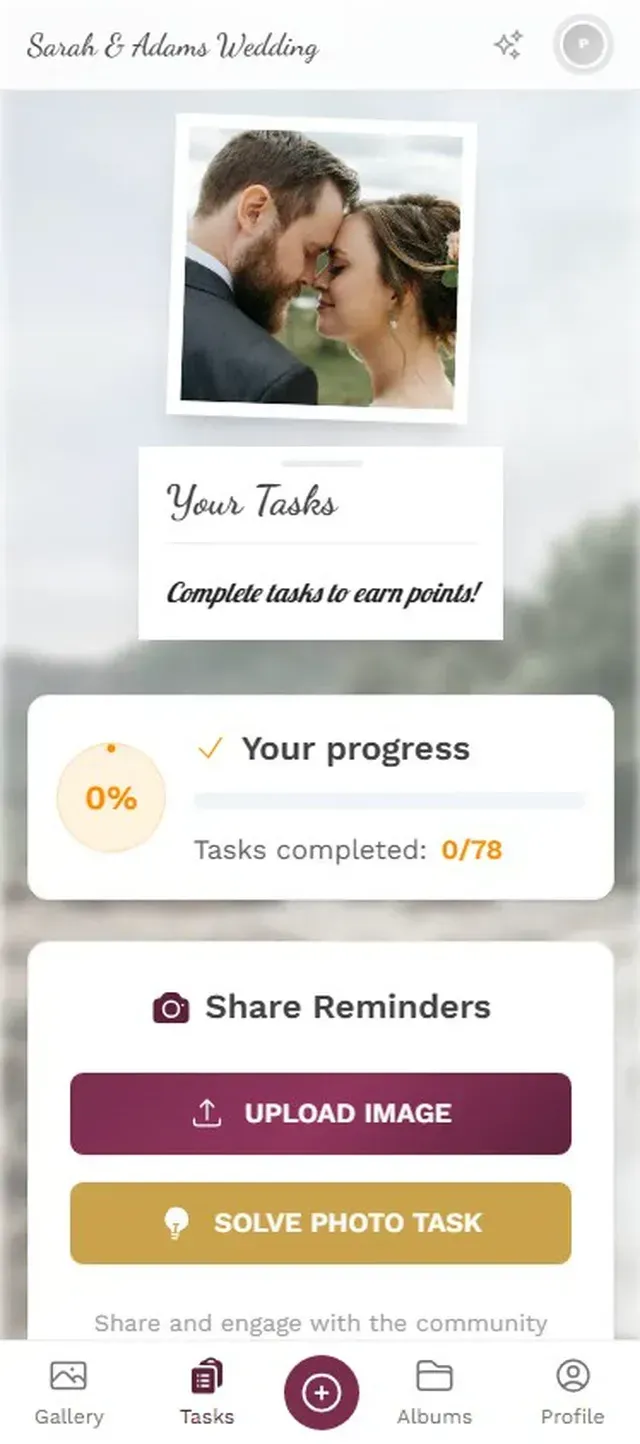
This is where things get genuinely fun. Instead of just asking people to upload whatever, give them specific prompts. "Best dance move." "Most creative drink photo." "Find the host's cat." Challenges turn passive uploading into an activity.
With Photogala, you can create photo challenges that include example preview photos showing guests what to aim for. Think photo roulette, where someone gets a random reference image and has to recreate it. At a birthday party, that might mean recreating a childhood photo of the birthday person, or mimicking a ridiculous stock photo pose. The results are almost always hilarious.
1.Guests browse challenges and pick one to complete.
Use a Leaderboard (Yes, Even at a Birthday)
Picture a 30th birthday party with 40 guests. You set up a leaderboard that ranks people by photos uploaded and challenges completed. By 11 PM, three people are genuinely competing for the top spot, uploading photos they'd normally never bother sharing. The competitive ones upload everything. The observers see the gallery filling up and think, "I should add mine too."
Gamification increased engagement by 48% in workplace settings, according to AmplifAI research. At a party, where people are already in a good mood? The effect is even stronger.
The Honest Trade-offs
No method is perfect. QR code galleries need an internet connection (WiFi or cellular). If you're hosting a party in a cabin in the mountains with no signal, you're back to the shared folder approach and collecting everything later. Most QR gallery tools also aren't free. Photogala starts at €39 as a one-time payment, which is reasonable for a wedding but might feel steep for a casual get-together with 15 friends. The WhatsApp group is free. It's just worse at the job.
There's also the participation gap. Even with the best setup, some people simply won't upload. They're too busy having fun, or they forgot, or they took exactly zero photos because they were dancing the whole time. That's fine. The goal isn't 100% capture rate. It's getting the 60-80% of photos that would otherwise disappear into camera rolls forever.
A Simple Setup Checklist
Set Up Your Party Photo Gallery
Create the gallery beforehand
Pick a QR code gallery tool. Set up your event name, add photo challenges if you want them, and customize the look. This takes about 5 minutes.
Print and place QR codes
Print the QR code 3-4 times. Stick them where guests naturally gather: the bar, the food table, the bathroom, the entrance.
Mention it once at the start
A quick casual announcement is enough. Don't over-explain. Just say there's a QR code for sharing photos.
Download everything the next day
Most tools let you bulk-download all photos as a ZIP. Do it while the memories are fresh.
What About Bigger Events?
Everything above works for parties of 15 to 150. But if you're planning something larger, like a wedding or a corporate event, the dynamics shift. You'll want content moderation (to catch the inevitable inappropriate upload), multiple album categories, and maybe a live photo wall on a TV screen that cycles through uploads in real time. That's where tools like Photogala pull ahead of simple QR-to-folder solutions, because they're built for events, not just file transfers.
For a birthday or house party, though? Keep it simple. QR code, a few challenges, and a leaderboard if you want to get people competitive. You'll be surprised how many photos show up.
The best party photos are the ones you almost didn't get. The candid moments, the silly poses, the accidental masterpieces from someone who was just trying to take a selfie. They're on your guests' phones right now, waiting to be forgotten. Give them an easy path to one shared gallery, and you'll have a collection that's worth more than any photographer could deliver.
All of this comes with your own event.
Setting it up takes five minutes. You can build and view everything before you decide.
Starting from €39 one-timeOne-time payment — No subscription
- No App Required
- Setup in 5 Minutes
- 30-Day Money Back
“We used the software at my mum's birthday party. It went down really well 😊”
Written by

I believe event photos should be more than static galleries. They should be live, playful, and unforgettable.
Categories
Related Posts

Bridal Shower Photo Sharing: Collect Every Sweet Moment in One Gallery
Bridal shower photos end up scattered across 15 phones. Here's how to get them all into one gallery before the mimosas wear off.

Maternity Photo Sharing: How to Keep Every Announcement, Bump Shot, and Memory in One Place
Pregnancy announcements land on 4 different apps. Maternity photos get lost in group chats. Here's how to keep every photo in one shared gallery your whole family can access.

Sales Kickoff Photo Sharing: How to Turn a Mandatory Meeting Into a Team Memory
Sales kickoffs are expensive. The photos from them usually disappear into 14 different camera rolls. Here's how to fix that.