Your Event Photos Are Probably Illegal (Here's How to Fix That)

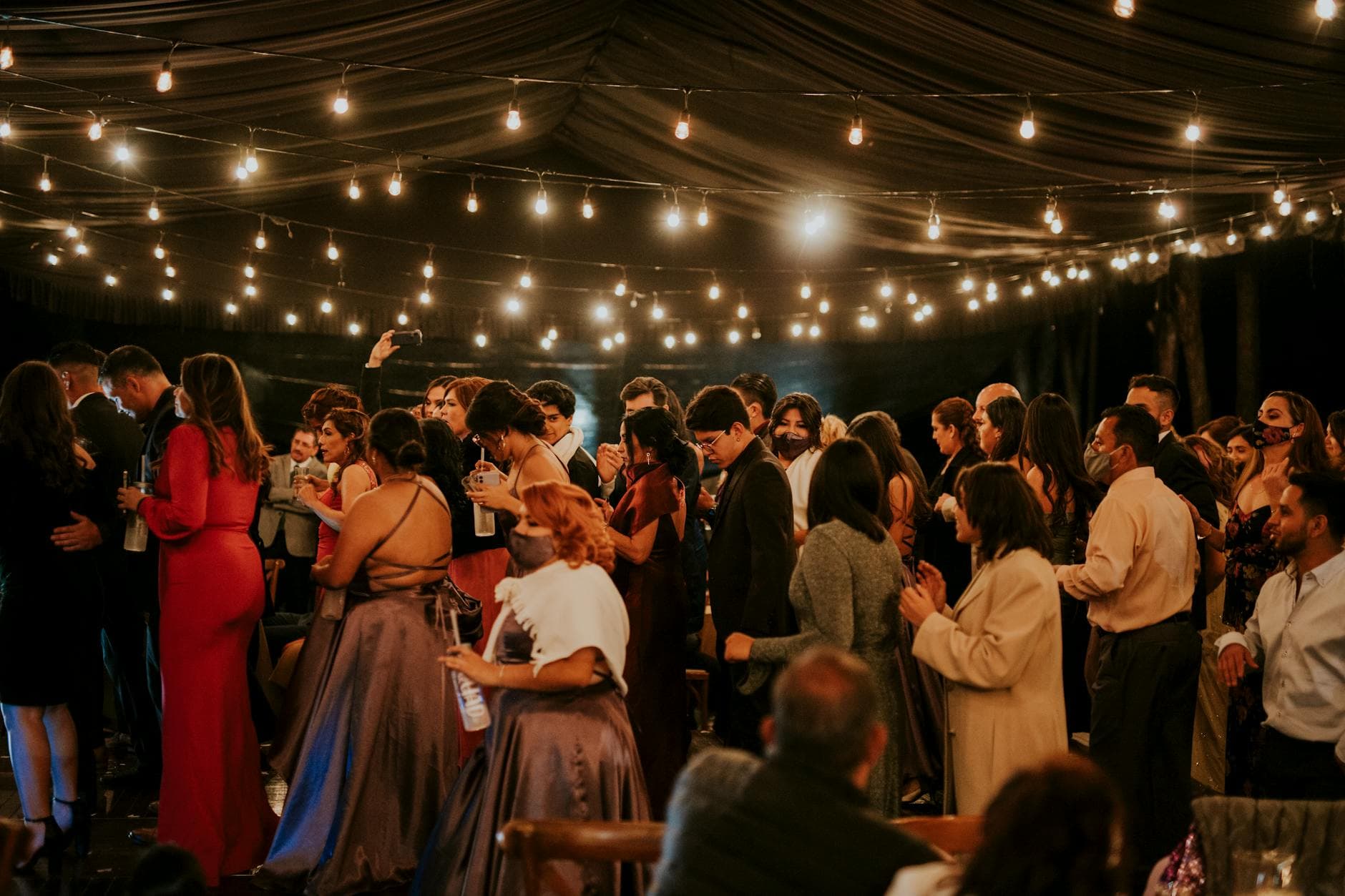
Picture a company holiday party. Great energy, good food, 80 colleagues loosening up. The marketing intern snaps group photos all night, uploads them to the company intranet Monday morning, and tags people by name. By Wednesday, HR has three complaints: one from an employee who didn't want to be photographed, one from someone whose photo ended up on the company's Instagram, and one from a colleague who left the company under difficult circumstances and is now visible in the background of a "team spirit" post.
None of this is hypothetical. It happens constantly, and under GDPR, most of it is illegal.
Photos Are Personal Data (Yes, Really)
Since GDPR took effect in 2018, photographs of identifiable people are classified as personal data. Full stop. That means every photo taken at your event where someone's face is recognizable falls under the same regulations as collecting email addresses or phone numbers. As Suzanne Dibble's legal analysis points out, even photos taken at large public events require a lawful basis for processing.
Most event organizers don't think about this. They set up a shared Google Photos album, tell guests to "share their best shots," and call it a day. The problem isn't collecting the photos. The problem is what happens next: who sees them, where they end up, and whether the people in those photos ever consented.
The fines aren't theoretical either. GDPR violations can cost up to €20 million or 4% of annual turnover for companies. For private individuals organizing weddings or parties, enforcement is less aggressive, but the legal obligation exists regardless.
The Three Privacy Mistakes Almost Every Event Makes
1. No consent before sharing
Someone uploads a photo of six people at a table. Three of them are fine with it. One hates having their photo online. One left early because they felt unwell and looks terrible. The sixth is a recovering alcoholic, and there's a wine glass in their hand. Posting that photo without asking each person is a privacy violation, and a human one too.
According to Elevated Magazines' privacy research, a single negative experience with an unwanted photo shared publicly leads to lasting discomfort and distrust. People remember being embarrassed far longer than they remember the party.
2. No moderation before publishing
Open photo galleries without moderation are a gamble. At best, you get blurry duplicates and accidental screenshots. At worst, you get inappropriate content, unflattering candids, or photos of people who specifically asked not to be photographed. The WeddingQR.codes etiquette guide explicitly recommends asking before posting close-ups of other guests, especially children or family members.
Without a review step, those photos go live instantly.
3. No control over who accesses what
A shared iCloud album or WhatsApp group gives everyone access to everything. There's no way to limit who sees specific photos, remove images after the fact, or track where they've been downloaded and re-shared. Once a photo leaves the album, it's gone.
GDPR applies to private events too. If you're sharing photos digitally (even in a WhatsApp group), you're processing personal data. The "household exemption" only covers truly private, non-digital use. The moment photos go online or into a shared platform, GDPR kicks in. Sweap's legal overview confirms that photos from almost all events qualify as personal data under GDPR.
What GDPR Actually Requires
Let's cut through the legal jargon. For event photo sharing, GDPR requires four things:
- Lawful basis. You need a legal reason to collect and share photos. At events, this is usually consent or "legitimate interest" (more on that below).
- Transparency. Guests must know photos are being taken, how they'll be used, and where they'll be shared. A sign at the entrance isn't enough if photos end up on social media.
- Data minimization. Only collect and share what's necessary. Don't publish 800 photos when 200 tell the story.
- Rights of the data subject. Anyone in a photo can request it be deleted. You need a way to actually do that.
For most events, consent is the simplest lawful basis. But consent has to be freely given, specific, and informed. A buried clause in the event invitation doesn't count. Neither does "by attending this event, you consent to being photographed" printed on a poster nobody reads.
See it in action
Every guest photo in one album – no app.
A Practical Privacy Framework (That Actually Works)
Here's the approach that balances legal compliance with the reality that people genuinely want to share photos at events. It works for weddings, corporate parties, conferences, and everything in between.
Before the event: set expectations
Include a short, plain-language note in the invitation. Not legalese. Something like: "We'll have a shared photo gallery at the event. If you'd rather not appear in photos, let us know and we'll make sure you're comfortable." That's it. You've informed people and given them an easy opt-out.
For corporate events, this matters even more. The SnapSeek etiquette guide notes that photography concerns at events extend beyond manners to privacy, intellectual property, and narrative control. Employees should never feel pressured to appear in company photos.
During the event: moderate before publishing
This is where most setups fail. A shared Google Photos album or open WhatsApp group has zero moderation. Everything goes live immediately. Someone uploads an unflattering photo of a colleague? It's visible to 80 people before anyone notices.
The fix is simple: a moderation queue. Every photo gets reviewed before it appears in the shared gallery. Not by the bride mid-reception (she's busy), but by a trusted person with a phone. One tap to approve, one tap to reject.
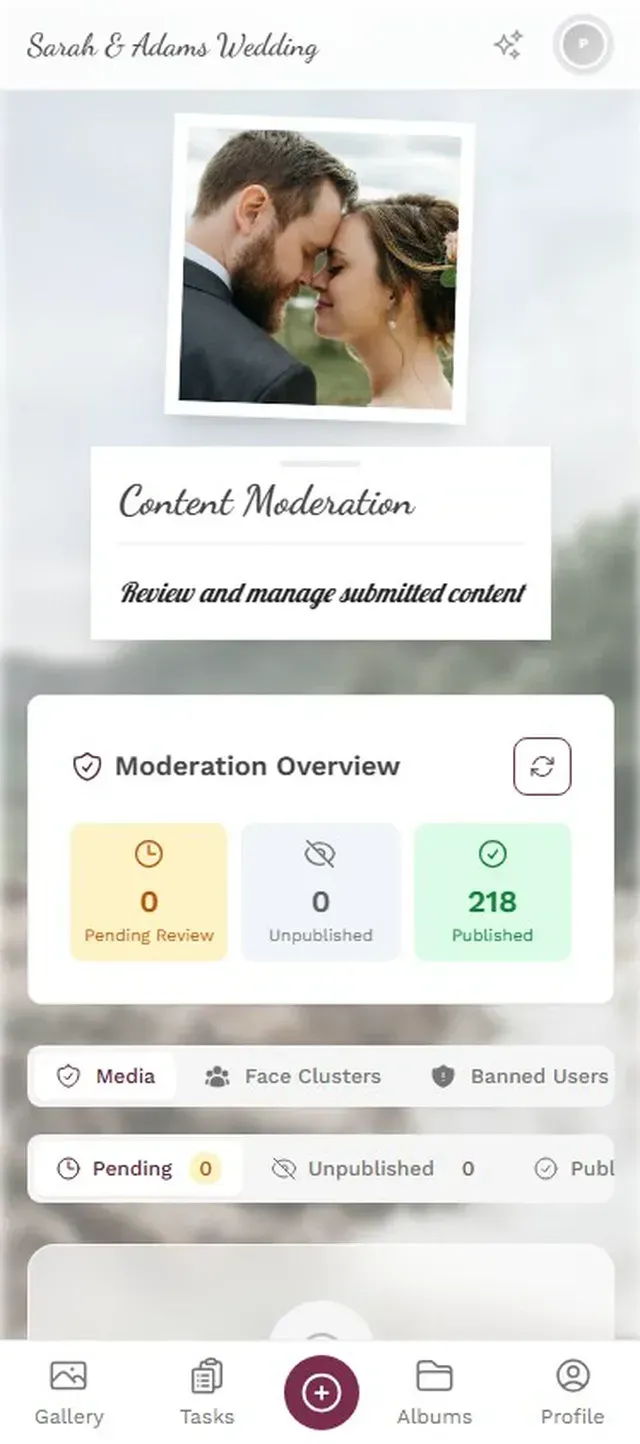
1.Every upload goes through a review queue before appearing in the gallery
Photogala's moderation dashboard lets you assign moderator roles to anyone, and they can approve or reject uploads from their phone. The Deluxe plan adds an AI layer that automatically flags potentially inappropriate content before a human even sees it. It's not perfect (no AI filter is), but it catches the obvious problems.
That said, moderation adds a delay. Photos don't appear instantly, which can feel less "live" at high-energy events. For most situations, the 30-second review time is invisible. At a fast-paced concert or dance floor, some guests might wonder why their photo hasn't appeared yet. It's a trade-off between privacy and immediacy, and privacy should win.
After the event: give people control
The best privacy setup in the world is useless if people can't remove their photos later. Maybe someone looked fine at the party but regrets the photo sober. Maybe a couple broke up and want photos together taken down. GDPR gives people the right to request deletion, and you need a mechanism for that.
With a dedicated photo sharing platform, deletion is straightforward: the event owner or moderator removes the image. With a WhatsApp group? Good luck getting 150 people to delete a photo from their phones.
Weddings vs. Corporate: Different Rules, Different Risks
The stakes vary dramatically by event type.
Weddings are technically private events, but the moment photos land on Instagram or a shared album, GDPR applies. The Kauffmann Photography guide emphasizes that digital wedding memories now intersect with evolving privacy concerns. Your aunt sharing a group shot in her Facebook group? That's technically a GDPR processing activity. Will anyone sue over it? Probably not. But the couple should still set clear expectations about what's shared publicly.
Corporate events are a different beast entirely. The company is the data controller. Every photo of an employee is processing personal data for business purposes. HR policies, consent forms, and data processing agreements aren't optional, they're legally required. And the risk is real: a disgruntled employee who finds their photo on the company website without consent has a legitimate complaint.
For corporate events specifically, our conference photography guide covers the logistics of getting photos to attendees while staying compliant.
What a Privacy-First Photo Setup Looks Like
Imagine a 150-guest wedding. QR codes on the tables. Guests scan with their phones, no app download needed, and upload photos to a shared gallery. Here's what makes it privacy-compliant:
Privacy-First Photo Sharing in 4 Steps
Inform guests upfront
A note in the invitation explains the photo gallery and how to opt out. Simple, transparent, no legalese.
Enable moderation
Assign a trusted friend as moderator. They review uploads before photos go live. Takes 2 minutes to set up.
Use AI content filtering
Automatic NSFW detection catches inappropriate uploads before a human moderator sees them.
Allow deletion requests
Any guest can ask for their photos to be removed. The moderator handles it in seconds.
The key insight: privacy doesn't mean fewer photos. It means better photos, the ones people actually want shared. A moderated gallery with 200 approved photos beats an unfiltered dump of 600 where half are blurry and a few are embarrassing.
The AI Layer: Helpful, Not Magic
Photogala's Deluxe plan includes AI face recognition, which sounds like a privacy nightmare until you understand what it actually does. The AI clusters photos by face, so guests can filter the gallery to find photos of themselves. It doesn't identify people by name unless the event owner manually labels the clusters.
Think about it from the guest's perspective. Instead of scrolling through 400 photos to find the three you're in, you tap a face filter and see only your photos. You can download the ones you like and ignore the rest. That's actually more private than a traditional shared album where everyone sees everything.
Our event photo privacy deep-dive covers the technical side of how Photogala handles photo data, including storage, access controls, and deletion.
1.Guests find their own photos without browsing everyone else's
The NSFW filter is the other AI feature worth mentioning. It scans uploads and flags content that looks inappropriate before it reaches the gallery or the moderation queue. Configurable sensitivity means you can set it strict for a corporate event or relaxed for a friends-only party. No filter is 100% accurate, and it occasionally flags a perfectly innocent close-up of a red dress as suspicious. But it catches the genuinely problematic uploads, and for large events with hundreds of guests uploading simultaneously, that pre-filter is the difference between a manageable moderation queue and chaos.
What About WhatsApp Groups and Shared Albums?
Let's be honest: most people default to WhatsApp groups or iCloud/Google Photos shared albums for event photos. They're free, familiar, and require zero setup.
They're also terrible for privacy.
In a WhatsApp group, every member can download every photo, forward it anywhere, and there's no moderation, no approval flow, no deletion mechanism (once someone downloads the photo, removing it from the group does nothing). Google Photos shared albums have the same problem, plus they require every guest to have a Google account, which immediately excludes the iPhone-only aunt and the privacy-conscious colleague who deleted their Google account years ago.
A dedicated photo sharing platform isn't free. Photogala starts at €39, and you'd need the Premium plan (€69) for moderation or Deluxe (€119) for AI features. That's a real cost. But for a wedding that costs €15,000+ on average in Germany (Bridal Times, 2024), or a corporate event with actual legal liability, it's the cost of doing it properly.
Find the right plan for your event
A Checklist You Can Actually Use
Print this out. Stick it in your event planning folder. It works for any event type.
- 2 weeks before: Include a photo sharing notice in the invitation. Mention the gallery, explain how it works, offer an opt-out.
- Day of: Place QR codes visibly. Brief your moderator(s). Turn on content filtering if available.
- During: Moderators review the queue periodically (every 10-15 minutes is fine for most events).
- After: Honor deletion requests promptly. Set an expiration date for the gallery (Photogala auto-deletes after 6-12 months depending on the plan).
- Always: Never post event photos to social media without checking if the people in them are comfortable with it.
The uncomfortable truth is that most event photo sharing happens in a legal gray zone. Nobody's getting fined for sharing wedding photos in a family WhatsApp group. But the gap between "nobody got caught" and "this is actually fine" is wider than most people think. Setting up proper photo sharing with consent, moderation, and deletion rights doesn't take much effort. It just takes thinking about it before the event, not after someone complains.
All of this comes with your own event.
Setting it up takes five minutes. You can build and view everything before you decide.
Starting from €39 one-timeOne-time payment — No subscription
- No App Required
- Setup in 5 Minutes
- 30-Day Money Back
“Excellent service and great pictures! Photogala fully met our expectations at the event. The value for money is unbeatable. Absolutely recommended! The seating plan saved us a lot of hassle!”
Written by

I believe event photos should be more than static galleries. They should be live, playful, and unforgettable.
Categories
Related Posts

Bridal Shower Photo Sharing: Collect Every Sweet Moment in One Gallery
Bridal shower photos end up scattered across 15 phones. Here's how to get them all into one gallery before the mimosas wear off.

Maternity Photo Sharing: How to Keep Every Announcement, Bump Shot, and Memory in One Place
Pregnancy announcements land on 4 different apps. Maternity photos get lost in group chats. Here's how to keep every photo in one shared gallery your whole family can access.

Sales Kickoff Photo Sharing: How to Turn a Mandatory Meeting Into a Team Memory
Sales kickoffs are expensive. The photos from them usually disappear into 14 different camera rolls. Here's how to fix that.