Christening and Baptism Photo Sharing: How to Collect Every Family Member's Photos in One Place

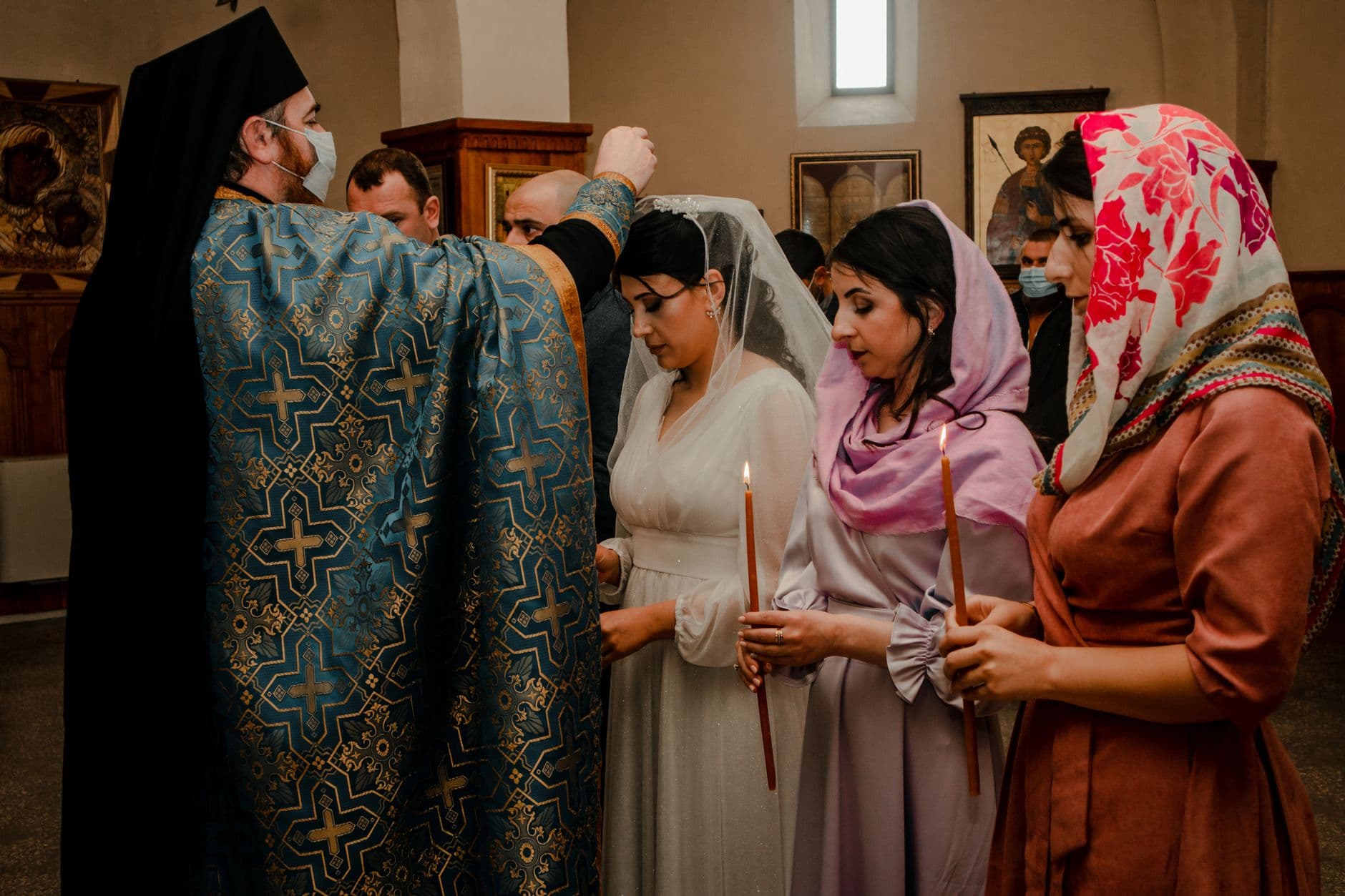
The ceremony lasted twelve minutes. The celebration afterward went on for five hours. And somewhere between the font and the cake, every single person at the christening pulled out their phone to photograph the baby.
Grandma got that perfect shot of the godfather holding the baby. Uncle Stefan caught the moment the toddler grabbed the priest's stole. Your cousin filmed the whole blessing from the second row. Beautiful, irreplaceable moments. Sitting on 30 different phones. And if history is any guide, most of those photos will never leave those phones.
This is the christening photo problem: the ceremony is short, the guest list is deeply personal, and the people attending span three or four generations. That last part is what makes collecting photos so tricky.
Why Christening Photos Are Harder to Collect Than Wedding Photos
Weddings have a built-in advantage. You hire a photographer, maybe a videographer, and you get a polished gallery delivered in a few weeks. Christenings rarely get that treatment. The professional photographer, if there is one, might only cover the ceremony itself. The party afterward, the candid moments, the toddler smearing frosting on the godmother's blouse? Those live only on guests' phones.
And the guest list at a baptism looks different from a wedding. It skews older and more multigenerational. You might have a 78-year-old great-grandmother sitting next to a 16-year-old cousin. Getting both of them to participate in a WhatsApp group (or worse, an iCloud shared album) is an exercise in frustration. As one family photo sharing guide points out, photos shared in group chats often get buried under messages, and older family members may struggle with the technology entirely.
Then there's the distance factor. Modern baptisms increasingly include virtual elements for family who can't attend in person. Grandparents in another country, a godparent who couldn't get the day off. They might be watching a livestream, but they also want to see the celebration photos afterward. Sending a ZIP file by email is nobody's idea of a good experience.
The "I'll Send You the Photos" Problem
You know how this goes. Everyone promises to share their photos. Then life happens. A week passes. Two weeks. You text your aunt, she says she'll send them tonight. Another week. Eventually, you get 6 blurry screenshots over WhatsApp and a Google Drive link that requires a login your mother-in-law doesn't have.
The core issue isn't laziness. It's friction. Selecting photos, figuring out where to send them, dealing with file size limits, creating accounts on platforms. Every step is a reason for someone to say "I'll do it later" and then never do it. For events where memories truly matter, that lost friction adds up to lost photos.
Christenings make this worse because the window closes fast. Unlike a wedding (where excitement carries for weeks), a baptism celebration is usually a single afternoon. By Monday morning, the moment has passed and the urgency to share photos evaporates.
A QR Code on the Order of Service
The simplest fix is removing friction at the source. Instead of asking guests to share photos after the event, give them a way to upload during it.
Here's how it works in practice: you create a shared gallery, get a QR code, and place it somewhere guests will see it. For a christening, the obvious spot is the order of service or the welcome table at the reception. Guests scan the QR code with their phone camera, type their name, and start uploading. No app download. No account creation. No sign-up form.
That last part matters more than you'd think. Your tech-savvy cousin will figure out any system. But the goal is getting photos from everyone, including the 70-year-old godfather who still calls his phone "the apparatus." If you want tips on bridging that gap, we wrote a whole guide on getting non-tech-savvy guests to share photos. The short version: if it works like pointing a phone camera at a code (which everyone has done at a restaurant menu by now), even reluctant tech users will give it a try.
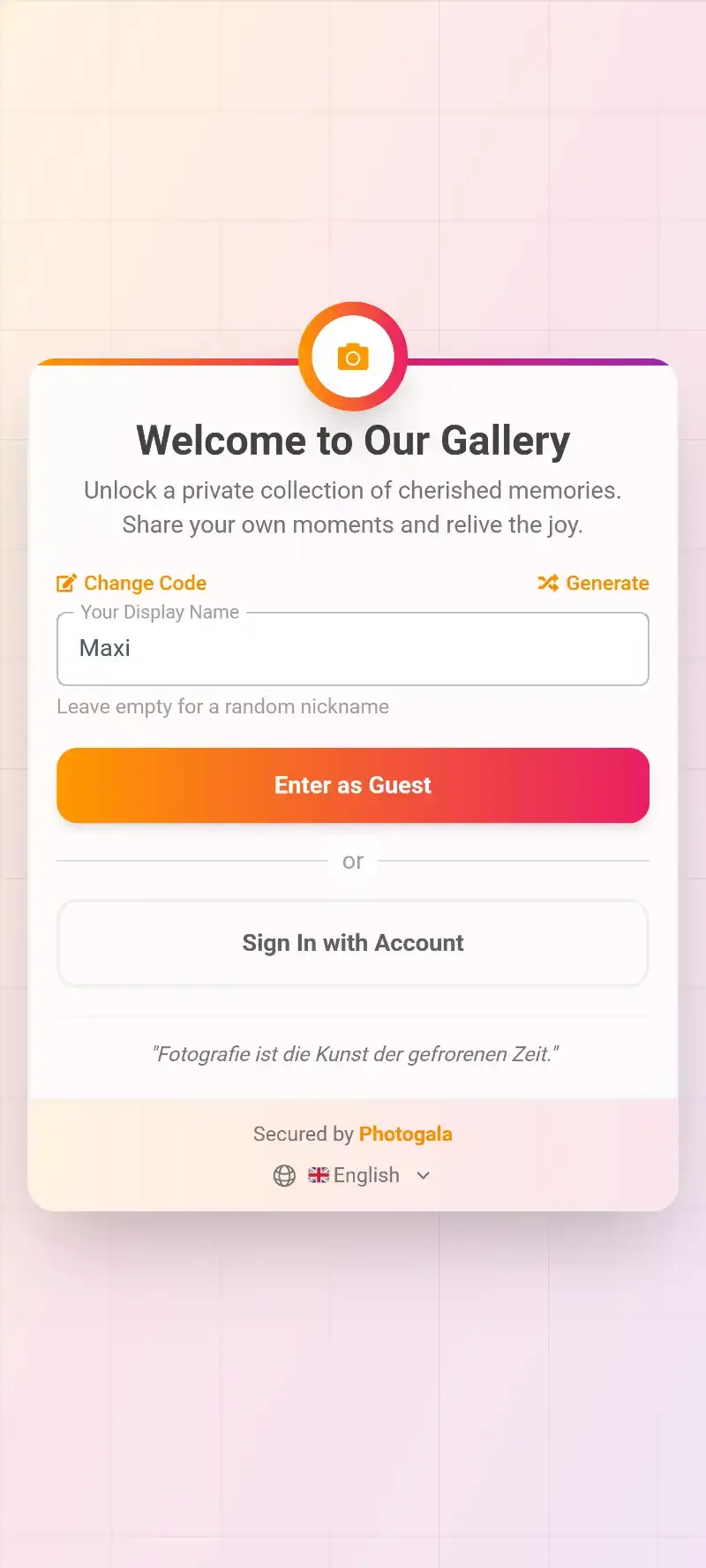
1.Guests type their name and start uploading. No account needed.
The photos land in a single shared gallery. Everyone with the link can see them. You can browse during the party, share the link with family who couldn't attend, and download everything in original quality afterward.
Setting Up the Gallery for a Christening
A christening gallery doesn't need to be complicated. Unlike a wedding with 200 guests and all-day coverage, you're typically looking at 20-50 family members over a few hours. Here's what works.
Three Steps Before the Big Day
Create the gallery
Pick a name ("Luna's Baptism" or "Taufe Familie Müller"), upload a cover photo, and customize the colors to match your theme. Takes about 5 minutes.
Print or share the QR code
Place it on the order of service, a small frame on the welcome table, or even a card tucked into the napkin at each place setting. For remote family, send the gallery link by text. Need a custom QR code? Try the free QR code generator at photogala.net/en/tools/qr-code-generator.
Let it fill up
Photos appear in real time as guests upload. No collecting, no reminders, no follow-up texts.
With Photogala, you can customize the gallery appearance to match the christening theme: soft pastels for a traditional ceremony, bold colors for a modern naming day. Small detail, but it makes the gallery feel intentional rather than generic.
See it in action
Every guest photo in one album – no app.
The Live Photo Wall: Worth It for a Baptism?
At weddings, a live photo wall on a big screen is almost expected at this point. At a christening, it's less common, which is exactly why it works so well.
Picture this: the family gathers at the restaurant or reception hall after the church ceremony. A screen near the dessert table cycles through guest photos as they're uploaded. The baby's first moments in their christening gown. The group photo outside the church. A candid of the godmother trying not to cry. Every few minutes, a new photo appears, and someone points and laughs or pulls out their phone to upload their own version of the moment.
It becomes self-reinforcing. People see photos appearing on screen and think, "Oh, I should upload mine too." For a 30-person christening, you might end up with 80-120 photos by the end of the afternoon. Not a massive number, but enough to capture the day from every angle.
Guest photos appear on screen in real time. The live badge pulses in the corner.
What About Privacy?
Baby photos and family ceremonies are personal. You're right to think about privacy before putting photos in any shared space.
A few things to consider: the gallery is private by default. Only people with the link (or QR code) can access it. There's no public listing, no search engine indexing. You can also add password protection if you want an extra layer. For families who are careful about sharing baby photos online, this is a significant step up from a Facebook album or an Instagram story, where the privacy boundaries are fuzzy at best.
If you want more control, Photogala's Premium plan (€69) includes content moderation, where every photo gets reviewed before it appears in the gallery. You assign the job to a trusted family member, maybe the baby's aunt or the organized friend who always volunteers. One tap to approve, one tap to reject. It's useful if you've shared the QR code broadly and want to filter out duplicates or unflattering shots before the whole family sees them. For most small christenings, though, the default privacy settings on the Plus plan are more than enough.
For families with strict photo rules: If you prefer that baby photos don't end up on social media, mention it on the QR code card itself. Something like "Please share your photos here instead of social media" sets a clear, gentle boundary. Read our full guide on photo sharing etiquette for event hosts for more tips.
Making It Multigenerational
The best part of a christening gallery is when three generations start contributing. The teenagers upload 15 photos each. The parents get the key ceremony shots. And Grandma contributes her three photos, including the one slightly blurry shot of the baby sleeping that somehow becomes everyone's favorite.
A few practical tips for multigenerational success:
- Place the QR code where older guests sit. Don't hide it at the entrance where only the first arrivals see it. Put one on every table or slip it into the order of service everyone holds during the ceremony.
- Show someone how to scan it. One quick demonstration for the older guests goes a long way. Most people over 65 have scanned a restaurant QR menu by now, but a gentle nudge helps.
- Send the link separately to remote family. Grandparents watching a livestream from another country can open the gallery link in their browser and see photos appear in real time, almost like being there.
- Download and share afterward. Once the celebration is over, download the full gallery as a ZIP file and send it to family members who prefer having photos saved locally. Original quality, no compression.
This approach works just as well for other family milestones like first birthdays, naming days, and confirmation celebrations. If you're collecting guest photos at any event, the principle is the same: reduce friction, include everyone, keep it private.
Beyond Just Collecting Photos
Collecting photos is the baseline. The part people don't expect is how a shared gallery changes the dynamic of the celebration itself.
When guests know their photos are going somewhere (not just their camera roll), they take different kinds of photos. More candids. More detail shots of the decorations, the cake, the baby's tiny shoes. They're not just documenting for themselves; they're contributing to a shared memory. As Dropbox's family photo guide notes, collaborative albums where everyone contributes create a richer record than any single photographer could.
You can lean into this with photo challenges. Set up a few simple prompts: "Photo with the godparents," "The best candid of the baby," "Three generations in one frame." They're not competitive tasks; they're gentle nudges that give guests ideas for what to photograph. For a small family christening, three or four challenges are plenty.
After the celebration, the gallery becomes the family archive. Unlike a WhatsApp group that gets muted and forgotten, a dedicated gallery stays accessible. Months later, when you want to make a photo book or print a picture for the grandparents' wall, everything is in one place. The way a digital guestbook preserves messages, a photo gallery preserves the visual story of the day.
One Honest Caveat
This isn't a free solution. Photogala has a free demo that lets you test the gallery with up to 50 photos (no credit card), which is actually enough for a very small christening. But for a proper setup with unlimited uploads, the photo wall, and download access, you're looking at the Plus plan at €39 as a one-time cost. Not a subscription, just a single payment. Worth being upfront about that. Check the current pricing to see which plan fits.
For context, that's less than a single roll of printed photos and considerably less than hiring a photographer for the reception. And it includes features like the live photo wall, smart albums, and bulk ZIP downloads that you'd struggle to replicate with free tools.
A christening happens once. The baby won't remember it, but everyone else will. And the photos from that day, the real ones taken by the people who love that baby most, are worth collecting properly.
All of this comes with your own event.
Setting it up takes five minutes. You can build and view everything before you decide.
Starting from €39 one-timeOne-time payment — No subscription
- No App Required
- Setup in 5 Minutes
- 30-Day Money Back
“Excellent service and great pictures! Photogala fully met our expectations at the event. The value for money is unbeatable. Absolutely recommended! The seating plan saved us a lot of hassle!”
Written by

I believe event photos should be more than static galleries. They should be live, playful, and unforgettable.
Categories
Related Posts

Bridal Shower Photo Sharing: Collect Every Sweet Moment in One Gallery
Bridal shower photos end up scattered across 15 phones. Here's how to get them all into one gallery before the mimosas wear off.

Maternity Photo Sharing: How to Keep Every Announcement, Bump Shot, and Memory in One Place
Pregnancy announcements land on 4 different apps. Maternity photos get lost in group chats. Here's how to keep every photo in one shared gallery your whole family can access.

Sales Kickoff Photo Sharing: How to Turn a Mandatory Meeting Into a Team Memory
Sales kickoffs are expensive. The photos from them usually disappear into 14 different camera rolls. Here's how to fix that.