Photo Sharing Etiquette: 7 Rules Every Event Host Should Know

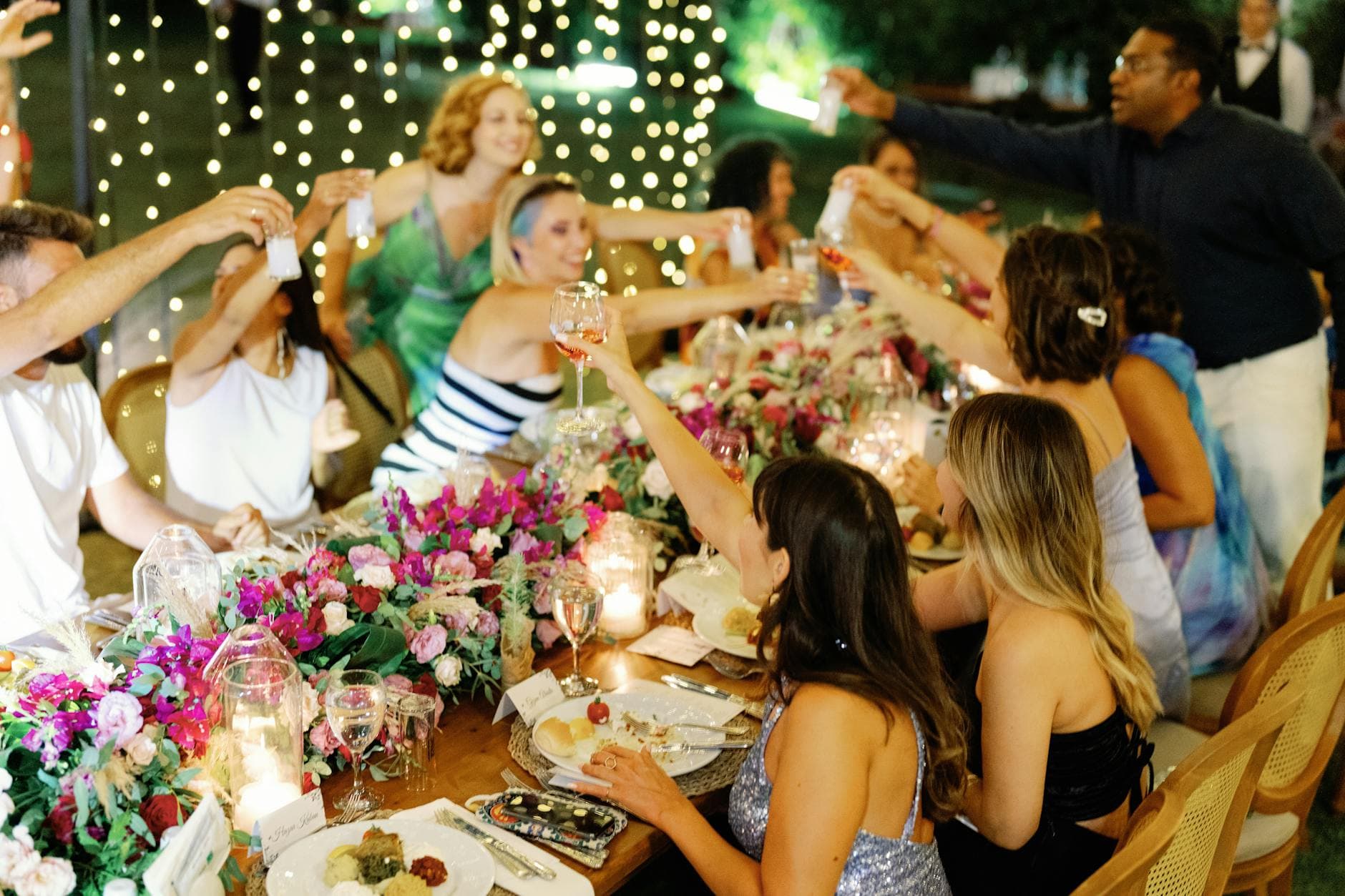
Picture a corporate summer party. The weather is perfect, the food is great, and someone from marketing sets up a shared album so everyone can pool their photos. By Monday morning, 340 photos are in that album. Two of them show a colleague who left the company under difficult circumstances last month. Three capture a new hire who specifically asked not to be on social media. One is a slightly blurry shot of someone's badge with their full name, department, and employee ID clearly visible.
Nobody meant any harm. But the host never set ground rules, and now there's an HR conversation nobody wanted to have.
Photo sharing at events has become automatic. Smartphones are everywhere, QR code uploads make it frictionless, and shared galleries fill up fast. The technology part is solved. What most hosts skip is the human part: the etiquette, the consent, the boundaries that make the difference between a gallery everyone enjoys and one that creates problems.
These seven rules aren't complicated. But almost nobody follows all of them.
Rule 1: Tell People Photos Will Be Shared Before They Walk In
This sounds obvious. It almost never happens. According to an ethics guide on event photography by RentAPhotoStudio, obtaining consent is the key ethical consideration, and attendees should be aware that photography will happen before the event starts, not once the camera is already pointing at them.
For weddings, this can be a line on the invitation: "We're using a shared photo gallery so everyone can contribute and see each other's photos." For corporate events, include it in the event briefing email. For birthday parties, a quick message in the group chat does the job.
The point isn't to create a legal document. It's to set expectations. When people know photos will be shared, they dress accordingly, they behave accordingly, and they speak up early if they have concerns. Surprising them after the fact is where problems start. We covered the broader privacy landscape in our GDPR guide, and the short version is: in Europe, a photo of a recognizable person counts as personal data. Always.
Quick template for your invitation: "We'll have a shared photo gallery at the event. Scan the QR code to upload your own photos and browse everyone else's. If you'd prefer not to appear in shared photos, just let us know and we'll make sure to respect that."
Rule 2: Give People a Real Way to Opt Out
"Let us know if you don't want to be photographed" is not a real opt-out. Nobody will walk up to the host at a party and announce they'd rather not be in pictures. It's socially awkward, and most people will just stay quiet and feel uncomfortable.
A real opt-out is structural. At a charity gala or fundraiser, it might mean colored wristbands: green for "photograph me all you want," red for "please don't include me." At a smaller event, it could be a simple reply option on the invitation. For corporate gatherings, a checkbox in the registration form works well.
As Wherewolf's guide on photo release waivers puts it: people have various reasons for declining photo use, from safety concerns to simply wanting anonymity. A donor at a nonprofit event may not want their attendance public. A domestic violence survivor absolutely doesn't. An accidental photo share can cause real damage, whether or not a formal waiver was signed.
The best approach: make opting out as easy as opting in. If uploading a photo takes one tap, declining should take one tap too.
Rule 3: Moderate Before You Share
This is the rule most hosts learn the hard way. Imagine a wedding gallery with 600 photos. 580 of them are wonderful. But 12 are unflattering angles someone would rather not see shared, 5 are accidentally blurry, and 3 are, well, the kind of thing that happens when the open bar has been running for four hours.
Without moderation, all 600 go live. With moderation, a trusted person reviews uploads before they appear in the shared gallery. It doesn't have to be the host. Assign it to a bridesmaid, a colleague, or a friend who has good judgment and won't be distracted.
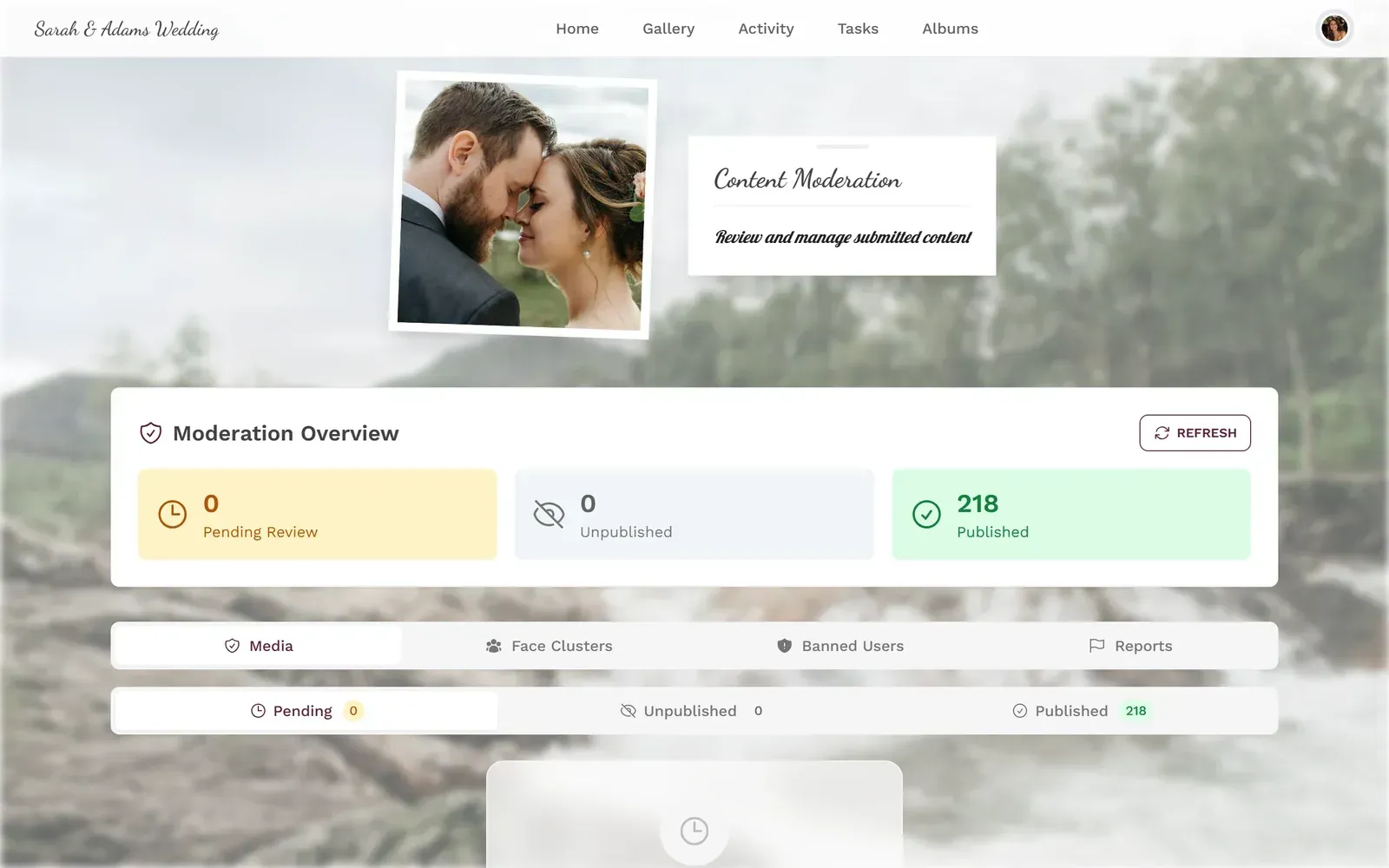
1.A moderation dashboard lets you review every upload before it goes public
Photogala's moderation system lets you set up pre-approval so nothing goes live without a thumbs-up. You can assign moderator roles to multiple people, and the AI-powered NSFW filter catches the obvious problems before a human even needs to look. For events where a live photo wall is displaying uploads on a big screen, moderation isn't optional. It's essential.
See it in action
Every guest photo in one album – no app.
Rule 4: Don't Post Event Photos on Social Media Without Asking
The shared gallery is not social media. This distinction matters more than most hosts realize.
When someone uploads a silly photo of themselves to a private event gallery, they're sharing it with the people who were there. They did not consent to that photo appearing on Instagram, LinkedIn, or the company newsletter. Those are different audiences with different stakes.
The etiquette here is simple: the gallery stays private unless the people in the photos agree otherwise. If you want to post highlights on social media, ask first. Not in a general "anyone mind if I post some of these?" way, but specifically: "Hey, I love this shot of us at the dessert table. Mind if I put it on Instagram?"
For corporate events, this gets more formal. A photo consent process should be part of the planning, not an afterthought. The line between "internal team gallery" and "LinkedIn marketing post" is a line you don't want to cross accidentally.
Rule 5: Make Sharing Easy, Not Mandatory
There's a fine line between encouraging photo uploads and pressuring people. That line gets crossed more often than you'd think.
"Everyone HAS to upload at least one photo!" No, they don't. Some people are camera-shy. Some are going through a rough time and don't want their face documented. Some simply prefer to be present without a phone in their hand. All of these are valid.
The better approach: make sharing so easy that people who want to do it, will. A QR code on every table, a link in the event chat, maybe a quick announcement. Then let people choose. If you're using photo challenges or a leaderboard to boost engagement, frame them as fun and optional, not as obligations.
Funny enough, the less you pressure people, the more they tend to share. A 150-person wedding with a visible QR code and zero pressure can easily collect 400+ photos. The guests who love taking pictures will carry the gallery. The quiet ones will browse and enjoy, and that's perfectly fine.
Rule 6: Handle Children's Photos With Extra Care
This one gets serious fast. Photos of minors at events require a different level of caution.
At a family reunion or a birthday party, there will likely be children. Some parents are happy to have their kids photographed. Others are not, and their reasons range from custody disputes to personal philosophy about children's digital footprints. You don't need to know the reason. You need to respect the boundary.
Before the event, ask parents directly. At school events, digital consent forms are becoming standard, and for good reason. If even one parent says no, ensure those children aren't in shared photos. This is where moderation becomes critical again: a moderator who knows which children shouldn't appear in the gallery can catch what an automated system can't.
For events with children: Create a simple list of which kids can and can't appear in shared photos. Share it with your moderators before the event starts. It's a two-minute task that prevents serious problems.
Rule 7: Set an Expiration Date
A shared gallery from a Christmas party three years ago still floating around is not a gift. It's a liability. People change, relationships change, and photos that felt fine in the moment can become uncomfortable over time.
Set expectations upfront: "The gallery will be available for download for 6 months. After that, it's gone." This gives people time to save what they want and creates a natural endpoint.
Photogala's storage tiers are built around this. Events have a defined duration (3 months on the free plan, up to 24 months on Deluxe), and that's by design, not a limitation. Permanent shared galleries with no expiration are a consent problem waiting to happen. Someone who was fine being photographed at last year's team retreat might have very different feelings about it two years later.
For retirement parties and milestone events where people want to keep the memories, encourage individual downloads. The gallery itself doesn't need to live forever for the photos to be preserved by the people who want them.
Putting It All Together
None of these rules require expensive tools or legal expertise. They require intention. The difference between a host who thinks about photo etiquette and one who doesn't is usually about 15 minutes of planning.
Your Pre-Event Photo Etiquette Checklist
Notify guests in advance
Include a note about the shared gallery in your invitation or event briefing. Give people time to raise concerns.
Set up moderation
Assign 1-2 trusted people to review uploads before they go live. Brief them on any opt-out requests.
Make sharing optional and easy
Place QR codes visibly, share the link, but never pressure anyone to upload.
Define boundaries for social media
Make it clear: the gallery is private. Public sharing requires individual consent.
If you're building a digital guest book or a surprise party gallery, the same principles apply. Consent first, convenience second.
The goal isn't to make photo sharing complicated. It's to make it respectful. When guests feel safe, they share more freely. When they feel pressured or surveilled, they put their phones away. The hosts who understand this end up with better galleries, not worse ones.
1.A welcoming gallery landing page sets the right tone
That corporate summer party from the opening? With 15 minutes of prep, it could have gone differently. A quick email beforehand, a moderator with a phone, and a note about social media boundaries. Same 340 photos, zero HR conversations.
All of this comes with your own event.
Setting it up takes five minutes. You can build and view everything before you decide.
Starting from €39 one-timeOne-time payment — No subscription
- No App Required
- Setup in 5 Minutes
- 30-Day Money Back
“I use PhotoGala Deluxe and I'm absolutely thrilled. It was the perfect solution for documenting a sports event. Uploading and downloading via the link is a breeze for every participant. What won me over most were the photo wall and the slideshow – both are quick to set up and look really professional. Big praise also to Peter from the PhotoGala team: he's very easy to reach by email, replies quickly and even took my suggestions on board and added new features that made my slideshow even better. You rarely get support this dedicated. A clear 5-star recommendation!”
Written by

I believe event photos should be more than static galleries. They should be live, playful, and unforgettable.
Categories
Related Posts
Proposal and Engagement Photo Sharing: How to Capture the Moment They Said Yes
The proposal lasts seconds. The photos live forever. Here's how to collect every angle from the people who were there.

Bridal Shower Photo Sharing: Collect Every Sweet Moment in One Gallery
Bridal shower photos end up scattered across 15 phones. Here's how to get them all into one gallery before the mimosas wear off.

Maternity Photo Sharing: How to Keep Every Announcement, Bump Shot, and Memory in One Place
Pregnancy announcements land on 4 different apps. Maternity photos get lost in group chats. Here's how to keep every photo in one shared gallery your whole family can access.