How a 15-Minute Setup Puts Guest Photos on the Big Screen

The Screen Behind the DJ
Picture a wedding reception at 10 PM. The band takes a break. Behind the DJ booth, a 55-inch screen starts cycling through photos: a blurry selfie with the flower girl, the groom's college friends in a ridiculous group pose, the bride's grandmother caught mid-laugh by someone at table seven. Guests start pointing, nudging each other, pulling out their phones.
That's a live photo slideshow. And setting one up takes about 15 minutes, not the audiovisual production most people assume.
This guide covers the full setup: what hardware you need, how to connect everything, where to place the screen for maximum visibility, how to get guests actually uploading (the hardest part), and the content moderation safeguards you shouldn't skip. The process works the same for weddings, corporate parties, and milestone celebrations.
Why a Live Photo Wall Changes the Room
Photo booths have been the default event entertainment for years. According to industry data, 61% of couples include one at their wedding reception. But photo booths have a fundamental limitation: they create a queue. One group at a time, fumbling with props, missing the dance floor.
A live photo wall flips that dynamic entirely. Every guest becomes a contributor from their own phone, wherever they happen to be in the venue. No line, no props, no waiting. And when people see their photo pop up on the big screen, something clicks. They want to upload another one. It becomes a quiet, unspoken competition for the best reaction.
Once Films' 2026 wedding engagement research identifies the digital guest photo wall as one of the most effective low-effort engagement strategies for modern events. The key word there is "low-effort." Guests don't leave their seat, don't download an app, don't create an account. They scan a QR code and upload. That's it.
And it's not limited to weddings. Corporate team events, milestone birthdays, school reunions, graduation celebrations. Any gathering where people carry smartphones and have things worth photographing. QR code adoption has surged 323% since 2021, so scanning is second nature for most guests at this point.
What You Need (Less Than You Think)
The equipment list is shorter than expected:
- A TV or projector (50 inches or larger makes the best visual impact)
- An HDMI cable or wireless casting device (Chromecast, Apple TV, Fire Stick)
- A laptop or tablet to run the slideshow in a browser
- Stable WiFi at the venue
- A QR code for guests to scan and upload photos
That covers it. Most live photo slideshow platforms, including Photogala, run entirely in the browser. Open the photo wall URL on your laptop, mirror the screen to the TV, set it to full-screen. No special software to install on the display device. Platforms like EventlyCam follow the same browser-based approach, which keeps setup simple across the board.
Venue WiFi matters more than screen size. A gorgeous 75-inch display means nothing if the WiFi buckles under 50 guests uploading simultaneously. Ask the venue about their bandwidth before the event, and bring a 4G/5G mobile hotspot as backup if the answer is vague.
Setup in 15 Minutes
From Zero to Live Photo Wall
Create your event gallery
Sign up, name your event, and customize the gallery style and colors. Pick a layout that matches the vibe.
Print QR codes
Download the QR code. Print it on table cards, a poster near the entrance, or both. The more visible, the better.
Connect the display
Open the photo wall URL on a laptop. Mirror the screen to your TV via HDMI or wireless casting. Full-screen it.
Test before guests arrive
Have a friend scan the QR code and upload a test photo. Confirm it appears on screen within a few seconds.
Every upload appears in the shared gallery for all guests to browse

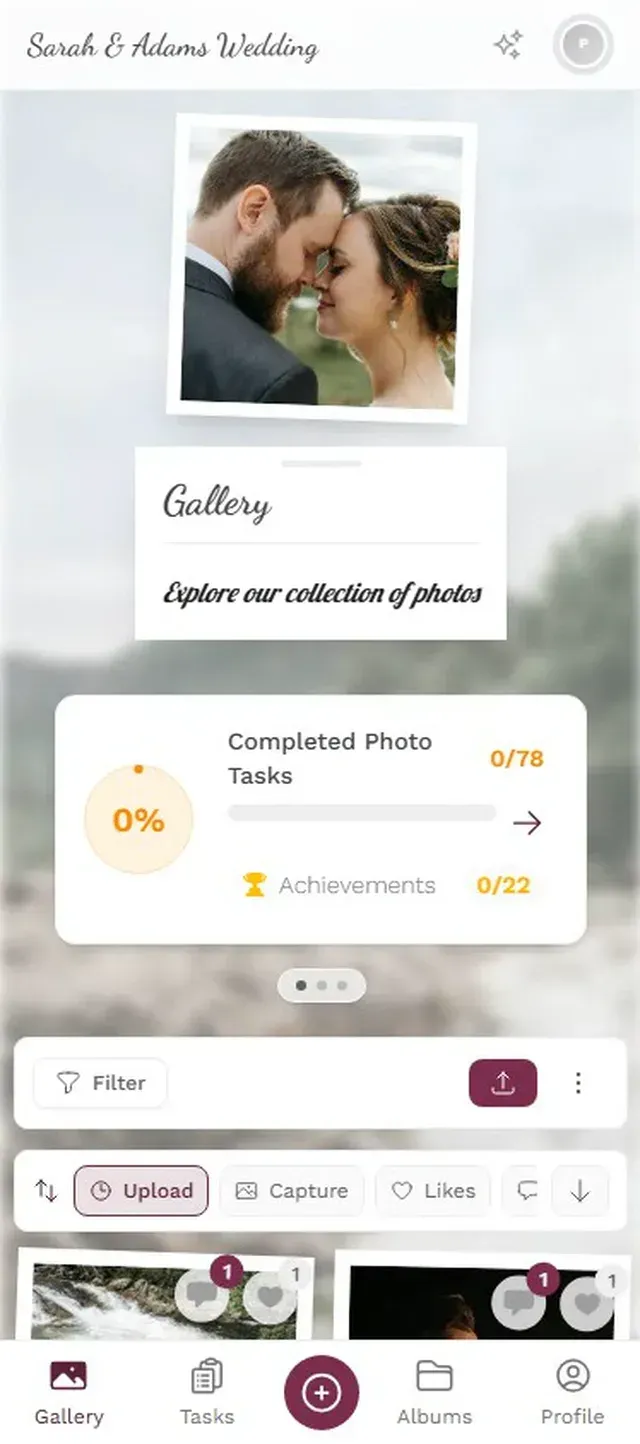
The bulk of those 15 minutes goes toward picking colors and uploading a cover image. The technical part (laptop to TV) takes about 90 seconds.
Ready to create your gallery?
Screen Placement: The Decision That Makes or Breaks It
The most common mistake with live photo walls is putting the screen somewhere nobody walks past. A corner. A side room. Behind a pillar. If guests don't see it, they won't know it exists, and participation drops to nearly zero.
The screen belongs where the energy is. At weddings, near the bar works best. Guests face that direction naturally, and they notice photos cycling while waiting for a drink. Behind the DJ booth is a close second. At corporate events, the lobby entrance or the main stage backdrop catches the most foot traffic. Mount the screen at eye level or slightly above. A TV sitting on a low table gets blocked by the first row of standing guests.
Skip projectors in bright rooms. Projectors wash out completely in venues with natural light or strong overhead lighting. If your event runs during the day or in a well-lit ballroom, use a TV instead. The image quality difference is dramatic and worth the rental cost.
Getting Guests to Actually Upload
The screen is mounted. The WiFi is solid. The QR codes are printed on every table. Now the real question: will anyone participate?
Three things reliably get uploads flowing.
Seed the gallery before guests arrive. Have the wedding party or organizing team upload 10-15 photos during cocktail hour. Nobody wants to be the first person uploading to a completely empty gallery. But once 15-20 photos are cycling on screen, social proof takes over and others join in.
Give people a specific reason. "Best dance floor moment." "Selfie with the couple." "Find the oldest guest and snap a photo." Specific prompts generate far more uploads than a vague "share your photos!" sign. Photogala lets you create photo challenges that guests complete for points on a leaderboard, which adds a competitive edge. (For a deeper look at collecting guest photos, our complete guide for weddings covers the full playbook.)
The competitive element surprises people. You might assume adults at a formal event won't care about a leaderboard. But imagine the bride's uncle, a 62-year-old surgeon, uploading his seventh photo because he's determined to crack the top five. Checking his rank between courses. It happens more often than you'd think.
Have the MC announce it once. This sounds obvious, but hosts forget constantly. One sentence from the DJ or emcee early in the evening: "Scan the QR code on your table to share photos, and they'll appear on the big screen right here." A single mention can double the upload rate within the next hour.
Expect a slow first hour. That's normal. Momentum builds after the announcement, after people see a few funny or candid photos on screen, and after a couple of guests realize there's a leaderboard. At a typical 150-guest event, 150-300 photos from 40-60 different contributors by the end of the night is a realistic outcome. Not viral numbers, but far more candid coverage than any photographer captures alone.
Content Moderation: The Part Nobody Plans For
Imagine a live photo wall at a company event. Open bar. Two hours in, someone uploads something inappropriate. And it appears on a 65-inch screen in front of the entire leadership team.
This is the reason content moderation is not optional when photos go directly to a big screen. Two approaches handle this:
Pre-approval mode is the simplest safeguard. Every photo enters a review queue before appearing on screen. A moderator (a bridesmaid, an event coordinator, a trusted colleague) gets a notification for each upload and taps approve or reject. It adds a 30-60 second delay but eliminates risk entirely. For most weddings and smaller events, this is more than enough.
AI content filtering handles the volume at larger events. Photogala's Deluxe plan includes an NSFW filter that automatically flags inappropriate uploads before they reach the screen. No AI filter is perfect, but it catches the obvious problems without requiring someone to manually review every single photo. For corporate events with 100+ attendees and an open bar, combining the AI filter with a human moderator is the safest bet.
Review and approve uploads before they appear on the big screen
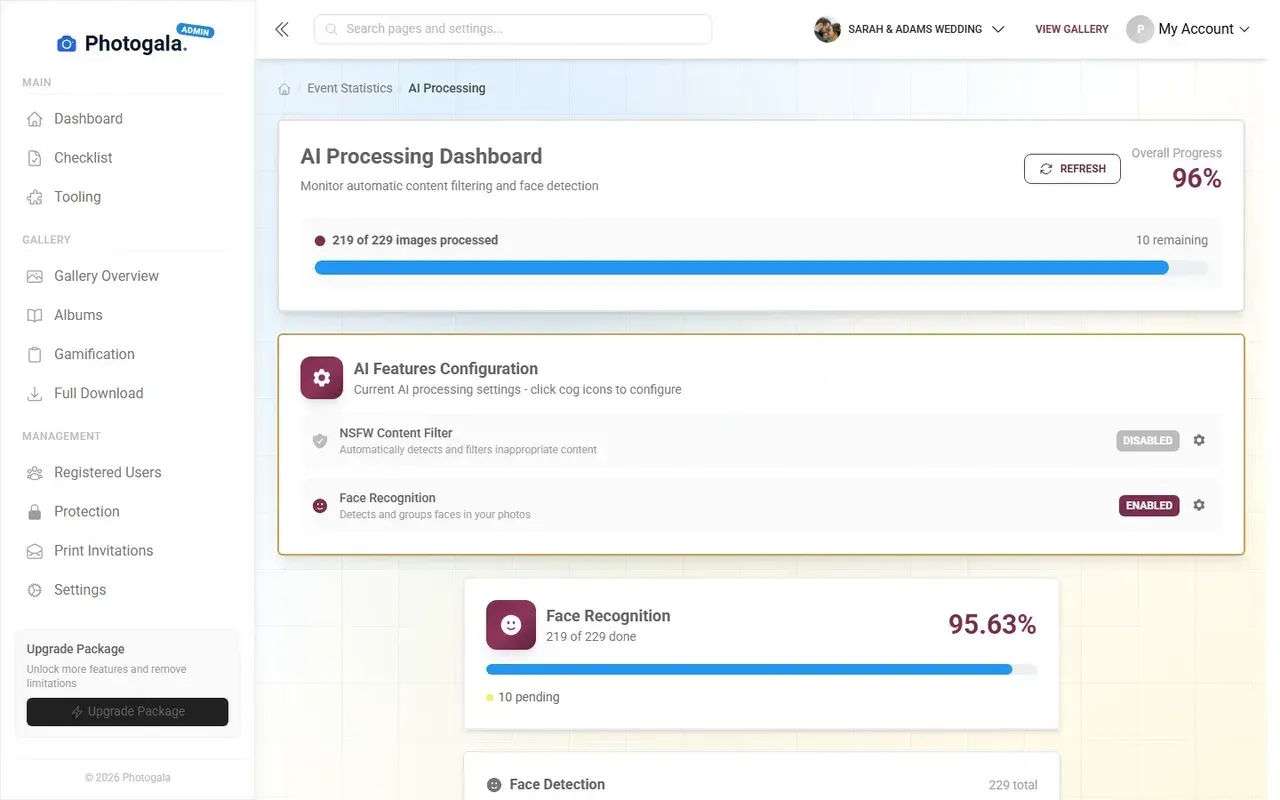
One honest caveat: the photo wall is included on every plan, but the moderation dashboard requires Premium (€69) or higher. For AI filtering on top, you need Deluxe (€119). When guest photos go straight to a screen in front of everyone, that upgrade is worth the peace of mind. (For a detailed breakdown of how QR photo sharing stacks up against a rented photo booth, we compared the costs and photo counts here.)
The best live photo slideshows feel effortless to guests, but that ease comes from a handful of deliberate choices made in advance: the right screen location, a seeded gallery, one brief announcement, and moderation running quietly in the background. Get those four things right, and the photos take care of themselves.
Ready to create your gallery?
Start sharing your event photos with guests in minutes.
Create GalleryWritten by

I believe event photos should be more than static galleries. They should be live, playful, and unforgettable.
Categories
Related Posts
How to Collect Photos From Event Guests Automatically
Stop chasing guests for photos after the event. A QR code, a shared gallery, and a few smart settings can do the collecting for you.
Club Event Photos: How to Stop Losing Member Moments to WhatsApp Chaos
Sports clubs, hobby groups, and societies generate hundreds of photos at every event. Most vanish into WhatsApp threads nobody scrolls back through. Here's a better system.
Housewarming Party Photo Sharing: How to Capture Your New Place Through Everyone's Eyes
Your housewarming is the only time your home will look this good and feel this new. Here's how to collect every guest's photos without lifting a finger.