Your Family Reunion Photos Are Scattered Across 47 Phones. Here's the Fix.

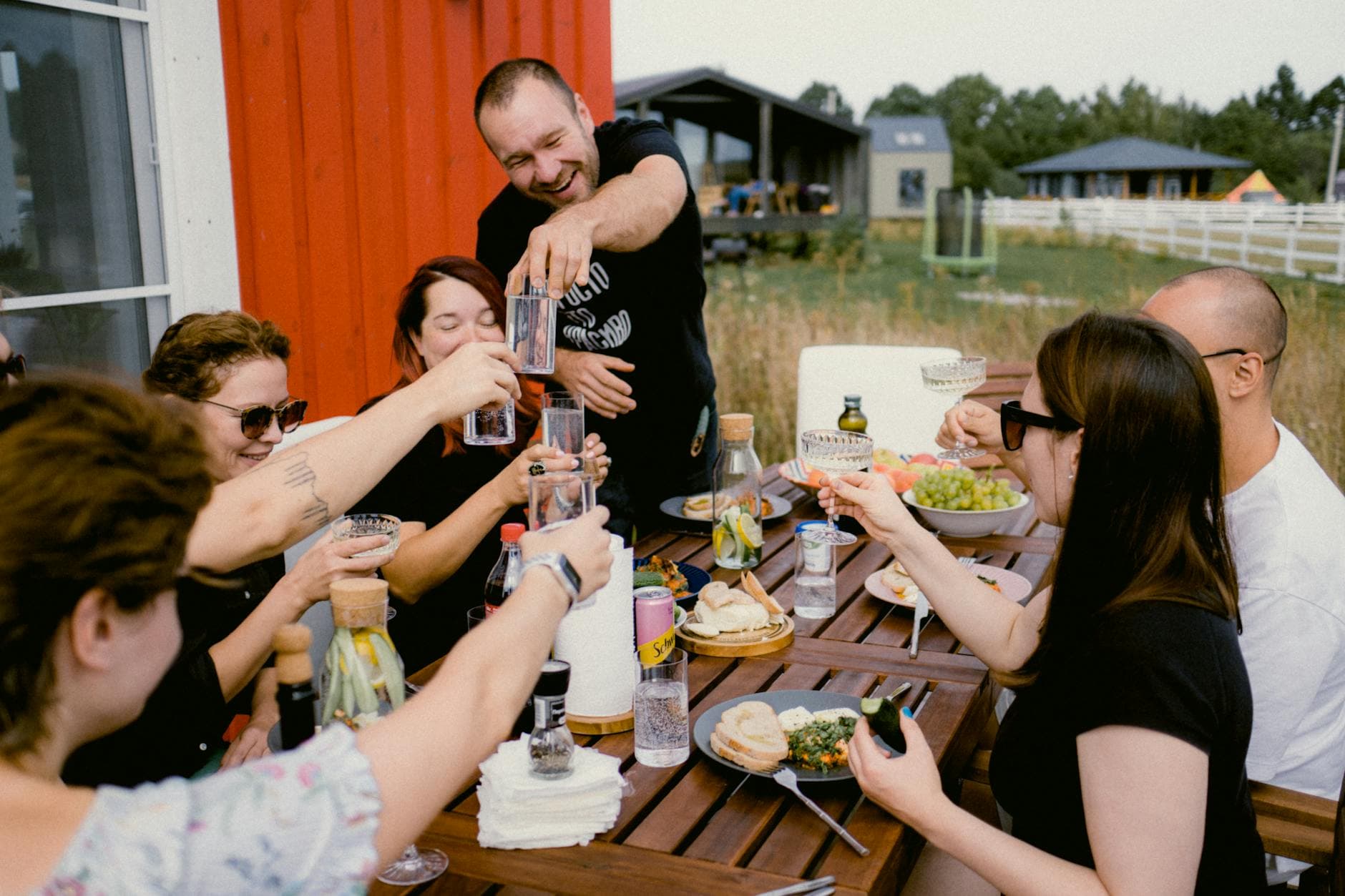
Picture this: 35 family members, three generations, a rented cabin by the lake. Your aunt captures the moment your grandfather tries the rope swing. Your teenage cousin gets that perfect golden-hour group shot nobody asked for. Your brother films your daughter's first cannonball off the dock. Great stuff. And within 48 hours, every single one of those photos will be trapped on individual phones, never to be seen by the rest of the family.
According to a 2023 Mixbook survey, 50% of Americans do nothing with the photos on their phone. They just sit there. For family reunions, the problem compounds fast because the best moments are split across dozens of devices owned by people who live in different states (or countries) and communicate primarily through a group chat that nobody checks after the event.
A shared photo gallery solves this. One link, one QR code, and suddenly everyone's photos land in the same place in real time. No app downloads, no "I'll send those to you later" promises that never materialize. I'll walk you through how to set one up, what to watch out for, and why some approaches work better than others.
Why Group Chats and Shared Albums Fall Apart
The obvious first instinct is a WhatsApp group or iCloud shared album. Both work fine when you're sharing 10 photos with 5 people. At a family reunion with 20-40 attendees? They break down in predictable ways.
WhatsApp compresses your photos aggressively. That gorgeous sunset shot becomes a blurry mess. iCloud shared albums require everyone to have an Apple device and an iCloud account, which rules out roughly half the family. Google Photos shared albums are better on the cross-platform front, but you still need everyone to have a Google account and actually accept the invitation. As GuestCam's research notes, the core problem is that the best moments end up scattered across dozens of phones with no easy way to bring them together.
There's also the coordination overhead. Someone has to create the album, invite everyone, troubleshoot Aunt Marge's login issues, and remind people to actually upload. At a reunion, you want to be in the photos, not tech support.
The QR Code Approach (and Why It Works for Reunions)
The simplest path: a QR code that opens a shared gallery in the browser. No app to download, no account to create. Scan, pick a name, upload. That's it.
This matters more for family reunions than almost any other event type. Your guest list spans ages 8 to 82, across iPhones, Androids, and that one uncle still using a phone from 2019. A browser-based gallery sidesteps every compatibility problem. QR code adoption has surged roughly 323% since 2021, so even less tech-savvy relatives are familiar with the scan-and-go pattern.

Each person picks a name so you know who uploaded what.

The whole process takes under 30 seconds for someone who's never done it before. I timed my mom. She managed it in 22 seconds, and she still double-taps to zoom on websites.
Setting It Up: Fewer Steps Than You Think
How to Create a Shared Family Reunion Gallery
Create your gallery
Head to Photogala and set up a new gallery. Give it a name ("The Millers - Lake Tahoe 2026" beats "Family Reunion"), pick a cover photo, and customize the colors if you want.
Print or share the QR code
Download the QR code and print it. Table cards work great for reunions — place them on the dining table, tape one near the grill, stick another by the front door. You can also text the link to the family group chat as a backup.
Let guests upload on their own
No instructions needed. Guests scan, pick a name, and start uploading. Photos appear in the shared gallery in real time. Original quality, no compression.
Download everything afterward
After the reunion, download all photos as a ZIP. You've got every angle of every moment, organized in one place.
The whole setup takes about five minutes. Shorter than brewing a pot of coffee for the morning crew.
Ready to create your gallery?
Where to Put the QR Code (This Makes or Breaks It)
Here's something that surprised me: placement matters way more than you'd expect. A QR code hidden on a side table in the hallway gets maybe 30% participation. The same code placed at the center of the dinner table, next to the condiments, gets 70%+.
For family reunions specifically, print at least three copies. One goes on the main dining or food area, because everyone passes through there multiple times. One goes near whatever the main activity spot is (the pool, the fire pit, the game room). And one stays with the person organizing the reunion, so they can show it to anyone who asks.
Kelly Tareskie Photography recommends timing activities around golden hour for the best group shots. Put a QR code right where you're staging photos during that window, and you'll capture both the "official" group shot and the candid chaos around it.
Pro tip for multi-day reunions: Announce the gallery at the first group meal. Do a test scan together. Once three or four people upload their first photos and see them appear on everyone else's screens, the rest of the family follows. Social proof works even (especially) within families.
What to Expect: Realistic Numbers
A family reunion with 25-40 people over a weekend typically generates 150-350 photos in a shared gallery. Not thousands. The teenagers and the family photographer type will upload 20-30 each. Most adults contribute 5-10. A few people won't upload anything, and that's fine.
The magic isn't in the volume. It's in the variety. You get angles and moments that no single person could have captured alone. The kitchen conversation at 11 PM. The kids building a blanket fort. Your dad falling asleep in the hammock (that one will circulate for years).
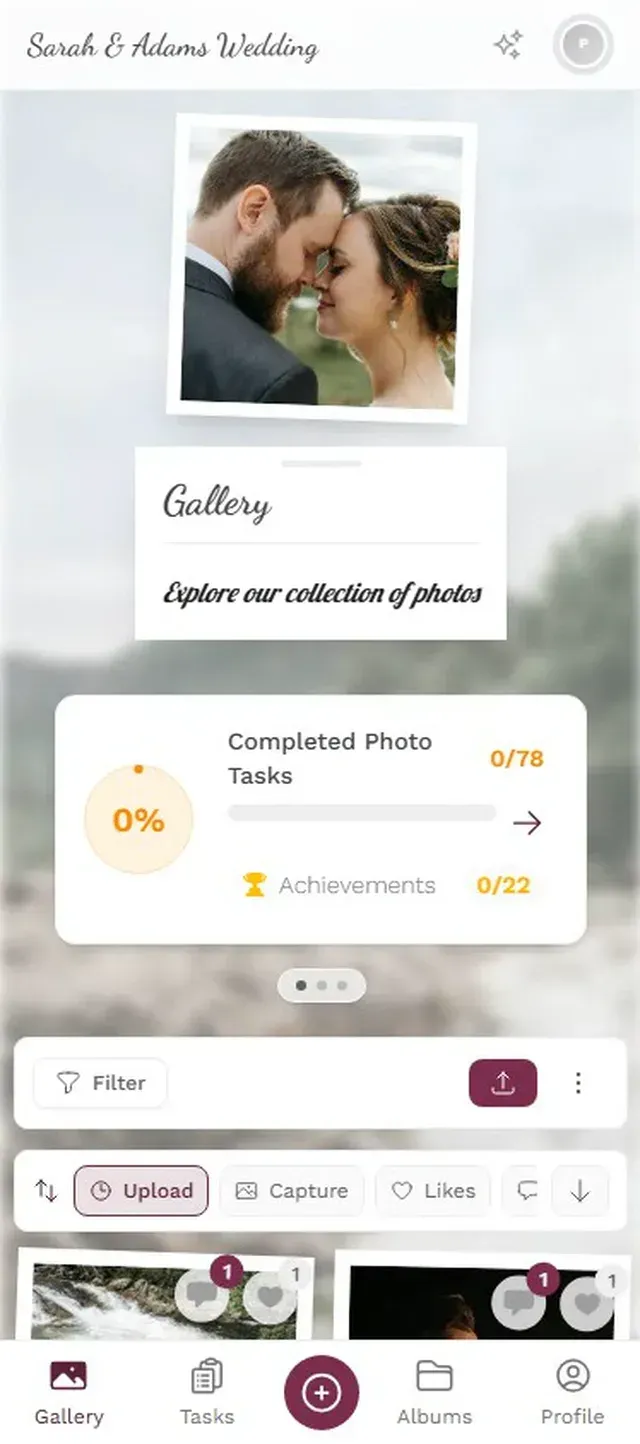
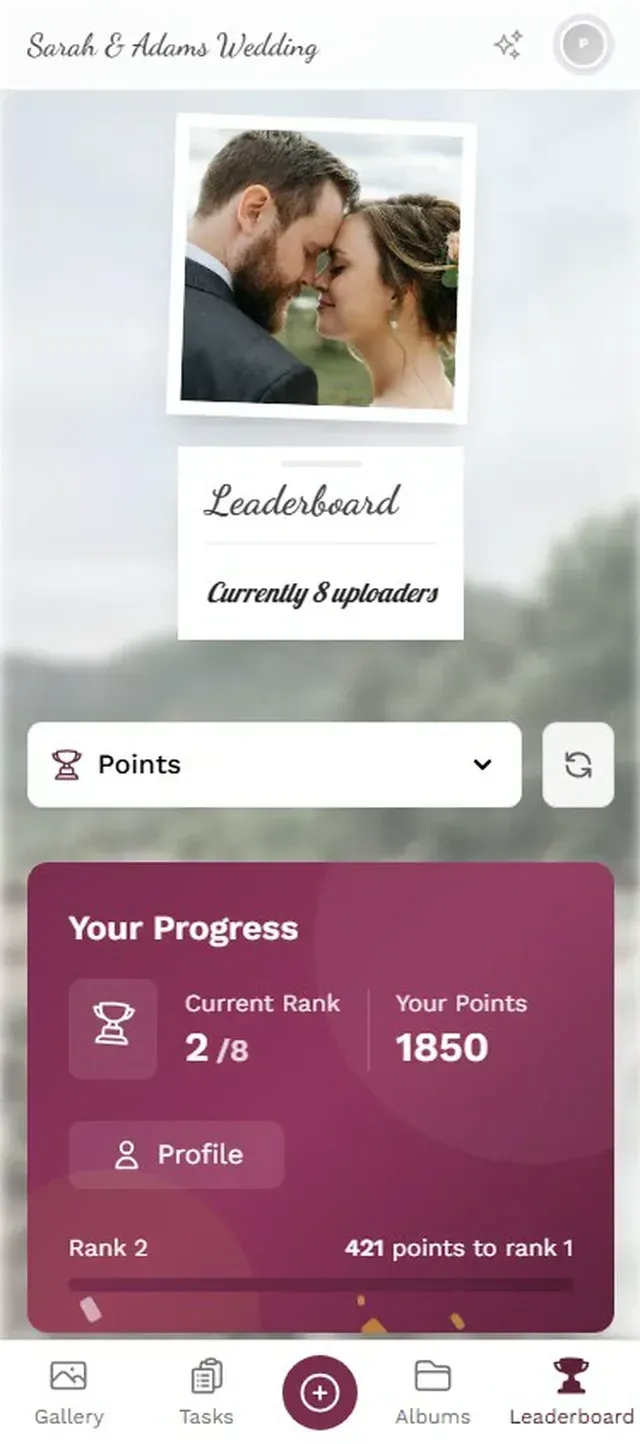
With Photogala, you can also add photo challenges to push participation without being pushy about it. Set up prompts like "Capture someone doing their signature move" or "Best photo of the oldest and youngest family member together." At a 30-person reunion, challenges typically bump total uploads by 30-40%. The leaderboard feature adds a light competitive element that works surprisingly well with families. Competitive families, anyway. You know who you are.
Photo challenges give guests fun prompts to capture specific moments.
The Honest Trade-Offs
No solution is perfect. A shared QR code gallery like Photogala's is browser-based, which means there's no native app sitting on your home screen with push notifications nagging people to upload. That's a trade-off: lower friction to join, but also fewer nudges. For a family reunion where everyone is physically together, this barely matters. For a virtual reunion or an event spread across weeks, it might.
The Plus plan at €39 already includes video uploads, so your family can share both photos and videos right away. If you want extras like comments and the photo wall feature, you'll want the Premium plan at €69. It's a one-time payment, not a subscription, so you're not going to get surprise charges three months later. But it's also not free like dumping everything into a WhatsApp group.
Speaking of free alternatives: they exist. Several photo-sharing apps offer basic sharing at no cost. The catch is usually photo limits, compression, or requiring everyone to create an account. For a small family of 10, a shared Google Photos album might be plenty. Once you're past 20 people with mixed devices and varying tech comfort levels, a QR-code-based gallery starts making a lot more sense.
Making the Gallery Last Beyond the Weekend
Here's what most people miss: the reunion gallery becomes a family artifact. It's not just about the weekend. Six months from now, someone will pull it up at Thanksgiving. A year later, you'll use those photos in a slideshow at the next reunion.
A few things help with longevity. First, download the full ZIP archive while everything is still hosted. Storage periods vary by plan (6-12 months with Photogala), and you don't want to lose anything. Second, organize photos into albums within the gallery: "Saturday BBQ," "Lake Day," "The Great Cornhole Tournament of 2026." It makes browsing easier when there are 200+ photos. Third, share the gallery link one more time in the family group chat about a week after the event. Stragglers will upload the photos they forgot about, and everyone gets a nice wave of nostalgia.
If your reunion is big enough or fancy enough to warrant a display, Photogala's photo wall feature lets you cast the gallery to a TV screen. Photos cycle through as they're uploaded. It works well as a background during dinner or as a conversation starter during downtime. Fair warning: it will slow dinner down because people keep getting up to take more photos once they see theirs on the big screen.
The photo wall cycles through guest uploads on any TV or projector. Instant conversation starter.
The best family reunion photos aren't the posed group shots where someone's always blinking. They're the in-between moments that only get captured when everyone has a camera in their pocket and somewhere easy to put those photos. A shared gallery turns 35 individual camera rolls into one collective memory. Set it up before your next reunion, and you might actually see that rope swing video your aunt took.
Ready to create your gallery?
Start sharing your event photos with guests in minutes.
Create GalleryWritten by

I believe event photos should be more than static galleries. They should be live, playful, and unforgettable.
Categories
Related Posts

Multicultural Wedding Photo Sharing: Honoring Every Tradition in One Gallery
When your wedding blends two (or more) cultures, collecting guest photos gets complicated fast. Here's how to make it work without losing a single moment.

Free Event Planning Tools Every Organizer Should Bookmark
The best free tools for budgets, guest lists, timelines, photo sharing, and more. No subscriptions, no bloated software suites.

Milestone Birthday Photo Sharing: 30th, 40th, 50th and Beyond
At milestone birthdays, decades of relationships converge in one room. Here's how to collect every guest's photos before they vanish into 40 separate camera rolls.