Where to Upload Photos for Clients (And Why That's Only Half the Problem)


You delivered 847 edited wedding photos. The couple loved them. Two weeks later, you get a message: "Do you have any of the photos from the dance floor? My cousin says she took some amazing ones but we can't find them."
That message captures the two completely different problems photographers face after an event. First: where do you upload YOUR photos so clients can view, select, and download them? Second: how do all the OTHER photos from the event (the ones guests took on their phones) end up in one place?
Most photographers solve the first problem well. The second one? Almost nobody solves it. And it's the one clients remember.
The Delivery Side: Where to Upload Your Work
If you're shooting professionally, you need a platform that does three things: looks good, handles large batches, and gives clients control over selecting and downloading. The market has matured here. There are solid options.
Pixieset is probably the most popular choice among wedding and portrait photographers. Over a million photographers use it. You get client galleries with proofing, favoriting, and optional print sales built in. The free tier covers basic needs, paid plans unlock custom branding and more storage.
Picdrop takes a slightly different approach, used by over 200,000 photographers. Clients can color-tag, comment on, and vote for their favorites directly in the gallery. It integrates with Lightroom and Capture One, which matters if you want selections to sync back into your editing workflow.
Lightfolio leans into customization: themes, fonts, thumbnail styles. It also gives you analytics on which images clients view and download most, which is genuinely useful for understanding what resonates.
Photodeck bundles a portfolio website, client galleries, and commission-free print sales into one toolkit. Good if you want everything under one roof without paying platform fees on sales.
Any of these will handle the delivery side competently. Fast.io's comparison guide breaks down the specifics if you want feature-by-feature details. The short version: if you're delivering 500 to 2,000 images per wedding, all four platforms can handle it without breaking a sweat.
Quick decision framework: If you want the biggest community and ecosystem, go Pixieset. If you need Lightroom/Capture One integration, go picdrop. If analytics and SEO matter, go Lightfolio. If you sell prints and want zero commission, go Photodeck.
The Problem Nobody Talks About
Here's the thing about all those platforms: they're one-directional. You upload. Clients download. That's the whole flow.
But think about what actually happens at a wedding, a corporate event, or even a big birthday party. You, the photographer, capture maybe 300 to 1,000 moments across the day. The 150 guests at that same event? They collectively take another 500 to 800 photos on their phones. Candid shots from angles you couldn't cover. Behind-the-scenes moments while you were shooting the formal portraits. The late-night dance floor chaos after you'd already packed up.
According to a FilterPixel overview of gallery platforms, proofing galleries are designed as "online spaces where clients view, select, and optionally purchase images." View and select. Not contribute. Not upload. The architecture assumes one source of photos: you.
Your clients don't think of it that way. To them, "the wedding photos" means everything. Yours, their sister's, their college roommate's blurry-but-somehow-perfect shot of the first dance. And right now, those guest photos are scattered across 40 different camera rolls, a WhatsApp group that'll get muted by Tuesday, and a shared iCloud album three people actually joined.
See it in action
Every guest photo in one album – no app.
Collecting Guest Photos: A Different Problem Entirely
Delivering polished work to a client requires a professional gallery platform. Collecting raw, unfiltered photos from dozens of guests requires something else entirely. The needs are almost opposite.
A delivery platform needs: curation, proofing tools, download controls, print ordering. A collection platform needs: zero friction for non-technical users, no app installs, no sign-ups, real-time visibility so people stay motivated to upload.
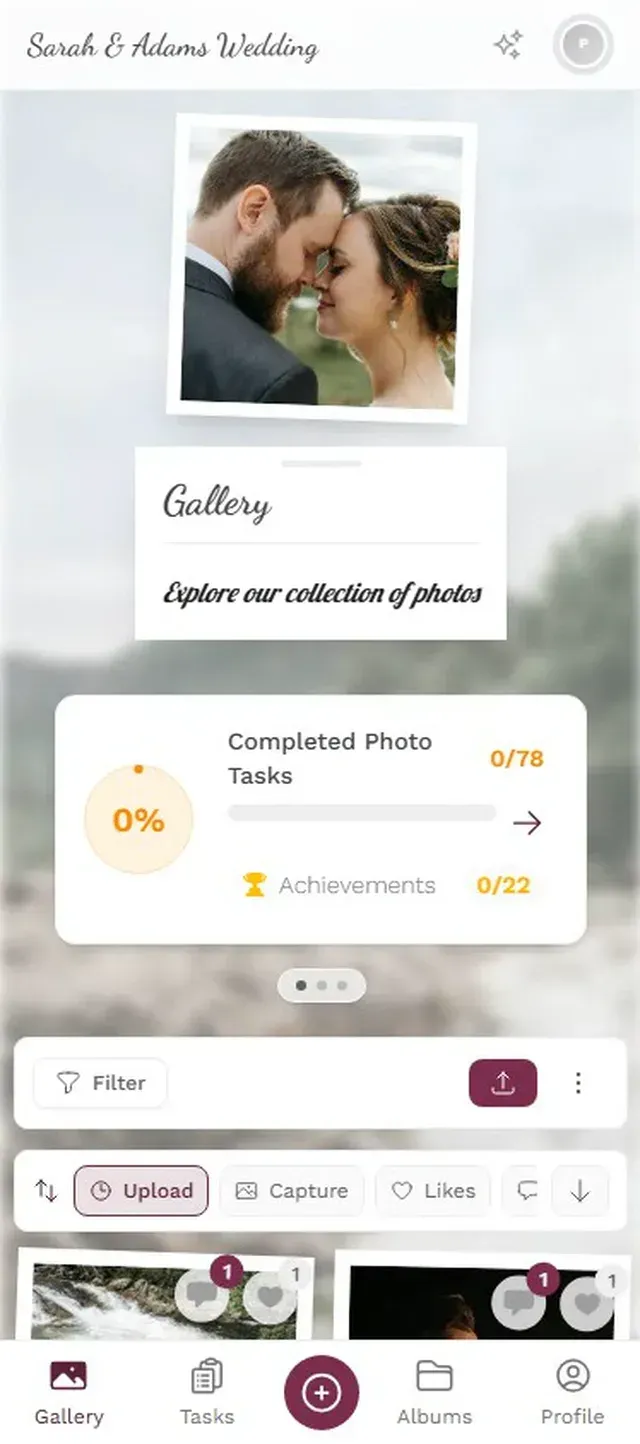
That's where QR code photo sharing comes in. The concept is simple: guests scan a code (on a table card, projected on a screen, printed on a napkin), their phone browser opens a gallery, and they upload directly. No app. No account. Takes about 10 seconds from scan to first upload.
Picture a 180-guest wedding. The QR code is printed on the place cards. By the time dessert arrives, 60 guests have already uploaded something. By midnight, there are 400+ photos from angles and moments you never could have covered alone. The couple gets your polished gallery AND a messy, wonderful, comprehensive collection of everything else.


1.Guests scan and start uploading in seconds
Why Photographers Should Care About Guest Photos
This might sound like it's outside your scope. You're the photographer, not the party planner. But there are two reasons this matters to your business.
First, it's a service differentiator. Imagine telling prospective clients: "I'll deliver your professional gallery within two weeks, and on the day of the event, I'll also set up a guest photo gallery so you get every photo from every guest in one place." That's a value-add no Pixieset gallery can offer. It's the kind of thing that gets mentioned in referrals.
Second, guest photos make your photos look better. This sounds counterintuitive. But when a client sees 300 grainy phone photos next to your 800 professionally lit, color-graded shots, the contrast is stark. Your work stands out more, not less. The guest photos provide context and completeness. Yours provide quality.
A few photographers have started bundling this into their packages. Set up the QR code gallery as part of the day-of coordination, hand it off to the event planner or maid of honor, and let it run. It takes about 5 minutes of setup. The perceived value to the client is enormous.
What to Look for in a Guest Photo Platform
Not all QR-based photo sharing tools are equal. If you're going to recommend or set up one for clients, here's what separates the useful ones from the frustrating ones.
No app installs. This is non-negotiable. The moment a guest has to download something from the App Store, you lose half of them. Browser-based upload or nothing.
Content moderation. At a 200-person event with an open bar, someone will upload something inappropriate. You need pre-approval or at least the ability to remove photos before they hit a live display. Assign a bridesmaid or event coordinator as moderator, one tap to approve, one tap to reject.
Unlimited uploads. Per-photo limits create anxiety. "Should I upload this one or save my uploads for later?" Nobody should have to think about that. Unlimited, original quality, every plan.
A live display option. A photo wall on a TV at the venue changes the dynamic completely. Guests see their photos appear on screen within seconds of uploading. It turns passive attendees into active participants. Someone uploads a funny photo, the table next to them sees it on the big screen, and suddenly everyone's uploading.
1.Review and approve uploads before they go live
Photogala as the Guest Photo Side
Full disclosure: this is the Photogala blog, so take this with appropriate context. But Photogala was built specifically for the collection side of event photography, the part that Pixieset and picdrop weren't designed for.
Guests scan a QR code, open a browser gallery, and start uploading. No app, no account. Every paid plan includes unlimited photos, unlimited guest viewers and up to 25 videos. The uploader slot limits (75 on Plus, 250 on Premium, 500 on Deluxe) are generous enough for most events.
What makes it different from simpler QR upload tools: there's a moderation dashboard for reviewing uploads before they go public, a live photo wall for venue displays, and (on Premium and above) photo challenges that give guests specific prompts like "capture the best dance move" or "find the oldest guest and take a selfie." Challenges with example preview photos let you set reference images guests try to recreate, which gets surprisingly creative results.
One honest limitation: Photogala isn't free. Plus is €39, Premium €69, Deluxe €119, all one-time payments. If a client just wants a basic shared album and doesn't care about moderation, a photo wall, or guest engagement features, a free iCloud shared album might be enough. But if you're offering this as part of a photography package, the cost is negligible compared to your shooting fee, and the client perception is that you've thought of everything.
Setting It Up Takes 5 Minutes
Create the gallery
Pick an event type, add a name and cover photo. Takes about 2 minutes.
Print the QR code
Download the QR code and add it to place cards, signage, or table numbers. Photogala has printable templates.
Assign a moderator
Give the event planner or a trusted friend moderator access. They approve photos from their phone.
Deliver both galleries
After the event, clients get your professional gallery (via Pixieset/picdrop) AND the guest photo collection.
Ready to create your gallery?
The Two-Gallery Approach
The smartest photographers are starting to think of event coverage as two parallel streams.
Stream one: your professional work, delivered through a proper proofing gallery. Curated, edited, organized by moment. This is your craft.
Stream two: guest contributions, collected through a QR-based sharing platform. Raw, unfiltered, comprehensive. This is their experience.
Together, they tell the complete story of the event. The couple gets your beautiful portraits AND their uncle's hilarious candid of the flower girl asleep under the dessert table. The corporate client gets your polished keynote shots AND the team selfies from the afterparty you'd already left.
Neither stream replaces the other. But offering both? That's how you go from "great photographer" to "the photographer who thinks of everything." And that's the referral line you want.
All of this comes with your own event.
Setting it up takes five minutes. You can build and view everything before you decide.
Starting from €39 one-timeOne-time payment — No subscription
- No App Required
- Setup in 5 Minutes
- 30-Day Money Back
“We used the software at my mum's birthday party. It went down really well 😊”
Written by

I believe event photos should be more than static galleries. They should be live, playful, and unforgettable.
Categories
Related Posts

Bridal Shower Photo Sharing: Collect Every Sweet Moment in One Gallery
Bridal shower photos end up scattered across 15 phones. Here's how to get them all into one gallery before the mimosas wear off.

Maternity Photo Sharing: How to Keep Every Announcement, Bump Shot, and Memory in One Place
Pregnancy announcements land on 4 different apps. Maternity photos get lost in group chats. Here's how to keep every photo in one shared gallery your whole family can access.

Sales Kickoff Photo Sharing: How to Turn a Mandatory Meeting Into a Team Memory
Sales kickoffs are expensive. The photos from them usually disappear into 14 different camera rolls. Here's how to fix that.