The Auditorium Is Dark, Your Phone Is Shaking, and You Just Missed the Solo

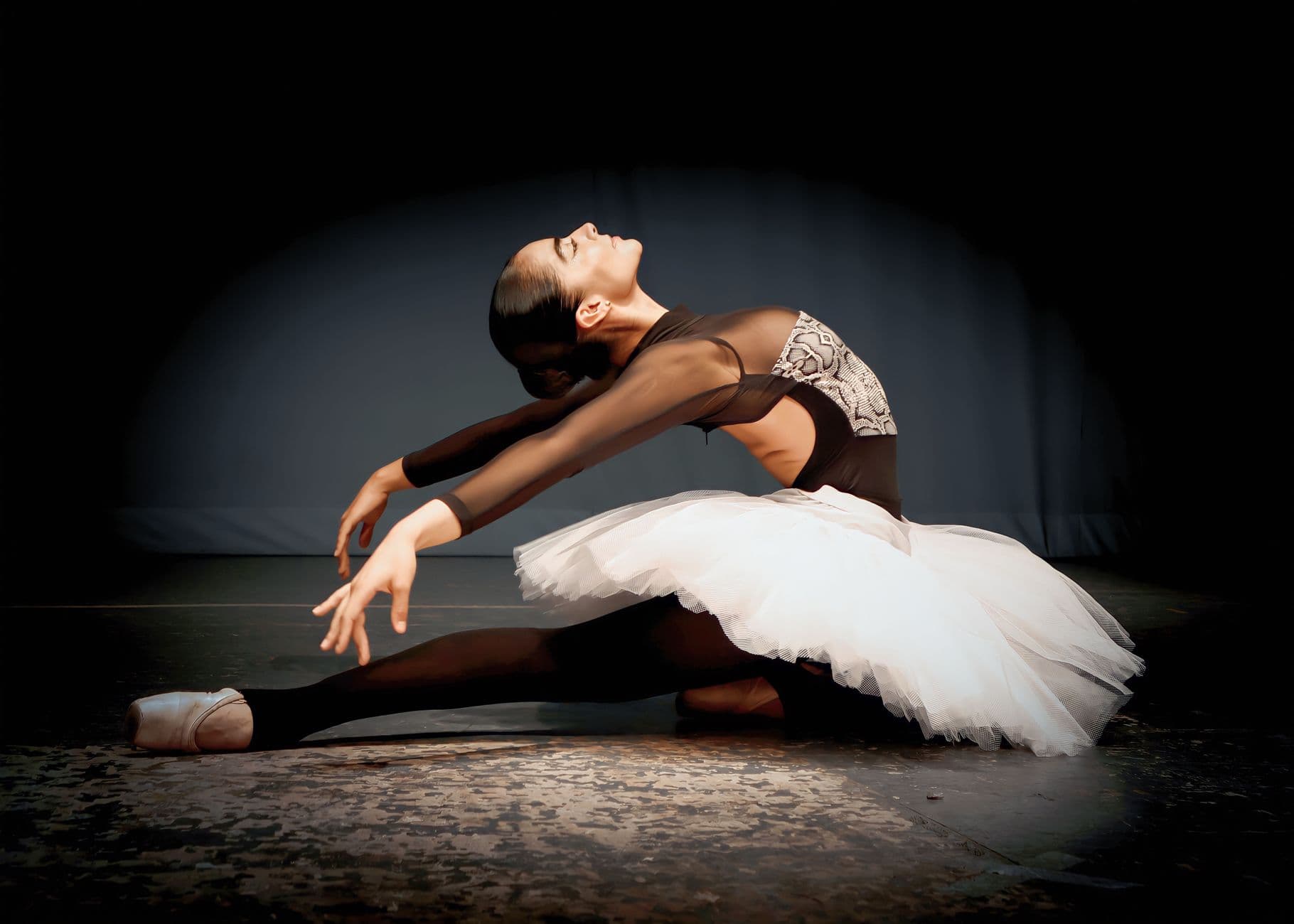
Row seven, seat four. The lights drop. Your daughter walks to center stage in a costume you spent three weekends sewing. You raise your phone, tap the camera icon, and realize the screen is so dark you can barely see her outline. You pinch to zoom. The image turns to mush. You tap to focus. The autofocus hunts, locks on the head in front of you, and gives up. By the time you get a usable frame, the solo is over.
Sound familiar? Every parent at every dance recital, school play, and theatre performance has lived this moment. And the cruel part is: someone three rows back probably got a perfect shot. Someone on the other side of the auditorium caught the exact expression you missed. But you'll never see those photos. They're sitting on someone else's camera roll, destined to stay there.
A Deseret News survey found that 80% of people have photos on their phone they haven't looked at since taking them. Now multiply that across 40 families at a recital. Hundreds of photos, scattered across dozens of devices, slowly buried under newer camera roll entries. That's the real loss.
The Dance Recital Photo Problem
Theatre and dance venues are uniquely hostile to smartphone cameras. Stage lighting is designed for human eyes, not phone sensors. The performers move fast. You're seated far away and can't reposition. And unlike a wedding or birthday party where you can retake a photo, a performance happens once. The curtain call lasts 90 seconds.
Professional dance photographers know this. They use full-frame sensors, low-aperture lenses between f/1.4 and f/2, and often shoot from positions parents can't access. According to GDocs Photography, multiple prime lenses are practically required because movement during live performances is so limited. Parents with iPhones don't have those advantages.
So here's what actually happens. Every parent tries independently. Some get decent shots, most don't. Afterward, someone creates a WhatsApp group or says "I'll send you the photos" (they won't). The studio might hire a photographer whose packages arrive weeks later. If you've read our guide on how to collect photos from event guests automatically, you already know where this is heading: a shared gallery that collects every parent's best shots into one place, in real time.
One QR Code, Forty Families, Every Angle
The concept is simple. Before the performance, the studio or a parent volunteer sets up a shared photo gallery with a QR code for instant uploads. Print the code on the program, tape it to the door, or project it on the screen during intermission. Parents scan it with their phone camera, no app download required, and upload their photos directly to the gallery.
What changes? Everything. The parent in row two who got a crystal-clear close-up of the opening number. The dad backstage who snapped the nervous pre-show huddle. The grandmother in the balcony who captured the full stage during the group finale. All of those photos end up in the same gallery, browsable by every family who contributed. It's the same idea behind any event photo sharing setup, just tailored for a performance instead of a party.

1.Scan, pick photos, upload. No app needed.
For dance studios, this also solves a real business problem. Recital photos are how families stay emotionally connected to the studio between seasons. When parents have great photos to look back on, they're more likely to re-enroll their kids. When all those photos stay trapped on individual phones, that emotional connection fades fast.
Pro tip for studios: Set up the gallery a day before the recital and share the QR code in the parent email reminder. Some parents will start uploading rehearsal and backstage photos before the curtain even goes up.
Setting It Up Takes Less Time Than Sewing a Costume
You don't need to be the tech-savvy parent to make this work. The whole setup takes about five minutes, which is roughly the time between "places, everyone" and actual curtain. If your non-tech-savvy relatives can figure out QR codes at weddings, recital parents definitely can.
How to Set Up a Recital Photo Gallery
Create the gallery
Sign up at Photogala (free, no credit card needed), name your event, and pick a cover image. Two minutes, tops.
Share the QR code
Print it on the program, add it to the parent email, or tape a printed sign near the entrance. The code links directly to the upload page.
Watch photos arrive
Parents upload from their seats, backstage, or the lobby. Photos appear in the shared gallery instantly.
One honest trade-off: Photogala is browser-based, not a native app. That means no push notifications nudging parents to upload. But it also means zero friction. No downloads, no account creation, no "update required" popups while the overture plays. For a one-evening event, that trade-off works heavily in your favor. The easier the upload process, the more parents actually do it.
Veja na prática
Todas as fotos dos convidados em um só álbum – sem app.
The Lobby Screen Trick
Here's something that changes the energy completely. Set up a screen in the lobby showing the live photo wall. After the performance, when families pour out looking for their kids, the screen is cycling through everyone's photos. Suddenly those 40 families aren't just collecting their dancer and leaving. They're gathered around the screen, pointing, laughing, pulling out phones to upload more.
It works because it creates a shared moment after the shared experience. The performance itself is passive (you sit and watch). The photo wall makes the aftermath active. Kids see themselves on the big screen and drag their parents over. Parents see other families' angles and think "I need to upload mine too." Each new upload gets more people looking, which gets more people uploading.
Picture a studio's spring recital: 35 families, four performances across a Saturday. By the end of the day, the gallery has 280+ photos from angles no single photographer could cover. The studio owner downloads the gallery, picks the best shots for their social media and enrollment materials, and every family has access to photos they never would have seen otherwise. That's how this plays out when it works. If you want the full breakdown on display options, our photo wall feature page covers collage styles, live overlays, and setup details.
Beyond the Stage: Backstage, Rehearsal, and the Messy In-Between
The best recital photos aren't always the ones taken during the performance. They're the nervous stretch circle before curtain. The gaggle of six-year-olds with too much blush trying to peek through the curtain. The tearful hug after the final bow. These moments happen in the wings, in dressing rooms, in hallways. They're captured by whichever parent or teacher happens to be there.
A shared gallery catches all of it. The studio could even set up photo challenges: "Best backstage candid," "Funniest warm-up face," "The post-show pile-up." Photo challenges give people a reason to contribute specific types of shots rather than just the standard stage-front angle. And because challenges can include example preview photos showing what you're looking for, even parents who aren't naturally creative get the idea immediately.
This isn't limited to dance studios, of course. School plays, choir concerts, talent shows, band recitals. Any performance where multiple families are in the audience with phones. Our guide to graduation photo sharing covers a similar multi-family setup for ceremonies, and the same principles apply here. And if you're looking for ways to let guests contribute photos at any kind of group event, that use-case page is worth a look too.
What About Privacy?
Understandable concern, especially with kids. A few things that make this manageable. First, the gallery isn't public. Only people with the QR code or link can access it. Second, you can enable content moderation so every photo gets reviewed before it appears in the gallery. Assign moderation to a studio employee or trusted parent volunteer. One tap to approve, one tap to reject. The photo sharing etiquette guide we published covers the ground rules worth setting before the event.
For studios with stricter policies, the free demo plan is a risk-free way to test it at one recital before committing. No credit card required.
Making It Work Year After Year
The studios that get the most out of shared galleries are the ones that build it into their recital routine. First year, maybe 12 parents upload. Second year, when those parents tell the new families "oh, the photo gallery is amazing, just scan the code on the program," participation doubles. By year three, it's just part of the recital.
A few things that help participation snowball: include the QR code in every parent communication the week before. Put a sign at the entrance with the code. Mention it during the welcome announcement. And after the show, leave the photo wall screen running in the lobby for at least 20 minutes. That screen is your best recruiting tool for uploads.
If you're running a multi-act recital, you can organize photos into albums by act or class. Smart albums can auto-sort uploads by time window, so Act 1 photos land in the Act 1 album and Act 2 photos go where they belong, without anyone manually sorting. Parents looking for their kid's class find what they want faster.
For studios exploring customization options, the gallery can carry the studio's logo and brand colors. Small touch, but it makes the gallery feel like an official studio offering rather than a random parent's side project. The art exhibition photo sharing guide covers similar branding ideas for creative venues.
The irony of dance recitals is that they're some of the most photographed events in a family's year, but the photos almost never leave the phone they were taken on. A parent three seats over might have the photo of your daughter you'll frame on the mantelpiece. You just need a way to find it.
Tudo isso vem com o seu próprio evento.
Criar leva cinco minutos. Você pode configurar e ver tudo antes de decidir.
A partir de € 39 pagamento únicoPagamento único — sem assinatura
- Sem precisar de app
- Pronto em 5 minutos
- 30 dias de garantia de reembolso
“Usamos o software na festa de aniversário da minha mãe. Fez o maior sucesso 😊”
Escrito por

I believe event photos should be more than static galleries. They should be live, playful, and unforgettable.
Categorias
Artigos relacionados

Bridal Shower Photo Sharing: Collect Every Sweet Moment in One Gallery
Bridal shower photos end up scattered across 15 phones. Here's how to get them all into one gallery before the mimosas wear off.

Maternity Photo Sharing: How to Keep Every Announcement, Bump Shot, and Memory in One Place
Pregnancy announcements land on 4 different apps. Maternity photos get lost in group chats. Here's how to keep every photo in one shared gallery your whole family can access.

Sales Kickoff Photo Sharing: How to Turn a Mandatory Meeting Into a Team Memory
Sales kickoffs are expensive. The photos from them usually disappear into 14 different camera rolls. Here's how to fix that.