Thanksgiving Family Photo Sharing: One Gallery for the Whole Table

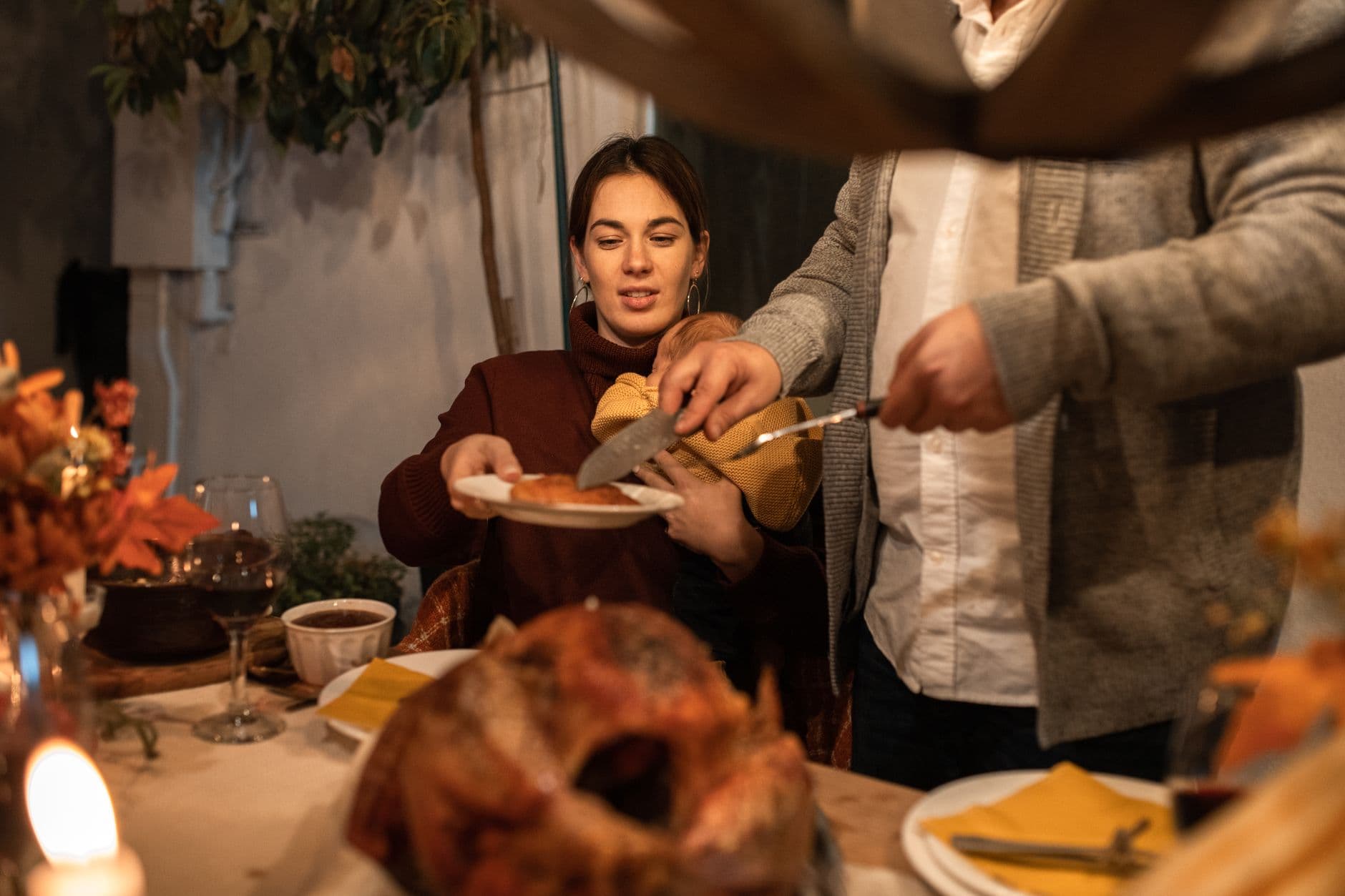
The turkey is carved. Fourteen people are crammed around a table that seats ten. Your aunt is FaceTiming your cousin in Portland. Your nephew just spilled cranberry sauce on his shirt, and three people are already photographing the aftermath. Somewhere between the first toast and the pumpkin pie, 40 or 50 photos will be taken on at least eight different phones.
And then everyone drives home. The photos stay locked on those phones. Your mom texts a few blurry ones to the family group chat. Your sister posts two to Instagram. The rest? A 2023 Mixbook study found that roughly half of Americans never do anything with the photos sitting on their phones. They just stay there, buried under screenshots and grocery lists.
Thanksgiving is one of those events where every generation is in the same room at the same time. That doesn't happen often. The photos from that afternoon are worth more than anyone realizes in the moment. The question isn't whether people will take photos. They will. The question is whether you'll ever see them.
The Group Chat Problem
The default solution is always a group chat. Someone creates "Thanksgiving 2026 📸" on WhatsApp or iMessage, tells everyone to dump their photos there, and hopes for the best. If you've been through this before, you already know how it ends.
Half the family isn't in the chat because nobody has Uncle Jerry's new number. The photos that do arrive are compressed to save bandwidth, turning your cousin's gorgeous candlelight shot into a pixelated smudge. And by Monday, the chat has devolved into memes and leftover recipes, burying the actual photos. We wrote a whole piece on why dedicated photo galleries outperform group chats for exactly this reason.
Google Photos shared albums are another option. They work well enough if everyone has a Google account and knows how to navigate the sharing settings. Shared albums are generous on capacity and let anyone with access add their own shots. But here's the friction: your 72-year-old grandmother probably doesn't have a Google account. Your teenage niece uses an iPhone and has never touched Google Photos. The tool works in theory but collapses against the reality of a multi-generational family where half the table runs iOS and the other half barely runs anything at all.
What Actually Works: One QR Code on the Table
Picture this. You print a small card with a QR code and prop it next to the centerpiece. During dinner, someone asks about it. "Scan it, pick a name, upload your photos." No app download. No account creation. No Google, no Apple, no login. Just a browser-based gallery that works on any phone.
That's the core idea behind QR code photo sharing. The barrier to entry is so low that even non-tech-savvy family members can contribute. Grandpa scans the code with his camera app, taps the link, types "Grandpa Ed," and uploads the three photos he took of the turkey. Done in under 30 seconds.

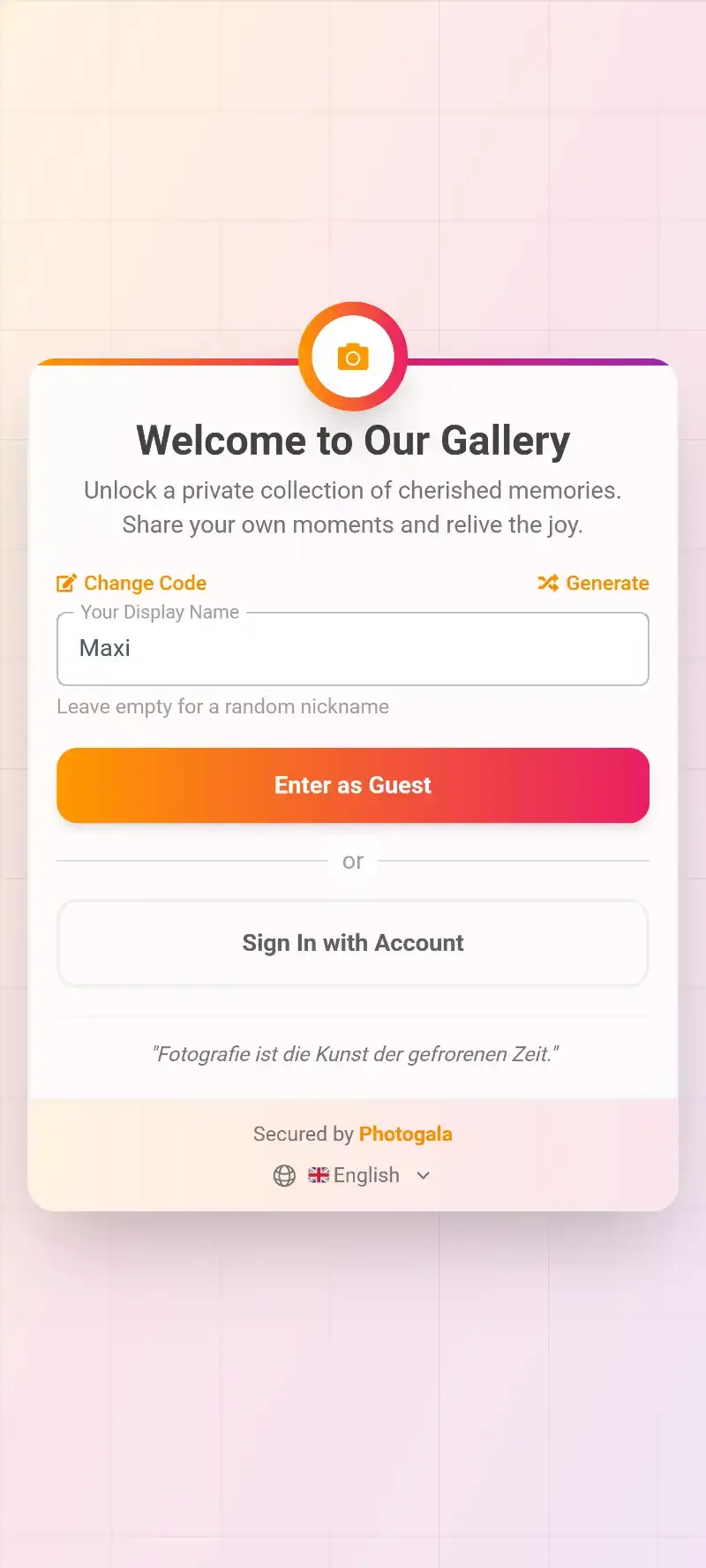
1.One scan. No app. No account.
By dessert, you've got a shared gallery filling up with photos from every angle of the table. The carving. The kids' table chaos. The post-dinner nap on the couch. All in one place, all in original quality, all accessible to everyone via the same link.
Veja na prática
Todas as fotos dos convidados em um só álbum – sem app.
The Real Challenge: Getting Everyone to Actually Upload
Having a gallery is one thing. Getting 14 people across four generations to contribute is another. This is where most photo-sharing attempts quietly fail. Someone sets up a shared album, announces it once, and then wonders why only three people added photos.
The trick is physical visibility. A QR code sitting on the dinner table works better than a link buried in a text message because it's there, in front of everyone, all evening. People see others scanning it and get curious. That kind of peer momentum matters more than any notification.
But you can push it further. Photo challenges turn passive photographers into active participants. Instead of hoping people remember to upload, you give them specific missions: "Photo of the most creative leftover plate," "Best candid of someone napping," "Three generations in one frame." Challenges can even include example preview photos showing guests exactly what you're looking for, which makes them approachable for people who'd otherwise feel awkward pointing a camera at the table.
Imagine setting a challenge called "Recreate This Pose" with a goofy family photo from 1987 as the reference image. Suddenly even the teenagers are engaged.
Start the challenges before dinner. Set up 3-5 simple ones like "Best table setting shot" or "Selfie with the cook" for early arrivals. People who upload before the meal are far more likely to keep uploading throughout the evening.
A Thanksgiving Gallery That Works for Every Generation
The generational gap is the real obstacle at family gatherings. Your 16-year-old nephew will figure out any app in seconds. Your great-aunt Marge hasn't updated her phone since 2022. Any photo-sharing solution that requires an app download, an account, or more than two taps is going to lose half the table.
Browser-based galleries solve this cleanly. The QR code opens a webpage. No app store, no permissions dialogs, no "sign in with Google." This matters more than any feature list. If Aunt Marge can scan and upload, you'll get her perspective of the day. That blurry, slightly crooked photo of everyone at the table? That might be the one that ends up framed.
For the more tech-savvy family members, the same gallery offers deeper features. Social engagement tools let people like and comment on photos right in the gallery. Your sister can heart the candid of her daughter. Your dad can leave a comment on the group shot. It turns a static photo dump into something people actually revisit.
And if you want a visual centerpiece, consider setting up a live photo wall on a TV or tablet in the living room. As people upload, their photos appear on screen in real time. It becomes a conversation starter between courses, especially when that cranberry sauce shirt photo shows up on the big screen.
1.Photos appear on screen as guests upload them
After Thanksgiving: What Happens to the Photos
Here's the part nobody thinks about at 2 PM on Thursday but cares about deeply by the following week: how do you actually get the photos afterward?
With a group chat, you scroll endlessly, save photos one by one, and end up with 40 duplicates in your camera roll. With a shared iCloud album, you're at Apple's mercy for quality and organization. With a dedicated gallery, everyone gets a link. Browse online, download individual shots, or grab everything as a ZIP archive in original quality. No compression, no quality loss.
If you're the type of person who makes a family photo book every year (and someone in every family is), this changes the process completely. Instead of texting six people asking them to send their best shots, you open one gallery. Everything's there. If your family does this at reunions too, you end up with a growing archive that covers years of gatherings.
For families that celebrate other milestones together, the same approach works for milestone anniversaries, christenings and confirmations, or even a casual summer cookout. One gallery per event, all accessible from the same family link structure. If your family hosts larger get-togethers, there's also a dedicated page for collecting guest photos with tips specific to bigger events.
Setting It Up in 10 Minutes
You don't need to be technical. You don't even need to do it the day of. Set it up the night before while the turkey is brining.
Your Thanksgiving Gallery in 3 Steps
Create a gallery
Pick a name ("Thanksgiving 2026"), choose a cover image, and customize the look. Takes about 2 minutes.
Print the QR code
Download the QR code and print it on a card for the table. Or just keep it on your phone to show people.
Share the link after dinner
Text the gallery link to anyone who couldn't make it. They can view everything and download what they want.
If you want to go the extra mile, you can customize the gallery's look with fall colors and a family photo as the header. But honestly, the default setup works fine. The important thing is that the QR code is visible and someone at the table mentions it early.
Our guide on collecting guest photos automatically covers the full setup in detail if you want to optimize the flow for larger gatherings.
One Honest Caveat
A browser-based gallery isn't free cloud storage with unlimited retention. The gallery stays active for a set period (6 to 12 months depending on the plan), and the free demo caps at 50 photos. For a Thanksgiving dinner with 10-20 people, the Plus plan at €39 covers unlimited photos and up to 25 videos, which is more than enough. But if you're used to the "free forever" promise of Google Photos shared albums, know that there's a trade-off: you get better quality, better organization, and a much simpler setup, but it's not a permanent archive.
That said, you can download everything in original quality at any point during the active period. Most families grab the ZIP within a week and store it however they normally store photos.
For families that host events throughout the year, a single plan can cover multiple gatherings. One Thanksgiving gallery, one Christmas gallery, one summer barbecue gallery. Different events, same simple process.
That cranberry sauce photo is still on your nephew's phone. The candid of grandma laughing? On your sister's. The group shot where everyone is actually looking at the camera? That's on yours. One gallery brings them together before they're forgotten.
Tudo isso vem com o seu próprio evento.
Criar leva cinco minutos. Você pode configurar e ver tudo antes de decidir.
A partir de € 39 pagamento únicoPagamento único — sem assinatura
- Sem precisar de app
- Pronto em 5 minutos
- 30 dias de garantia de reembolso
“Ficamos muito entusiasmados e tudo correu muito mais fácil, do mapa de mesas até os jogos de fotos! Simplesmente top! Recomendo!”
Escrito por

I believe event photos should be more than static galleries. They should be live, playful, and unforgettable.
Categorias
Artigos relacionados

Bridal Shower Photo Sharing: Collect Every Sweet Moment in One Gallery
Bridal shower photos end up scattered across 15 phones. Here's how to get them all into one gallery before the mimosas wear off.

Maternity Photo Sharing: How to Keep Every Announcement, Bump Shot, and Memory in One Place
Pregnancy announcements land on 4 different apps. Maternity photos get lost in group chats. Here's how to keep every photo in one shared gallery your whole family can access.

Sales Kickoff Photo Sharing: How to Turn a Mandatory Meeting Into a Team Memory
Sales kickoffs are expensive. The photos from them usually disappear into 14 different camera rolls. Here's how to fix that.