Backyard Wedding Photo Sharing: Big Memories, Small Venue

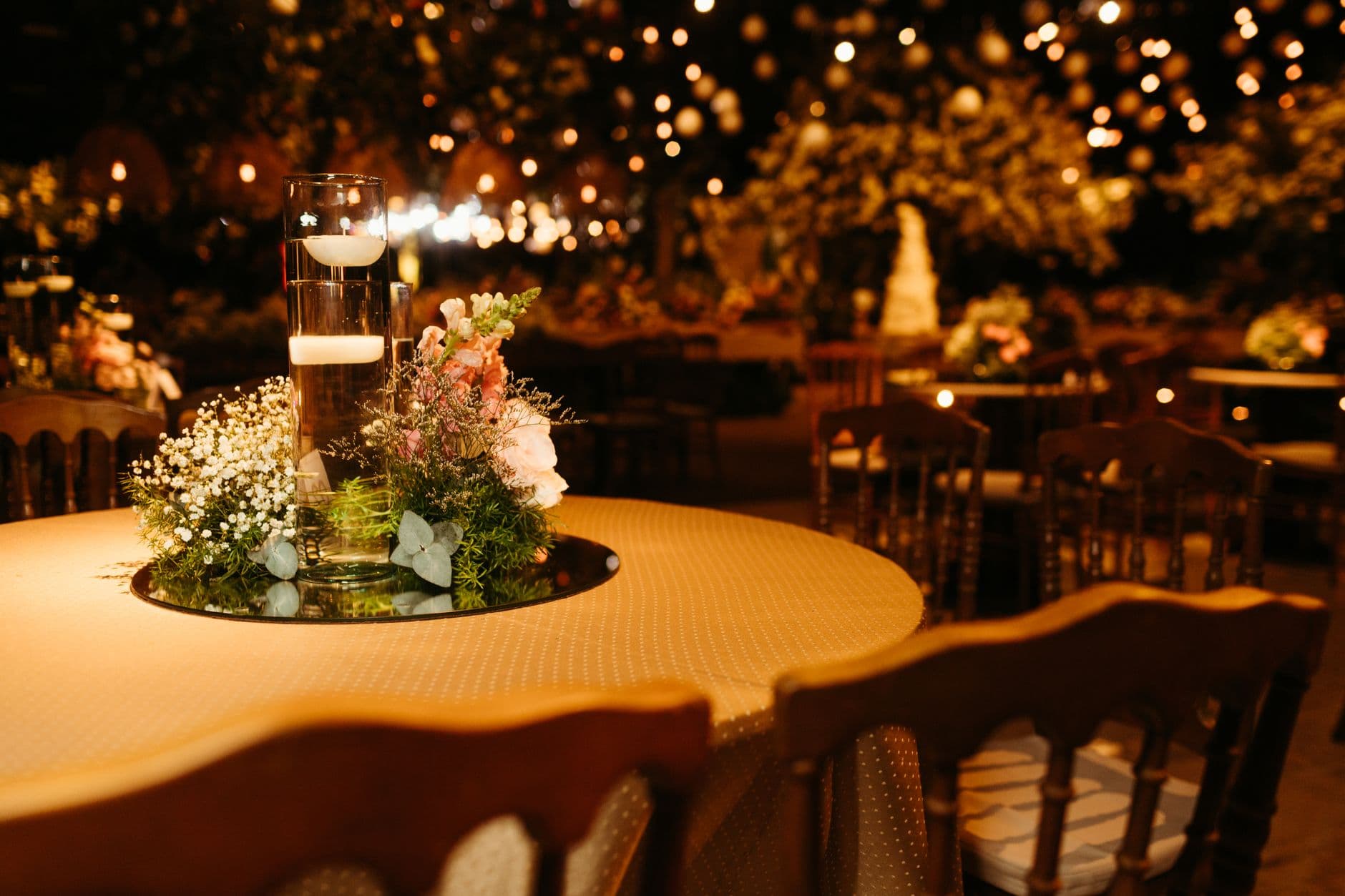
Picture a backyard wedding. Thirty guests, string lights draped between the old oak and the fence, a ceremony on the porch. The hired photographer captures 200 polished images. Beautiful work. But the photo that ends up framed on the hallway wall? A slightly blurry shot of the groom ugly-crying during the vows, taken by his college roommate on a four-year-old iPhone.
That's the thing about small weddings. The best photos don't come from the professional. They come from the people who know you, standing three feet away, catching the moments nobody else notices.
The problem is getting those photos afterward. At a backyard micro wedding with 30 to 50 guests, you'd think collecting photos would be easy. Fewer people, fewer photos, right? Not quite. Small weddings produce fewer total photos, but a higher percentage of them are genuinely good because every guest has a close, personal angle. Losing even a handful hurts more.
Why Backyard Weddings Are a Photo Sharing Nightmare (and Shouldn't Be)
At a 200-person ballroom wedding, it's almost expected that photos will scatter across dozens of phones and disappear. The couple shrugs it off because they have 500 professional shots to lean on. At a 35-person backyard wedding, every photo matters more. Your aunt captured the moment the ring bearer tripped on the garden hose. Your best friend filmed the first dance on the patio. Your neighbor got a perfect shot of the sunset behind the ceremony arch.
And then comes the classic promise: "I'll send you the photos." Nobody does. Wedding photographers have said the same thing for years: include clear instructions early and remind guests, because most couples don't realize they need a system until it's too late. The informality of a backyard celebration makes this worse. There's no printed program, no MC directing the evening, no obvious moment to say "hey, please share your photos here."
WhatsApp groups are the default instinct. Someone creates "Sarah & Tom Wedding Pics 💍" and 14 of 30 guests join. Three people post photos the next day. Two weeks later, the group is dead. The other 16 guests never joined because they didn't see the invite, don't use WhatsApp, or just forgot. You've captured maybe 40 photos out of the 150+ that were actually taken. That's a lot of lost moments from a day you can't repeat.
Shared iCloud or Google Photos albums have the same problem in reverse. Half your guests don't have the right account, and explaining the setup process at the reception kills the mood. As one analysis of wedding photo sharing tools put it: the shortest path from guest camera roll to couple's folder wins. Anything requiring account creation or app installation loses guests along the way.
The QR Code Fix: 30 Seconds From Phone to Gallery
Here's what actually works for small venue weddings: a QR code that opens a browser-based gallery. No app download. No account. No iCloud password reset at the dinner table.
You print the QR code on a table card, tape it to the lemonade station, or prop it next to the guest book. Guests scan with their phone camera, type a name, and start uploading. The whole process takes about 30 seconds, and it works for the 74-year-old great-aunt just as well as the tech-savvy cousin. With QR code photo uploads, there's genuinely nothing to explain.
For backyard weddings specifically, this matters more than at big venues. You don't have a DJ making announcements or an event coordinator directing traffic. The setup needs to be self-explanatory. A printed QR code on a little easel by the drinks is the kind of thing guests notice on their own, without being told. If you're planning a backyard or garden wedding and want guest photos without the logistical headache, this is the simplest path.
Place QR codes where guests naturally linger: the bar area, the dessert table, near the ceremony seating. At a backyard wedding, the kitchen counter or back porch railing work surprisingly well. Avoid putting them only at the entrance, as guests walk past too quickly to stop and scan.

1.Guests scan and upload without downloading anything
See it in action
Every guest photo in one album – no app.
Small Guest Lists, Better Coverage
There's an advantage to backyard weddings that most couples don't realize until afterward. With 30 to 50 guests, almost everyone knows each other. That familiarity produces better candid photos. People are relaxed. They're laughing harder. They're standing closer. Nobody is awkwardly photographing strangers across a ballroom.
A photographer covering intimate backyard weddings noted that the best content comes from family traditions, personal touches, and quiet conversations that only happen in small gatherings. Guest photos capture exactly those moments because guests are part of them.
Imagine a 40-guest backyard wedding where 25 people upload photos. That's a 62% participation rate, which would be extraordinary at a big wedding but is completely normal at intimate ones. With an average of 5 to 8 photos per person, you're looking at 125 to 200 guest photos by the end of the night. Not thousands. But 125 photos from people who genuinely care about you, taken from angles the photographer never had.
If you want to push participation even higher, photo challenges give guests specific things to capture: the best garden detail, the funniest dance move, the most creative selfie with the couple. At a small wedding, challenges work better than at large ones because there's a friendly competitive energy when everyone knows each other. You can even include example preview photos so guests know exactly what you're looking for, which opens up creative ideas like recreating a childhood photo or mimicking a movie scene.
What Goes Wrong (and How to Avoid It)
One honest limitation: if your backyard has poor cell reception, browser-based uploads will be slow. This is a real issue in rural areas. The fix is simple but requires planning. Ask a neighbor if you can temporarily share their WiFi, or rent a mobile hotspot for the day. Most guests will be uploading photos over a few hours, not all at once, so bandwidth doesn't need to be massive. But zero signal means zero uploads.
Another common mistake at small weddings: assuming you don't need a system because it's casual. "We'll just share photos afterward" feels reasonable when there are only 30 people. It never works. The informality of a backyard wedding makes guests even less likely to follow through on photo sharing promises. Give them a QR code the moment they arrive and the photos collect themselves. Our guide on how to collect photos from event guests automatically walks through the full setup.
One more thing that catches backyard couples off guard: the timeline. Big venues have clear event phases. Backyard weddings flow freely, which means great photos happen at weird times. The getting-ready chaos in the kitchen. The impromptu toast at 11 PM around the fire pit. Having a gallery that stays open the whole weekend, not just during the ceremony, catches those late-night moments. You might want to start collecting photos the day before at the rehearsal dinner too.
Making the Most of a Tiny Venue
Backyard weddings have a constraint that works in your favor: limited space means guests are always in frame. At a sprawling estate, half the party disappears into corners. In a 600-square-foot backyard, everyone is within arm's reach. Every photo has context. You can see the string lights, the cake table, the neighbors peeking over the fence.
This density also means a live photo wall works exceptionally well. Set up a tablet or small TV on a table near the food. As guests upload photos, they appear on screen in real time. At big weddings, the photo wall is an attention-grabber across a crowded room. At a backyard wedding, it becomes more like a conversation starter. People cluster around it, laugh at each other's photos, and upload more because they want to see their shot appear.
1.A small screen near the food keeps the energy going
For couples planning an outdoor wedding, backyard venues offer phenomenal natural light during golden hour. Guest photos taken in that soft evening glow look professional without any editing. Combined with the intimacy of a small group, you end up with a collection that feels more like a curated album than a random dump.
If your wedding is part of a micro wedding trend with under 40 guests, you already have a built-in advantage. Smaller groups share more actively, upload more per person, and actually look at the shared gallery afterward. The photos don't just get collected. They get revisited.
The Day After: Sharing While It's Still Fresh
Here's where backyard weddings have one more hidden advantage. Because the guest list is small and close-knit, the "next morning" effect is powerful. Guests wake up, check the gallery over coffee, and add the photos they forgot to upload the night before. At a big wedding, this trickle stops after 24 hours. At a small one, it can go on for days because the emotional connection is stronger.
Our piece on sharing wedding photos the day after covers this in detail, but the short version: send a link to the gallery in your morning-after thank-you text. Don't wait a week. The morning after the wedding, guests are still buzzing. They want to see what everyone else captured. By Wednesday, the moment has passed.
With bulk download options, the couple can grab everything as a ZIP file and keep the originals forever. No compression, no quality loss. The gallery stays live for months, so latecomers can still add their photos. But the bulk of uploads always happens in that first 48-hour window.
Setting It Up (It's Faster Than Hanging String Lights)
Three steps to backyard wedding photo sharing
Create a gallery
Pick your colors, upload a cover photo, name the event. Takes about two minutes. You can start free with no credit card.
Print QR codes
Download the QR code and print it on table cards, tape it to a mason jar, or prop it on a small easel. Place 3-4 around the yard.
Watch photos roll in
Guests scan, upload, and the gallery fills itself. Check the live photo wall if you set one up.
The customization options let you match the gallery to your wedding aesthetic. Rustic backyard theme with earthy tones? Vintage polaroid layout? Garden party with soft pastels? The gallery can look like it belongs to your wedding, not like a generic tech tool. If you're looking for QR code placement inspiration, our article on courthouse wedding photo ideas has creative placement tips that work just as well in a backyard setting.
For couples who love the idea of a digital photo guestbook, combining photo uploads with a gallery that guests can browse, comment on, and revisit turns the shared album into something more meaningful than a folder of files. It becomes the wedding memory itself, not just a backup of it.
Backyard weddings strip away the noise of big venues and leave the stuff that actually matters: the people, the moments, the laughter echoing off the fence. Every one of those moments is already being photographed by someone who was there. The only question is whether those photos end up in one place or scattered across 30 phones forever.
A QR code on a mason jar fixes that. Not glamorous. But effective.
All of this comes with your own event.
Setting it up takes five minutes. You can build and view everything before you decide.
Starting from €39 one-timeOne-time payment — No subscription
- No App Required
- Setup in 5 Minutes
- 30-Day Money Back
“We were really thrilled, and everything went so much more smoothly, from the seating plan all the way to the photo games! Simply great! Highly recommended!”
Written by

I believe event photos should be more than static galleries. They should be live, playful, and unforgettable.
Categories
Related Posts

Bridal Shower Photo Sharing: Collect Every Sweet Moment in One Gallery
Bridal shower photos end up scattered across 15 phones. Here's how to get them all into one gallery before the mimosas wear off.

Maternity Photo Sharing: How to Keep Every Announcement, Bump Shot, and Memory in One Place
Pregnancy announcements land on 4 different apps. Maternity photos get lost in group chats. Here's how to keep every photo in one shared gallery your whole family can access.

Sales Kickoff Photo Sharing: How to Turn a Mandatory Meeting Into a Team Memory
Sales kickoffs are expensive. The photos from them usually disappear into 14 different camera rolls. Here's how to fix that.