Best Photo Sharing Platform 2026: What Actually Works (and What Doesn't)


The average person stores roughly 2,795 photos on their phone, according to Photutorial's 2024 data. That number grows by about 20 per day. And yet, sharing those photos with the people who actually want them remains weirdly difficult.
Think about it. You take 80 photos at a friend's birthday. Maybe you text three of them. The rest sit on your phone until you run out of storage and delete them in a panic. The 2023 Mixbook survey that found 50% of Americans do nothing with their photos? Yeah, that sounds about right.
So when someone asks "what's the best photo sharing platform in 2026," the honest answer is: it depends on what you're sharing, with whom, and why. A platform that's perfect for backing up your vacation photos is terrible for collecting 200 wedding guests' snapshots. And vice versa.
I compared the major options across three categories: general-purpose cloud sharing, event-specific platforms, and the new wave of AI-powered tools. Here's what actually matters.
The Three Categories You Need to Understand
Not all photo sharing platforms solve the same problem. Lumping Google Photos and a wedding photo app into the same list is like comparing a Swiss Army knife to a scalpel. Both cut things. Very different use cases.
1. General-Purpose Cloud Platforms
Google Photos, Apple Photos, Amazon Photos. These are built for personal backup and casual sharing. You store your entire library, create shared albums, and send links to family. They're free (up to a point), deeply integrated into your phone's OS, and good enough for everyday use.
The problem shows up at events. Picture a 150-guest wedding. You create a shared Google Photos album and share the link. Half the Android users join easily. The iPhone users fumble with Google account sign-ins. Your aunt gives up after two minutes. By the end of the night, maybe 30 people contributed. The rest of those photos? Gone forever.
Apple Photos has the same issue in reverse. Beautiful app, smart organization, works great across Apple devices. But "works great across Apple devices" means useless for the half of your guests on Android.
2. Event-Specific Photo Sharing
This is where platforms like Photogala, GuestPix, and Everlense live. They solve one specific problem: collecting photos from many people at a single event, without requiring app downloads, account creation, or tech skills.
The typical flow: host creates a gallery, gets a QR code, prints it on table cards or shares a link. Guests scan, upload, done. Browser-based, no friction.
The differences between these platforms are significant, though. Some cap your photo count. Some skip moderation entirely. Some treat gamification as a gimmick, others build their entire experience around it.
3. AI-Powered Newcomers
2026 brought a wave of platforms using AI for automatic sorting, face recognition, and personalized galleries. PhotoMall and similar services focus on intelligent event delivery, where the platform automatically finds photos of each guest using face detection. The tech is impressive. The execution varies wildly.
The Comparison That Actually Matters
Rather than a vague "top 10 list," here's a feature-by-feature breakdown of the platforms most people are choosing between in 2026. I focused on what matters for events specifically, since that's where the real pain points are.
Photo Sharing Platforms Compared (2026)
| Feature | Photogala | GuestPix | Everlense | Google Photos | Apple Photos |
|---|---|---|---|---|---|
| No App Required | |||||
| QR Code Upload | |||||
| Unlimited Photos | 15GB free | 5GB free | |||
| Unlimited Guests | depends on plan | Apple users only | |||
| Video Uploads | |||||
| Photo Challenges | basic | ||||
| Leaderboard & Points | |||||
| Real-World Rewards | Deluxe | ||||
| AI Face Recognition | Deluxe | ||||
| NSFW Content Filter | Deluxe | basic | |||
| Content Moderation | Premium+ | ||||
| Gallery Layouts | 4 layouts | 1 basic | 1 basic | ||
| Live Photo Wall | |||||
| Custom Branding | logo only | ||||
| Comments & Mentions | Premium+ | ||||
| Geo Map View | Deluxe | ||||
| One-Time Payment | |||||
| Starting Price | €39 | €33 | Free tier | Free | Free |
A few things jump out. Google Photos and Apple Photos are free and feature-rich for personal use, but they simply weren't designed for event collection. No QR code flow, no moderation, no way to engage guests who aren't already in your ecosystem.
GuestPix and Everlense solve the collection problem but stop there. You get a shared upload folder with a QR code. That works fine for small gatherings. For a wedding or corporate event where you want guests to actually participate (not just dump three photos and leave), you need more.
Where Gamification Changes the Math
Here's something that surprised me. The biggest difference between a gallery with 60 photos and one with 400 isn't the platform's upload speed or image quality. It's whether guests have a reason to keep uploading.
Imagine a 180-guest wedding with table QR codes and a leaderboard displayed near the bar. By dessert, guests aren't just uploading their best shots. They're competing. The bride's uncle, who normally takes three photos at events, has uploaded 18 because he wants to crack the top ten. Three people at table seven are huddled around a phone, solving a photo challenge that asks for "the most creative group photo."
This shouldn't be surprising if you think about it. Leaderboards and visible progress bars tap into the same competitive instinct that makes people grind levels in mobile games. Put a ranking on a screen near the bar, give people achievable goals, and participation goes up. It's basic behavioral psychology applied to a party context.
Photo challenges give guests specific, fun missions to complete
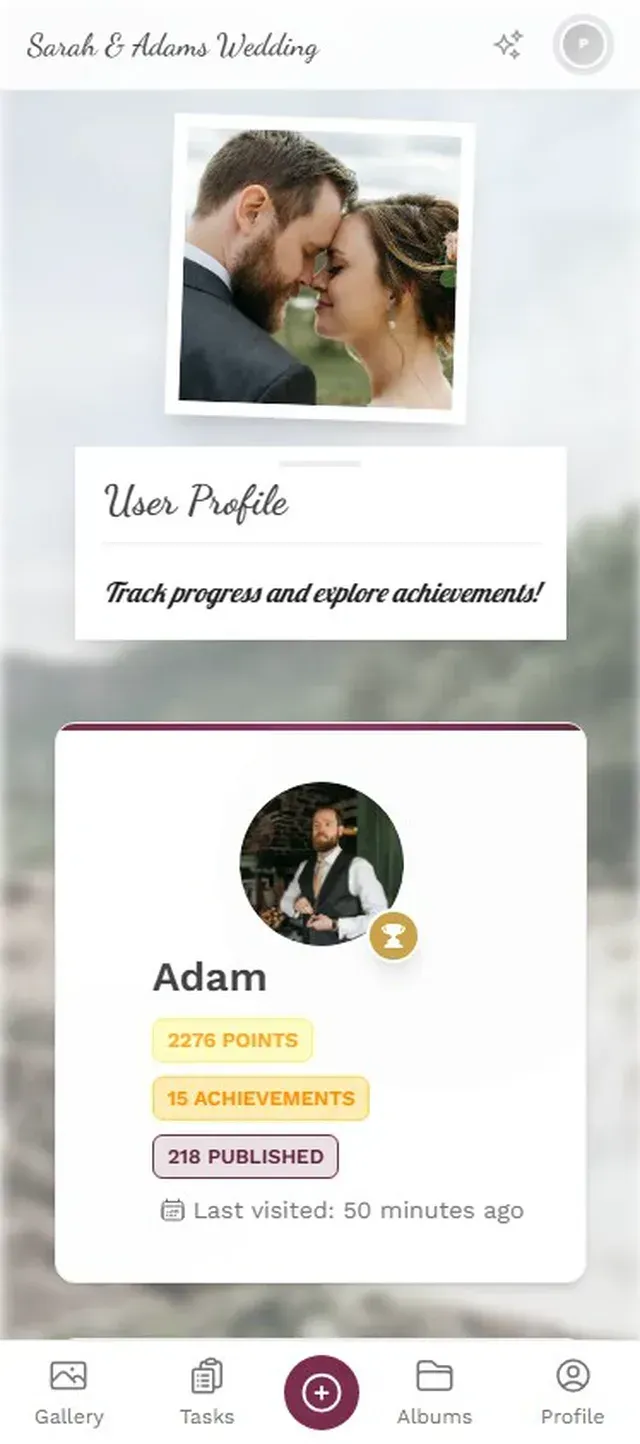
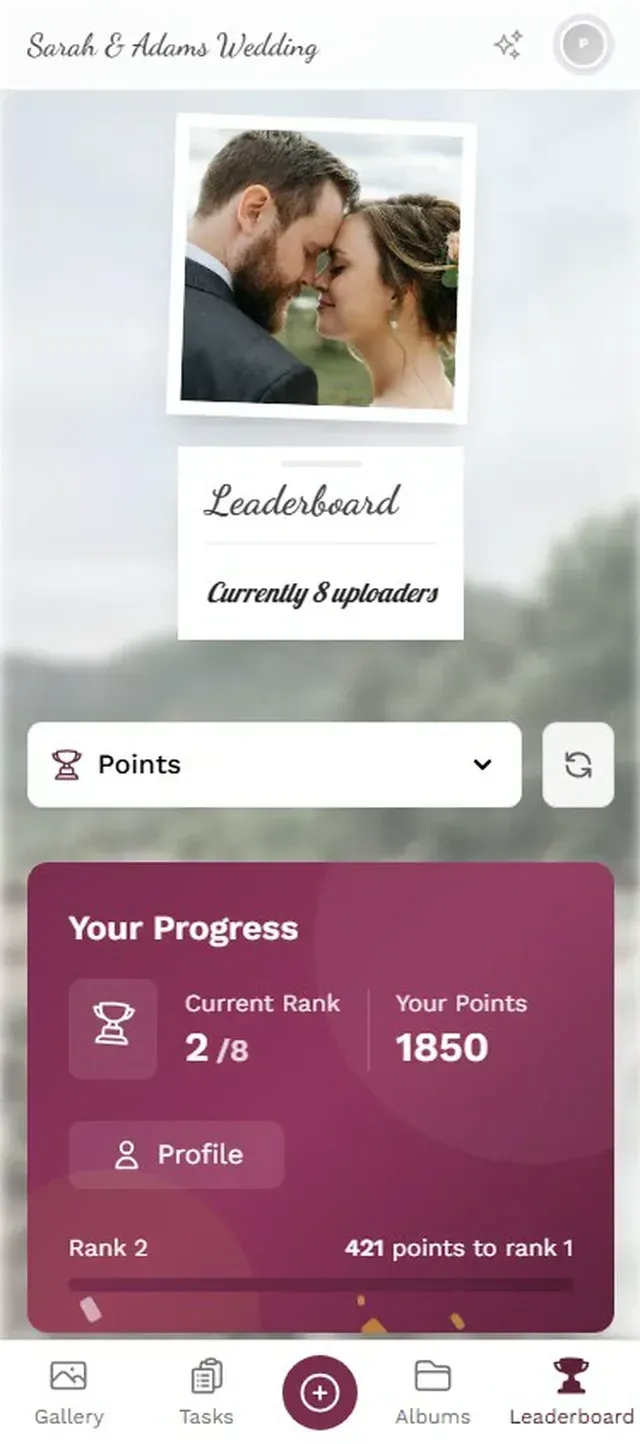
Photogala is the only platform in this comparison that offers the full gamification stack: challenges, achievements, leaderboards, points, and real-world rewards you can hand out at the event. It's the feature that most clearly separates it from the pack.
Is it overkill for a casual backyard barbecue? Probably. For a 200-guest wedding or a corporate team event, it's the difference between a gallery people glance at and one they actively contribute to.
Discover what Photogala can do
The Moderation Problem Nobody Talks About
Say you're running a corporate team-building event. You set up a shared photo gallery. Someone uploads something inappropriate. Maybe it's a joke that doesn't land. Maybe it's genuinely offensive. With Google Photos, Apple Photos, GuestPix, or Everlense, that photo goes live instantly. There's no review step.
Photogala's moderation dashboard (available on Premium and Deluxe) lets you set up pre-approval. Every upload gets reviewed before it appears in the gallery or on the photo wall. You can assign moderation to a colleague or a bridesmaid. One tap to approve, one tap to reject.
The Deluxe plan adds an AI-powered NSFW filter that automatically flags problematic content. It's not perfect (no AI filter is), but it catches the obvious stuff before a human moderator even needs to see it.
The moderation dashboard lets you review every upload before it goes live
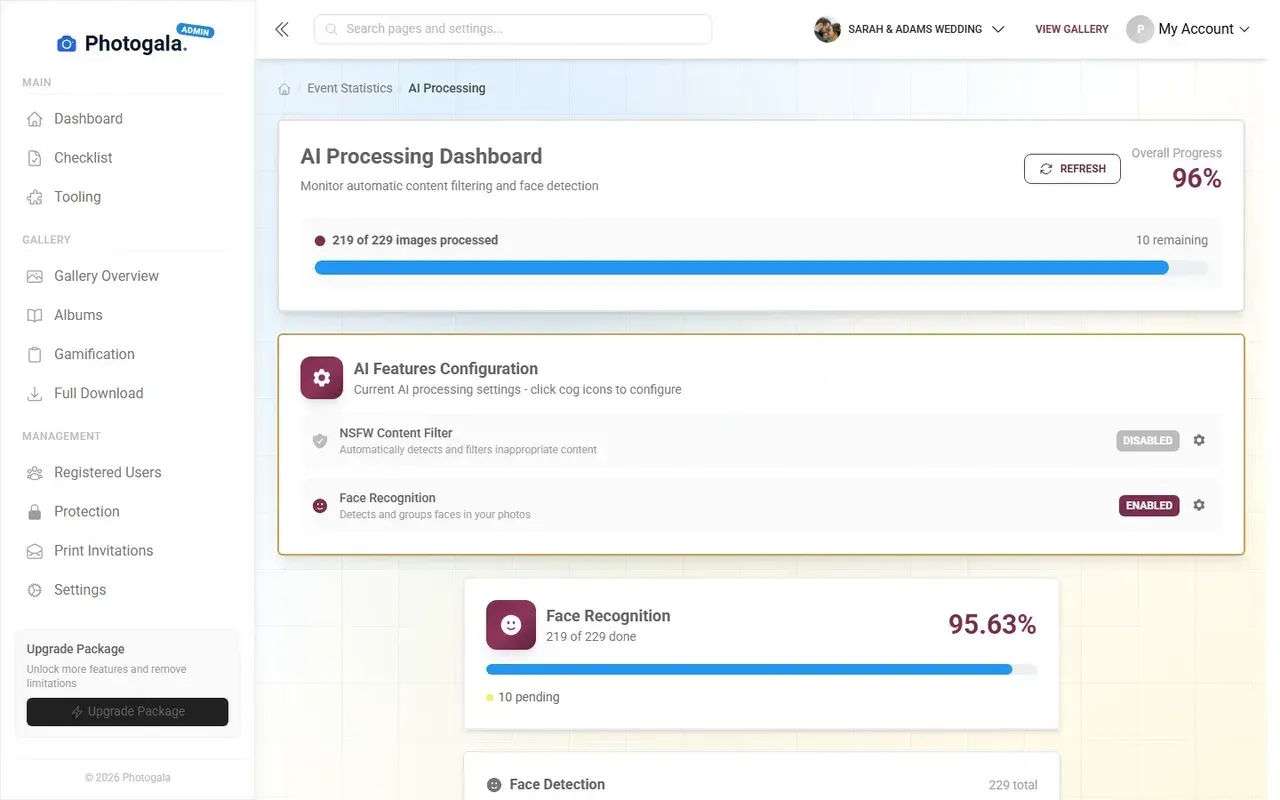
For private family events, moderation might feel unnecessary. For anything with a screen displaying photos publicly, or any corporate context with HR policies, it's non-negotiable. The fact that most competitors don't offer it at all is, frankly, a gap in their product.
Privacy and Security: The Overlooked Factor
Internxt's 2026 security comparison makes a good point: most people never read the Terms of Service before uploading family photos to a platform. They should.
Google Photos uses your images to improve its AI models (you can opt out, but the default is in). Apple Photos keeps things more locked down within the Apple ecosystem. Event-specific platforms vary widely. Partage Photos recommends checking each platform's data retention and privacy policies, especially when sharing photos of children or private events.
Photogala stores data on European servers and offers configurable storage periods (6 months to 24 months depending on plan). After that, photos are deleted. That's actually a feature, not a limitation: for events, you want a defined lifecycle. You don't need your cousin's wedding photos sitting on a server indefinitely.
Quick privacy check before choosing a platform: Where are the servers located? How long is data retained? Can guests delete their own uploads? Does the platform use your photos for AI training? These four questions eliminate most bad options.
The Honest Trade-Offs
No platform is perfect. Here's where each option falls short:
Google Photos requires a Google account for shared album contributors. That's a hard stop for event use. Half your guests won't bother.
Apple Photos is Apple-only for the best features. iCloud shared albums work cross-platform in theory, but the experience for non-Apple users is clunky at best.
GuestPix has built a solid reputation (they claim 90,000+ events), but the feature set hasn't evolved much. No gamification, no AI, no moderation. You're paying for reliability and simplicity.
Everlense offers a free tier, which is great for testing. But photo count limits on paid plans (50 to 10,000 depending on tier) mean you can hit a wall at larger events.
Photogala isn't free. The Plus plan is €39, which is more than the free tier some competitors offer. It's browser-based only, so there's no native app with push notification badges on your home screen. And the most powerful features (AI face recognition, NSFW filtering, real-world rewards) are locked behind the €119 Deluxe plan. For a small birthday party, that's hard to justify.
Every plan includes video uploads, so even on the Plus tier your guests can capture both photos and short clips without hitting a paywall.
Who Should Use What
After comparing everything, the answer breaks down by use case:
Casual personal sharing (vacation photos with family, day-to-day moments): Google Photos or Apple Photos. They're free, they're good enough, and you're probably already using one of them.
Small private events (birthday with 15-30 guests, dinner party): Everlense's free tier or Photogala Plus. If you just need a shared upload folder with a QR code, either works. Photogala adds photo challenges even on the Plus plan, which is a nice touch.
Weddings and large celebrations (80-250+ guests): This is where the feature gap becomes obvious. Photogala includes the photo wall and custom branding on every plan, and Premium (€69) adds the leaderboard and moderation that turn a passive gallery into something guests actually engage with. If you want AI face recognition so guests can find just their photos, you'll need Deluxe (€119). For comparison, a typical photo booth rental runs €500-1,000 for a single evening.
Corporate events (team building, conferences, company parties): Photogala Premium or Deluxe. Content moderation alone makes it the only viable option for professional settings. The leaderboard and challenges also solve the "how do we get employees to actually participate" problem that kills most corporate photo initiatives.
Getting Started Takes 3 Minutes
Create Your Gallery
Pick your event type, set a name, choose your plan. The whole setup takes about two minutes.
Share the QR Code
Print QR codes on table cards, add them to invitations, or share the link directly. Guests scan and start uploading from their browser.
Watch Your Gallery Fill Up
Photos appear in real time. Turn on the photo wall for a live display. Enable challenges if you want guests competing to upload the best shots.
Photo sharing in 2026 is more capable than ever. The platforms that stand out aren't just upload tools anymore. They're engagement engines that solve the real problem: getting people to actually share their photos instead of letting them die on a camera roll.
For most events, that means choosing a platform built specifically for the job. Not repurposing a personal cloud service and hoping for the best.
Ready to create your gallery?
Start sharing your event photos with guests in minutes.
Create GalleryWritten by

I believe event photos should be more than static galleries. They should be live, playful, and unforgettable.
Categories
Related Posts

Wedding Hashtag vs QR Code Gallery: What Actually Works in 2026
Hashtags made sense in 2018. In 2026, most guest photos hide behind private profiles. Here's what replaced them.

How Much Does Event Photo Sharing Cost? Complete 2026 Guide
From free shared albums to premium platforms: what event photo sharing actually costs in 2026, what you get at each price point, and where the hidden fees lurk.

Photogala vs Snapchat for Event Photo Sharing: One Keeps Your Photos, One Deletes Them
Snapchat is fun for selfies, but event photo sharing needs permanence, organization, and zero friction. Here's how a purpose-built gallery compares.