The Ultimate Guide to Capturing Candid Guest Photos at Parties


The photographer delivers 287 polished shots three weeks after the party. They're beautiful. But the photo that gets pinned to the fridge? It's the blurry one someone's cousin took of the birthday girl mid-laugh, cake frosting on her nose, completely unaware of the camera.
Candid photos win because they capture what actually happened, not what people wanted to look like. The problem is, most of those photos stay trapped on individual phones forever. A Mixbook survey found that 50% of Americans do nothing with the photos sitting on their phone. At parties, that number feels even higher.
This guide is about two things: how to create conditions where great candid photos happen naturally, and how to actually collect them before they vanish into 30 different camera rolls.
Why Candid Beats Posed (and It's Not Even Close)
There's a reason couples consistently say their favorite wedding photos are the ones where they didn't know the camera was on them. Aftershoot's research confirms it: a burst of laughter during speeches, a nervous glance before walking down the aisle, an unplanned group hug after the ceremony. These moments connect people to memories in a way that "everyone look at the camera and smile" never will.
The same applies to birthday parties, anniversaries, retirement celebrations, house parties. Posed group shots have their place, sure. But nobody scrolls back to a group photo six months later and feels something. They scroll back to the candid shot of their dad attempting the limbo at age 63.
Here's what makes candid party photography tricky, though: the best moments are unpredictable. You can't schedule them. You can only set up the right conditions and have enough cameras rolling.
The Two-Camera Strategy
Relying on a single photographer (professional or otherwise) to capture candid moments at a 40-person party is a losing game. One person can't be everywhere. They'll miss the kitchen conversation, the balcony confession, the kids stealing cake when nobody's watching.
The fix is simple: make every guest a photographer.
Not literally, of course. Most guests won't take photos unprompted. But if you lower the barrier enough, a surprising number will. At a birthday party with 30 guests, getting even 15 of them to snap a few photos each means 60-90 candid shots you'd never have gotten otherwise.
The 30-second rule: If it takes longer than 30 seconds for a guest to go from "I should take a photo" to actually uploading it somewhere shared, most won't bother. Every step you add (download an app, create an account, find the shared album) cuts participation in half.
This is where a QR code gallery changes the math entirely. Guests scan a code on the table, their browser opens, they upload. No app, no login, no friction. At a hypothetical 50-guest birthday party, that kind of setup could realistically yield 80-150 photos from 20+ different perspectives.

1.Scan, tap, upload. That's the entire process.
Lighting Is 80% of the Battle
You can teach someone composition in five minutes. You can't fix bad lighting after the fact.
Most party photos look terrible for one reason: mixed, dim lighting. Overhead fluorescents plus phone flash creates that washed-out zombie look nobody wants. And dark corners with no flash produce grainy, unusable shots.
Three things that make a massive difference, even at a casual house party:
- Move lamps to where people gather. Not where they look decorative. If the conversation always migrates to the kitchen island, get a warm lamp nearby. People photograph best in warm, directional light.
- Turn off the overhead fluorescents. Seriously. Use floor lamps, string lights, candles (real or LED). The vibe improves and the photos improve. Cvent's event photography guide notes that unpredictable lighting is one of the top challenges at events. Controlling it proactively helps everyone, not just professionals.
- Create one well-lit "photo magnet" spot. A decorated wall, a flower arrangement, a dessert table with good lighting. Guests will naturally gravitate there and take photos. You're not forcing anything; you're just making one spot look irresistible.
Picture this: a retirement party in someone's backyard. The host strings warm Edison bulbs across the patio and puts a few battery-powered fairy lights in mason jars on the tables. Nothing fancy. But every photo taken under those lights looks warm, flattering, and intentional. The photos from inside the garage (fluorescent tubes, concrete floor) look like mugshots. Same party, same guests, completely different results.
Getting Shy Guests to Actually Participate
This is the hard part. At any party, roughly a third of the guests will take photos without prompting. Another third will participate if nudged. The final third would rather eat glass than be photographed.
You can't (and shouldn't) force anyone. But you can design the experience so that even reluctant guests contribute without feeling self-conscious.
Photo Challenges Change the Dynamic
Telling people "take some photos tonight" is vague. Giving them a specific, fun task changes the psychology entirely. "Take a photo of someone's shoes" or "Capture the funniest face at the dessert table" gives people permission to be playful. They're completing a challenge, not just snapping selfies.
Research backs this up. Headshots Inc describes event photography as capturing the "essence" of an event. Challenges direct guests toward exactly those moments: the weird, genuine, unrepeatable ones.
In Photogala, you can create photo challenges with example preview photos that show guests what to aim for. Imagine setting up a "recreate this meme" challenge with a reference image, or a "strike the same pose as this movie scene" task. Guests get a visual target, and the results are almost always hilarious. It turns passive photo-taking into an actual activity.
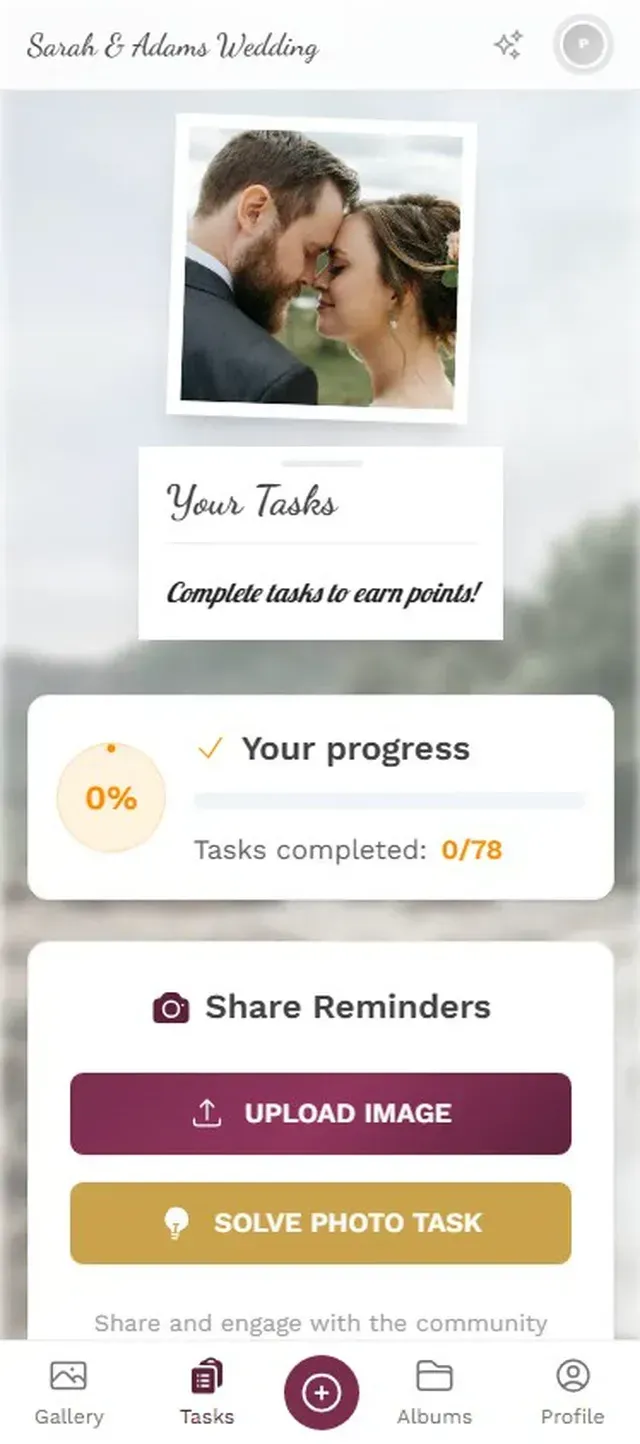
1.Guests see challenges and pick the ones that look fun.
A leaderboard takes it further. At a hypothetical 40-person house party, imagine the host's brother-in-law uploading 18 photos because he refuses to let his niece beat him on the scoreboard. That's the kind of organic engagement that produces incredible candid shots as a side effect.
See it in action
Every guest photo in one album – no app.
Timing: When the Best Candid Moments Happen
Not all hours of a party are created equal. Knowing when to encourage photos (and when to put the phone down) matters more than any technical setting.
Wezoree's photography guide emphasizes anticipation and observation as key skills. You don't need professional instincts to apply this at a party. You just need to know the rhythm.
The Golden Windows
- The first 30 minutes: People arrive, greet each other, react to the decorations. Energy is high, outfits are fresh, and there's a natural buzz. This is when you get the hugging-at-the-door shots, the "wow, look at this place" reactions.
- During food and drinks: People relax. Guards come down. The conversation photos, the laughing-with-a-glass-of-wine photos, the kid sneaking a second cupcake. This window is the longest and produces the most naturally good candid shots.
- The activity peak: Whether it's dancing, games, karaoke, or blowing out candles. High energy, high emotion, high photo potential. If you have a photo wall running on a TV screen, this is when it becomes the center of attention.
- The late-night wind-down: Smaller groups, deeper conversations, shoes off, ties loosened. These intimate moments are often the most meaningful photos of the night, and the most likely to be missed.
The dead zone? Right after dinner when everyone is in a food coma. Don't push photo challenges during this window. Let people digest.
The Live Photo Wall Effect
Here's something that consistently surprises people: putting a TV or monitor somewhere visible and streaming uploaded photos to it in real time doesn't just display photos. It creates a feedback loop.
Someone uploads a funny photo. It appears on the big screen. People notice, laugh, and suddenly three more guests pull out their phones to upload something better. The screen becomes a conversation piece, and photo participation snowballs without any prompting.
Say you set up a 55-inch TV near the drinks table at a 30th birthday. By 9 PM, guests are actively trying to get their photos on the wall. Not because anyone asked them to, but because seeing other people's photos up there makes them want to contribute. That competitive instinct kicks in, especially once a leaderboard is involved.
One honest caveat: the screen placement matters enormously. Tuck it in a corner where nobody walks past and it's invisible. Put it behind the bar or near the dance floor and it becomes the most photographed thing at the party. If you're going to do it, commit to a high-traffic spot.
What About Privacy?
Candid photos are great until someone uploads a shot that another guest hates. Maybe it's unflattering. Maybe someone's ex is in the background. Maybe a guest just doesn't want to be photographed at all.
This isn't a theoretical concern. It's the #1 reason some people hesitate to set up shared photo galleries.
The solution is moderation. Not heavy-handed censorship, but having someone (the host, a trusted friend) who can review uploads before they hit the shared gallery or the big screen. Photogala lets you set up a pre-approval queue where every photo gets a quick thumbs-up or thumbs-down before going live. Assign the job to someone at the party who can check their phone every few minutes. If you want to know more about organizing collected photos effectively, there's a useful guide on how to sort event photos after the party.
The AI-powered NSFW filter (on the Deluxe plan) adds another layer. It catches obviously inappropriate uploads automatically. For most parties, that plus a human moderator covers 99% of potential issues.
Practical Setup: 15 Minutes Before Guests Arrive
Your Pre-Party Photo Setup
Create the gallery and print QR codes
Set up your event gallery, customize the QR code design, and print a few table cards. Place them where guests will notice: the entrance, the bar, the food table.
Set up 2-3 photo challenges
Keep them simple and fun. "Best candid laugh", "Most creative group photo", "Catch someone dancing when they think nobody's watching." Import from templates or create your own.
Position the photo wall screen
Connect a TV or monitor to the gallery's photo wall URL. Place it in a high-traffic spot. Test it with a quick upload from your phone to make sure it's working.
Brief one person on moderation
Pick someone you trust. Show them the moderation queue on their phone. One tap to approve, one tap to reject. Takes 10 seconds per photo.
That's it. No elaborate setup. No technical expertise. Fifteen minutes and you've turned every guest's phone into a candid photo machine with a shared destination for everything they capture.
The Honest Trade-Offs
A QR code gallery isn't a replacement for a professional photographer. Professionals understand composition, timing, and lighting at a level that random guests never will. Guest photos are raw, imperfect, and sometimes badly framed.
But that's also what makes them valuable. The professional captures 200 beautiful, curated images. Your guests capture the 80 weird, wonderful, in-between moments that the professional couldn't be in position for. The two complement each other.
Also worth mentioning: Photogala is browser-based, not a native app. For most guests, this is actually an advantage (no download friction). But it does mean the upload experience depends on each phone's browser performance. Older phones with slow connections might take a bit longer. It's rarely an issue at house parties with decent Wi-Fi, but at a venue with spotty reception, it's worth testing beforehand.
The best party photos aren't the ones the photographer took. They're the blurry, badly lit, perfectly timed shots from the person standing right next to the moment when it happened. Your job isn't to make every guest a better photographer. It's to make sure those photos don't stay locked on 30 separate phones.
All of this comes with your own event.
Setting it up takes five minutes. You can build and view everything before you decide.
Starting from €39 one-timeOne-time payment — No subscription
- No App Required
- Setup in 5 Minutes
- 30-Day Money Back
“Excellent service and great pictures! Photogala fully met our expectations at the event. The value for money is unbeatable. Absolutely recommended! The seating plan saved us a lot of hassle!”
Written by

I believe event photos should be more than static galleries. They should be live, playful, and unforgettable.
Categories
Related Posts

Bridal Shower Photo Sharing: Collect Every Sweet Moment in One Gallery
Bridal shower photos end up scattered across 15 phones. Here's how to get them all into one gallery before the mimosas wear off.

Maternity Photo Sharing: How to Keep Every Announcement, Bump Shot, and Memory in One Place
Pregnancy announcements land on 4 different apps. Maternity photos get lost in group chats. Here's how to keep every photo in one shared gallery your whole family can access.

Sales Kickoff Photo Sharing: How to Turn a Mandatory Meeting Into a Team Memory
Sales kickoffs are expensive. The photos from them usually disappear into 14 different camera rolls. Here's how to fix that.