
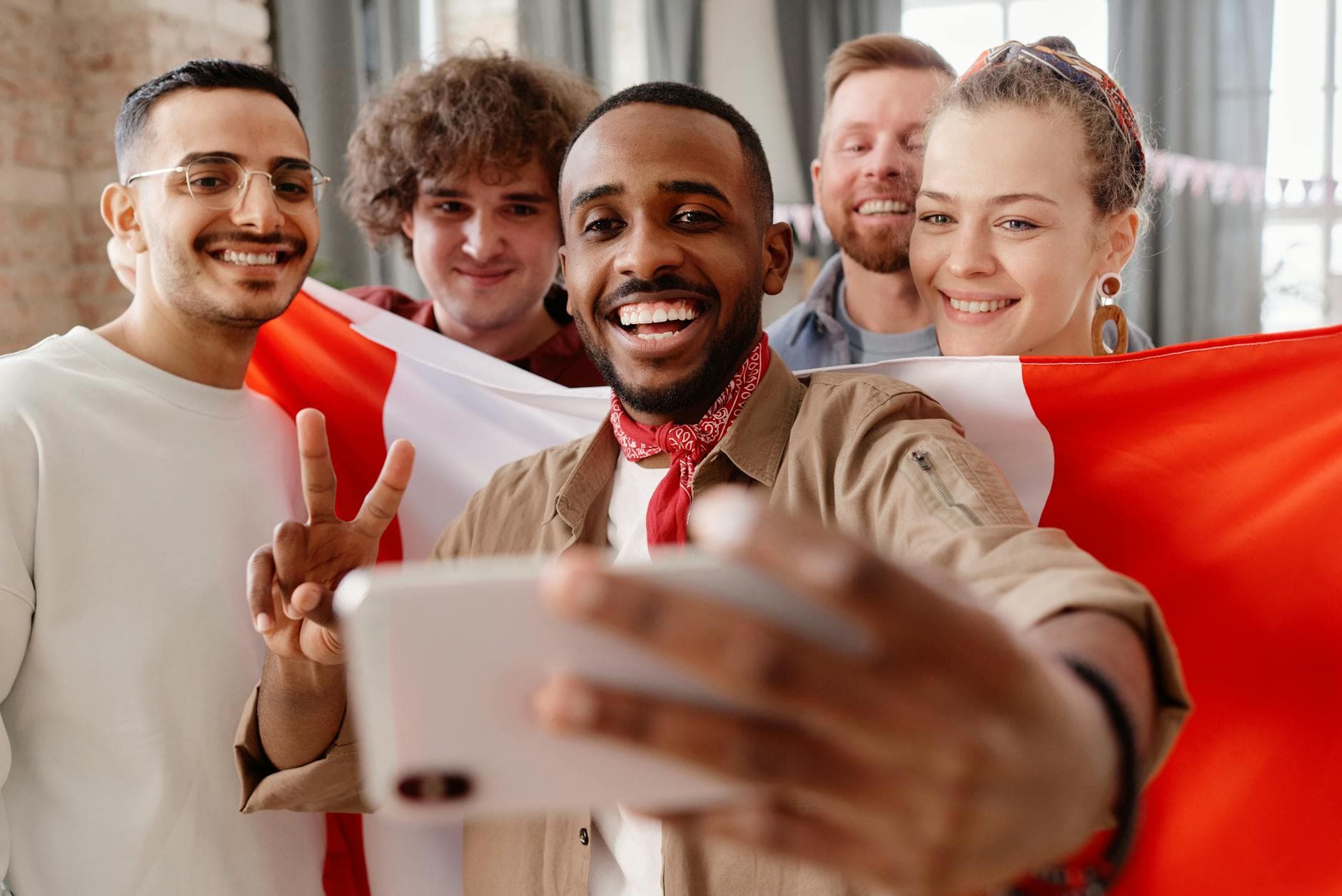
Picture a company summer party. Two hundred people, a DJ, food trucks, someone brought a drone. By the end of the night, there are 900 photos in the shared gallery. You're in maybe 15 of them. Good luck finding those.
That's the dirty secret of event photo sharing: collecting photos is the easy part. The hard part is finding yours. Scroll through hundreds of sunset shots, blurry dance floor moments, and 47 photos of the dessert table to locate the three pictures where you actually look good. Most people give up after two minutes.
Face recognition solves this in a way that still feels a little like magic. You take a selfie or tap on your face in one photo, and the system pulls up every image you appear in. No scrolling. No tagging. No asking "hey, can you send me that one from near the bar?"
Why Big Events Create a Photo Problem
Small gatherings are manageable. At a dinner party with 12 people and 60 photos, you can scroll through everything in a minute. But events scale in a way that makes manual browsing impossible.
A 200-guest wedding might generate 500-800 photos from guests alone (not counting the photographer). A multi-day corporate retreat with 150 attendees can easily hit 1,200. A music festival? Thousands. The evolution of face recognition in event management tracks directly with this explosion in event photo volume. As smartphone cameras got better and sharing platforms lowered the friction to upload, the number of photos per event skyrocketed. The tools to sort through them didn't keep up.
Here's what typically happens: someone creates a shared album, everyone dumps their photos in, and then nobody ever goes back to find anything. A photo you'd love to have as your profile picture sits buried at position 347, unseen. According to Tonfotos' research on photo management, face recognition is now considered one of the most essential features in photo organization precisely because the volume of digital photos has outpaced human ability to sort them manually.
How Face Recognition Actually Works at Events
The concept is straightforward, but the implementation matters more than you'd think.
When photos get uploaded to an event gallery, the AI scans each image for faces. It doesn't just detect that a face exists. It maps the geometry: the distance between your eyes, the shape of your jawline, the proportions of your nose. This creates a mathematical representation (a "face embedding") that's unique to you, similar to a fingerprint.
The system then clusters these embeddings. Every photo where Face #47 appears gets grouped together, whether you're facing the camera directly, caught mid-laugh in the background, or partially hidden behind someone's shoulder. Event technology researchers have documented how this transforms the attendee experience: instead of passively browsing a massive gallery, each guest gets a personalized feed of photos they actually care about.
The accuracy of modern face recognition is surprisingly high. Memzo, a platform built specifically around this concept, claims 99.3% accuracy for event photo matching. The technology has matured to the point where lighting changes, different angles, and even sunglasses don't throw it off in most cases.
Face recognition works best when the original upload quality is preserved. Platforms that compress photos before processing lose facial detail, which reduces matching accuracy. Always check whether your photo sharing tool keeps originals.
What This Looks Like in Practice
Say you're at a 250-person wedding. The couple set up a shared gallery with a QR code on every table. Guests scan it, upload photos throughout the evening. By midnight, the gallery has 620 photos from 89 different uploaders.
Without face recognition, finding yourself means scrolling through all 620. With it, you open the gallery, tap the face filter, select your face (or take a quick selfie), and the gallery instantly shows only photos where you appear. Instead of 620 photos, you see 17. Your favorites in 30 seconds, not 30 minutes.
In Photogala, this works through the AI face recognition system available on the Deluxe plan. The platform automatically detects and clusters faces across all uploads. You can name clusters ("Uncle Marco", "the bride's college friends"), merge duplicates, and even manually tag faces the AI missed.
The face filter lets you browse the gallery by person
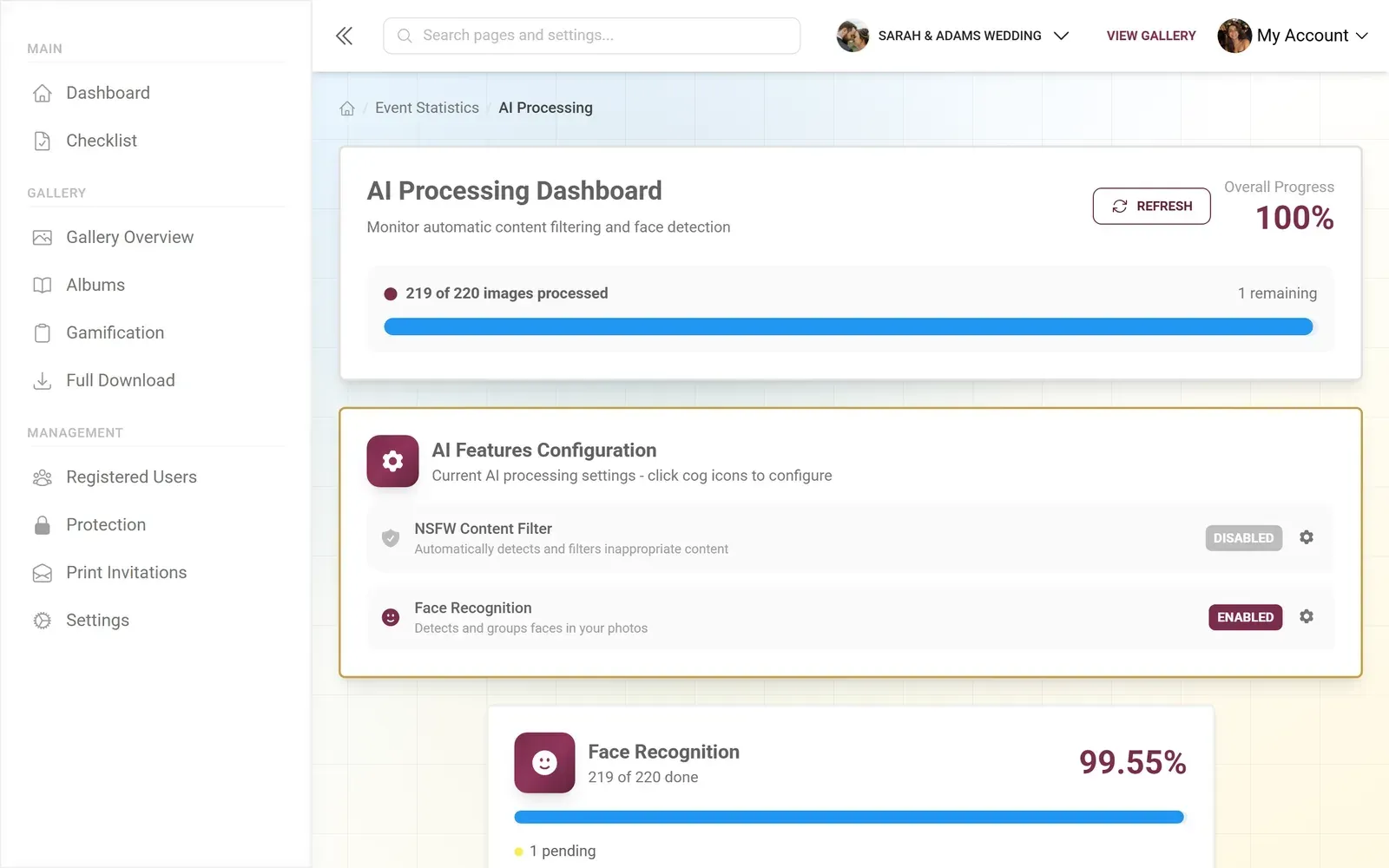
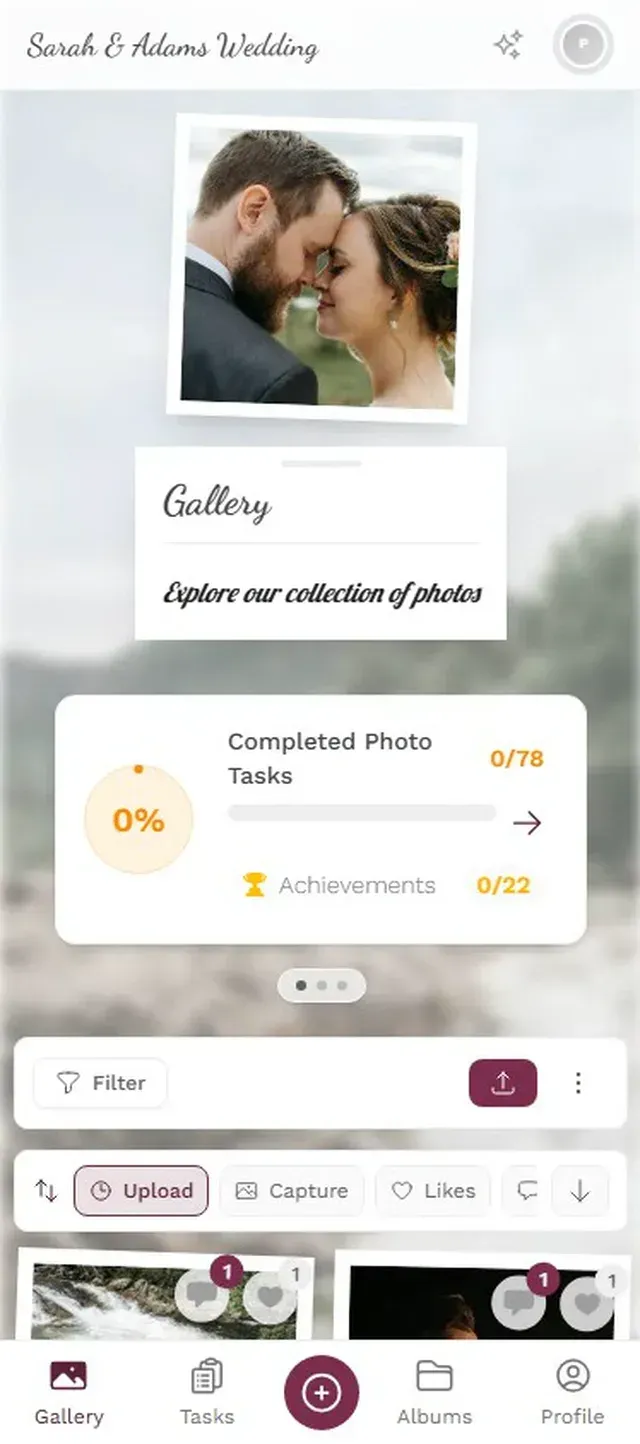
The face clustering happens in the background as photos arrive. There's no manual step for guests. They upload, the AI processes, and within moments the face groups are available for everyone to browse.
Discover what Photogala can do
The Privacy Question (It's Fair to Ask)
Face recognition at events raises a legitimate question: what happens to my biometric data?
This is worth thinking about carefully. Some platforms process faces on remote servers, keeping embeddings indefinitely. Others, like ACDSee's approach to AI photo tools, process everything locally without sending data to external servers.
For event photo sharing specifically, the trade-off is different from surveillance or social media tagging. The face data exists only within the context of one event gallery, for a limited time (Photogala keeps galleries for 24 months on the Deluxe plan, then everything gets deleted). Nobody's building a permanent biometric profile of wedding guests.
That said, Photogala processes face recognition on its servers, not on your device. The face embeddings are mathematical representations, not actual photos of faces. They're tied to the event gallery and deleted when the gallery expires. For events under GDPR (most European events), it's worth mentioning face recognition in your event's privacy notice. A simple line on the invitation or QR code card is enough.
Photogala's face recognition is only available on the Deluxe plan (€119, one-time). The Starter and Premium plans don't include AI features. If face recognition is a must-have for your event, plan accordingly.
Beyond "Find My Face": What Else Face Recognition Enables
Finding your own photos is the obvious use case. But face recognition opens up a few things that aren't immediately obvious.
Automatic album creation. Instead of manually sorting photos into "bride's side" and "groom's side" albums, face clusters do this naturally. Every person becomes a potential album. Parents of the couple can find every photo of their child without asking anyone.
Moderation efficiency. For event hosts reviewing uploads before they go live (especially useful at corporate events), face recognition helps spot duplicates and group similar shots. If someone uploaded 14 nearly identical selfies, you can see them clustered together and approve the best two.
The "I didn't know this existed" moment. This is the one that catches people off guard. You filter for your face and discover photos you didn't even know were taken. Someone caught you mid-conversation, laughing at something. A candid from across the room during the speeches. These unposed, unexpected shots are often the ones people value most.
For a deeper look at how AI sorting is changing event photography beyond just face recognition, there's a detailed breakdown of smart gallery features worth reading.
What Face Recognition Can't Do (Yet)
No point pretending the technology is flawless. A few honest limitations:
- Heavy makeup or costumes can confuse clustering. A Halloween party or a masquerade ball will have lower accuracy than a business conference.
- Very young children (under ~3) are harder to cluster reliably because their facial features are less distinct.
- Group photos from far away where faces are small (under about 50 pixels wide) often get missed entirely. The AI needs a minimum resolution to work with.
- Identical twins remain a genuine challenge. Most face recognition systems cluster them together, which is technically wrong but practically harmless at an event.
Photogala handles edge cases through manual tools: you can merge face clusters that the AI split incorrectly, or separate clusters it wrongly combined. It's not fully automatic, but the manual cleanup takes minutes, not hours.
Setting It Up: Less Work Than You'd Expect
Face Recognition Setup in Photogala
Create your gallery on the Deluxe plan
Face recognition requires the Deluxe tier. Set up your event, customize the gallery, and enable AI features in settings.
Guests upload as usual
Share the QR code. Guests scan, upload photos from their browser. No app needed. Face detection runs automatically on every upload.
Browse by face
Once enough photos are in, face clusters appear in the gallery filter. Guests tap any face to see all photos of that person.
The AI processing happens asynchronously. The first 50 uploads might take a minute or two to cluster. After that, new uploads get matched to existing clusters almost immediately. There's a processing status dashboard for event hosts who want to monitor progress.
One thing that surprised me when testing: the system handles photos uploaded hours apart without issues. Someone who uploads a photo at 6 PM and another at midnight gets both correctly matched to the same face cluster, even if the lighting is completely different.
Is It Worth the Premium?
Face recognition is a Deluxe-only feature at €119 (one-time, not recurring). Whether that's worth it depends on your event.
For a 30-person birthday dinner? Probably not. You'll have maybe 80 photos, and scrolling through them takes two minutes. The Premium plan at €69 gives you gamification, moderation, and gallery layouts, which arguably add more value at smaller events.
For a 200+ person wedding, a corporate conference, or a multi-day festival? The math changes fast. At 500+ photos from dozens of uploaders, face recognition transforms the gallery from "a pile of photos" into "a personalized experience for every guest." That's the kind of detail people remember and talk about.
If you're on the fence, check out how to organize and sort event photos after the fact. Even without face recognition, there are strategies to make large galleries navigable. But nothing comes close to the speed of AI-powered face filtering.
The next time you're at a big event, scrolling endlessly through a shared gallery looking for that one great photo of yourself, remember: there's a version of this experience where you tap once and it's right there. That's what face recognition does. Not a gimmick. Just a better way to find the photos that matter to you.
Ready to create your gallery?
Start sharing your event photos with guests in minutes.
Create GalleryWritten by

I believe event photos should be more than static galleries. They should be live, playful, and unforgettable.
Categories
Related Posts

Club Event Photos: How to Stop Losing Member Moments to WhatsApp Chaos
Sports clubs, hobby groups, and societies generate hundreds of photos at every event. Most vanish into WhatsApp threads nobody scrolls back through. Here's a better system.
How to Configure Photo Challenges Guests Will Actually Finish
Most photo challenges get ignored after the first hour. Here's how to design tasks guests complete, with the right number, the right difficulty, and the right timing.
How AI Content Filtering Keeps Public Event Galleries Clean
Public event galleries invite thousands of uploads from strangers. AI content filtering catches the inappropriate ones before they ever hit the screen.