
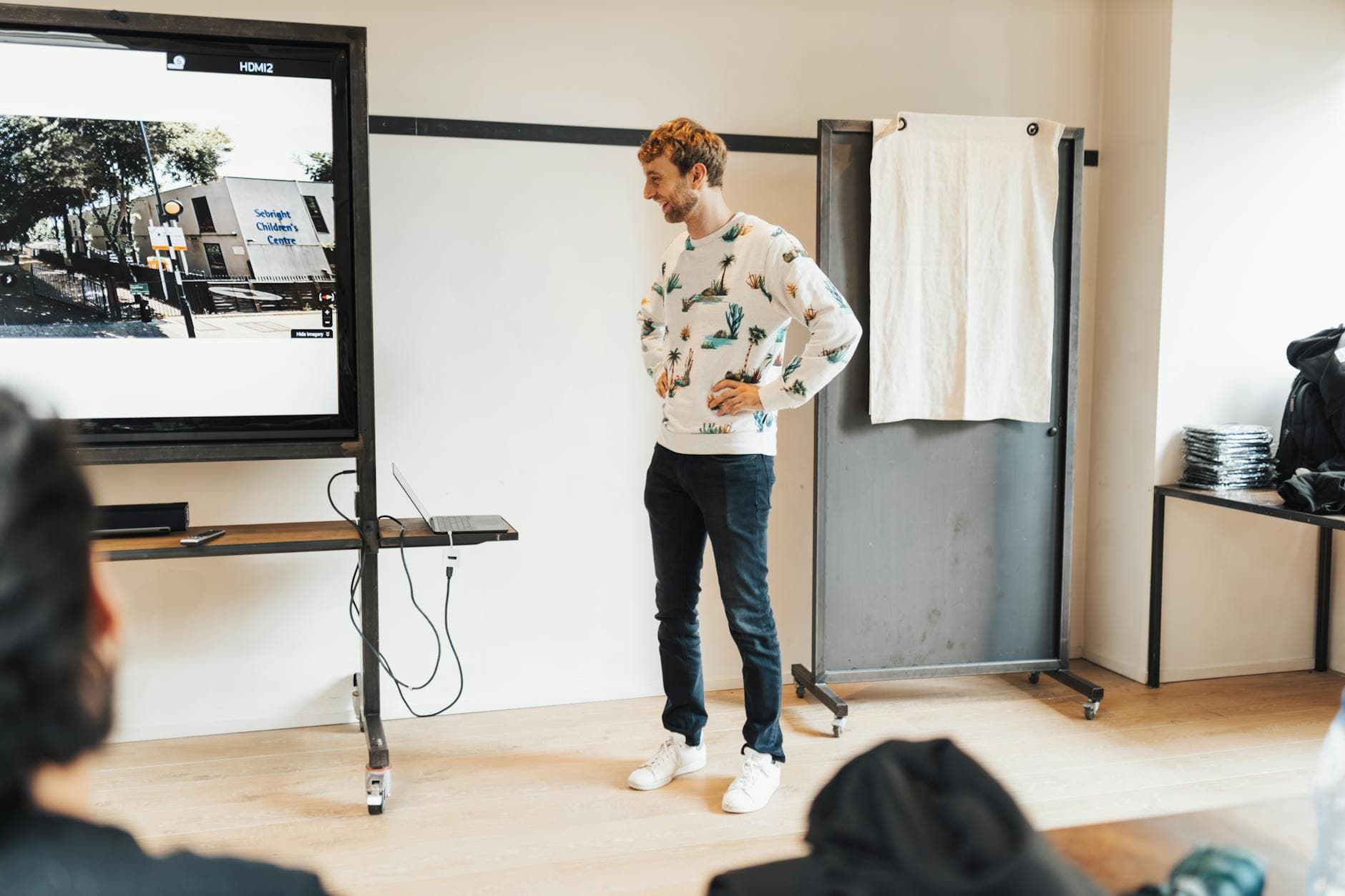
Picture a company summer party. 200 employees, a DJ, open bar, and a QR code on every table inviting people to share photos to the big screen behind the stage. By 9 PM, 400 photos have rolled in. By 10 PM, someone uploads a photo that definitely should not be on a 65-inch display in front of the CEO.
It happened faster than anyone could react. The moderator assigned to watch the feed was grabbing a drink. The photo stayed on screen for maybe 40 seconds before someone pulled the plug on the display. Long enough for a dozen people to notice. Long enough to become the only thing anyone talked about on Monday.
This is the nightmare scenario for anyone running an open photo gallery at an event. And it's more common than you'd think.
The Scale Problem Nobody Talks About
When you invite guests to share photos freely, you're essentially opening a user-generated content platform for the duration of your event. That sounds harmless until you consider the math.
A 150-person wedding might generate 400-700 photos over six hours. A corporate event with 300 attendees can easily hit 800+. A multi-day festival? Thousands. The 2025 content safety landscape makes one thing clear: the sheer volume of user-generated content in 2025 makes it impossible for human moderators alone to manage effectively. And that's talking about platforms with paid moderation teams. Your bridesmaid or HR intern doesn't stand a chance.
The uncomfortable truth is that most event photo sharing apps don't have any content filtering at all. They give you a shared folder with a QR code and hope for the best. Some offer a manual approval queue, which works fine for the first 50 uploads. After that, the moderator either rubber-stamps everything or stops checking entirely.
Manual Moderation: Good Idea, Bad Execution
Let's be fair. Manual pre-approval is a legitimate approach for small events. If you're hosting a baby shower with 25 guests, assigning someone to approve each photo before it appears in the gallery is totally manageable. Maybe 60-80 photos over a few hours. One tap to approve, one to reject. Done.
The problems start when the numbers go up. At a wedding with 180 guests, photos come in waves. During the ceremony, maybe 2-3 per minute. During the reception, 8-10 per minute. During the dance floor peak? You could see 15-20 uploads in a single minute. A human moderator scrolling through thumbnails on a phone cannot keep up with that pace without missing things.
And there's a subtler issue: fatigue. After approving 300 photos in a row, all of them perfectly fine, your brain starts pattern-matching on "approve everything." Photo 301, the one that should have been flagged, slips through because the moderator is on autopilot.
Manual moderation has a second failure mode: the moderator enjoying the party. Asking a bridesmaid to watch a photo queue instead of dancing is a big ask. Asking an HR coordinator to monitor uploads instead of networking defeats the purpose of the event.
How AI Content Filtering Actually Works
Automated NSFW detection has gotten remarkably good. Modern systems use deep learning models trained on millions of labeled images to classify content across categories: nudity, violence, drugs, hate symbols, and more. Companies like Hive Moderation process billions of images for major social platforms using exactly this approach.
The key word is "confidence score." The AI doesn't just say yes or no. It returns a probability. A photo of someone in a swimsuit at a pool party might score 0.3 on nudity (low confidence, probably fine). An actually explicit image scores 0.95+ (high confidence, definitely flag it). The event host sets the sensitivity threshold, and anything above it gets caught.
For event photo galleries specifically, real-time AI screening can detect and flag photos containing not just explicit content, but also sensitive information like visible badges, private documents, or corporate materials that shouldn't be publicly shared. That last one matters more than people realize at corporate events.
What Photogala's NSFW Filter Does
Photogala's Deluxe plan includes an AI-powered NSFW filter that scans every uploaded photo automatically. Here's what actually happens when a guest uploads an image:
- The photo uploads normally. The guest sees it in their own view.
- Within seconds, the AI model analyzes the image and assigns confidence scores across multiple content categories.
- If any score exceeds the sensitivity threshold you've configured, the photo gets flagged and removed from the public gallery.
- Flagged photos land in a moderation queue where you (or your assigned moderators) can review and override the decision.
The important detail: the filter runs alongside manual moderation, not instead of it. You can have both a pre-approval queue and the AI filter active simultaneously. The AI catches the obvious stuff so human moderators can focus on edge cases.
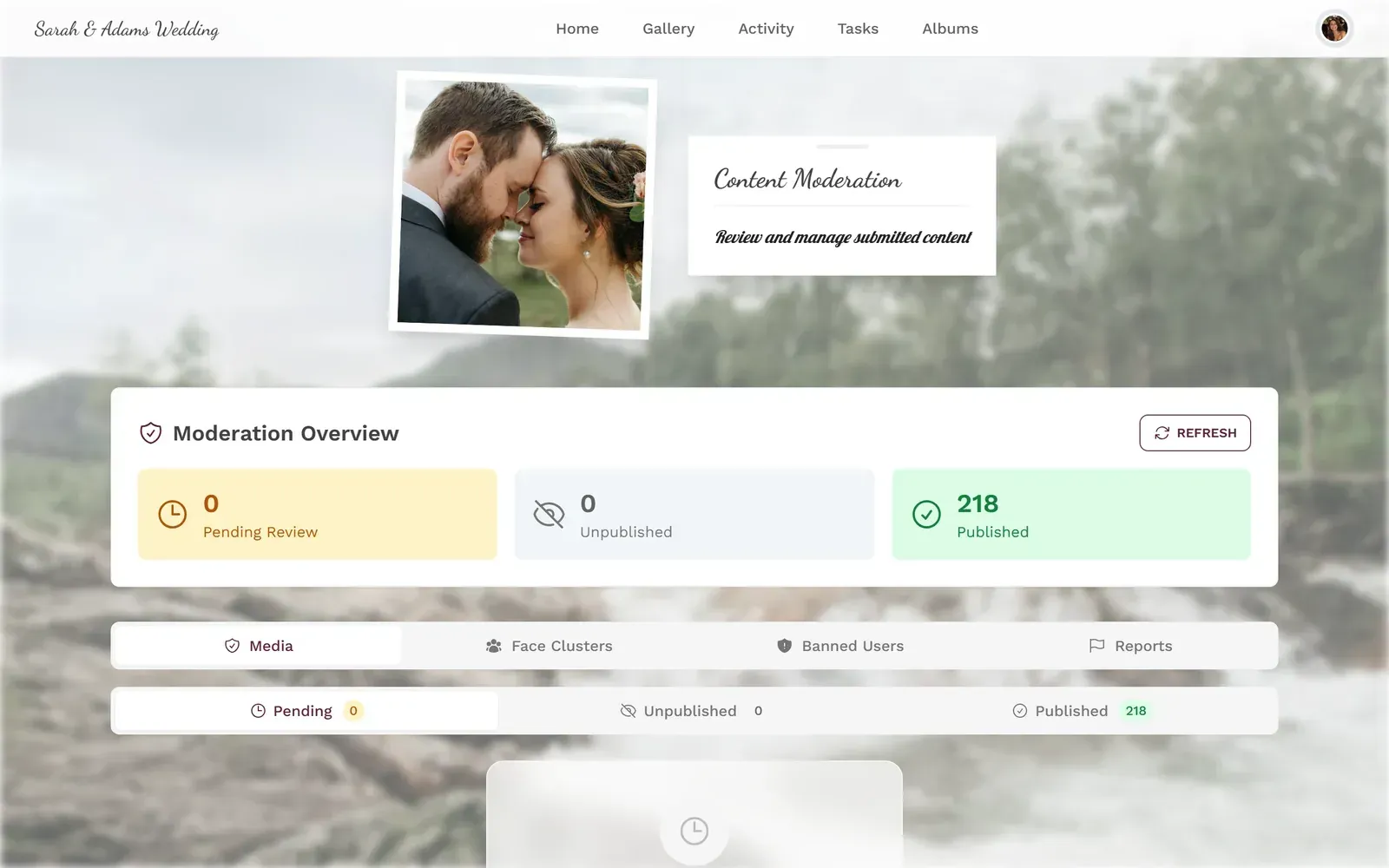
1.Configure sensitivity thresholds for automatic content filtering
You can also retroactively scan existing media. Say you ran an event without the filter enabled and want to check the gallery afterward. One button scans everything already uploaded and flags anything suspicious. Useful if you're archiving a gallery or sharing it publicly after the event.
See it in action
Every guest photo in one album – no app.
Sensitivity Is Not One-Size-Fits-All
This is where most people's understanding of content filtering stops. They think it's a binary switch: on or off. But the reality is that "inappropriate" depends entirely on context.
A photo of someone in a bikini is perfectly normal at a beach wedding. The same photo at a buttoned-up corporate gala would raise eyebrows. A silly photo of someone pretending to drink from a champagne bottle is fun at a birthday party but might violate company social media policy at a team event.
Photogala lets you adjust the sensitivity slider. Crank it up for a children's charity fundraiser. Turn it down for a friends-only house party where the stakes are lower. The AI model doesn't change; you're just moving the confidence threshold for what triggers a flag.
One limitation worth mentioning: no AI filter is perfect. The system occasionally flags harmless photos (a close-up of a strangely colored dessert, for instance) and can miss borderline content. That's why the manual review queue exists as a safety net. The AI handles volume; humans handle judgment.
Beyond NSFW: The Full Moderation Stack
Content filtering is one piece of a larger moderation system. For events where you want tight control over what appears in the gallery (and especially on the photo wall), Photogala's Premium and Deluxe plans include a complete moderation toolkit.
You can assign unlimited moderators with dedicated roles. They get a separate queue view showing only pending uploads. Approve or reject with one tap. If you reject something, you can include a localized reason ("blurry photo," "not related to the event," "contains sensitive information") so the uploader understands why.
For photo wall setups, this matters a lot. The screen behind the bar should only show photos you've actively approved. Pre-approval mode ensures nothing hits the big screen until a moderator gives it the green light. The AI filter runs first, stripping out obvious problems, so the moderator only sees content that's already passed the automated check.
If you're running events where content control is critical, you might also want to read about how GDPR and privacy laws affect event photo sharing. Moderation and privacy go hand in hand.
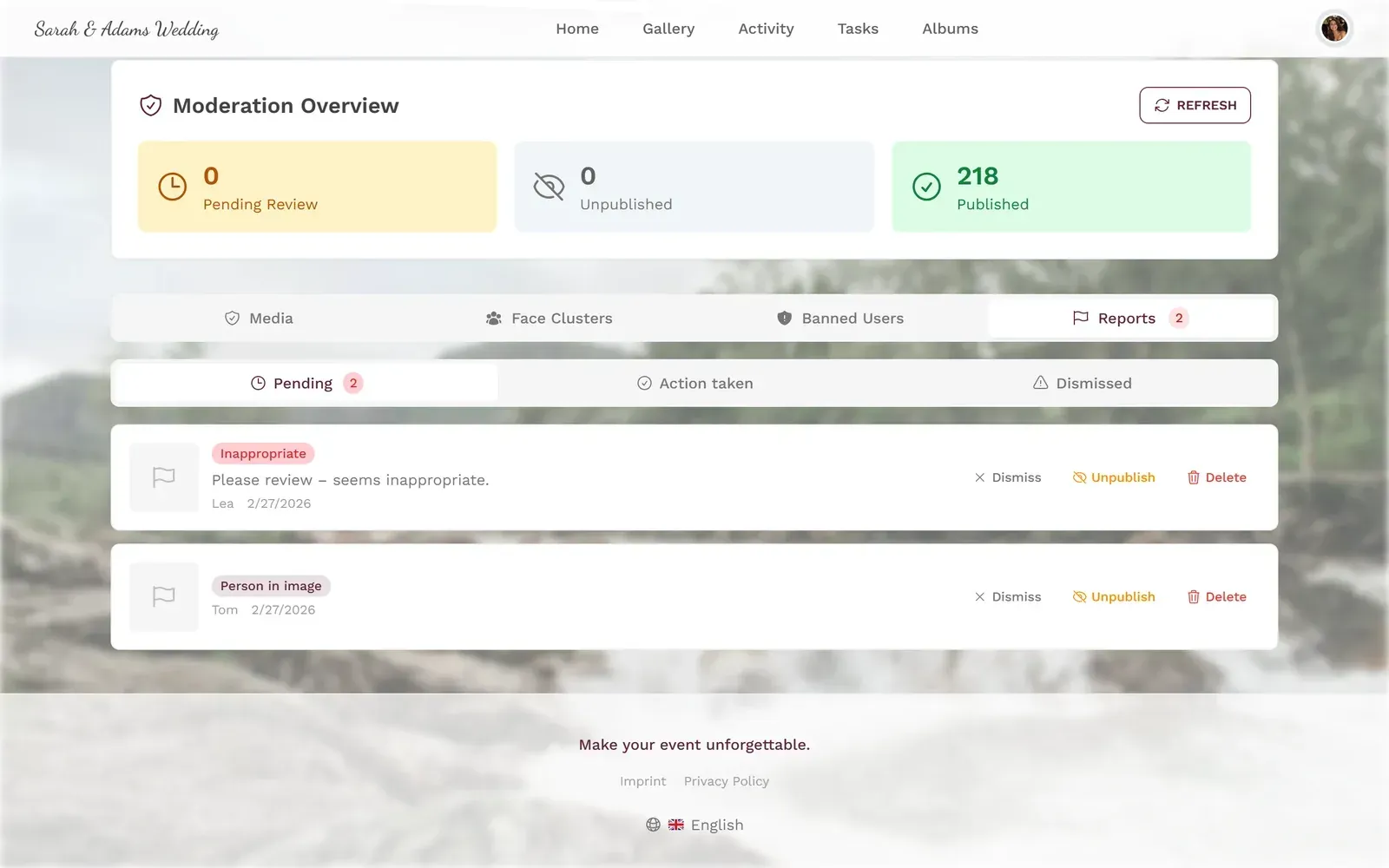
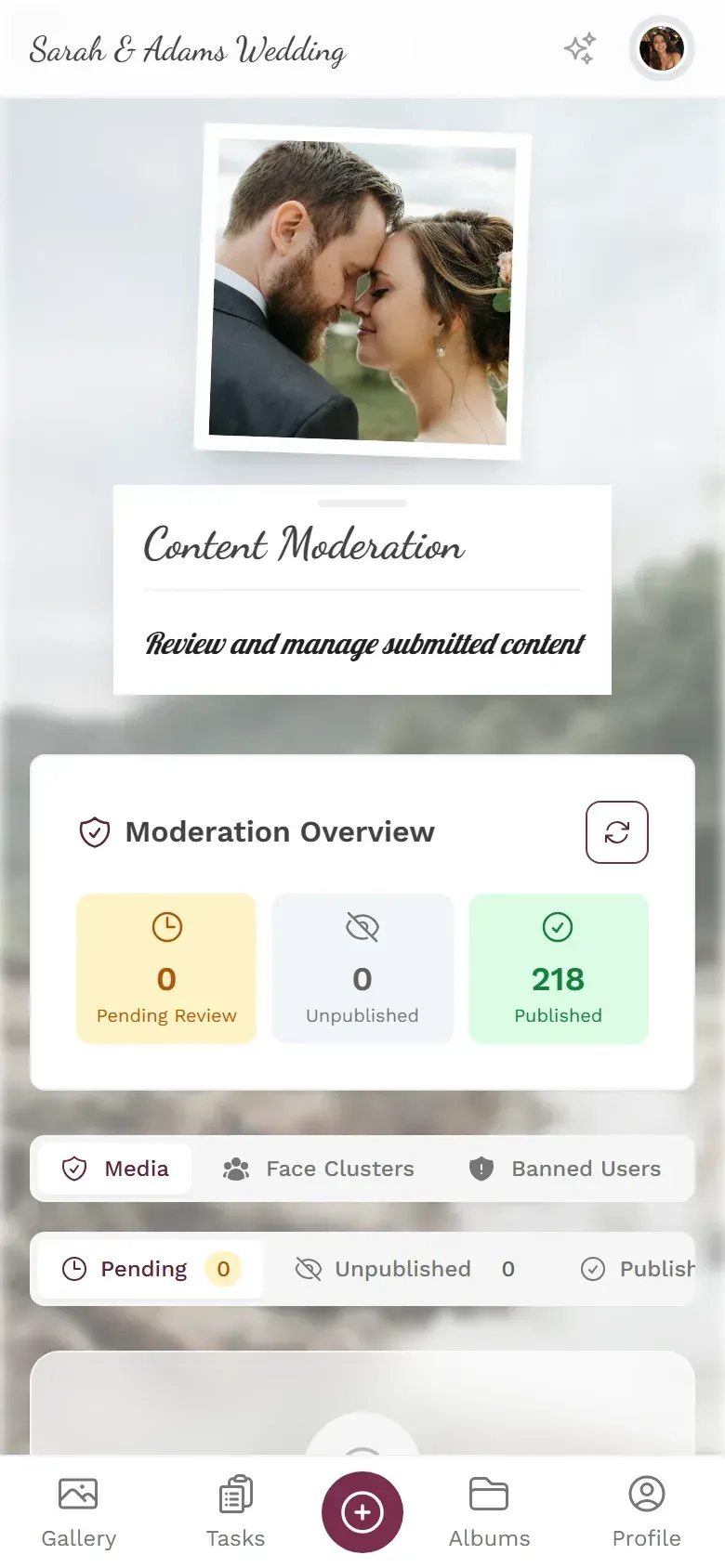
1.Assign moderators from your team with dedicated access
What Happens Without a Filter
Imagine a 250-person corporate event. No content filter, no pre-approval. Just an open gallery with a QR code and a live photo wall. Here's a realistic timeline of what can go wrong:
- Hour 1: Everything's fine. People upload group photos, food shots, the venue. 80 photos, all appropriate.
- Hour 3: The bar has been open for two hours. Uploads are now coming in at 10+ per minute. Someone posts a screenshot of a private Slack conversation visible in the background of a desk photo. Nobody notices.
- Hour 4: A handful of photos are mildly inappropriate. Nothing explicit, but enough that the marketing team wouldn't want them in the company newsletter. They're already on the photo wall.
- Hour 5: One genuinely problematic upload. By the time someone reports it, 40 people have seen it on the big screen.
None of this is hypothetical exaggeration. Event photo moderation exists as a category specifically because these scenarios play out regularly at events with open upload galleries. The risk scales directly with guest count and alcohol availability.
Setting It Up Takes About 90 Seconds
Enable NSFW Filtering in Photogala
Open your event settings
Navigate to the moderation section in your event dashboard. The NSFW filter toggle is right there.
Set your sensitivity level
Drag the slider to match your event context. Higher for corporate or family events, lower for casual private parties.
Optionally enable pre-approval
For photo wall events, turn on manual pre-approval too. The AI filter and human review work together.
That's it. No API keys, no third-party integrations, no separate moderation software. The filter runs on every upload automatically from that point forward.
If your event is already underway and you realize you should have turned on filtering earlier, you can scan all existing uploads retroactively. The system processes the entire gallery and flags anything that exceeds your threshold.
Who Actually Needs This?
Not every event does. A small birthday dinner with 15 close friends? Probably overkill. But the line is lower than most people think.
Corporate events are the obvious case. Brand reputation, HR liability, and the presence of leadership all raise the stakes. Even a single inappropriate photo on a live display can create real problems. Companies investing in engagement programs expect professional-grade experiences, and that includes content safety.
Weddings with 100+ guests are the second big use case. You've invited your boss, your grandparents, and your college friends to the same event. The Venn diagram of what each group considers appropriate does not fully overlap. A filter catches the outliers before they end up in the slideshow grandma is watching.
Any event with a photo wall. The moment you put uploaded photos on a public screen, you need a safety net. Full stop. Manual moderation alone is not reliable enough when the display updates in real time. The AI filter adds a layer that works even when your moderator is in the bathroom.
For a deeper look at how AI is changing the way event photos get organized and sorted beyond just moderation, check out how smart galleries are reshaping event photography.
The best photo gallery is one where everyone can scroll without flinching. Whether that takes an AI filter, a dedicated moderator, or both depends on your event. For anything over 50 guests with a live display, both is the right answer.
All of this comes with your own event.
Setting it up takes five minutes. You can build and view everything before you decide.
Starting from €39 one-timeOne-time payment — No subscription
- No App Required
- Setup in 5 Minutes
- 30-Day Money Back
“I use PhotoGala Deluxe and I'm absolutely thrilled. It was the perfect solution for documenting a sports event. Uploading and downloading via the link is a breeze for every participant. What won me over most were the photo wall and the slideshow – both are quick to set up and look really professional. Big praise also to Peter from the PhotoGala team: he's very easy to reach by email, replies quickly and even took my suggestions on board and added new features that made my slideshow even better. You rarely get support this dedicated. A clear 5-star recommendation!”
Written by

I believe event photos should be more than static galleries. They should be live, playful, and unforgettable.
Categories
Related Posts
Why Upload Limits Ruin Event Galleries (and What Unlimited Actually Changes)
Upload caps at events create anxiety, reduce participation, and leave gaps in your photo collection. Here's what happens when you remove the ceiling.
How to Moderate Guest Photos at a Public Event (Without Losing Your Mind)
Public events with open photo uploads need a plan. Here's how to keep your gallery clean, your guests happy, and your legal team calm.
Club Event Photos: How to Stop Losing Member Moments to WhatsApp Chaos
Sports clubs, hobby groups, and societies generate hundreds of photos at every event. Most vanish into WhatsApp threads nobody scrolls back through. Here's a better system.