Photo Challenges Got a 62-Year-Old Surgeon to Upload 30 Event Photos. Here's How They Work.

Picture a corporate summer party. Eighty people standing around a buffet, half of them checking their email. The DJ is playing, the decorations look great, and the event planner is quietly panicking because nobody seems to be having fun. Now picture the same party, but with a screen near the bar showing a live photo feed, a leaderboard ticking upward, and a printed card on every table that reads: "Photo Challenge #4: Catch your boss doing something they'd deny on Monday."
Different energy. Completely different event.
Photo challenges are one of those ideas that sound gimmicky until you see them work. The concept is dead simple: you give guests specific photo missions to complete during the event, they upload their shots, and the best ones show up in a shared gallery. Add a points system and a leaderboard, and suddenly people who weren't going to take a single photo are competing for first place.
According to Event Gamification, 73% of people are more likely to attend an event that features interactive photo experiences. That number makes sense when you think about it. Nobody gets excited about "please share your photos to our shared album." But "complete 5 challenges and win a prize"? That's a different ask entirely.
Why Passive Photo Collection Fails
The traditional approach to event photos goes something like this: someone creates a shared album (Google Photos, iCloud, a WhatsApp group), announces it at the start, and then hopes for the best. Camdeed's research puts it bluntly: traditional collection methods fail because people forget, lose interest, or never respond.
That tracks. Think about your own behavior. How many "share your photos here" links have you received after events? How many did you actually use? If you're like most people, the photos just sit in your camera roll. A 2024 PhotoAid study found that the average person stores about 2,795 photos on their phone. Most of them will never be shared, organized, or looked at again.
The problem isn't that people don't take photos. They do. Smartphones account for 94% of all photos taken worldwide. The problem is the gap between taking a photo and doing something with it. Photo challenges close that gap by giving people a reason to upload right now, not "later when I get around to it."
The Psychology Behind the Challenge
There's a reason gamification works beyond events. Pixora's analysis of photo booth challenges explains it well: in an era of short attention spans, passive entertainment isn't enough. Challenges tap into playful instincts that make people want to participate rather than observe.
Three psychological triggers make photo challenges effective:
Specific instructions beat open invitations. "Take a photo" is vague. "Find someone wearing mismatched socks" is specific, funny, and gives people permission to be silly. The constraint is what makes it creative.
Visible progress motivates. When guests can see their upload count, their points, their rank on a leaderboard, they keep going. It's the same reason fitness apps show streaks. Nobody wants to break a streak.
Social proof compounds. When one person uploads and it shows up on a live screen, others notice. When five people are competing on the leaderboard, ten more want to join. The participation feeds itself.
The sweet spot is 5-8 challenges for a typical event. Fewer than 5 feels thin. More than 10 overwhelms people, and completion rates drop sharply. For weddings, lean toward 8. For a two-hour corporate mixer, 5 is plenty.
What Good Challenges Look Like
Not all photo challenges are created equal. The boring ones ("take a selfie with the bride") get a few polite uploads. The great ones get people laughing, hunting, and competing.
Here's what separates the two:
Good challenges tell a micro-story. "Capture someone's reaction when they taste the mystery cocktail" is better than "take a photo of a drink." The first one has a narrative. There's a moment to capture, and you have to watch for it.
Good challenges create interactions. "Get a photo with someone you didn't know before tonight" forces people to talk to strangers. At a corporate event, that's networking disguised as a game. At a wedding, it's how the groom's college friends end up hanging out with the bride's work colleagues.
Good challenges have range. Mix easy ones ("photo of your table setting") with hard ones ("catch the DJ singing along"). Some should be quick, others should take timing and patience. The easy ones get everyone started. The hard ones keep the competitive people hooked.
Setting It Up (It's Faster Than You Think)
Here's where most people expect a complicated setup process. It's not. With Photogala, you create your challenges in the gallery dashboard, assign point values, and you're done. Guests scan a QR code at the event, see the challenge list on their phone, and start uploading.
Guests see all available challenges on their phone
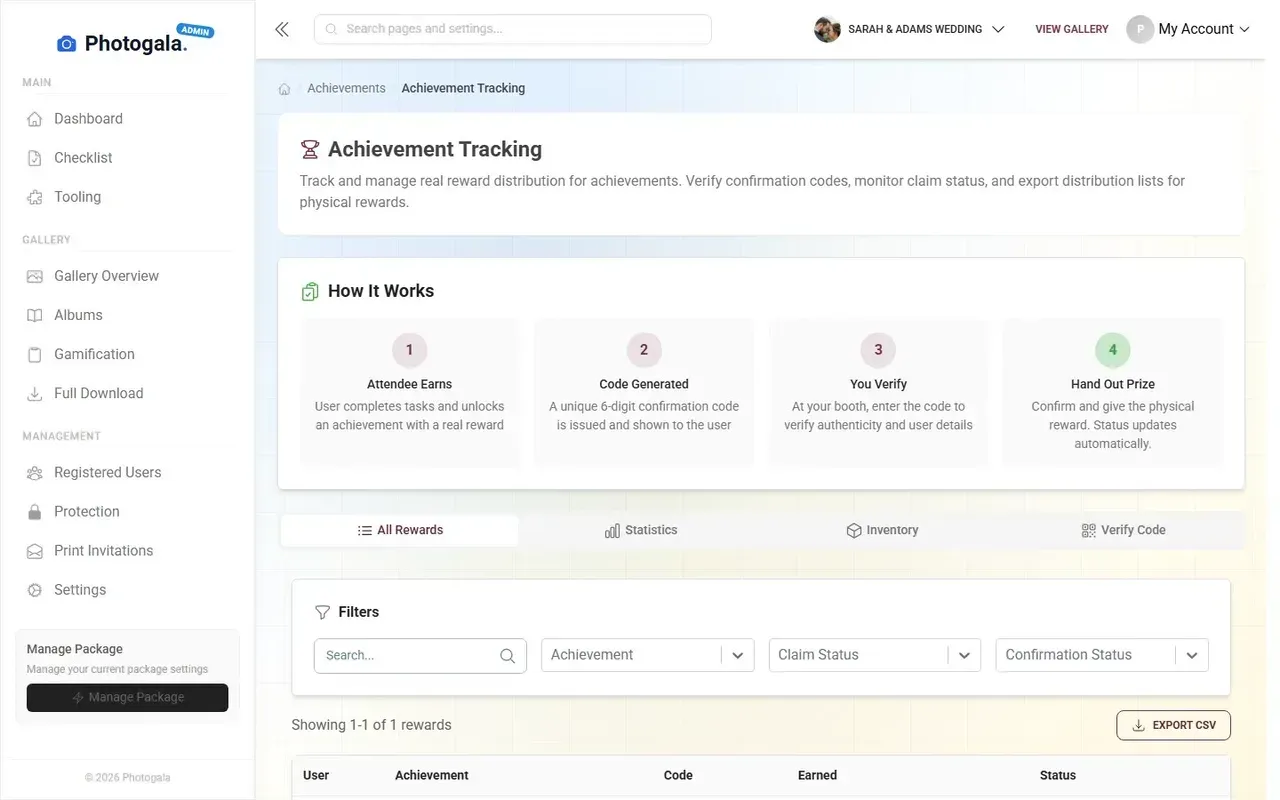
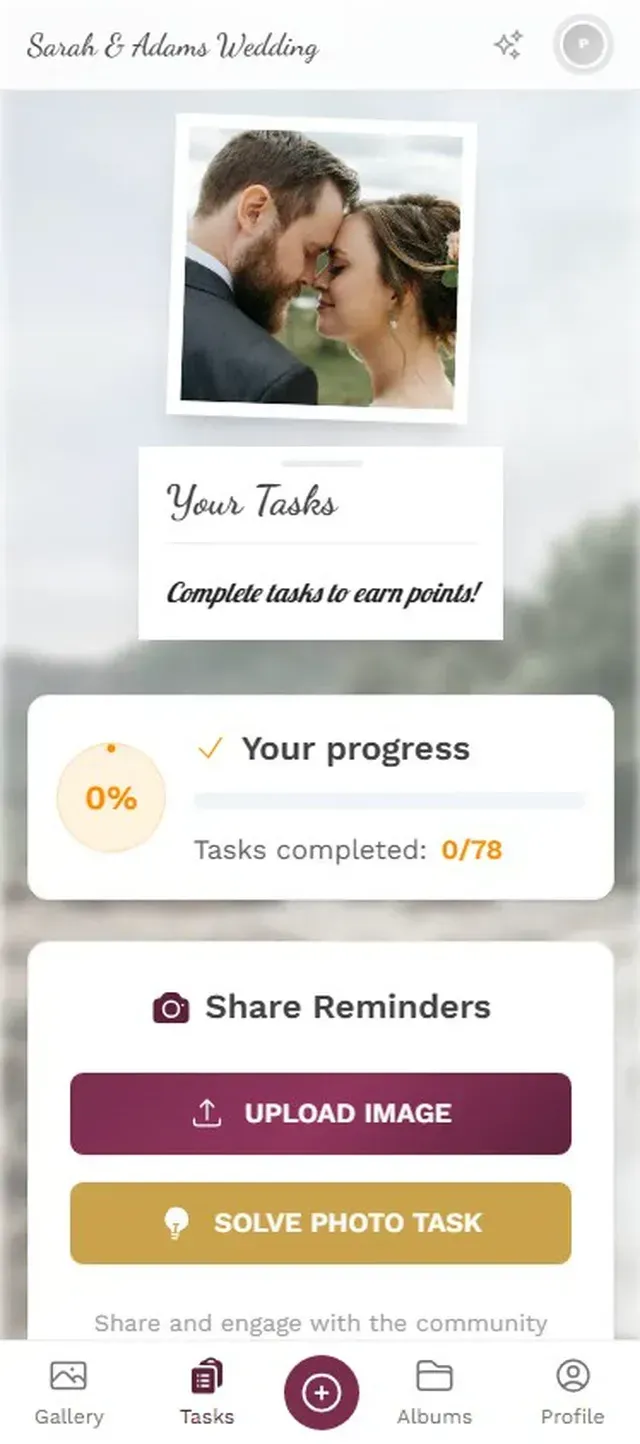
No app install. No account creation. Just scan and go. That matters more than you'd think, because every extra step you add loses a chunk of your guests. Ask people to download an app and you'll get maybe 40% participation. Give them a QR code that opens in their browser? Now you're looking at 70-80%.
How to Set Up Photo Challenges
Create your event gallery
Pick your event type, add a name and cover image. Takes about 2 minutes.
Add your challenges
Write 5-8 challenges or import from Photogala's templates. Assign point values to each one.
Print QR codes for every table
Photogala generates printable QR cards. Place them where guests will see them.
Watch the uploads roll in
Photos appear in real time. The leaderboard updates automatically.
Ready to create your gallery?
The Leaderboard Effect
Challenges alone get people to upload. A leaderboard gets them to upload more.
Imagine a 200-guest wedding. The challenges are printed on table cards. By 9 PM, most guests have uploaded a few photos each. Then someone notices the leaderboard on the photo wall screen. The bride's uncle, a 62-year-old surgeon who has never posted on social media, is in third place. He uploaded 14 photos. His nephew is in first with 22. The uncle orders another drink and goes hunting for challenge #7.
This isn't hypothetical behavior. It's human nature. Leaderboards work because they add a layer of friendly competition that most events lack. People don't want to be the best photographer at the wedding. But they absolutely want to beat their cousin.
Live rankings keep the competition going
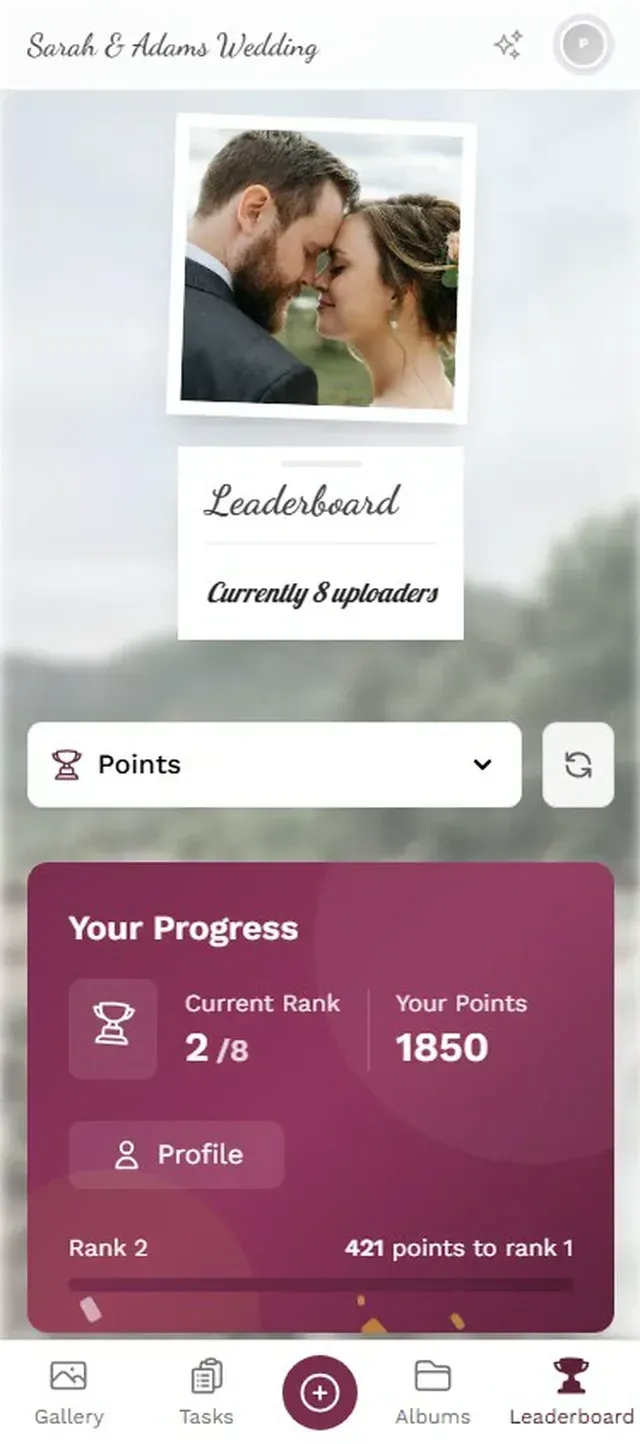
One thing worth noting: the leaderboard is configurable. You can rank by total uploads, challenge completions, likes received, or total points. For a corporate event, ranking by challenges completed keeps things fair (it's not just about volume). For a wedding, total uploads tends to create the most fun chaos.
Going Further: Achievements and Real Rewards
Photo challenges are the foundation. But if you want to really push engagement, stack achievements and rewards on top.
Achievements are badges guests earn for hitting milestones: upload 10 photos, complete 3 challenges, get 5 likes on a single photo. They unlock automatically and show up with a satisfying notification on the guest's phone. It sounds small, but that little dopamine hit of "Achievement Unlocked: Social Butterfly" keeps people engaged longer than you'd expect.
On the Deluxe plan, you can add real-world rewards. A guest completes all challenges? They get a notification to claim a free drink at the bar. Top 3 on the leaderboard at midnight? They win a prize the host set up beforehand. The reward management system tracks inventory so you don't accidentally promise 50 cocktails when you budgeted for 10.
Honest caveat: the full gamification stack (challenges + achievements + leaderboard + rewards) is a Premium and Deluxe feature. The Plus plan includes basic challenges (up to 10) but no points, leaderboard, or achievements. If gamification is your main goal, start with Premium at €69. It's a one-time payment, not a subscription.
Mistakes That Kill the Momentum
Seen a few photo challenge setups go wrong. Here are the patterns:
Too many challenges, announced all at once. If you dump 15 challenges on guests at the start, they scan the list, feel overwhelmed, and close the tab. Release them in waves if your event is long enough. Or just keep it to 5-8 and make each one count.
Challenges that need context. "Recreate the couple's first date photo" sounds cute, but 90% of guests have no idea what that photo looks like. Every challenge should be self-explanatory to someone who knows nothing about the hosts.
No visibility. If the only way to see challenges is buried three taps deep in a menu, people won't find them. Print them on table cards. Put the leaderboard on a screen. The physical presence matters. As LAI Live's 2026 event tech report puts it, the best event technology works behind the scenes to remove friction. QR codes on tables remove the friction of finding the gallery. Visible leaderboards remove the friction of checking your rank.
Print tip: Photogala generates printable task cards with individual QR codes. Each card links directly to a specific challenge, so guests scan one code and immediately see what to do. Place different challenge cards on different tables for variety.
Who This Works For
Photo challenges aren't just for weddings (though they work spectacularly there). Corporate team events benefit from them because they give colleagues a low-pressure reason to interact across departments. Birthday parties use them to capture candid moments the host would otherwise miss. Family reunions use them to bridge the generational gap. Imagine the photo of grandma and the teenage cousins collaborating on a challenge together.
The common thread: any event where you want guests to do more than stand around. If you're already planning a family reunion photo setup, challenges are the easiest way to multiply the photo count without nagging anyone.
The best events don't just happen to people. They pull people in. Photo challenges are one of the simplest tools for making that shift, turning a room full of spectators into a room full of participants. And the 62-year-old surgeon checking his leaderboard ranking between courses? That's the moment you know it's working.
Ready to create your gallery?
Start sharing your event photos with guests in minutes.
Create GalleryWritten by

I believe event photos should be more than static galleries. They should be live, playful, and unforgettable.
Categories
Related Posts
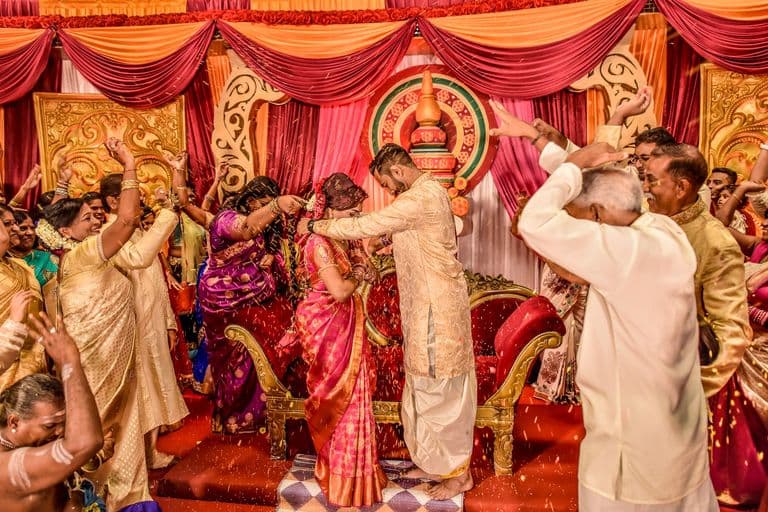
Multicultural Wedding Photo Sharing: Honoring Every Tradition in One Gallery
When your wedding blends two (or more) cultures, collecting guest photos gets complicated fast. Here's how to make it work without losing a single moment.

Free Event Planning Tools Every Organizer Should Bookmark
The best free tools for budgets, guest lists, timelines, photo sharing, and more. No subscriptions, no bloated software suites.

Milestone Birthday Photo Sharing: 30th, 40th, 50th and Beyond
At milestone birthdays, decades of relationships converge in one room. Here's how to collect every guest's photos before they vanish into 40 separate camera rolls.