How to Share Photos at a Corporate Conference (Without the IT Department Losing Sleep)


Picture 400 people at a two-day industry conference. Keynotes, breakout sessions, a networking dinner with decent wine. By the end of day two, there are probably 2,000 photos spread across those 400 phones. The marketing team needs them for the recap newsletter. The CEO wants a highlight reel for LinkedIn. The attendees themselves would love a shareable album for their own posts.
None of that happens. Instead, someone from marketing sends a follow-up email two weeks later asking people to upload their photos to a shared Google Drive folder. Twelve people do. The rest forget, or can't be bothered to find the link, or quietly decide their photos weren't good enough. The newsletter ships with the same eight photos the official photographer took.
Sound familiar? The problem isn't that people don't take photos at conferences. They do. PhotoAid research shows the average person takes about 20 photos a day, and that number spikes at events. The problem is collection. Every friction point between "I took a cool photo" and "it's in the company gallery" kills participation.
Why Traditional Approaches Fall Short
Most corporate event teams default to one of three options: a shared cloud folder, a hashtag, or an official photographer. Each has real limitations.
Shared folders (Google Drive, Dropbox, OneDrive) require attendees to have accounts, navigate folder structures, and actually remember the link. At a 2025 industry roundup by WedPicsQR, the core insight was simple: specialized event platforms beat generic cloud storage because they remove every step except "scan and upload." No login, no folder navigation, no file size confusion.
Hashtags work on social media, but they're uncontrollable. Anyone can post under your event hashtag, and you can't moderate what shows up. For internal corporate events, you probably don't want every behind-the-scenes candid indexed by Google either.
Official photographers capture polished content, but they miss 95% of what actually happens. The spontaneous group photo at the coffee station. The funny whiteboard sketch from the workshop. The sunset from the rooftop bar that everyone was raving about. Those moments live on attendee phones, and that's usually where they stay.
The QR Code Approach
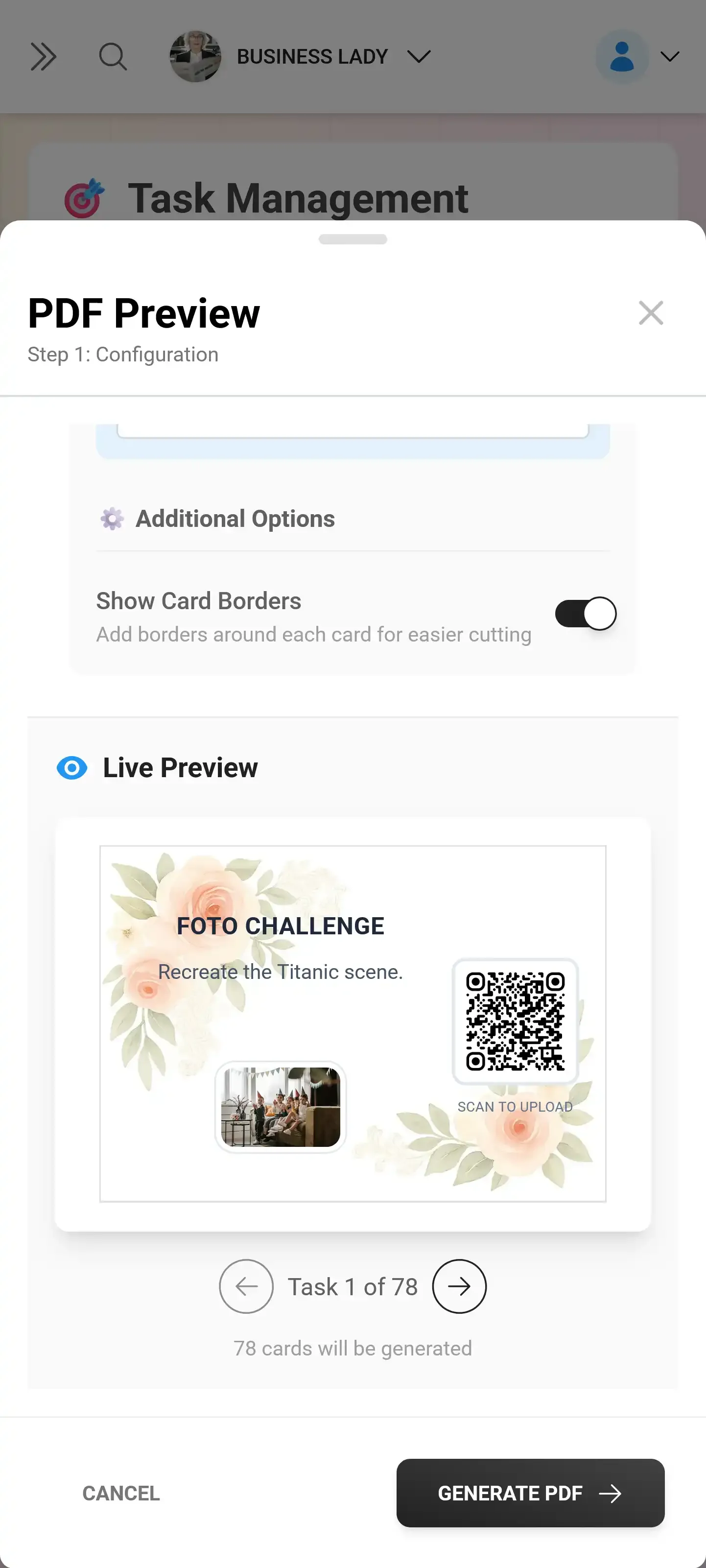
The fastest way to collect conference photos in 2025 is dead simple: put a QR code in front of people. They scan it with their phone camera, a browser gallery opens (no app download), and they upload directly. As POV Camera's corporate guide puts it: "guests scan, the camera opens without any install, and everything lands in one event gallery."
That single change, removing the app install barrier, is what makes QR-based sharing actually work at scale. Conference attendees are busy. They're between sessions, checking emails, grabbing lunch. Asking them to download an app, create an account, and find your event is asking too much. Asking them to point their phone at a QR code on the table tent? That takes five seconds.
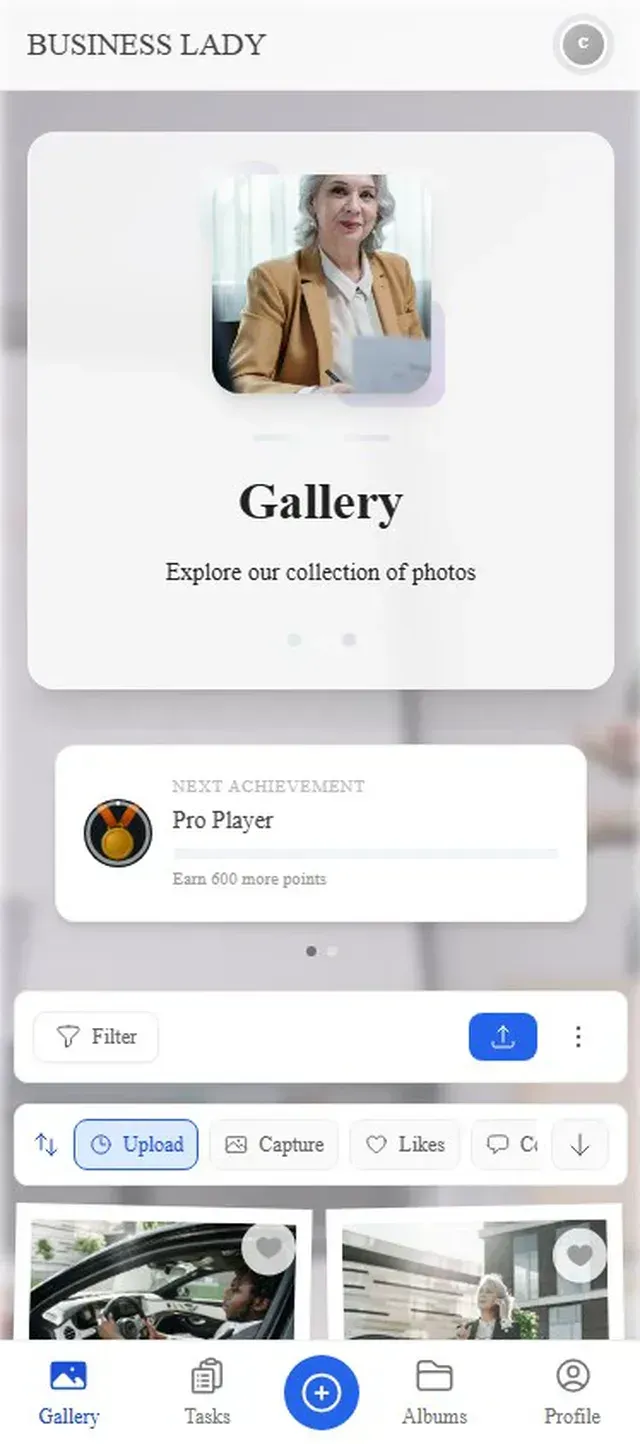
Everything uploads to one central gallery in real time.

Where to Place QR Codes (This Matters More Than You Think)
The placement of your QR codes determines how many photos you collect. It's not enough to have one poster at the entrance. People walk past it, grab their badge, and never think about it again.
Here's what actually drives uploads:
- Registration desk: Hand out a small QR card with the badge. Physical cards in hand get scanned 3-4x more than posters on walls.
- Table tents at lunch: People sitting down with nothing to do for 20 minutes are your best uploaders.
- Speaker slides: A QR code on the closing slide of each talk gives attendees a natural moment to grab their phone.
- The networking area or bar: Relaxed environments produce the most candid, shareable content.
- Digital signage: If you have screens showing the agenda, rotate the QR code on there too.
The multiplier trick: Assign someone from marketing to walk around during breaks and casually remind people to scan the QR code. One person doing this for 15 minutes during coffee breaks can double your upload count.
At a typical 200-person corporate event, you might expect 150-300 photos over a full day with QR codes placed well. A multi-day conference with active prompting? Easily 500-800. Those numbers dwarf what any shared folder approach generates.
Ready to create your gallery?
The Moderation Problem (And Why It's Non-Negotiable for Corporate)
Here's something wedding photo sharing doesn't have to worry about as much: brand safety. When you open a photo gallery to 400 conference attendees and put it on a screen in the main hall, you need to know what's going to appear on that screen.
Imagine this: the CEO is on stage, the live photo wall is cycling behind her, and someone uploads a meme from the group chat. Or an unflattering candid of a competitor's booth. Or, worst case, something genuinely inappropriate.
This is where most generic photo sharing tools fall apart. They have no concept of content approval. Everything goes straight to the gallery, and if you're showing a live feed, straight to the screen.
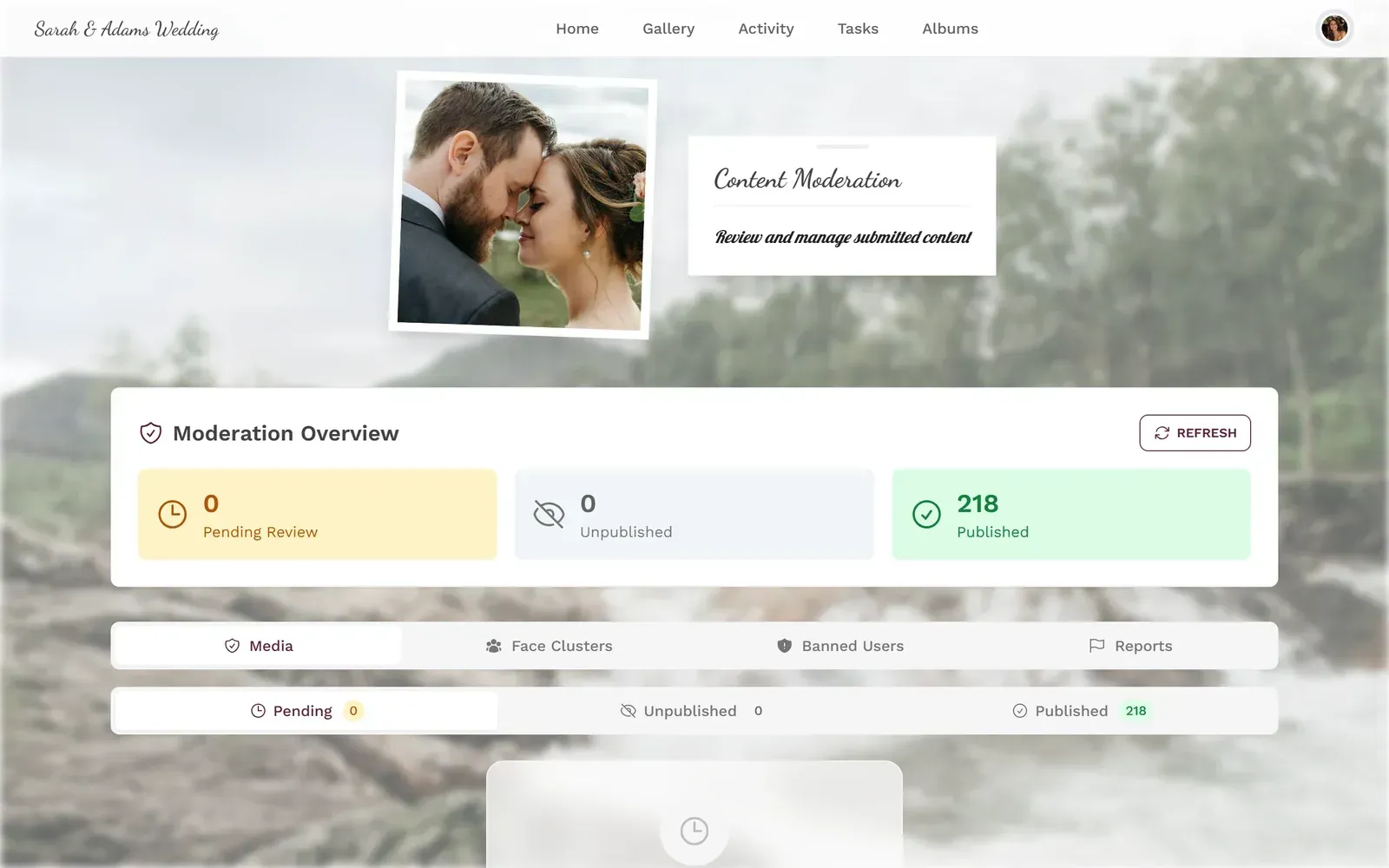
Photogala handles this with a moderation queue. You assign moderators (your marketing team, an assistant, whoever you trust), and they approve or reject uploads before anything goes public. One tap to approve, one tap to reject. On a phone, during the event, from the coffee line.
The moderation dashboard: approve or reject every upload before it goes live.
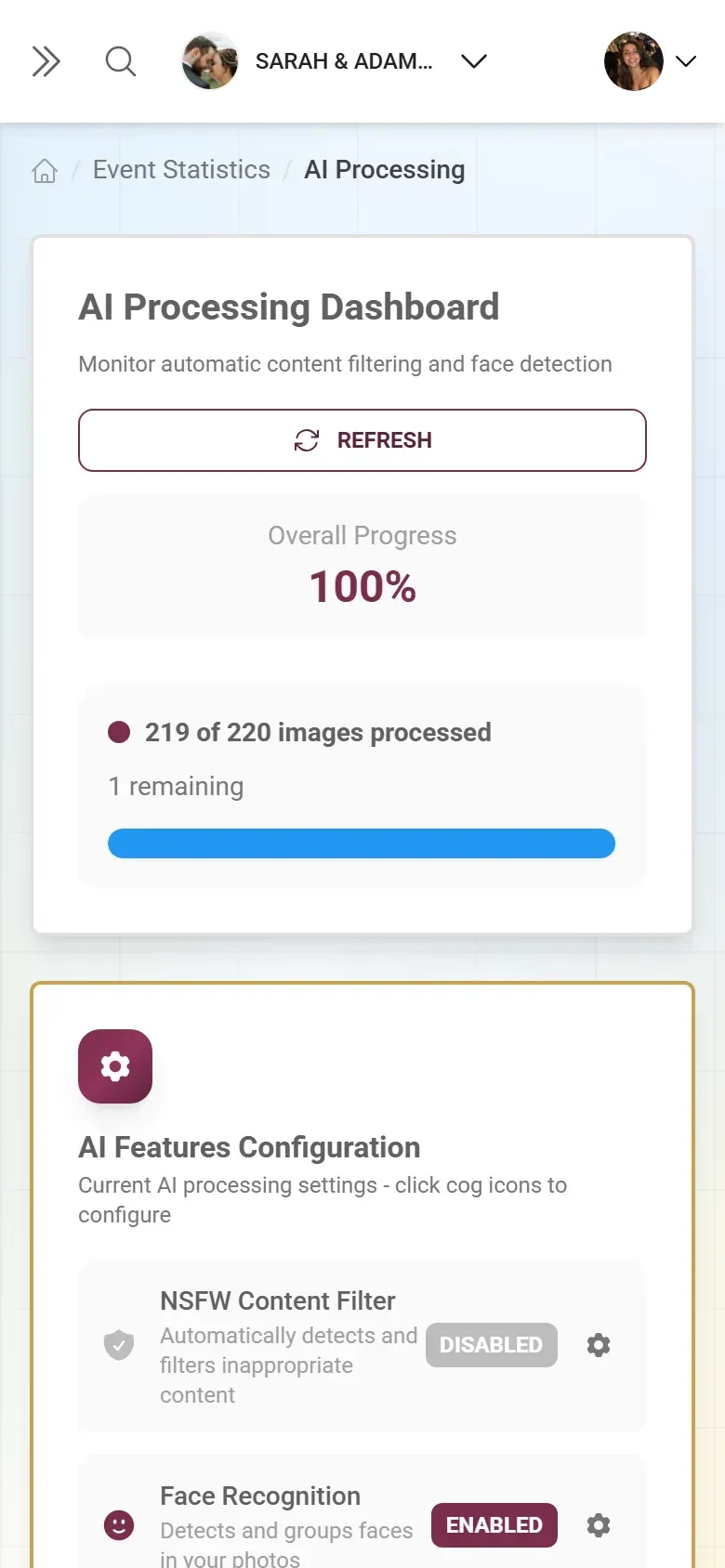
On the Deluxe plan, there's also an AI-powered NSFW filter that automatically flags inappropriate content before a human even sees it. For a 400-person conference where you don't know every attendee personally, that's a genuine safety net. Not a guarantee (no AI is perfect), but a first line of defense that catches the obvious stuff.
Branding: Making It Look Like Your Event, Not a Generic App
Corporate events have brand guidelines. Logos, color palettes, fonts, the whole identity system. A photo sharing gallery that looks like it belongs to a random startup undermines the professionalism you've spent months building.
This is an area where conference-specific tools outperform generic options. The best platforms let you customize colors, upload your logo, and match the gallery to your event's visual identity. With Photogala, you can customize the full color scheme, add your event logo, choose custom fonts, and even brand the QR codes themselves. The gallery looks like part of your event, not a third-party tool someone bolted on.
One honest limitation: Photogala's interface is currently available in English and German. If your conference is multilingual with attendees who speak neither, the upload flow is intuitive enough (scan, tap, upload), but menu labels won't be localized. Something to consider for truly international events.
Beyond Collecting: What to Do With 500 Conference Photos
Collecting photos is the easy part. The hard part is making them useful. Here's where conference photo sharing gets interesting.
The live photo wall. Set up a screen near the main stage or in the networking lounge. Photos appear in real time as they're approved. This does two things: it gives attendees a reason to upload (seeing your photo on the big screen is genuinely fun), and it creates ambient energy in the venue. A room with a cycling photo wall feels more alive than one without.
Post-event content. Your marketing team gets a library of authentic, attendee-generated content for the recap newsletter, the blog post, social media, and next year's event promotion. Authentic conference photos (real people, real moments) outperform stock photography on every engagement metric. You already know this.
Attendee networking. When the gallery is shared, attendees browse it to find people they met. "Oh, there's that group from the workshop, I should connect with them on LinkedIn." The gallery becomes a visual directory of the event.
If you've used Google Photos shared albums for this before, you know the limitation: everyone needs a Google account, and there's no moderation, no branding, and no live display option.
A Practical Setup Timeline
Conference Photo Gallery: Setup in 4 Steps
Two weeks before: Create the gallery
Set up your event in Photogala. Upload your logo, set brand colors, configure moderation settings. Takes about 10 minutes.
One week before: Print QR materials
Generate branded QR codes and print them on table tents, badge inserts, and signage. Download the print templates or create your own.
Day of: Brief your moderators
Assign 2-3 people as moderators. Show them the approve/reject flow on their phones. Set up the photo wall screen if you're using one.
During the event: Prompt and collect
Place QR codes everywhere. Mention the gallery in opening remarks. Have someone walk around during breaks encouraging uploads.
The whole setup takes less time than booking the catering. The impact on your post-event content library is disproportionately large.
What About Engagement? (The Leaderboard Trick)
Here's something most event organizers don't consider: gamification at a corporate conference. It sounds gimmicky. It's not.
Research from Gitnux found that challenge-based gamification improved performance by 89% compared to passive approaches. At conferences, the psychology is simpler: people are competitive, and a little nudge goes a long way.
Photogala's leaderboard tracks who's uploaded the most, who's completed photo challenges, and who's earned the most points. Set up a few challenges ("Photo with a speaker," "Best coffee art," "Weirdest swag from a booth") and suddenly attendees are actively hunting for moments to capture. At a 200-person event, even 15-20% participation in challenges meaningfully increases the total photo count.
The real trick: announce a small prize for the top three on the leaderboard during the closing remarks. A gift card, an extra conference ticket for next year, anything. The competitive types will go hard. Everyone else benefits from the extra content.
Not every conference needs gamification. A serious medical symposium? Probably skip the leaderboard. A sales kickoff or team offsite? It fits perfectly. Match the feature to the culture of your event.
Choosing the Right Plan
For most corporate conferences, the relevant question isn't "should we use photo sharing" but "how much control do we need?"
Photogala's Plus plan (€39, one-time) gets you unlimited photos and guests with QR code sharing, plus full branding customization. That covers a simple internal team event where moderation isn't critical. The photo wall is included on every plan. For anything client-facing, the Premium plan (€69) adds moderation and the leaderboard. The Deluxe (€119) adds AI face recognition and the NSFW filter, which matters for large events where you can't personally vouch for every attendee.
All plans are one-time payments, not subscriptions. For a conference where the catering budget alone runs into five figures, the photo sharing cost is rounding error.
The follow-up email asking for photos never works. The shared Drive folder collects digital dust. But a QR code on the table where someone is already sitting with their phone in hand? That works. Every time.
Ready to create your gallery?
Start sharing your event photos with guests in minutes.
Create GalleryWritten by

I believe event photos should be more than static galleries. They should be live, playful, and unforgettable.
Categories
Related Posts

Free Event Planning Tools Every Organizer Should Bookmark
The best free tools for budgets, guest lists, timelines, photo sharing, and more. No subscriptions, no bloated software suites.

How to Collect Photos From Event Guests Automatically
Stop chasing guests for photos after the event. A QR code, a shared gallery, and a few smart settings can do the collecting for you.
Housewarming Party Photo Sharing: How to Capture Your New Place Through Everyone's Eyes
Your housewarming is the only time your home will look this good and feel this new. Here's how to collect every guest's photos without lifting a finger.