7 Corporate Photo Booth Ideas That Don't Feel Like 2015


Picture a company summer party. There's a photo booth in the corner. It has a red curtain, a ring light, and a box of plastic mustaches that have been touched by roughly 400 hands since 2019. Three people use it. Two of them are from accounting.
That photo booth cost somewhere between $800 and $2,000 to rent for the evening. The ROI? A handful of awkward strips nobody posts on LinkedIn.
The problem isn't the concept. People want to take photos at events. Photography has become a strategic asset at corporate gatherings, not just documentation. The problem is that the standard photo booth hasn't evolved in a decade, while everything else about how people take and share photos has.
Here are seven ideas that actually match how your team behaves in 2026.
1. The QR Code Gallery (No Booth Required)
Forget the hardware entirely. Place QR codes on tables, at the bar, on lanyards, wherever people already are. Guests scan with their phone camera, land on a browser-based gallery, and upload photos instantly. No app download, no sign-up form, no waiting in line behind Karen from legal.
The shift in thinking: instead of one station producing a trickle of photos, every single phone in the room becomes a camera contributing to a shared collection. A 60-person team event might produce 150-250 photos across the evening. Compare that to 30-40 from a traditional booth.
No app needed. Upload happens right in the browser.

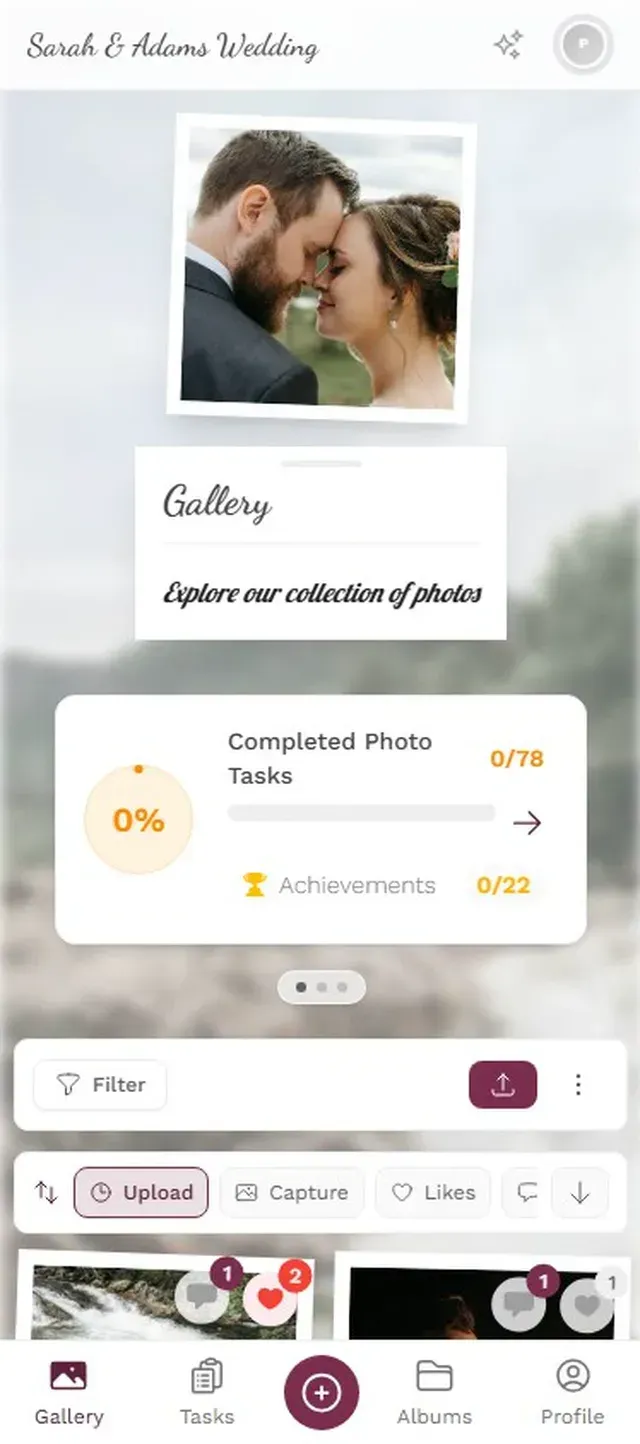
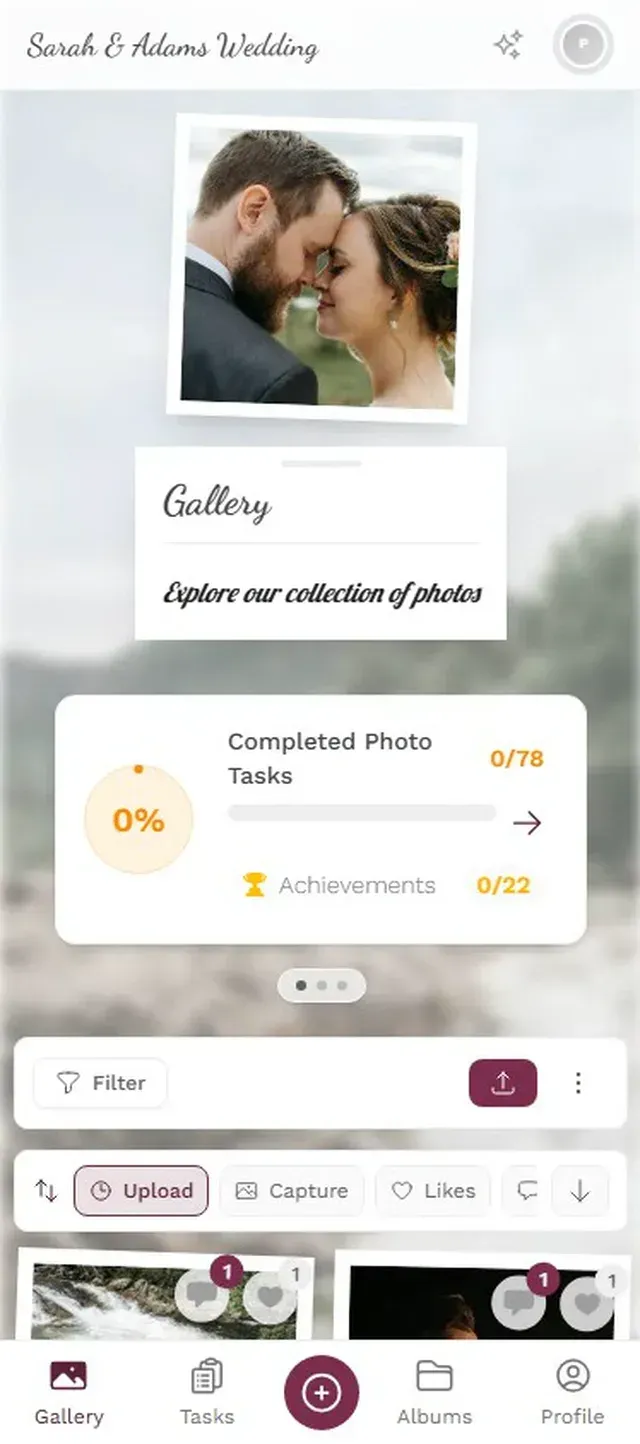
The practical upside: zero setup time, zero teardown, no rental fees for equipment. You print a few QR codes (or display them on screens) and you're done. The days of needing a physical booth setup to get event photos are over.
Place QR codes where people already linger: the bar, the buffet table, the check-in desk. Not in a side room. If guests have to walk somewhere specific, most won't bother.
2. Photo Challenges (Gamified Booth, No Booth)
This one surprised me when I first saw it work. Instead of a booth with generic props, you create specific photo challenges for the event. "Find someone from a department you've never worked with and take a selfie." "Capture the CEO doing something unexpected." "Best team photo wins."
The difference is intent. A booth says "come take a photo." A challenge says "go find this moment." One is passive. The other gets people moving around the room, talking to colleagues they'd normally ignore, and competing for bragging rights.
Photogala's challenge feature lets you set up unlimited photo missions with example preview photos showing what you're looking for. Guests see the reference image, then try to recreate or match it. Think meme recreation, famous movie poster poses, or themed group shots. You award points for completion, and the results show up on a leaderboard.
Say your marketing team runs a 40-person offsite. Eight challenges, ranging from silly ("recreate this stock photo of people in a meeting") to creative ("capture the view from the venue in the style of a movie poster"). By dinner, you could see 80-120 challenge submissions plus another 50-60 organic uploads from people who got into the spirit. That's the kind of engagement a curtain-and-stool setup can't touch.
Discover what Photogala can do
3. The Live Photo Wall
Mount a TV or projector screen somewhere visible. As guests upload photos (via QR code, challenges, or just because), they appear on screen in real time. It's a live, evolving visual that reflects the energy of the room.
The placement matters more than the technology. Put it near the main stage or behind the bar, somewhere people naturally look. A screen in the hallway outside the bathrooms? Nobody cares. A screen cycling through fresh photos right next to where people are getting drinks? Now everyone's watching, pointing, laughing at someone's terrible selfie, and pulling out their own phone to contribute.
Photos cycle on screen as guests upload them
One honest note: the photo wall only works if people are uploading. If you just set it up without QR codes or challenges, you'll stare at a blank screen. It's a complement to ideas #1 and #2, not a standalone solution.
4. Branded Backdrop Stations
The classic photo booth backdrop, reimagined. Instead of a generic sequin wall, create 2-3 stations throughout the venue with branded backdrops that actually look good. Your company logo, the event theme, a custom neon sign, a floral wall with your brand colors.
The key difference from the old approach: no booth attendant, no printer, no waiting. People take photos at these stations with their own phones, then upload to the shared gallery via QR code. The backdrops become Instagram-worthy spots rather than awkward prop stations.
Budget consideration: a custom backdrop runs $200-500 depending on complexity. A traditional booth rental? $800-6,000 per event once you factor in staffing, equipment, and post-production. You can set up three nice backdrops for less than one rental.
5. The Leaderboard Competition
This works especially well for team-building events and company parties where you want people mingling across departments.
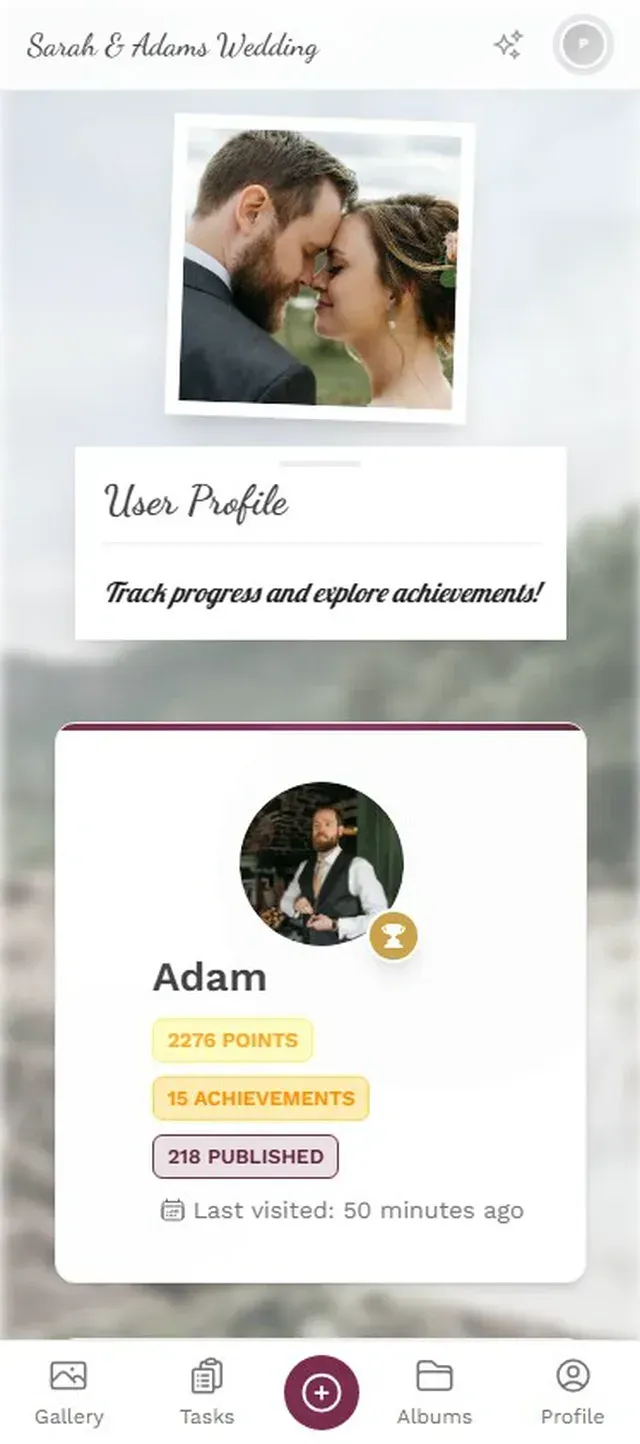
Set up a points system: uploads earn points, challenge completions earn more, getting likes from colleagues earns a few extra. Display the leaderboard on a screen or let people check their ranking on their phones.
Imagine a tech company's summer party with 80 attendees. The leaderboard goes live at 7 PM. By 8:30, the top uploader has 23 photos and three completed challenges. Two departments have formed unofficial alliances, trying to dominate the standings. Someone from the quiet data team is in third place, and her colleagues are cheering her on.
Is it silly? Absolutely. Does it work? Research from academia found leaderboards increased engagement by 58% in educational settings. The same psychology applies when adults have a reason to compete for something low-stakes. Especially after two beers.
Real-time ranking keeps the competitive spirit alive
6. Department vs. Department Challenge
A variation on idea #5 that works brilliantly for larger company events. Instead of individual competition, you pit teams or departments against each other. Which department can complete the most photo challenges? Which team uploads the most creative group shot?
The secret ingredient: real rewards. Not just "bragging rights" (though those help). A half-day off for the winning department. A catered lunch. First pick of meeting rooms for a month. Something people actually want. Photogala's Deluxe plan includes a reward management system where you can set up real-world prizes that winners claim at the event.
Fair warning: this works best at events with 40+ people. Below that, team divisions feel forced. And you'll want at least 3-4 hours of event time for the competition to build momentum.
7. The "No Booth" Photo Walk
For offsite events, retreats, or any corporate event with an interesting venue: skip the booth entirely and create a photo walk. Map out 5-8 locations around the venue or neighborhood, each with a specific photo challenge tied to that spot.
"Find the mural on the east wall. Recreate it as a team." "Capture the best view from the rooftop terrace." "Take a photo at the coffee cart that tells a story about your team."
People explore the venue (which is the point of offsite events), interact with each other in small groups, and produce genuinely interesting photos. The results come back to the shared gallery, where everyone can see what other groups found. It turns an event space into a collaborative art project.
If you've already read about how to share corporate event photos effectively, this approach pairs naturally. The photo walk generates the content; the shared gallery makes sure nobody loses it.
What Actually Matters (Beyond the Idea)
Any of these seven ideas can fall flat without the basics. Here's what separates a successful activation from a forgotten one:
- Visibility. If people don't see the QR code, the screen, or the challenge list, none of this works. Put things where eyes already go.
- Low friction. Every extra step loses half your audience. No app downloads. No account creation. Scan, tap, done.
- Timing. Launch challenges or the leaderboard 30-45 minutes into the event, once people have drinks and have loosened up. Not during the CEO's keynote.
- Follow-up. Share the gallery link the next morning. The photos have a second life in Slack channels and team chats. That's where the real brand impact happens.
One thing Photogala doesn't solve: it's browser-based, not a native app. That means slightly less polish than a dedicated app experience. But the tradeoff is that 100% of your guests can use it without downloading anything, which matters a lot more at a corporate event where people won't install software on their work phones.
Traditional photo booths served their purpose for years. They gave people permission to be silly at buttoned-up events. The ideas above do the same thing, just faster, cheaper, and with 10x the output. The curtain-and-mustache era had a good run. It's time to move on.
Ready to create your gallery?
Start sharing your event photos with guests in minutes.
Create GalleryWritten by

I believe event photos should be more than static galleries. They should be live, playful, and unforgettable.
Categories
Related Posts
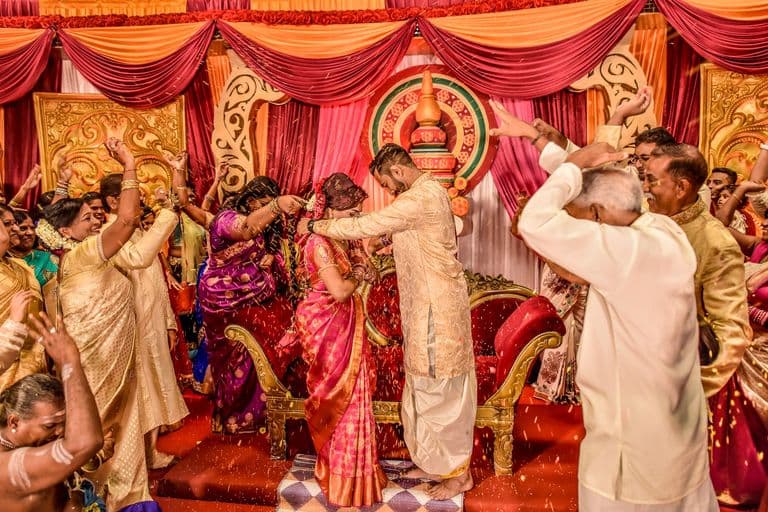
Multicultural Wedding Photo Sharing: Honoring Every Tradition in One Gallery
When your wedding blends two (or more) cultures, collecting guest photos gets complicated fast. Here's how to make it work without losing a single moment.
Free Event Planning Tools Every Organizer Should Bookmark
The best free tools for budgets, guest lists, timelines, photo sharing, and more. No subscriptions, no bloated software suites.

Milestone Birthday Photo Sharing: 30th, 40th, 50th and Beyond
At milestone birthdays, decades of relationships converge in one room. Here's how to collect every guest's photos before they vanish into 40 separate camera rolls.