Disposable Cameras Sound Romantic Until You Develop the Film


Picture 15 disposable cameras scattered across wedding tables. White plastic shells, maybe wrapped in ribbon to match the color scheme. Guests pick them up between courses, snap a few shots of each other pulling faces, drop them back next to the centerpiece.
The vibe is undeniable. A little retro, a little chaotic, exactly the kind of unfiltered guest photos you want alongside the polished photographer shots. Pinterest boards dedicated to the "disposable camera wedding aesthetic" have exploded, driven by a nostalgia wave that makes anything analog feel cooler than it has any right to be.
Three weeks later, you collect the developed photos. Of 405 possible exposures across 15 cameras, roughly 280 produced an image. Of those, maybe 90 are genuinely worth keeping. The rest: blurry ceiling shots, accidental exposures, fingers covering the lens, and about 40 photos so dark you can't tell if they were taken indoors or in a cave.
Total bill for those 90 keepers: somewhere north of $400.
The Math Nobody Does Beforehand
A disposable camera runs $8-15 depending on brand and whether you want flash. Buy 15 for a wedding, and you're spending $120-225 before a single photo is taken.
Development is where it stings. Most labs charge $12-18 per roll for develop-and-scan. That's another $180-270 to find out what your guests actually captured. And the documented downsides extend beyond cost: overexposed shots, cameras that jam, film that degrades if someone leaves a camera in direct sunlight on a table for four hours.
Some couples consider DIY development at home, but that requires darkroom equipment, chemicals, and patience most people don't have. Mail-in labs add shipping time and the risk of lost rolls. Neither option is fast.
Quick math for a 150-guest wedding: 15 cameras × ~$12 = $180. Development: 15 × ~$15 = $225. Total: ~$405. Usable photos: ~90. That's roughly $4.50 per keeper.
You also won't get all 15 cameras back. Kids run off with them. Guests accidentally take them home. One inevitably ends up under a chair and gets tossed during cleanup. Budget for recovering 10-12 of your 15.
What You Actually Want Isn't Film
The appeal of disposable cameras has never been about the camera itself. It's the perspective. Unfiltered, unposed, sometimes terrible photos taken by the people who were actually there. As EventsAlbum describes it, guest-generated photos capture moments "as seen through the eyes of those in attendance." That authenticity is exactly what you can't hire a photographer to produce.
Here's the thing: your guests already carry better cameras than any disposable. Smartphones account for 94% of all photos taken globally as of 2024. The hardware isn't the problem. The problem is giving guests a simple way to share what they capture.
The real magic of guest photos isn't about the medium. It's the angle, the timing, the intimacy. Your grandfather sneaking an extra piece of cake. A slightly blurry shot of the best man's speech from the back of the room. The flower girl's face when the confetti cannons go off. That raw quality is what makes guest content valuable, and it doesn't require film.
A disposable camera solves the prompt problem by accident. It's sitting on the table, so people pick it up. But most disposable cameras at weddings get used in the first 30 minutes. The novelty fades after the second or third group shot. By the time the dancing starts (which is when the best photos happen), most cameras are out of film or abandoned next to someone's wine glass.
Scan, Name, Upload
The 2025 trend in wedding photo alternatives is clear: no app downloads, no sign-ups, no friction. QR code sharing strips the process down to three steps.
Three Steps. Ten Seconds. No App.
Scan the QR Code
Guests point their phone camera at the QR code on the table card or invitation. The gallery opens in their browser instantly.
Enter a Name
A quick name entry so photos can be attributed. No account, no email, no password.
Upload Photos
Select from the camera roll or take new ones. Photos appear in the shared gallery within seconds.


1.Point, scan, done
No App Store detour. No "please create an account" screen. The whole thing takes about 10 seconds from scan to first upload. For a detailed walkthrough on printing codes and optimizing table placement, the QR code setup guide covers the full process.
The other advantage is volume. A disposable camera gives you 27 shots per table. A smartphone gives unlimited. Say 80 of your 150 guests upload an average of 5-8 photos each. That's 400-640 photos from one event, all in original quality, all available immediately. No lab appointment required.
See it in action
Every guest photo in one album – no app.
Photo Challenges Do What Disposable Cameras Can't
One thing disposable cameras accidentally got right: they're a prompt. Something physical on the table that says "hey, take a photo." People respond to that. It's why even terrible photo booths get a line.
Photo challenges take that same psychology and make it specific. Instead of a camera that says "shoot whatever," you get directed prompts: capture the bride's shoes, photograph the oldest guest on the dance floor, snap the most creative cocktail. Each completed challenge earns points, and those points feed into a live leaderboard.
Imagine a 150-guest wedding where the bride's uncle uploads his eighth photo because he wants to overtake his niece on the rankings. He's checking his position between the main course and dessert. That level of voluntary participation isn't something disposable cameras produce. It's gamification turning photo sharing into something guests actively compete over.
Challenges also solve a coverage problem disposable cameras can't touch. A camera on table 6 only captures what happens at table 6. Photo challenges send guests all over the venue. "Find the most creative table decoration." "Photograph something blue." "Capture the best dance move." Suddenly you have photos from every corner of the event, not just 15 table-level perspectives.
1.Specific photo missions keep guests engaged all night
Disposable Camera vs. QR Code Photo Sharing
| Feature | Disposable Camera | QR Code Sharing |
|---|---|---|
| Upfront cost (15 units) | $120-225 | From €39 one-time |
| Development cost | $180-270 | €0 |
| Usable photo rate | ~30-50% | ~95%+ |
| Photos per guest | 27 max | Unlimited |
| Preview before sharing | ||
| Instant sharing | ||
| Video support | ||
| Photo challenges | ||
| Guest effort | Pick up camera | Scan QR code |
| Needs wifi or data | ||
| Nostalgic aesthetic | polaroid gallery layout |
One line in that table deserves extra attention: the usable photo rate. Getting 95%+ sharp, well-lit photos instead of 30-50% isn't just a numbers game. It means the spontaneous moment where someone caught the flower girl stealing cake actually comes out clear, because it was shot on a phone with autofocus and computational photography rather than a plastic lens with a fixed aperture.
Where Disposable Cameras Still Win
Disposable cameras have one genuine advantage: they're a physical object. There's something fun about picking up a camera, turning the film advance wheel, hearing the shutter click. It's a novelty, especially for younger guests who've never used film. That tactile, analog experience has real charm.
QR code sharing doesn't replicate that. It's browser-based, which means guests need a phone with either wifi or mobile data. At most venues that's not an issue, but a remote barn wedding with zero cell reception would be a problem. If you're planning a destination wedding somewhere off the grid, check connectivity before committing to any digital solution. And Photogala doesn't have a native app (it's entirely browser-based), which means no offline mode for uploading later.
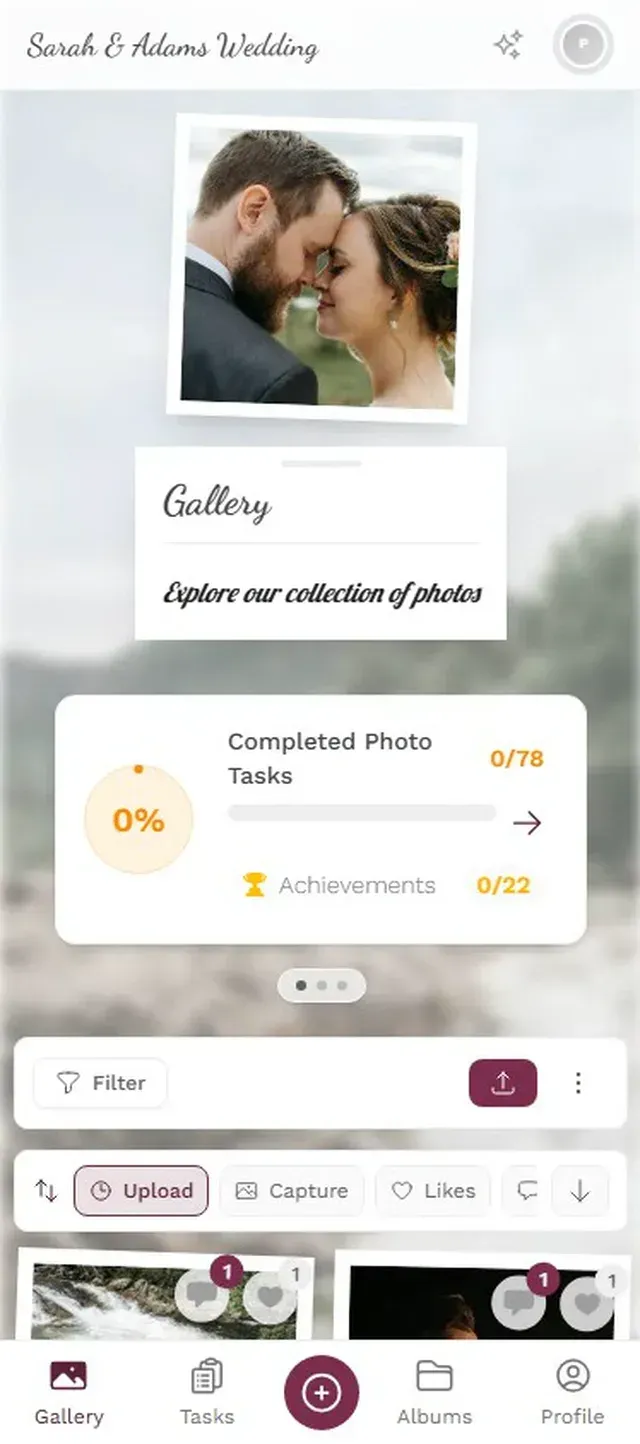
If the vintage aesthetic matters to you, there's a middle ground. Photogala's polaroid gallery layout displays guest photos in polaroid-style frames with a slight rotation and handwritten-style captions. It's not actual film, but it captures a similar visual warmth while keeping everything digital, instant, and shareable.
The hybrid approach works well. Place 2-3 disposable cameras at the photo booth or guestbook table for the retro factor. Use QR codes everywhere else. You get the novelty without the $400 development bill, and 95% of your photos arrive digitally, ready to share the next morning.
Imagine opening a gallery the morning after the wedding: 600 photos from 80 guests, all tagged, sortable, and downloadable. No trip to the lab. No three-week wait. No squinting at overexposed prints trying to figure out who that blurry shape in the corner is.
Your guests already have the cameras. They already take the photos. All they need is a QR code and a reason to share. The disposable camera collects its nostalgia points. But for actually preserving what happened at your wedding, the math isn't close.
All of this comes with your own event.
Setting it up takes five minutes. You can build and view everything before you decide.
Starting from €39 one-timeOne-time payment — No subscription
- No App Required
- Setup in 5 Minutes
- 30-Day Money Back
“I use PhotoGala Deluxe and I'm absolutely thrilled. It was the perfect solution for documenting a sports event. Uploading and downloading via the link is a breeze for every participant. What won me over most were the photo wall and the slideshow – both are quick to set up and look really professional. Big praise also to Peter from the PhotoGala team: he's very easy to reach by email, replies quickly and even took my suggestions on board and added new features that made my slideshow even better. You rarely get support this dedicated. A clear 5-star recommendation!”
Written by

I believe event photos should be more than static galleries. They should be live, playful, and unforgettable.
Categories
Related Posts

Bridal Shower Photo Sharing: Collect Every Sweet Moment in One Gallery
Bridal shower photos end up scattered across 15 phones. Here's how to get them all into one gallery before the mimosas wear off.

Maternity Photo Sharing: How to Keep Every Announcement, Bump Shot, and Memory in One Place
Pregnancy announcements land on 4 different apps. Maternity photos get lost in group chats. Here's how to keep every photo in one shared gallery your whole family can access.

Sales Kickoff Photo Sharing: How to Turn a Mandatory Meeting Into a Team Memory
Sales kickoffs are expensive. The photos from them usually disappear into 14 different camera rolls. Here's how to fix that.