Why Every Photographer Should Offer Digital Photo Delivery to Event Clients


Picture this: a photographer delivers 400 beautifully edited photos from a corporate gala. Stunning light, perfect candids, the CEO mid-laugh with a champagne flute. The images sit in a WeTransfer link for 6 days. The download expires. The event organizer asks for a new link. Two weeks later, nobody in the company has seen the photos.
The shoot was flawless. The delivery killed it.
This happens more often than most photographers want to admit. You pour hours into editing, export at full resolution, and then... send a zip file. Or worse, a Google Drive link with 47 folders. The client opens it on their phone, sees a wall of DSC_0847.jpg filenames, and closes the tab. Your best work, buried.
The Delivery Is the Last Impression
There's a saying in hospitality: guests remember how they felt when they left, not when they arrived. Photography works the same way. The moment a client receives their photos is the emotional peak of the entire relationship. It's when they relive the event, share favorites with colleagues or family, and form their lasting opinion of you as a professional.
According to ShootQ's research on client relationships, strong delivery experiences drive repeat business and referrals more reliably than the quality of the photos alone. That's a hard pill to swallow, but it tracks. A client who receives a gorgeous, easy-to-browse gallery will talk about you. A client who received a zip file will... not.
Zenfolio's workflow guide puts it bluntly: what distinguishes photographers from the rest isn't just beautiful photos. It's the entire client experience. And the delivery phase is where most photographers drop the ball.
What Event Clients Actually Expect in 2026
Event photography is different from portrait or product work. You're not delivering to one person. You're delivering to an organization, a couple, a family, sometimes hundreds of attendees who all want access to the photos. The logistics get messy fast.
Here's what event clients have come to expect:
- A shareable gallery link they can forward to attendees, not a download-only file
- Mobile-friendly viewing (most people will open it on their phone first)
- Photos organized in some logical way, not dumped in a single folder
- The ability to download individual shots or the full set
- Speed: delivery within days, not weeks
The global photographic services market hit $37.96 billion in 2025 and is projected to nearly double by 2035. That growth means more competition. More photographers fighting for the same corporate clients, the same wedding bookings. Your delivery workflow is one of the few places where you can meaningfully stand out without spending more on gear.
The Zip File Is Dead
Let's be honest about the tools most photographers still use. WeTransfer. Google Drive. Dropbox. Maybe a self-hosted gallery on their website. These work in the sense that files get from point A to point B. But they create friction at every step.
WeTransfer links expire. Google Drive requires a Google account (not everyone has one, and corporate firewalls sometimes block it). Dropbox free tiers hit storage limits fast. Self-hosted galleries look dated unless you're also a web developer. As SendPhoto's platform comparison notes, a clunky delivery process tarnishes even beautiful photography.
Evoto's cloud storage guide highlights the real risks: hardware failure, accidental deletion, slow syncing. These aren't edge cases. They're Tuesday. And when the file you lost was 400 edited photos from someone's wedding, the consequences are severe.
The real cost of bad delivery: A client who can't easily access or share their photos won't leave a review, won't refer you, and won't rebook. That's not just one lost client. It's a chain of lost opportunities you'll never see.
What Good Digital Delivery Looks Like
Good delivery isn't complicated. It just requires intention.
Photography Tuts+'s delivery guide recommends semantic file naming, organized folder structures, and even a ReadMe file explaining what the client is looking at. That sounds old-school, but the principle holds: make it effortless for the recipient to find what they want.
The modern version of that principle is a browser-based gallery. No downloads required to view. Mobile-optimized. Organized by time, by person, or by moment. The client taps a link, sees their photos beautifully presented, and can share the gallery with anyone who was at the event.
For event photographers specifically, the gold standard goes one step further: combining your professional shots with the photos guests took on their phones. That's where a platform like Photogala fits in.
The Guest Photo Problem (and Why It's Your Opportunity)
Here's a scenario most event photographers know well. You deliver 350 polished photos from a company summer party. The marketing team loves them. But the CEO's assistant also has 40 photos on her phone. The intern shot some great candids. Three people from the sales team have selfies with the guest speaker. Those photos live on individual phones. They'll never make it into the company's event folder.
What if you, as the photographer, could solve that?
Imagine handing the client not just your edited gallery, but a shared space where every attendee could upload their own photos too. You set up a QR code at the event. Guests scan it, upload directly from their browser (no app install), and everything lands in one gallery alongside your professional work.
Guests scan a QR code and upload directly from their browser

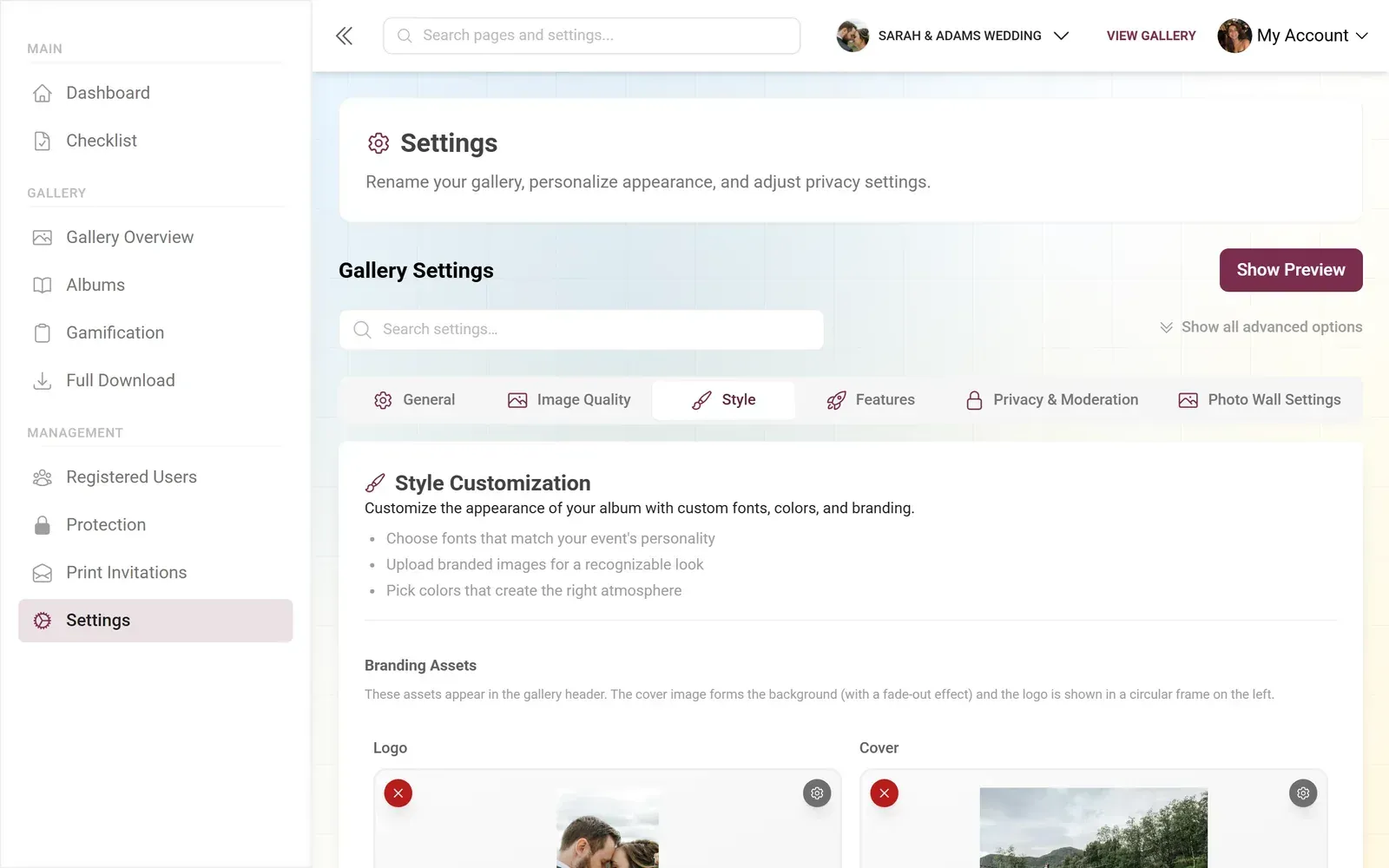
You're no longer just delivering photos. You're delivering a complete event memory. That's a different value proposition entirely, and it's one you can charge for.
Discover what Photogala can do
The Business Case: Numbers That Matter
Photographers who add digital gallery delivery as a service line typically see three things happen.
First, the upsell is natural. "For an additional fee, I'll set up a guest photo gallery with a QR code so your attendees can contribute their photos too." That's a 5-minute setup for the photographer, but it feels like a premium add-on to the client.
Second, the gallery becomes a marketing tool. Every guest who opens the gallery sees it branded with the photographer's style. Jack Woodhams' review of gallery platforms emphasizes that modern gallery services are designed to elevate brand perception, not just transfer files.
Third, the referral loop tightens. When 80 people at a corporate event all access a gallery you created, that's 80 people who now associate professional photo delivery with your name. Compare that to emailing a zip to one event planner.
What to Look for in a Delivery Platform
Not every gallery tool works well for event photography. Portrait photographers have different needs (proofing, print ordering). Event photographers need:
- Guest access without accounts. If attendees need to create a login, most won't bother. Browser-based access via QR code or link is essential.
- Mobile-first design. The majority of viewers will open the gallery on their phone. If it doesn't look great on a 6-inch screen, it doesn't work.
- Branding options. The gallery should look like yours, not like a generic file dump. Custom colors, logos, and layout options matter.
- Upload capability for guests. This is the differentiator. Letting attendees contribute their photos turns a delivery tool into a collaborative experience.
- Moderation controls. If guests can upload, you (or the client) need the ability to review and approve submissions before they go live.
Photogala checks these boxes, but it's worth being transparent about the trade-offs. It's browser-based (no native app), which means it depends on a stable internet connection at the venue. The Plus plan doesn't include moderation or multiple gallery layouts. And if your clients want AI face recognition to auto-sort photos by person, that's only available on the Deluxe tier at €119. For a photographer adding this as a service, the Premium plan at €69 (one-time, not monthly) covers most use cases: 250 uploaders, moderation, comments, custom branding, and four gallery layouts.
A Practical Setup for Your Next Event
How to Add Digital Delivery to Your Event Workflow
Create the gallery before the event
Set up the gallery with your branding, event name, and cover image. Generate the QR code. This takes about 5 minutes.
Place QR codes at the venue
Print the QR code on table cards, place it near the entrance, or add it to the event program. Guests scan and start uploading during the event.
Upload your edited photos after the event
Add your professional shots to the same gallery. The client gets one link with everything: your work plus guest contributions.
Share the gallery link with the client
Send the branded gallery link instead of a zip file. The client forwards it to attendees. Everyone sees, downloads, and shares from one place.
The key insight here: you're not replacing your existing editing workflow. You're adding a delivery layer on top of it. The gallery is where photos live after you've done your work. It's the last thing the client interacts with, which means it shapes their memory of working with you.
What This Looks Like From the Client's Side
Say you're photographing a 120-person product launch for a tech company. You deliver 280 edited photos three days after the event. Instead of a WeTransfer link, you send a gallery URL. The marketing manager opens it on her phone during a meeting, scrolls through the highlights, and immediately forwards the link to the entire team.
Meanwhile, 45 attendees already uploaded their own photos during the event via the QR code. The gallery has 380+ photos total. The social media manager pulls 12 shots for LinkedIn that afternoon. The CEO's assistant finds the exact group photo she needed for the internal newsletter. Nobody had to ask you for a re-send, a different format, or a new download link.
That's what good delivery feels like. Invisible. The client gets what they need without thinking about the mechanics.
If you're looking for a deeper comparison of photo sharing tools for events, our comparison of the best wedding photo apps covers the major platforms side by side. And for more on the no-app approach to guest photo collection, this guide on sharing event photos without an app walks through the full workflow.
The Photographers Who'll Win the Next Decade
Imagen AI's guide on client expectations makes a point that stuck with me: satisfied clients become repeat customers and promote you beyond social media. That promotion starts with how you deliver.
The photographers who will thrive aren't necessarily the ones with the best gear or the most Instagram followers. They're the ones who make every touchpoint feel intentional. And right now, delivery is the most under-invested touchpoint in the industry.
A branded gallery with guest contributions, accessible on any device, no download hoops, no expired links. That's not a luxury service anymore. It's becoming the baseline expectation. The question isn't whether to offer digital delivery. It's whether you want to be early or late.
Ready to create your gallery?
Start sharing your event photos with guests in minutes.
Create GalleryWritten by

I believe event photos should be more than static galleries. They should be live, playful, and unforgettable.
Categories
Related Posts

Multicultural Wedding Photo Sharing: Honoring Every Tradition in One Gallery
When your wedding blends two (or more) cultures, collecting guest photos gets complicated fast. Here's how to make it work without losing a single moment.

Free Event Planning Tools Every Organizer Should Bookmark
The best free tools for budgets, guest lists, timelines, photo sharing, and more. No subscriptions, no bloated software suites.

Milestone Birthday Photo Sharing: 30th, 40th, 50th and Beyond
At milestone birthdays, decades of relationships converge in one room. Here's how to collect every guest's photos before they vanish into 40 separate camera rolls.