Open-Air Event Photography: How to Capture (and Keep) Every Shot at Festivals, Markets, and Outdoor Parties

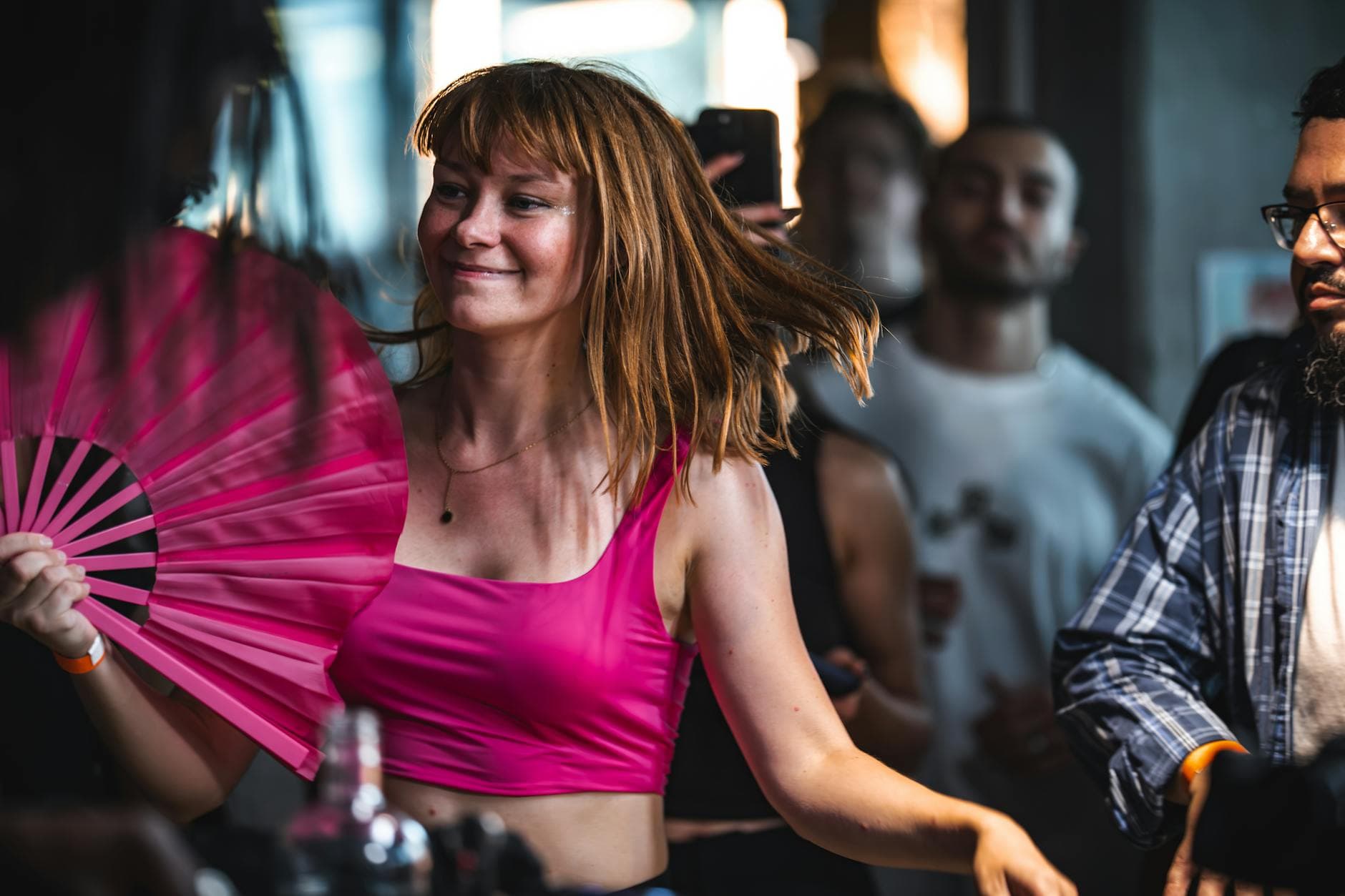
Picture this: a summer food market at dusk. String lights just flickered on. Someone's kid is covered in ice cream, two friends are posing with oversized pretzels, and a band is setting up on a small stage in the corner. Every single person there has a phone out. By the end of the night, 300 photos exist across 80 different camera rolls. By next Tuesday, maybe 12 of those photos have been shared anywhere.
That gap between photos taken and photos kept is the central problem of outdoor event photography. Not the lighting (though we'll get to that). Not the equipment. The real challenge is that open-air events produce more spontaneous, joyful, unrepeatable photos than any other setting, and almost all of them disappear into the void of unsorted camera rolls.
This guide covers both sides: how to take better photos at outdoor events, and how to make sure every guest's shots end up in one place. Because your guests will take 94% of the photos. The question is what happens to them afterward.
Why Outdoor Events Are a Photographer's Best Friend (and Worst Enemy)
Natural light is the best light. Every photographer knows this. Golden hour at an outdoor festival produces the kind of warmth and depth that no amount of studio lighting can replicate. According to Amateur Photographer's guide on outdoor light, the hours shortly after sunrise and before sunset provide soft, warm light that enhances colors and textures in ways that transform ordinary scenes.
But here's the flip side. Midday sun at a street market creates harsh shadows across every face. A sudden cloud cover shift changes your exposure by two stops in 30 seconds. Wind blows hair into eyes at the exact wrong moment. And you can't ask 200 festival-goers to move three feet to the left for better framing.
The unpredictability is what makes outdoor photos feel alive. It's also what makes half of them turn out unusable. A professional photographer might shoot 500 frames to get 80 keepers. A guest with an iPhone gets maybe 15 good ones out of 40 attempts. Multiply that by the number of people at your event, and the math is staggering: hundreds of great photos exist, scattered across devices nobody will ever collect from.
The golden hour rule for outdoor events: Schedule your most photo-worthy moments (group shots, toasts, performances) in the 60-90 minutes before sunset. The light does half the work for you. If your event runs past dark, position any photo wall display near existing ambient lighting rather than fighting the darkness.
Gear Matters Less Than You Think
There's a reason mirrorless cameras have overtaken DSLRs as the preferred choice for event photographers in 2025: lighter weight, silent shooting, and advanced autofocus that tracks faces in a crowd. If you're hiring a photographer for your outdoor event, ask if they shoot mirrorless. The silent shutter alone makes a difference at intimate moments.
But here's the honest truth about outdoor event photography in 2026: the professional photos are the polish. The guest photos are the story. A hired photographer captures the stage, the setup, the key moments. The guests capture the weird, wonderful, in-between moments that make the event feel real. The uncle doing a questionable dance move. Two strangers bonding over a craft beer stand. A toddler asleep in a stroller surrounded by confetti.
So yes, gear matters for the professional. For everyone else, the phone in their pocket is more than enough. The real problem isn't camera quality. It's getting those 300 scattered phone photos into a single place where everyone can see them. That's where most outdoor events fall apart.
The Collection Problem (and Why WhatsApp Groups Fail Outdoors)
Say you're organizing a summer neighborhood block party. 60 people show up over the course of the afternoon. Someone creates a WhatsApp group called "Block Party Pics 🎉" and shares the link. Three things happen: 15 people join, 8 actually upload photos, and by Monday the group is dead, buried under memes and "great party!" messages. The other 52 people's photos? Gone forever.
Outdoor events make this worse. People wander. They come and go. They're not sitting at assigned tables where you can hand them a printed card with instructions. A festival might have people flowing through over 6 hours, many of them strangers who'll never join a group chat with people they don't know. The collection method needs to be as frictionless as the event itself.
This is exactly why QR code photo sharing has replaced traditional methods at so many events. A QR code on a poster, on a table tent, taped to the bar, printed on a napkin. Scan, upload, done. No app download, no account creation, no group chat to join. For outdoor events specifically, the QR upload flow works because it matches the casual, drop-in energy of the event.
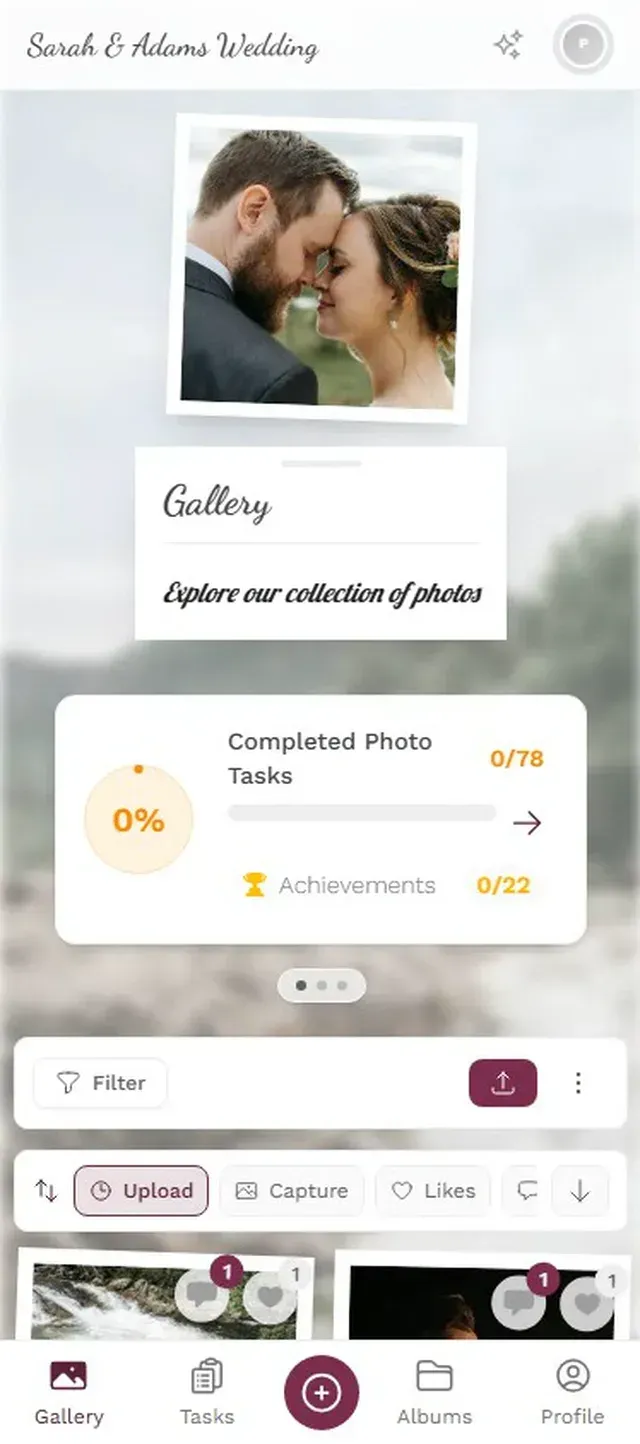
1.Guests scan a QR code and upload directly from their phone browser
Imagine a QR code printed large enough to read from a few meters away, mounted at the entrance of a food festival. People scan it while waiting in line. No explanation needed. By mid-afternoon, photos are flowing in from people who arrived at different times, don't know each other, and will never be in the same WhatsApp group.
See it in action
Every guest photo in one album – no app.
Outdoor Lighting: Work With It, Not Against It
The three worst lighting scenarios at outdoor events, in order: direct midday sun (harsh shadows under every brow and nose), mixed shade-and-sun (half the face lit, half in shadow), and the transition from dusk to artificial lighting (cameras can't decide on white balance). Each has a fix that doesn't require professional gear.
For midday sun, the counterintuitive move is to seek full shade rather than partial shade. A group photo under a tree canopy looks better than one where half the group is in sun and half in shadow. If there's no shade, position people with the sun behind them and expose for the faces. Yes, the background will blow out. The faces will look great. That's the trade-off.
For the golden hour magic that outdoor photography guides recommend, you don't need to do anything special. Just make sure the interesting things happen during that window. Schedule the toast, the group photo, the band's best set for the 60-90 minutes before sunset. The light takes care of itself. If you're running photo challenges at your event, time the most creative ones for golden hour. "Best sunset selfie" practically photographs itself.
After dark, embrace it. String lights, lanterns, fire pits, and stage lighting all create atmosphere that flash photography destroys. Encourage guests to shoot with their phone's night mode rather than flash. The photos will be moodier, grainier, and ten times more interesting. Share some iPhone photo tips with your guests beforehand if you want to go the extra mile.
Photo Challenges Turn Attendees Into Photographers
Here's something that surprised me when researching outdoor events: the biggest factor in how many guest photos you collect isn't the quality of the QR code placement or the Wi-Fi signal. It's whether people have a reason to take photos in the first place.
At a sit-down wedding, photo moments happen naturally: the cake, the first dance, the speeches. At an outdoor festival or market, people are browsing, eating, chatting. They're experiencing, not documenting. Unless you give them a nudge.
Photo challenges are that nudge. "Find the weirdest food combination at the market and photograph it." "Take a selfie with someone wearing the same color shirt as you." "Capture the band from the most creative angle you can find." These aren't photography assignments. They're games disguised as photography. And they work because outdoor events already have the ingredients: interesting visuals, diverse people, changing scenery.
What makes challenges particularly effective outdoors is the example photo feature. You can set a reference image for each challenge, so guests know exactly what you're going for. A photo roulette challenge at a food market, where guests get a random food photo and have to find and recreate it, generates hilarious results. Movie scene reenactments at a park festival. "Recreate this famous album cover" at a music event. The creative possibilities are genuinely limitless when you combine open-air settings with gamification features like leaderboards and achievements.
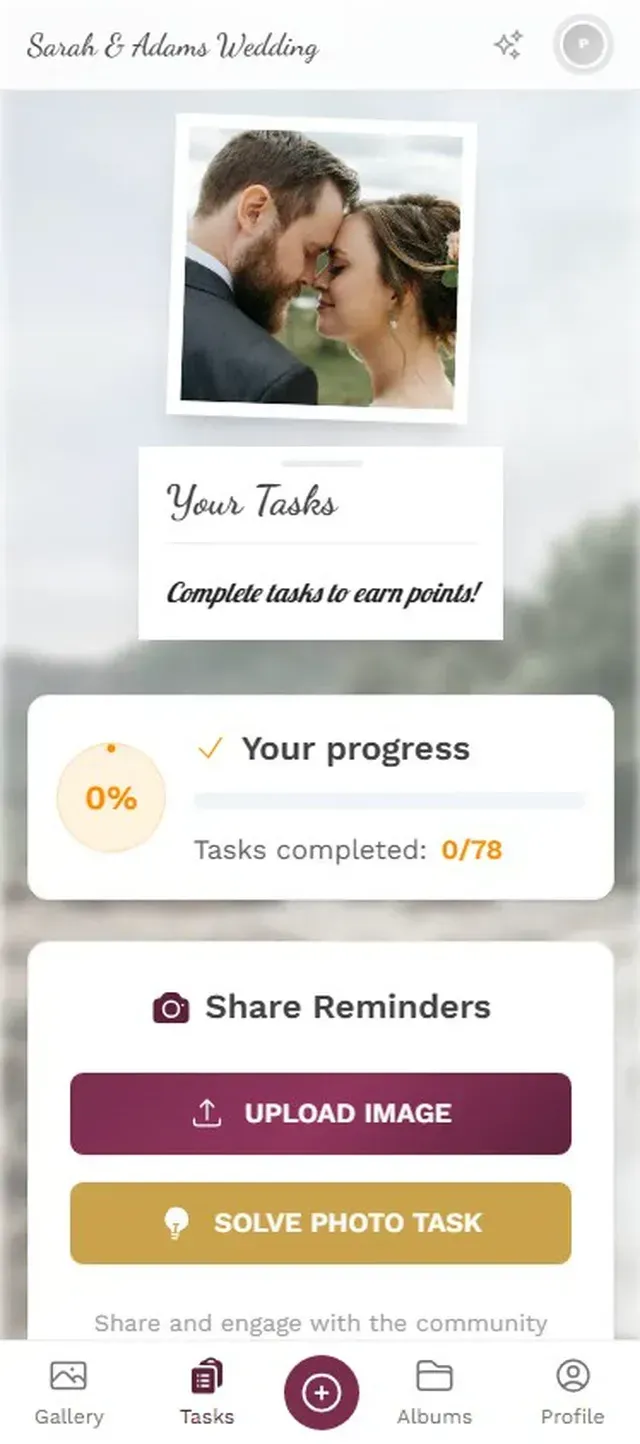
1.Guests browse challenges designed for the outdoor setting
A word of honesty: gamification works best at events where people already know each other, or where the crowd skews younger. At a neighborhood block party with 60 regulars, a leaderboard creates genuine competition. At a public art market with mostly strangers, simpler challenges ("photograph your favorite stall") work better than competitive ones. Know your crowd.
The Photo Wall: Outdoor Edition
A photo wall at an indoor event is straightforward: mount a TV, connect it, done. Outdoors, you need to think about three things: screen brightness, weather protection, and placement.
Screen brightness is the big one. A standard consumer TV is barely visible in direct sunlight. If your event runs during the day, place the screen in shade or under a canopy. Alternatively, wait until dusk. After sunset, even a basic TV becomes perfectly visible outdoors, and the glowing screen becomes a natural gathering point.
For placement, think about foot traffic. Near the bar or food area works well because people stand around waiting. Near the stage works during breaks between acts. The worst spot is tucked away in a corner where people have to deliberately seek it out. You want it where people naturally congregate and linger.
One setup that works surprisingly well for multi-day festivals: a photo wall running a slideshow of the previous day's photos. People arrive on day two, see yesterday's highlights, and immediately want to contribute today. It creates a virtuous cycle. If you're planning a multi-day music festival, this alone can double your upload numbers on subsequent days.
Practical Setup Checklist for Outdoor Events
Set Up Photo Sharing for Your Outdoor Event
Create your gallery and customize it
Pick a theme that matches the event vibe. Add your event logo, choose colors, select a gallery layout. The vintage or polaroid layout works especially well for outdoor markets and festivals.
Print QR codes large and weatherproof
Laminate them or use waterproof sleeves. Print at least A4 size. Place at entrances, bars, food stalls, and restrooms. For festivals, add them to wristband pickup areas.
Set up photo challenges before the event
Create 5-8 challenges tailored to your venue and activities. Include example photos where possible. Time the trickier ones for golden hour lighting.
Position the photo wall strategically
Shade during day, visible gathering spot after dark. Test screen brightness at the actual event time. Connect to power early and secure cables.
A quick note on connectivity: outdoor venues often have spotty Wi-Fi or none at all. The good news is that most guests will upload via mobile data, which typically works fine for photos. For video uploads (available on Premium and Deluxe plans), larger files might take a bit longer on cellular connections. Mention this in your event communications so guests aren't surprised.
If you're working with a professional event photographer alongside guest photo sharing, the two complement each other beautifully. The photographer captures the polished, composed shots. Guests capture the candid, chaotic, beautiful mess. Combine both in the same gallery, and you have a complete record of the event from every angle. Our guide on DIY wedding photography covers this balance in detail, and the same principles apply to any outdoor celebration.
Weather reality check: Always have a backup plan for your QR codes and photo wall. A sudden rain shower can destroy paper printouts and damage electronics. Laminated QR codes, a protective cover for the screen, and a "move indoors" plan B are non-negotiable for outdoor events. The photos in the gallery are safe in the cloud regardless, but the hardware isn't.
After the Event: Don't Let the Photos Die
The event ends. 400 photos sit in your gallery. Now what?
For festivals and larger events, share the gallery link in your post-event email or social media. The gallery stays active (6 months on Plus, a full year on Premium, two years on Deluxe), so there's no rush. People who forgot to upload during the event can still add photos days later. This is surprisingly common at outdoor events where people were too busy enjoying themselves to stop and upload in the moment.
The bulk download feature lets you grab everything as a ZIP file for archiving. If you're an event organizer running recurring markets or festivals, last year's photo gallery becomes next year's marketing material. Real attendee photos in promotional materials feel more authentic than stock photography. Just make sure you've set up appropriate moderation so everything in the gallery is suitable for reuse.
For private outdoor parties (think birthday BBQs, family reunions, neighborhood events), the gallery becomes a shared memory. The host downloads the collection, maybe orders a photo book, and everyone has access to photos they never would have seen otherwise. It's the kind of thing that sounds small but matters a lot six months later when someone asks "remember that thing at the summer party?" and you can actually find the photo.
Good photo sharing etiquette goes a long way here too. Let guests know before the event that photos will be collected and shared. At public events, a visible sign near the QR code explaining that uploads go to a shared gallery covers the privacy basics. For outdoor events in particular, where strangers mix with friends, this transparency matters.
Open-air events have something indoor events can never replicate: unpredictability. The light changes. The crowd shifts. Moments happen fast and dissolve faster. That's exactly what makes the photos worth collecting. Set up the system before the event starts, give your guests a reason to shoot (challenges help), and let the outdoor setting do the rest. The gallery you end up with won't be polished. It'll be better than that. It'll be real.
All of this comes with your own event.
Setting it up takes five minutes. You can build and view everything before you decide.
Starting from €39 one-timeOne-time payment — No subscription
- No App Required
- Setup in 5 Minutes
- 30-Day Money Back
“Excellent service and great pictures! Photogala fully met our expectations at the event. The value for money is unbeatable. Absolutely recommended! The seating plan saved us a lot of hassle!”
Written by

I believe event photos should be more than static galleries. They should be live, playful, and unforgettable.
Categories
Related Posts
Kids' Birthday Party Photo Sharing: One Gallery Every Parent Will Love
Stop chasing parents for photos after your kid's party. One QR code, one shared gallery, zero hassle.
Proposal and Engagement Photo Sharing: How to Capture the Moment They Said Yes
The proposal lasts seconds. The photos live forever. Here's how to collect every angle from the people who were there.

Bridal Shower Photo Sharing: Collect Every Sweet Moment in One Gallery
Bridal shower photos end up scattered across 15 phones. Here's how to get them all into one gallery before the mimosas wear off.