Your Graduation Photos Are Stuck on 87 Different Phones. Here's the Fix.


Picture this: the ceremony is over, the caps are in the air, and 87 people are holding up their phones. Your aunt got a great shot of you walking across the stage. Your best friend caught the exact moment you hugged your favorite teacher. Your dad recorded the whole thing (vertically, of course). Three weeks later, you have exactly four of those photos. The rest are scattered across dozens of camera rolls, slowly sinking into the digital void.
This happens at every single graduation party. A PhotoAid study found that 44% of people take photos at graduations, making them the most-photographed type of event. And yet, research from Deseret News shows 80% of people have photos on their phone they've never looked at since taking them. The photos exist. The sharing just... doesn't happen.
There's a simple fix. And it doesn't involve a WhatsApp group, a shared Google Drive, or the phrase "I'll send it to you later."
Why the Usual Methods Fall Apart
You've probably tried at least one of these before. A group chat where someone drops 40 photos at once and everyone else's phone buzzes for ten minutes straight. A shared iCloud album that half the Android users can't access. Google Photos works, but only if every guest has a Google account (and many don't, or won't sign in on the spot). AirDrop is great if you're standing next to someone, less great when you need photos from 50 people across the room.
The core problem isn't technology. It's friction. Every extra step between "I took a photo" and "everyone can see it" is a step where photos get lost. If someone needs to download an app, create an account, or remember a link three days later, most won't bother. The photos stay on their phone forever.
If you've run into this with other events, the same problem shows up at reunions and family gatherings. Graduation parties just make it worse because the crowd is bigger and more diverse: students, parents, grandparents, teachers, friends from different circles.
The QR Code Approach
The lowest-friction method right now is a QR code that opens a shared photo gallery directly in the browser. No app download. No account creation. Guests scan, upload, done. Several platforms offer this, including Waldo Photos, JoinMyMoment, and Photogala.
Here's what the flow actually looks like. You create a gallery before the party. You get a QR code. You print it on a few table cards or project it on a screen. When guests arrive, they scan the code with their phone camera. A browser page opens. They tap upload, pick their photos, and the images appear in the shared gallery within seconds. No download, no login, no "what's the password again?"

Quick name entry, no account needed

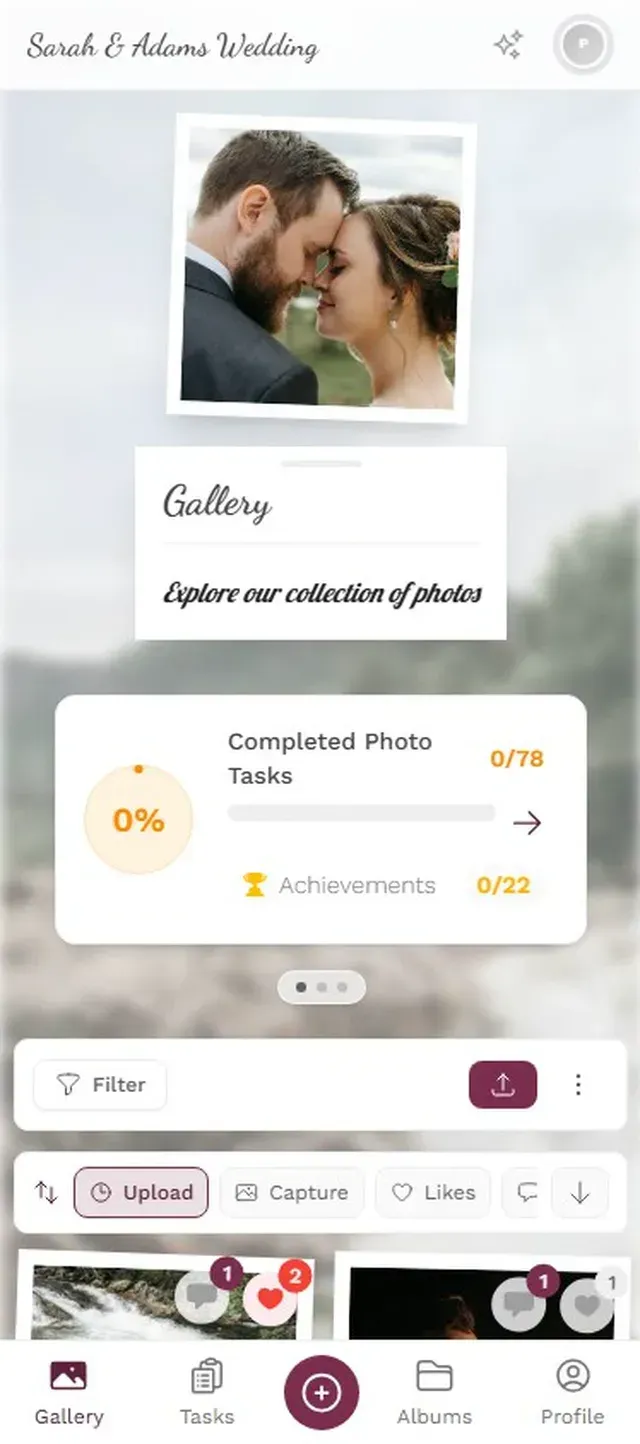
That three-step process is the entire guest experience. The person setting it up has more options (branding, moderation, challenges), but for the average guest, it's scan-tap-upload. Even the grandparent who still calls every app "the Facebook" can handle this.
What Actually Matters at a Graduation Party
Not all events are the same, and graduation parties have quirks worth thinking about.
The crowd is mixed. You've got 18-year-olds who live on their phones and 70-year-olds who still use a flip case. Whatever you pick has to work for both. Browser-based tools win here because there's nothing to install. If someone can open a website, they can upload photos.
The ceremony and the party are different vibes. The formal ceremony produces posed, milestone-type shots. The party afterward produces the candid, chaotic, fun ones. Both matter. Consider setting up the QR code gallery early enough to capture both phases.
Numbers are moderate but real. Say you've got 60 guests at a graduation party that runs 4-5 hours. Expect somewhere around 150-350 photos if the QR code is visible and people know about it. That's not a wedding-scale flood, but it's way more than any one photographer would capture. And these are the angles only guests have: the reaction shots, the group selfies, the behind-the-scenes moments.
Place QR codes where people are already standing still. The buffet line, the photo backdrop area, the drinks table. Bored hands reach for phones. A visible QR code turns that idle moment into an upload. Skip the bathroom though. Nobody's uploading photos from there.
Setting It Up (15 Minutes, Tops)
You don't need to be technical. If you've ever created a playlist on Spotify, you can set this up.
How to create your graduation gallery
Create the gallery
Pick your event name, upload a cover image (maybe the school logo or a group shot), and choose your settings. This takes about 3 minutes.
Print or share the QR code
Download the QR code and print it on table cards, tape it to a poster board, or project it on a screen. Share the link in your group chat as a backup.
Let guests do the rest
Photos start appearing in the gallery as guests upload. You can watch them roll in on your own phone or display them on a screen at the venue.
Photogala lets you customize the gallery with your school colors, add a logo, and even set up photo challenges if you want to get creative. But honestly, even the basic setup (gallery + QR code + done) covers 90% of what most graduation parties need.
Ready to create your gallery?
Going Beyond Basic Photo Collection
Here's where things get interesting. A shared album is fine. But graduation parties have a natural competitive energy. Everyone's already ranking class superlatives and comparing yearbook quotes. You can tap into that.
Photo challenges turn passive guests into active photographers. Set up 5-8 prompts like "Best candid laugh," "Most dramatic cap toss," "Teacher who looks happiest to be done," or "Ugliest cry (happy tears only)." Guests complete challenges by uploading matching photos. It gives people who wouldn't normally upload photos a reason to participate.
Research from AmplifAI shows gamification increases engagement by 48% in workplace settings. At a party, that same psychology works even better because the stakes are lower and the mood is already high. Imagine a shy classmate who normally takes zero photos suddenly uploading eight because they're trying to win the "best throwback" challenge.
Photo challenges give guests a reason to upload
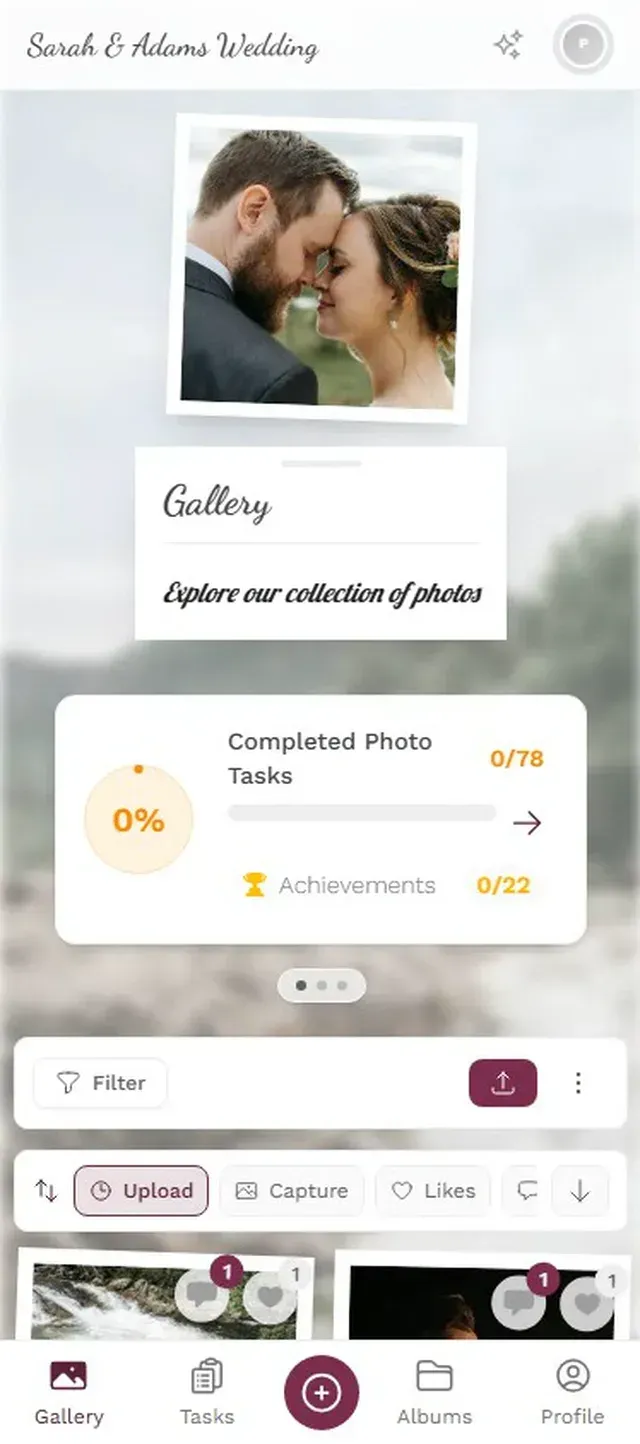
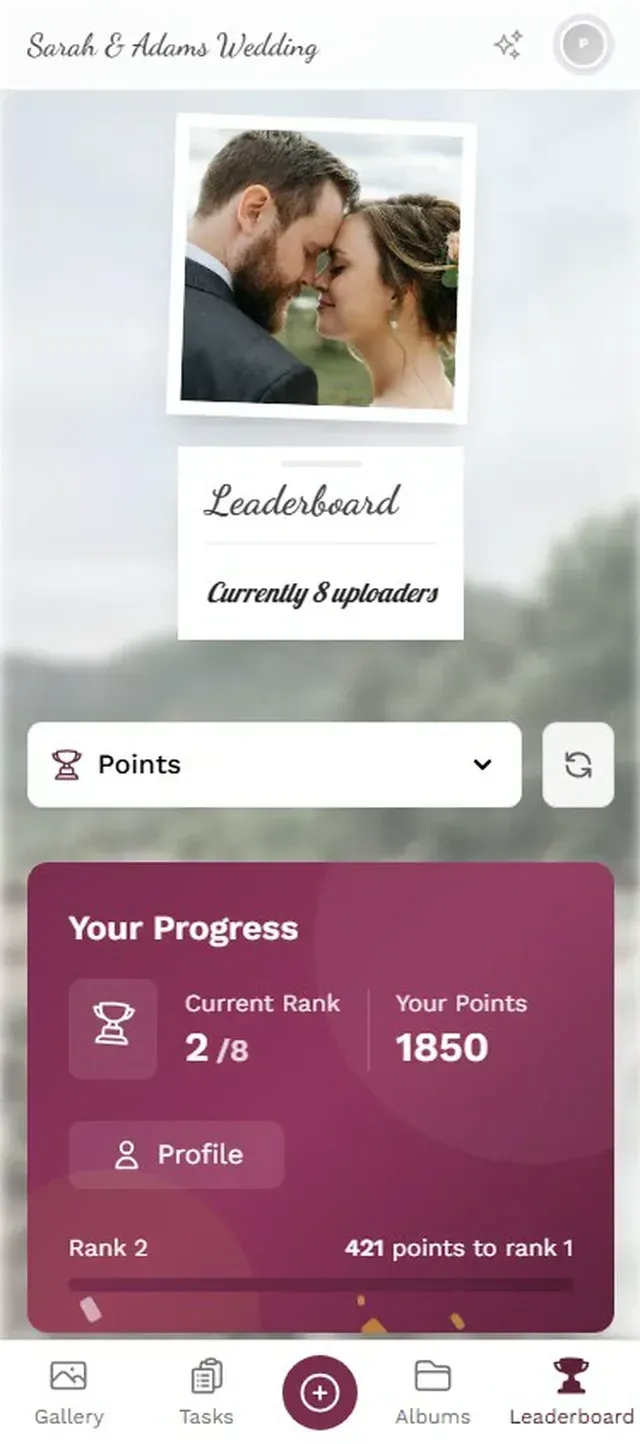
A leaderboard tracks who's uploaded the most, who's getting the most likes, who's completed the most challenges. At a graduation party with 40-60 guests, you'll typically see 3-4 people get genuinely competitive about it. Those few people alone can account for a third of all uploads.
The Photo Wall Trick
If the venue has a TV or projector, connect it and display the gallery as a live photo wall. Photos appear on the big screen seconds after guests upload them. This does two things. First, it's entertainment. People love seeing their photos pop up on a big screen. Second, it's a feedback loop. When someone sees a photo appear on the screen, three other people pull out their phones to upload too.
The best spot for the screen? Near the dance floor or the main hangout area, not tucked in a corner. At a graduation party where music and socializing are the main draw, the photo wall becomes part of the atmosphere rather than a separate activity.
One honest limitation: Photogala is browser-based, not a native app. That means it works on every phone without installing anything, but you won't get push notifications reminding guests to upload later. The trade-off is worth it for most events, because the no-install factor is what gets 60-year-old Uncle Frank to actually participate. But if you want post-event reminders, you'll need to send a follow-up message yourself with the gallery link.
After the Party
The gallery doesn't disappear when the music stops. Depending on the plan, photos stay accessible for 6-12 months. That gives everyone time to browse, download their favorites, and share them. You can also download the entire collection as a ZIP file and back it up wherever you want.
Some graduates use the collected photos for a memory book or a thank-you slideshow for parents. Meminto's research on graduation memory books found that the most meaningful ones combine photos with personal reflections. Having all the photos already collected in one gallery makes that infinitely easier than hunting through text threads.
One thing that surprised me when looking into this: QR code usage has surged 323% since 2021. What felt gimmicky five years ago is now genuinely how people interact with things. Your guests already scan QR codes at restaurants, parking meters, and concert tickets. A photo gallery QR code is nothing new to them.
Quick Comparison: Your Options
Graduation Photo Sharing Options
| Feature | QR Code Gallery (Photogala) | WhatsApp Group | Google Photos Shared Album |
|---|---|---|---|
| No app install needed | |||
| Works on iPhone + Android | |||
| No account required for guests | |||
| Photos appear in real time | |||
| Photo challenges / gamification | |||
| Live photo wall on TV | |||
| Content moderation | |||
| Bulk download as ZIP | |||
| Original quality preserved | compressed | ||
| Privacy (no phone numbers shared) |
For a deeper dive into how shared albums compare, we broke down the Google Photos approach in detail. The short version: Google Photos is great for small groups who all use Google. For a graduation party with a mixed crowd, the QR code approach has fewer failure points.
Your graduation happens once. The ceremony itself is maybe 90 minutes. But the party photos, the candid shots of people you might not see again for years, those are the ones that actually matter five years from now. Don't let them stay trapped on 87 phones.
Ready to create your gallery?
Start sharing your event photos with guests in minutes.
Create GalleryWritten by

I believe event photos should be more than static galleries. They should be live, playful, and unforgettable.
Categories
Related Posts

Multicultural Wedding Photo Sharing: Honoring Every Tradition in One Gallery
When your wedding blends two (or more) cultures, collecting guest photos gets complicated fast. Here's how to make it work without losing a single moment.

Free Event Planning Tools Every Organizer Should Bookmark
The best free tools for budgets, guest lists, timelines, photo sharing, and more. No subscriptions, no bloated software suites.

Milestone Birthday Photo Sharing: 30th, 40th, 50th and Beyond
At milestone birthdays, decades of relationships converge in one room. Here's how to collect every guest's photos before they vanish into 40 separate camera rolls.