First Communion & Confirmation Photos: How to Collect Every Family Member's Shots in One Gallery

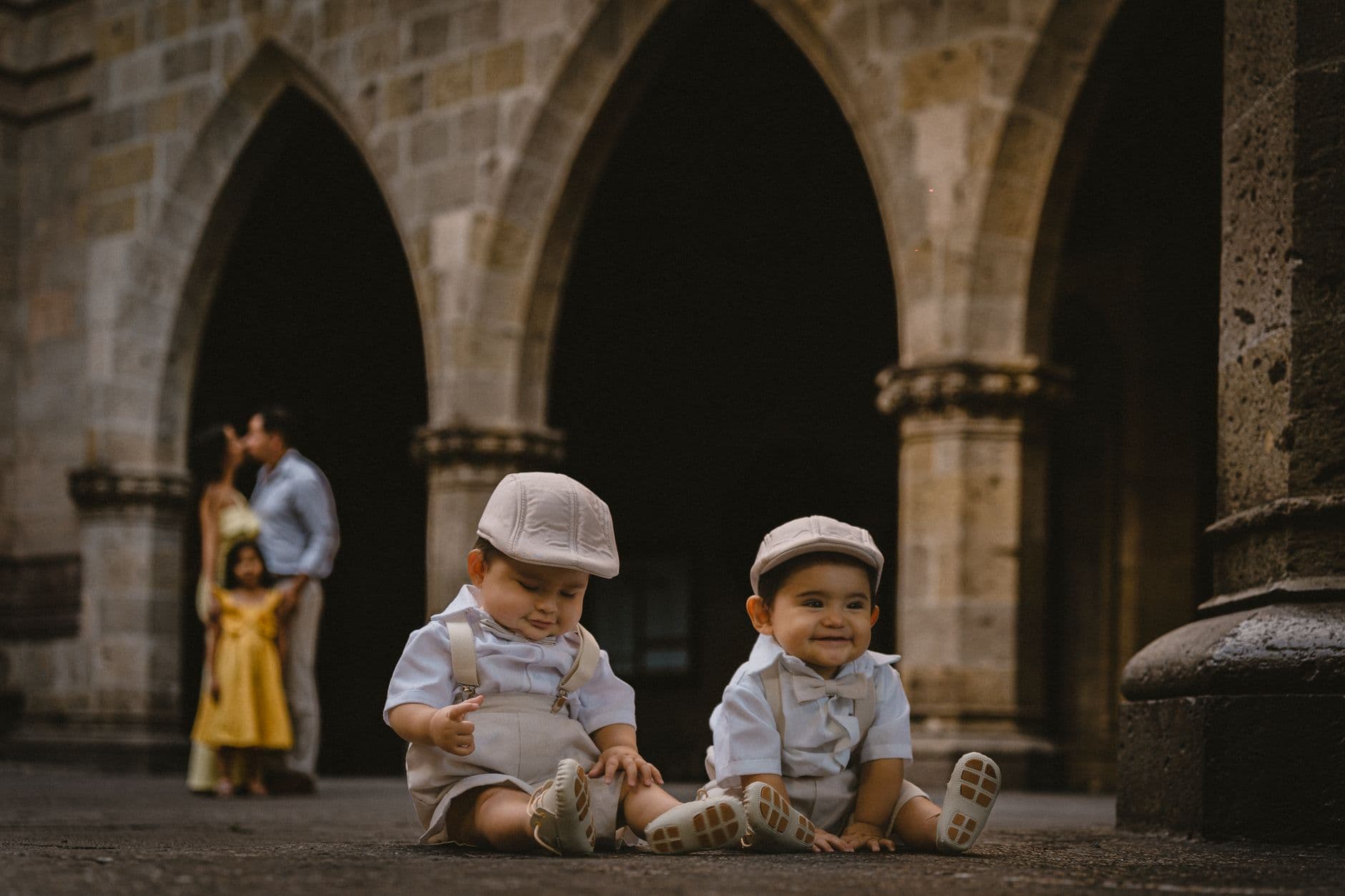
Picture this: your daughter walks up the aisle in her white dress, hands folded, candle glowing. Behind you, your mother-in-law is snapping photos from the third pew. Your brother has his phone out at an angle you'd never think of. Two rows back, your aunt is recording the entire procession on video. Everyone captures something different, something the professional photographer standing at the altar rail never will.
And then the ceremony ends, the party starts, and within 48 hours every single one of those photos is buried. Lost in camera rolls. Forgotten on phones. Your aunt says she'll send hers "next week." She won't.
First Communion and Confirmation are once-in-a-childhood events. The photos matter. But collecting them from a room full of relatives who range in age from 14 to 82 is a logistical puzzle most families never solve. This article is about solving it.
The Photo Black Hole After Church
Here's what typically happens after a communion or confirmation: the family gathers for lunch or coffee, everyone shows each other their best shots on their phones, someone suggests creating a WhatsApp group, and then... nothing. The group gets created. Three people upload a few photos. The rest forget. A month later, you have 11 photos in a dead chat and 300+ scattered across a dozen phones you'll never access again.
This isn't unique to religious celebrations. It's the same problem at graduations, christenings, and every family gathering where more than five people bring a phone. The difference is that communions and confirmations happen exactly once. There's no "we'll get better photos next year." If you want to actually collect every guest's photos from the day, you need a plan before the event, not after.
As Antique Photography notes, both digital and physical photos need a structured collection system, or they end up forgotten in storage. For event photos specifically, the window to collect is small. Once people leave the party, the motivation to dig through their camera roll drops to near zero.
Why the Usual Methods Fall Apart
Families default to what they know. WhatsApp. Email. Maybe a shared iCloud album. Each one breaks in its own way.
WhatsApp and Messenger compress every image. That beautiful candid of your son holding the candle? It's now a blurry mess at 30% of the original resolution. Worse, photos get buried under messages within days. Good luck finding them in six months. If you've ever tried to coordinate a family group chat, you already know why dedicated galleries beat group chats every time.
Email has a 25MB attachment limit. That's roughly 5-8 photos at full quality. Your uncle with 40 photos isn't going to send five separate emails. He's going to send zero.
Shared albums (iCloud, Google Photos) assume everyone has the same ecosystem. In a multigenerational family, that's never the case. Grandma has an Android. Your cousin uses an iPhone. Your father-in-law doesn't have a Google account and isn't about to create one for this.
What it comes down to: there's no single method that works for everyone at a family event, from the teenager to the grandparent. Unless you remove the barrier entirely.
A QR Code Solves the Generational Gap
The simplest approach that actually works: a QR code that opens a browser-based gallery. No app to download. No account to create. No ecosystem to belong to. Guests point their phone camera at the code, tap the link, type their name, and upload.
This matters more for communion and confirmation than for most events, because the age range of your guests is extreme. A 78-year-old grandmother and a 16-year-old cousin need to use the same system. If it requires downloading an app from the App Store, you've already lost half your family. If it requires a Google login, you've lost the other half. A QR code that opens a webpage? That works for everyone who can point a phone camera. And if someone needs help, here's a guide on how to scan a QR code on any phone.
You create the gallery the night before. Print the QR code on a small card or frame it next to the guest book at the celebration lunch. That's it. No tech support needed during the party.

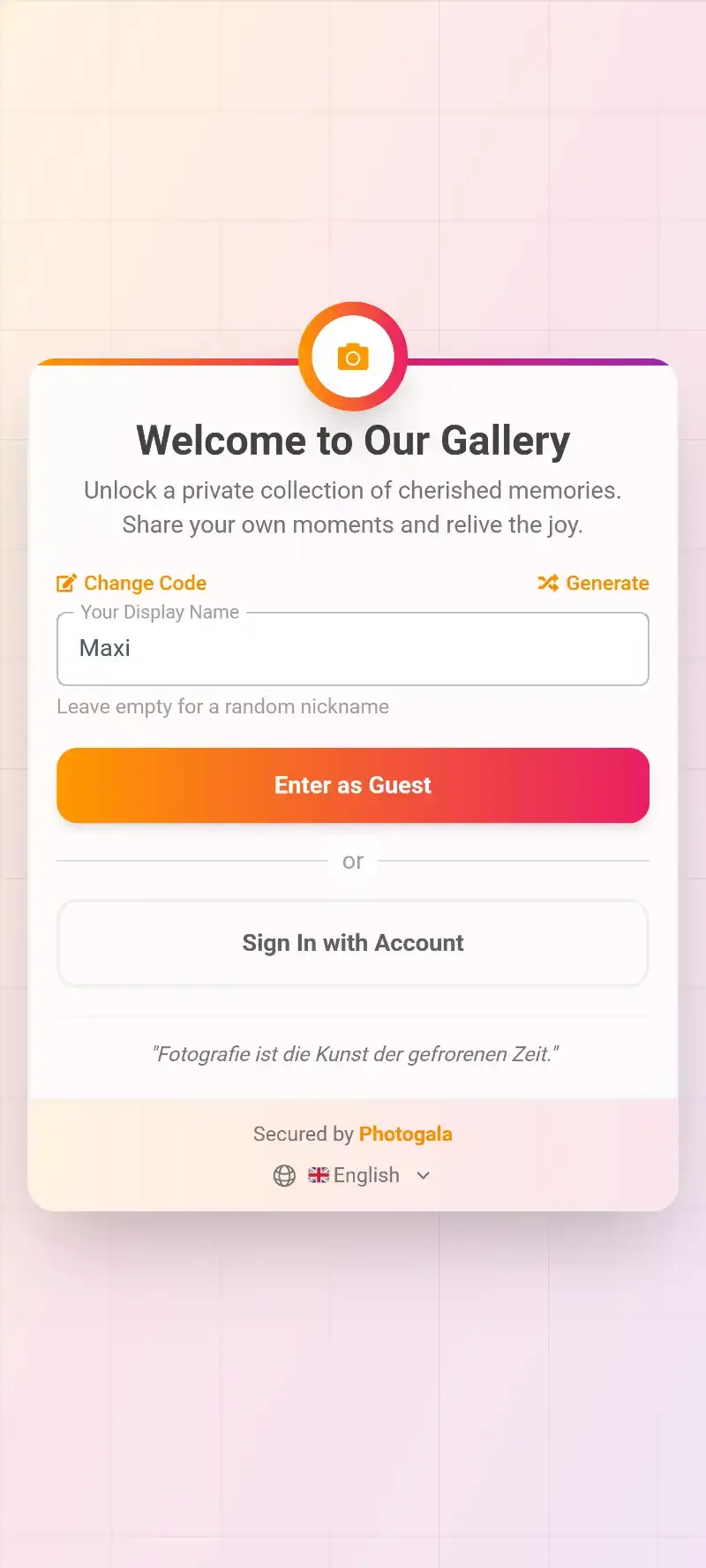
1.Guests scan the QR code from any phone. No app, no login.
Grandparent-proof setup: Print the QR code large (at least 8×8 cm) and place it on every table at the celebration. Add a short sentence below: "Scan to share your photos from today." If your older relatives have never scanned a QR code, ask one of the teenagers to help them the first time. It takes 15 seconds.
देखिए, यह कैसा दिखता है
मेहमानों की सारी फ़ोटो एक ही एल्बम में – बिना किसी ऐप के।
Making the Day Photogenic (Without Being That Person)
Religious ceremonies have their own rhythm, and you don't want to interrupt it with aggressive photo direction. But a few small things make a big difference in what you collect.
Pictorium's communion photography guide recommends taking family group photos before leaving for the church or immediately after, while everyone is still dressed up and together. Once the party starts, people scatter. Jackets come off. Kids get cake on their sleeves.
During the ceremony itself, don't try to control what everyone photographs. The professional photographer has the altar shots covered. What family members capture naturally is the real gold: the nervous glance before walking up, the proud grandparent wiping their eyes, the sibling making faces from two pews over. Those candid shots from different angles are exactly the photos you can't recreate.
One more thing that helps: assign one person as the unofficial "photo reminder." Not a coordinator with a clipboard. Just someone who casually tells Uncle Klaus and Aunt Maria about the QR code during appetizers. One reminder at the right moment is worth ten WhatsApp messages after the fact.
And a practical note: if the ceremony is indoors, remind people to skip the flash. Flash photos in a dimly lit church look terrible. Modern phone cameras handle low light surprisingly well on their own.
The Party After: Put the Photos on a Screen
Here's where it gets fun. Most families celebrate communion or confirmation with a lunch, brunch, or afternoon gathering. (CelebrateShe's party guide notes that brunch right after the service is the most common timing.) If you have a TV or large monitor at the venue, you can turn it into a live photo wall that displays uploaded photos in real time.
Imagine this: the family sits down for lunch, someone uploads a photo of the ceremony they took 30 minutes ago, and it appears on the screen behind the dessert table. People laugh, point, upload more. It becomes a quiet centerpiece for the celebration without anyone having to "present" anything.
1.Uploaded photos appear on the big screen in real time.
One thing to be aware of: Photogala is browser-based, not a native app. That means it works on every device without installation, but you won't get push notifications reminding people to upload. The QR code and the visible photo wall do that job instead. For family events, that's usually enough. The photo wall creates its own momentum once people see their photos appear.
After the Party: Don't Lose What You Collected
The gallery stays online, and the active period doesn't start counting until after the first 10 photos are uploaded. So you're not racing against a clock. But eventually, you'll want to download everything and back it up.
You can download the entire gallery as a ZIP file at original quality. No compression, no downsizing. Every photo exactly as it was taken. Store it on an external drive, upload it to your personal cloud, or burn it to a USB stick for grandma. Whatever your family's archiving style is.
If you want to get creative after the fact, smart albums can automatically sort photos by who uploaded them. So Aunt Maria's 23 photos end up in one folder, your brother's shaky videos in another. No manual sorting required.
What About Photo Challenges?
This might sound like a feature for weddings and corporate events, but photo challenges work surprisingly well at family celebrations. Not the competitive, gamified version with leaderboards. More like a gentle list of suggestions.
Think: "Photo of the confirmation child with their godparent." "The best-dressed guest." "A candid of grandma laughing." "The dessert table before it gets destroyed." These aren't tasks people have to complete. They're nudges that give guests a reason to pick up their phone and capture something specific. Families that use 5-6 simple challenges like these tend to get a much wider variety of shots than families that just say "upload your photos."
You can set these up in advance and even include example preview photos so guests know what you're looking for. It takes ten minutes the night before and adds a lighthearted layer to the gathering. Just keep it low-pressure. This is a family lunch, not a scavenger hunt. Follow the basics of good photo sharing etiquette and you'll be fine.
Quick math: A typical communion or confirmation celebration has 15-30 family members. If even half of them upload 5-8 photos each, you'll have 40-120 images by the end of the day. That's a collection no single photographer could produce, because it includes perspectives from every corner of the church and every table at the party.
Setting It Up: 10 Minutes, the Night Before
Your Setup Checklist
Create the gallery
Sign up, name your event (e.g. "Emma's First Communion"), and pick a cover image. Two minutes, tops.
Print the QR code
Download the QR code and print it on small cards or a framed sign. Place one on every table at the celebration venue. You can also use Photogala's free QR code generator to create additional codes for invitations.
Optional: add 5-6 photo challenges
Simple prompts like "best group photo" or "candid moment during the ceremony." Gives guests a reason to capture more than just the obvious shots.
Download everything after
Once the party is over, download the full gallery as a ZIP and share it with anyone who wants a copy.
That's genuinely all there is to it. The customization options let you match the gallery's colors and style to the occasion if you care about that, but it's completely optional. The core experience works out of the box.
One more thought: if your family does both communion and confirmation for different children over the years, the pattern repeats. Once Aunt Maria has scanned one QR code, she'll know exactly what to do at the next family celebration. The first time is the hardest. After that, it's muscle memory.
Your daughter's communion or your son's confirmation happens once. The professional photographer captures the ceremony. Your family captures everything else: the nervous smile in the car, the proud hug outside the church, the cake fight between cousins at the party. Those photos exist, right now, on a dozen phones in your family. All you need is a way to bring them together before they disappear.
यह सब आपके अपने इवेंट में शामिल है।
सेटअप में सिर्फ़ पांच मिनट लगते हैं। फ़ैसला करने से पहले आप सब कुछ सेट करके देख सकते हैं।
कीमत €39 से शुरू, एक बारएक बार का भुगतान — कोई सब्सक्रिप्शन नहीं
- किसी ऐप की ज़रूरत नहीं
- 5 मिनट में तैयार
- 30 दिन की मनी-बैक गारंटी
लेखक

I believe event photos should be more than static galleries. They should be live, playful, and unforgettable.
कैटेगरी
मिलते-जुलते लेख

Bridal Shower Photo Sharing: Collect Every Sweet Moment in One Gallery
Bridal shower photos end up scattered across 15 phones. Here's how to get them all into one gallery before the mimosas wear off.

Maternity Photo Sharing: How to Keep Every Announcement, Bump Shot, and Memory in One Place
Pregnancy announcements land on 4 different apps. Maternity photos get lost in group chats. Here's how to keep every photo in one shared gallery your whole family can access.

Sales Kickoff Photo Sharing: How to Turn a Mandatory Meeting Into a Team Memory
Sales kickoffs are expensive. The photos from them usually disappear into 14 different camera rolls. Here's how to fix that.