Military Homecoming Photo Sharing: How to Collect Every Reunion Moment From Every Phone

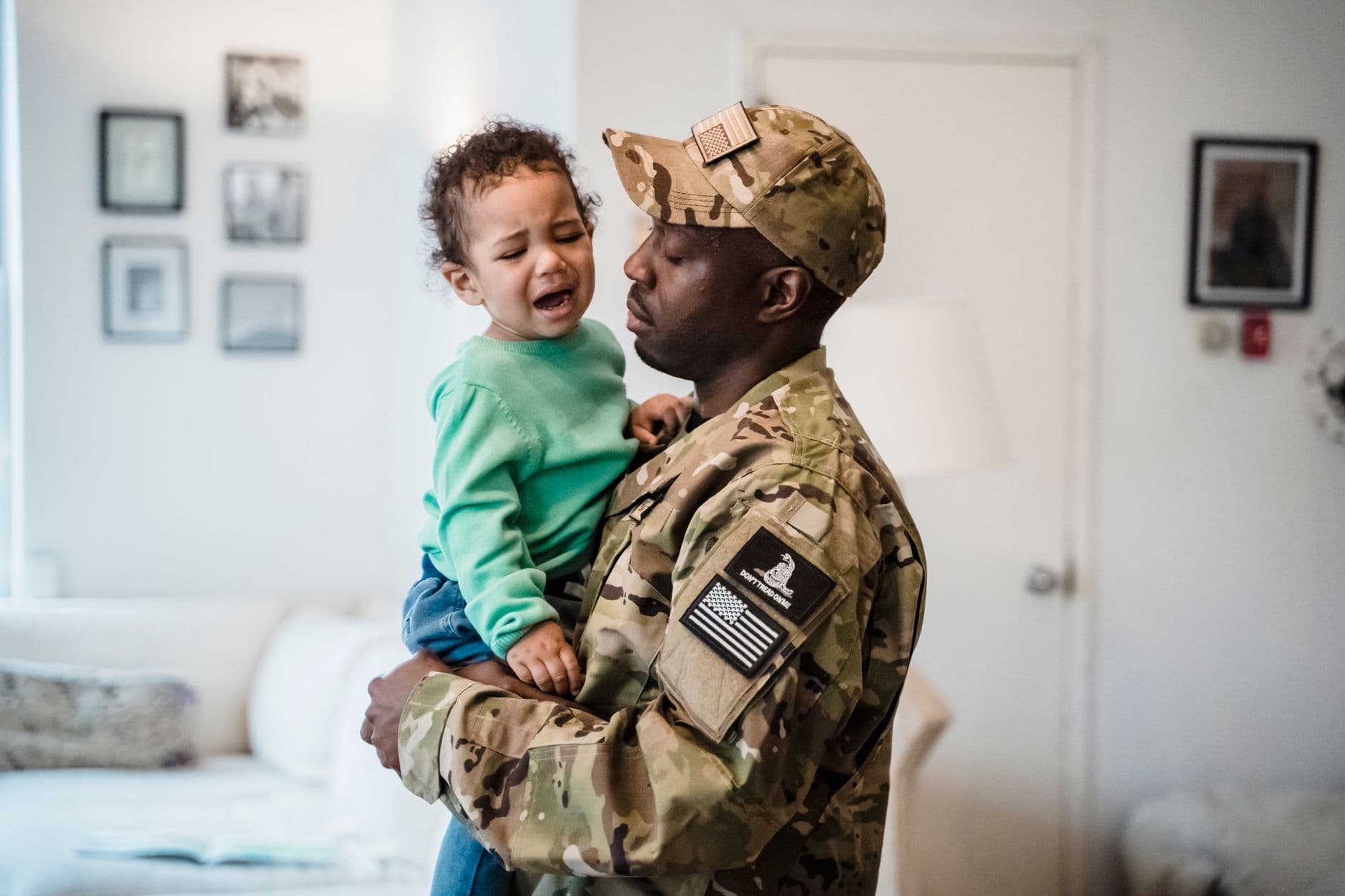
The tarmac is loud. A C-17 taxis to a stop. Forty families clutch handmade signs, toddlers in matching outfits, grandparents with shaky phone cameras. And then the door opens. What follows is fifteen minutes of the most raw, unguarded emotion you'll ever see at any event: sprinting across concrete, collapsing into hugs that last longer than socially acceptable, kids who don't quite recognize the person in uniform.
Everyone is filming. Everyone is shooting photos. And by the next morning, those photos live on 40 different phones, in 40 different camera rolls, slowly sinking beneath screenshots and grocery lists. The farewell party three months earlier? Same story. A hundred candid shots of the going-away barbecue, toasts, group hugs. All scattered across phones nobody will ever sync.
Military families know this pain better than most. The Grove Reunions blog calls photographs "the most powerful conversation starters at a military reunion," noting that a single faded snapshot can transport veterans across decades. But conversation starters only work if you can actually find the photos.
The Real Problem Isn't Taking Photos
Military homecomings and farewell parties have a unique photo problem. Unlike weddings, where you hire a photographer and get a neat package weeks later, these events are chaotic, emotional, and often organized on short notice. Deployment schedules shift. Arrival times change. You might find out the exact homecoming date 48 hours before it happens.
So the professional photographer plan falls apart for most families. Instead, you rely on the people who are there: spouses, parents, siblings, friends, fellow unit families. They all take incredible photos. Raw, emotional, once-in-a-lifetime moments. The problem is what happens after.
Someone creates a WhatsApp group. Half the people don't join. Someone else shares a Google Photos link, but three family members don't have Google accounts. Aunt Carol emails her 47 photos one by one. Uncle Dave promises to send his "when he gets home" and never does. Sound familiar? If you've ever tried to collect photos from event guests automatically, you know this is the default experience at every gathering.
The U.S. Army itself documented this challenge. A 2012 Army article featured a spouse named Elizabeth who received professional farewell photos before her husband's deployment to Afghanistan. Her reaction: "It's just really given me something to hold onto. It makes me honestly feel better to see the photos and remember that love." She displayed an 11-by-14 print in her bedroom. He posted copies in his tent overseas. These photos mattered. But most families never get them organized.
One Gallery, One QR Code, Zero Excuses
The simplest fix is removing every barrier between "I took a great photo" and "everyone can see it." That means no app downloads, no account creation, no shared drives, no email chains. Just a QR code that opens a browser-based gallery where anyone can upload in seconds.
With a QR code photo gallery, you create a shared space before the event. Print the code on the farewell party invitations. Tape it to a sign at the homecoming venue. Text it to the family group chat. Guests scan, pick a name, and upload. That's it. No friction. The 62-year-old father-in-law who can barely text? He can do this. The teenager who lives on Snapchat? She'll upload 30 photos before dinner.

1.Scan the QR code, pick a name, start uploading
Picture a homecoming at Naval Station Norfolk, the largest Navy base in the world. Thirty families on the pier. Each family has 2-4 people with smartphones. Within two hours, the shared gallery could easily have 180 photos from 25 different uploaders. Not 180 photos sitting on 25 separate phones. 180 photos in one place, viewable by everyone, downloadable in original quality. That changes everything about how you remember this day.
See it in action
Every guest photo in one album – no app.
Farewell Parties: The Overlooked Half
Most people think about homecoming photos. Fewer think about the farewell party, the going-away barbecue, the final formation. But these moments matter just as much. For the person deploying, farewell photos become the thing they look at when they're 7,000 miles away in a tent.
Farewell parties also tend to be more relaxed, more candid, and better lit than pier-side homecomings at 0600. You get the toasts, the group shots, the kids playing in the yard, the quiet moment when two old friends stand by the grill and don't say much. These are the photos that hit different six months into a deployment.
Setting up a gallery for the farewell gives you another advantage: the same gallery can stay active through the deployment and into the homecoming. One continuous thread of photos, from goodbye to welcome-home. If you're planning something similar for a family gathering, our guide on family reunion photo sharing covers the logistics of collecting photos across generations. And if your event involves guest photo sharing more broadly, the same principles apply.
Start the gallery at the farewell party, not the homecoming. With Photogala's Plus plan, your gallery stays active for 6 months. If the deployment is shorter than that, the same gallery captures both goodbye and welcome-home photos in one place. You can customize the branding to match the occasion.
What to Do Differently for Military Events
Not all events are the same. Military homecomings have specific quirks that change how you plan photo collection.
Timing is unpredictable
Arrival times shift. Planes get delayed. Ships come in early. You might set up a gallery a week in advance and then the homecoming moves by three days. This is actually fine. A QR code gallery doesn't care when you use it. Create it early, share the code, and it's ready whenever the moment happens. The active period starts after the first 10 photos are uploaded, not when you create the gallery.
Emotions run high, attention spans run low
Nobody at a homecoming is going to download an app, create an account, and figure out a sharing interface. They're crying. They're filming vertical video with one hand while hugging with the other. The upload process needs to be three taps or fewer. Scan, name, upload. Done.
The audience spans generations
A typical homecoming crowd includes grandparents, young kids, and everyone in between. No app download requirement means nobody gets left out. Browser-based sharing works on any smartphone, any age, any tech skill level. This is the same reason graduation photo sharing works well with mixed-age groups.
Distant family needs access too
Not everyone can be at the pier or the airfield. Parents in another state, siblings overseas, the battle buddy who PCS'd last year. A shared gallery with a simple link means anyone can view the photos in real time, even from across the country. We wrote a full guide on including long-distance guests in event galleries that applies directly here.
The Photo Wall Moment
Here's something that works surprisingly well at farewell parties: a live photo wall on a TV or projector. As guests upload photos throughout the evening, they appear on screen in real time. It becomes the centerpiece of the party.
Imagine this at a going-away barbecue: a screen near the food table cycling through photos as people upload them. Old deployment photos mixed with tonight's candids. Someone uploads a throwback from basic training, and suddenly five people are gathered around the screen laughing. A kid uploads a blurry photo of the dog wearing a "Daddy Come Home" bandana, and the whole room stops.
1.Photos appear on screen as guests upload them in real time
You don't need fancy equipment. A smart TV, a Chromecast, or a laptop connected to a projector. Open the photo wall URL in a browser, fullscreen it, and you're set. The whole setup takes about five minutes. If you want to get creative, set up photo challenges to encourage specific shots: "Best group photo," "Ugliest crying face," "Most creative welcome-home sign."
Preserving What Matters
A military.com guide to homecoming photography describes the reunion moment as something you can physically see: the tension dropping from a spouse's shoulders, the breath they finally let go. That moment lasts maybe three seconds. It happens once. And it's gone.
The professional photographer (if you have one) might catch it. But so might the friend standing two feet to the left with her phone. Or the kid who accidentally films the whole thing in slow motion. Collecting all of these perspectives into one gallery means you don't have to hope the right person captured the right angle. You get all of them.
Once the event is over, you can download the entire gallery as a ZIP file in original quality. Print a photo book. Create a slideshow for the unit's next family readiness group meeting. Send the link to the service member's parents who couldn't make it. Our guide on archiving and backing up event photos covers the long-term storage side.
A Quick Setup Checklist
Set Up Your Military Event Gallery
Create the gallery early
Set it up days or weeks before the event. Name it something personal. Add a cover photo. The gallery stays dormant until the first uploads come in.
Share the QR code everywhere
Print it on farewell party invitations. Text it to the FRG group chat. Tape a printed code to the sign-in table at the homecoming venue. The more places people see it, the more photos you collect.
Set up a photo wall (optional)
Connect a TV or projector at the farewell party. Open the photo wall URL in a browser and fullscreen it. Photos appear as guests upload.
Download everything after
Once the dust settles, download the full gallery as a ZIP. Share the link with family who couldn't attend. Print the best ones.
The honest trade-off: Photogala is browser-based, not a native app. That's intentional (no install friction), but it means you won't get push notifications to remind guests to upload. You'll want to verbally remind people at the event, or have someone post the QR code in the group chat a couple of times. For tips on encouraging participation without being annoying, check out our photo sharing etiquette guide.
Beyond the Homecoming
The same gallery can serve as a running archive for the unit's social events: hail and farewell dinners, holiday parties, promotion ceremonies, unit family days. Military life is a constant rotation of hellos and goodbyes, and each one produces photos worth keeping. If your unit is planning a bigger reunion or team event, you can scale up to accommodate hundreds of uploaders. The approach also works well for event photo sharing at any scale.
For smaller, more personal gatherings like a welcome-home dinner with close friends, the free demo plan handles up to 50 photos with no credit card. For the big pier-side homecoming with 30+ families, the Plus plan at €39 gives you unlimited photos and a 6 months active window.
A homecoming happens once. A farewell party happens once. The photos from those moments are the only record that they happened at all. They end up on the fridge, in the deployment care package, on the desk in the barracks. They're the thing a spouse looks at on a hard Tuesday night. Don't let them stay trapped on 40 different phones.
All of this comes with your own event.
Setting it up takes five minutes. You can build and view everything before you decide.
Starting from €39 one-timeOne-time payment — No subscription
- No App Required
- Setup in 5 Minutes
- 30-Day Money Back
“We used the software at my mum's birthday party. It went down really well 😊”
Written by

I believe event photos should be more than static galleries. They should be live, playful, and unforgettable.
Categories
Related Posts
Kids' Birthday Party Photo Sharing: One Gallery Every Parent Will Love
Stop chasing parents for photos after your kid's party. One QR code, one shared gallery, zero hassle.

Proposal and Engagement Photo Sharing: How to Capture the Moment They Said Yes
The proposal lasts seconds. The photos live forever. Here's how to collect every angle from the people who were there.

Bridal Shower Photo Sharing: Collect Every Sweet Moment in One Gallery
Bridal shower photos end up scattered across 15 phones. Here's how to get them all into one gallery before the mimosas wear off.