Car Show Photo Sharing: How 80 Enthusiasts Can Fill One Gallery Without a Single Group Chat

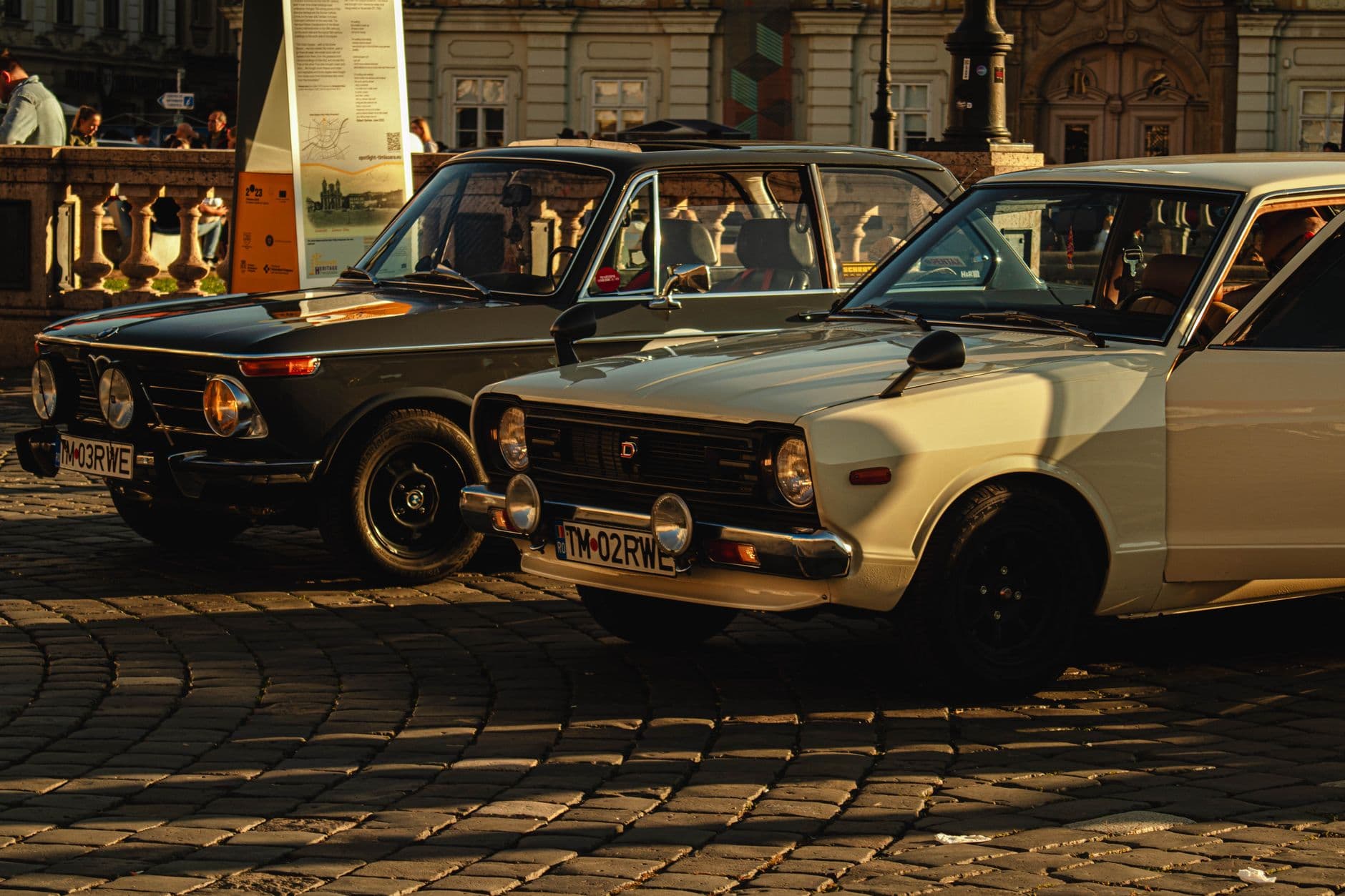
Saturday morning, 7 AM. Forty cars are already lined up on the lot, hoods popped, owners wiping down chrome with microfiber cloths. By noon there will be eighty vehicles, maybe more. Every single person walking through that lot has a phone in their hand, crouching for that low-angle front-quarter shot, zooming in on a custom exhaust tip, catching the sunlight hitting a freshly detailed hood. Hundreds of photos taken. And by Monday? They're buried in camera rolls, lost in a WhatsApp group that moved on to talking about next week's meet, or posted to Instagram where only followers see them.
The car community photographs obsessively. That's not the problem. The problem is that all those photos end up in 80 different pockets and never come back together. This article is about fixing that, specifically for car shows, Cars and Coffee mornings, club meets, and charity auto events.
Why Car Meets Have a Unique Photo Problem
Most events have one thing worth photographing: a wedding cake, a keynote speaker, a birthday candle blowing. Car meets have 40 to 200 individual subjects, and every attendee is both a photographer and a subject. The owner of a 1967 Shelby GT500 wants to see every photo anyone took of their car, not just their own. The guy who brought his turbocharged Miata wants the rolling shot someone grabbed as he pulled in.
This creates a distribution problem that group chats can't solve. A WhatsApp group with 80 people uploading full-resolution photos becomes unusable within an hour. iCloud shared albums hit their 5,000-photo limit fast at larger shows. And posting to social media fragments everything: some shots go to Instagram, others to Facebook groups, others stay on the phone forever. A Mixbook survey from 2023 found that 50% of Americans do nothing with the photos on their phone. At car meets, that percentage feels even higher because the photos aren't of people, they're of someone else's car. There's less personal motivation to organize them.
If you've ever organized a neighborhood block party or a beer festival, you've seen the same pattern: lots of cameras, no central collection point. Car meets just amplify it because the subject matter (the cars) is what everyone came for.
The QR Code Fix for Car Shows
The simplest solution is a shared gallery that anyone can upload to without downloading an app, creating an account, or joining a group chat. One QR code, printed on a banner at the entrance or on table cards at the registration desk. Guests scan it with their phone camera, pick a display name, and start uploading. That's it. You can even design the code to match your show branding with Photogala's free QR code generator.
QR Code Generator
Create custom QR codes for your event — link guests directly to your photo gallery.
For car shows specifically, this works better than social media because the photos stay organized in one place. The show organizer gets every shot. Car owners can browse the gallery to find photos of their vehicle. And nobody has to follow anyone or join anything.
According to a guide on car show planning from Volo Museum, one of the 20 key organizing steps is to "record and highlight special moments." Most organizers interpret that as hiring a photographer. But the reality is that 80 attendees with smartphones will capture far more angles, details, and candid moments than any single photographer. The challenge is just getting those photos into one place.

1.One scan, no app install, no sign-up
Picture this: you print QR codes on cards and place one on the windshield of every registered car. Attendees walk up, scan the code, and upload their best shots of that vehicle. The car owner checks the gallery that evening and finds 15 photos of their build from angles they never would have captured themselves. That's the kind of experience that makes people come back to your next show.
Photo Challenges Turn Spectators Into Photographers
Here's something most car show organizers don't think about: not everyone at a meet is comfortable approaching someone's car and taking photos. Some people wander, look, and leave. Photo challenges change that dynamic by giving attendees specific missions.
Imagine setting up challenges like: "Best engine bay shot," "Find the oldest car at the show," "Capture a detail you'd miss at 10 feet," or "Photograph a car you'd daily drive." Each challenge can include an example preview photo showing exactly what kind of shot you're looking for. Attendees who might otherwise just scroll Instagram while walking the lot now have a reason to look closer, crouch lower, and actually engage with the cars.
The results go beyond photo quantity. Challenges create a variety of perspectives you'd never get otherwise. Instead of 50 nearly identical three-quarter front shots, you get someone lying on the pavement for a ground-level wheel arch close-up, someone catching a reflection in the paint, someone framing two cars together with the mountains behind them.
For Cars and Coffee events: Keep challenges simple and fun. 3-5 challenges is the sweet spot for a morning meet. For full-day shows, go up to 8-10 with varying difficulty. A "Photo Roulette" challenge (where attendees get a random example photo to recreate) works surprisingly well with car people because they already have an eye for composition.
If you've seen how gamification works at corporate events, the psychology is identical. Points, leaderboards, and friendly competition drive participation. At a car meet, it's even more natural because the community already thrives on showing off and appreciating each other's builds.
देखिए, यह कैसा दिखता है
मेहमानों की सारी फ़ोटो एक ही एल्बम में – बिना किसी ऐप के।
The Photo Wall Nobody Expected to Love
Here's a detail that came up while looking into car show setups: live photo walls work at automotive events in a way they don't at most other gatherings. At a wedding, the photo wall is background ambiance. At a car meet, people actively watch it.
Think about it. Car enthusiasts are visual people. They came to look at beautiful machines. A screen cycling through freshly uploaded photos of those same machines, from angles the owner hasn't seen yet? That's content people actually stop and watch. It's not a slideshow of selfies. It's a live feed of automotive photography.
Set up a TV or projector near the food trucks or the registration tent. As photos upload to the shared gallery, they appear on screen in real time. If you're running a charity show, put the photo wall near the silent auction. People linger longer when there's something to watch, and lingering near an auction table means more bids. You can learn more about configuring the display in our slideshow vs. collage setup guide.
1.Photos appear on screen as attendees upload them
Practical Setup for Show Day
You don't need to be technical to make this work. The entire setup takes about 15 minutes the night before. Here's what the morning looks like:
Car Show Photo Gallery in 4 Steps
Create the gallery
Name your event, pick a theme that matches your show branding, set a cover image. Takes 2 minutes.
Print QR codes
Print the QR on entrance banners, registration cards, or windshield placard inserts. One code for the whole show.
Set up the photo wall
Connect a TV or projector, open the photo wall URL in a browser. It auto-refreshes as new photos arrive.
Download everything after
After the event, bulk download every photo as a ZIP. Share the gallery link with attendees so they can browse and save favorites.
One honest limitation: Photogala is browser-based, not a native app. For most events that's a plus (no install friction), but at outdoor shows with spotty cell reception, some attendees might need to wait for a stronger signal to upload. If your venue has Wi-Fi, share the password alongside the QR code. For tips on shooting in outdoor settings, our open-air event photography guide covers the practical details.
What About the Professional Photographer?
Some car shows hire a professional photographer, and the question comes up: does crowd-sourced photo sharing replace that? No. It complements it.
The professional gets 100-200 carefully composed, edited shots delivered a week later. The crowd-sourced gallery gets 300+ unedited but immediate shots from every angle, captured during the event. They serve different purposes. The professional's work goes on the show's website and sponsor decks. The crowd gallery goes to the attendees who want to see their car, find the photo someone took of their engine bay, or relive the rolling arrivals.
The professional photographer can upload to the same gallery, too. Their shots instantly stand out among the phone photos, which is great marketing for them. If you're planning photography coverage for any event, our event photography guide for beginners has useful framing tips that apply to car shows.
After the Show: The Gallery That Keeps Working
Most car show marketing happens before the event. Flyers, social media posts, sponsor announcements. But the gallery you built during the show becomes a marketing tool for next year's event.
Share the gallery link in your post-event email. Post it in your car club's forum. When you start promoting next year's show, you have a visual record of what attendees can expect. That's more convincing than any flyer. As one automotive event marketing overview puts it, the best events create "moments amplifiable across channels long after the event." A shared photo gallery is exactly that.
If you need to send large batches of photos to sponsors or media outlets afterward, the bulk download feature saves hours compared to collecting photos from individuals. And with content moderation enabled, you can review uploads before they go public, which matters if sponsors expect a certain level of image quality.
For larger shows and trade show-style events, the same approach scales. More cars, more attendees, more photos, same single QR code.
The car community already does the hard part: they show up, they care about the cars, and they photograph everything. The only missing piece is giving all those photos a place to land. One QR code, one gallery, zero group chats. Whether you're organizing a weekend Cars and Coffee or a full-day charity show with guest photographers, the setup is the same and it takes 15 minutes.
यह सब आपके अपने इवेंट में शामिल है।
सेटअप में सिर्फ़ पांच मिनट लगते हैं। फ़ैसला करने से पहले आप सब कुछ सेट करके देख सकते हैं।
कीमत €39 से शुरू, एक बारएक बार का भुगतान — कोई सब्सक्रिप्शन नहीं
- किसी ऐप की ज़रूरत नहीं
- 5 मिनट में तैयार
- 30 दिन की मनी-बैक गारंटी
लेखक

I believe event photos should be more than static galleries. They should be live, playful, and unforgettable.
कैटेगरी
मिलते-जुलते लेख

Bridal Shower Photo Sharing: Collect Every Sweet Moment in One Gallery
Bridal shower photos end up scattered across 15 phones. Here's how to get them all into one gallery before the mimosas wear off.

Maternity Photo Sharing: How to Keep Every Announcement, Bump Shot, and Memory in One Place
Pregnancy announcements land on 4 different apps. Maternity photos get lost in group chats. Here's how to keep every photo in one shared gallery your whole family can access.

Sales Kickoff Photo Sharing: How to Turn a Mandatory Meeting Into a Team Memory
Sales kickoffs are expensive. The photos from them usually disappear into 14 different camera rolls. Here's how to fix that.